
Your Browsing History



| Brand | Saitek |
|---|---|
| Model | PZ69 |
| Type | Panel |
|---|---|
| Specifications | Flight Simulation Software Compatibility: FSX - Flight Simulator X X-Plane System Requirements: USB 2.0 Port Windows XP, Vista or 7 (32- and 64-bit) |
| Features | Fully Customizable to Meet Your Needs Modular and interchangeable, Saitek's range of Instrument Panels can be situated one on top of another or side-by-side. Want the Altimeter above the Compass? Done. Want your Vertical Speed Indicator to the left of your Airborne Direction Finder? Go for it. Easy-to-use mounting brackets provide the means to arrange your flight simulation setup in a configuration only limited by your imagination. |
|---|
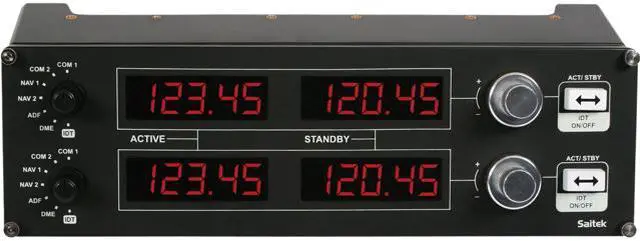
| Package Contents | LED displays work fully in real time with Flight Simulator X and 2004, removing the need to bring the radio stack up on screen Standby switch - set your standby frequencies and then set to active at the touch of a button Twin concentric adjustment dials adjust frequency units incrementally for quicker selection of your required frequency Mounts onto the Pro Flight Yoke System (sold separately) or into your own home cockpit setup Multiple Radio Panels will allow simultaneous display of the various radio stack functions |
|---|
| First Listed on Newegg | May 07, 2015 |
|---|