





Founded in 2002, RAPOO has been engaged in computer peripherals development and manufacturing for over 20 years.
RAPOO keyboards share rank is No.1 and mice share rank is No.2 in China market (ZDC Report, 2022-2023). Our products are chosen and trusted by more than 100 million customers from 50+ countries and regions.
RAPOO focused on preserving the natural world, and building a sustainable business for our customers and the planet.



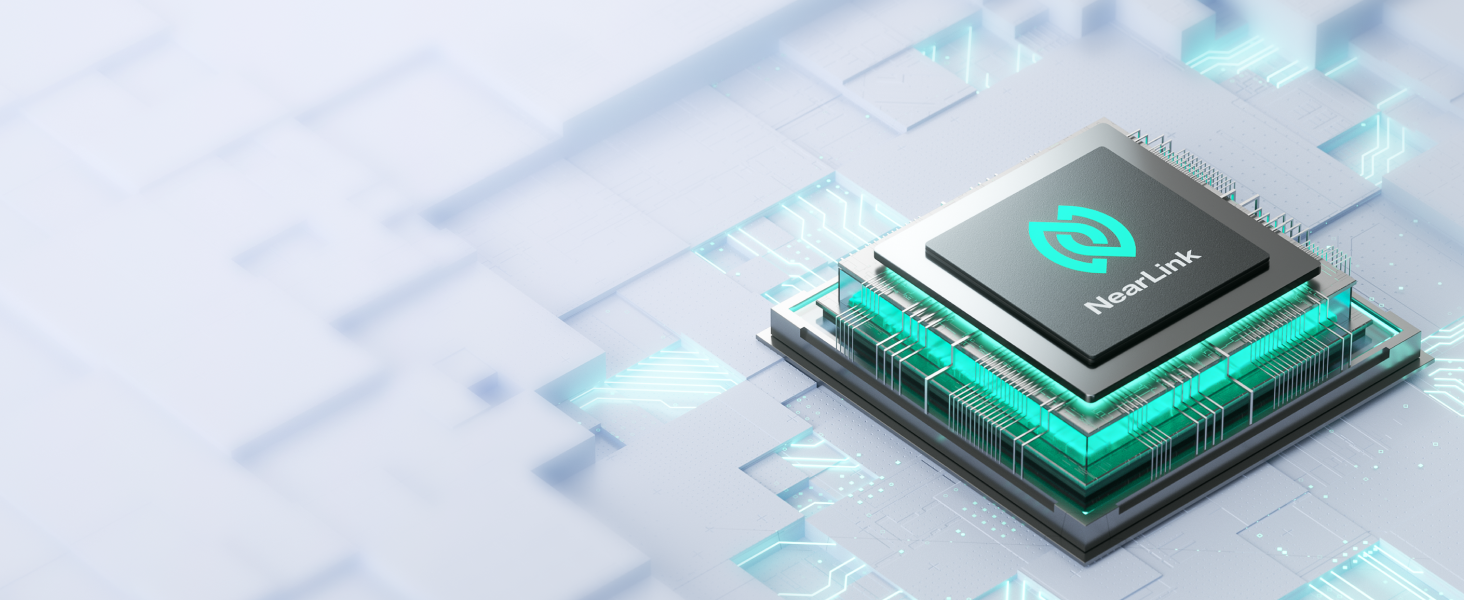
NearLink: A New Short-Range Transmission Solution
60% lower power consumption, 6x higher speed, 1/30 delay, 7dB higher anti-interference ability.
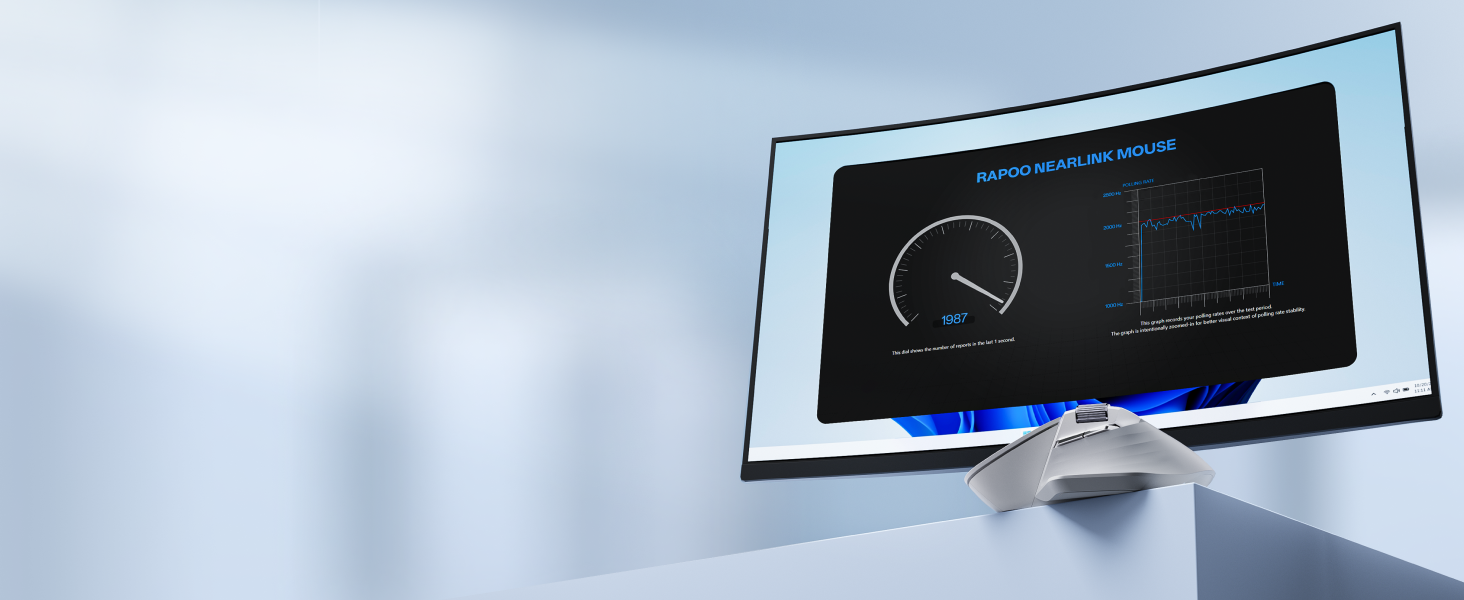
Remastered For The Pro
Now with 12K pixel-level precision, and 2000Hz ultra-low latency wireless polling.
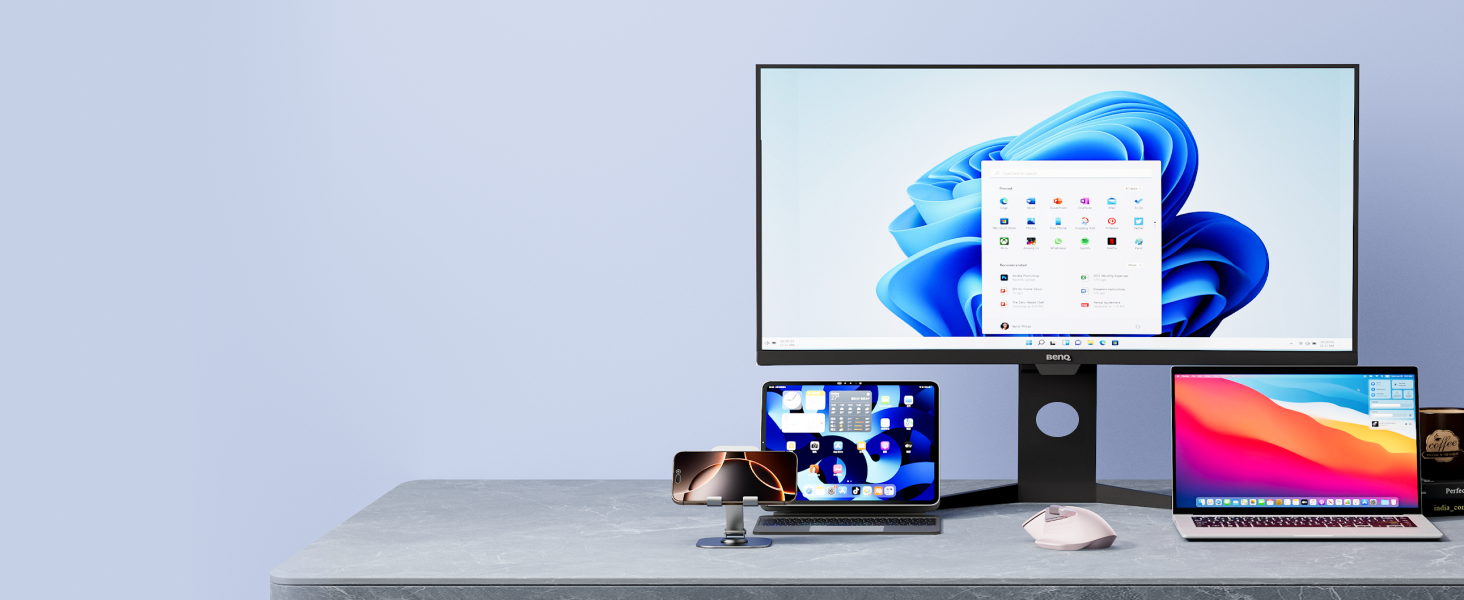
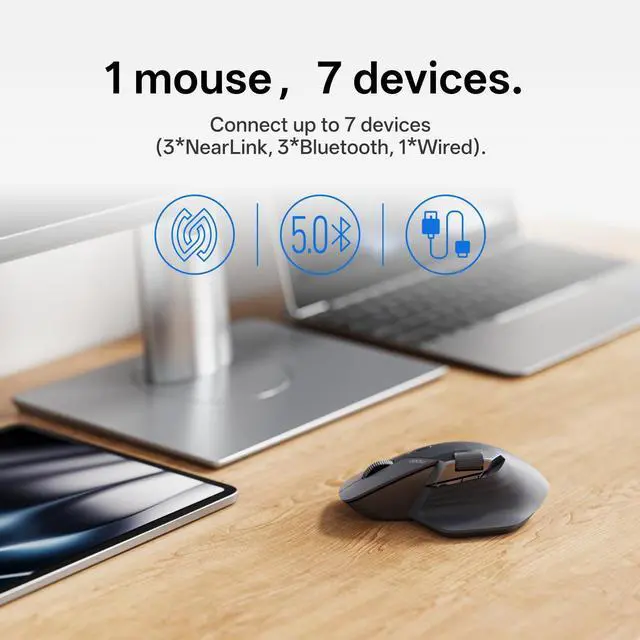
NearLink + Bluetooth 5.0 + Wired Option
All-in-one solution for multi-taskers on Windows, Mac, Chrome, Android - max support 7 devices.
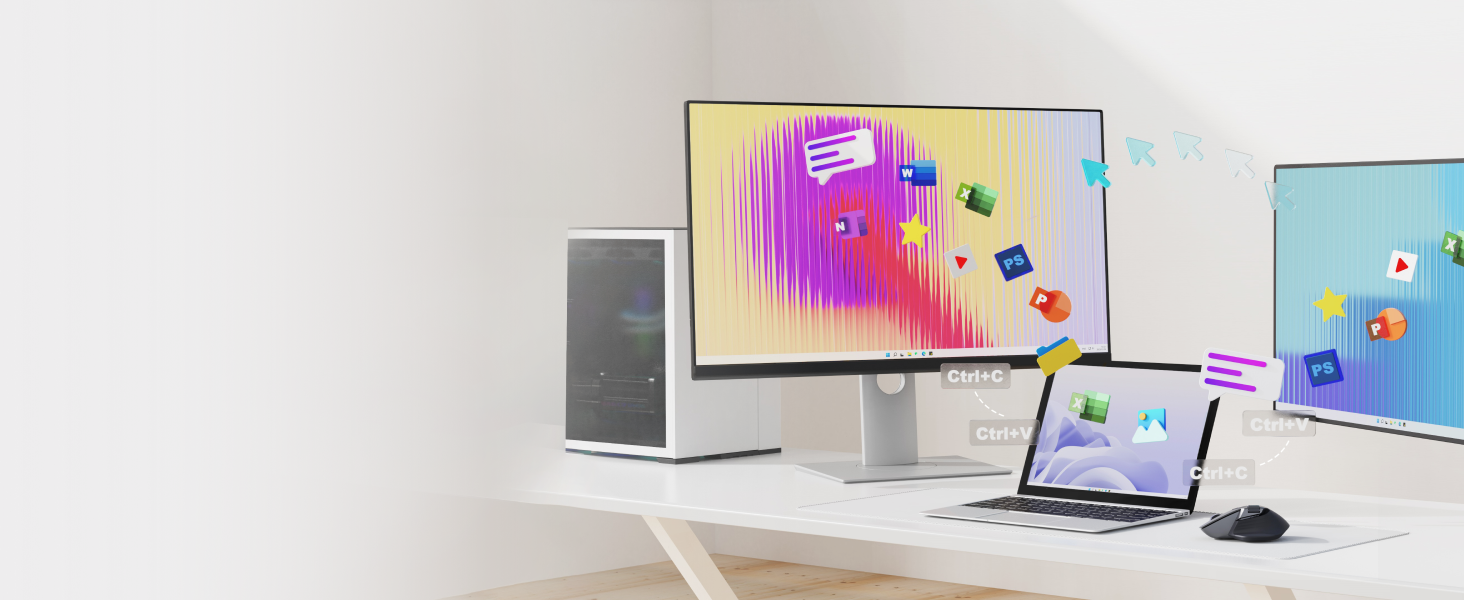
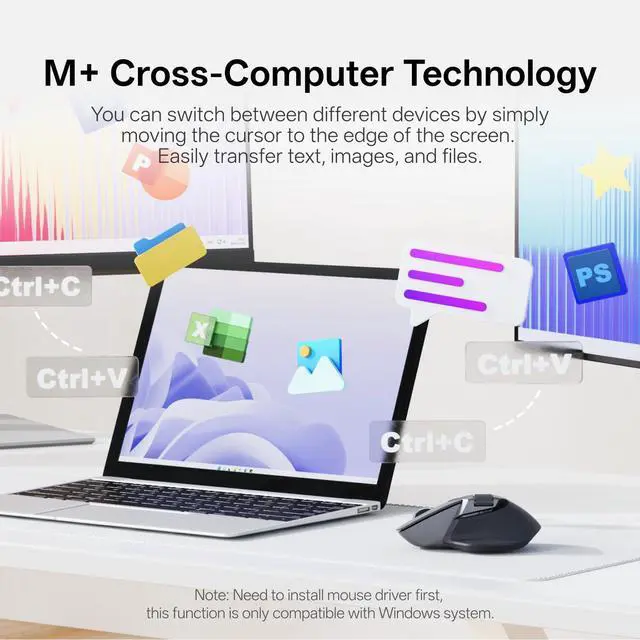
Flow Between Screens
Flow the cursor by simply moving to screen edge, transfer text, images, and files between computers.
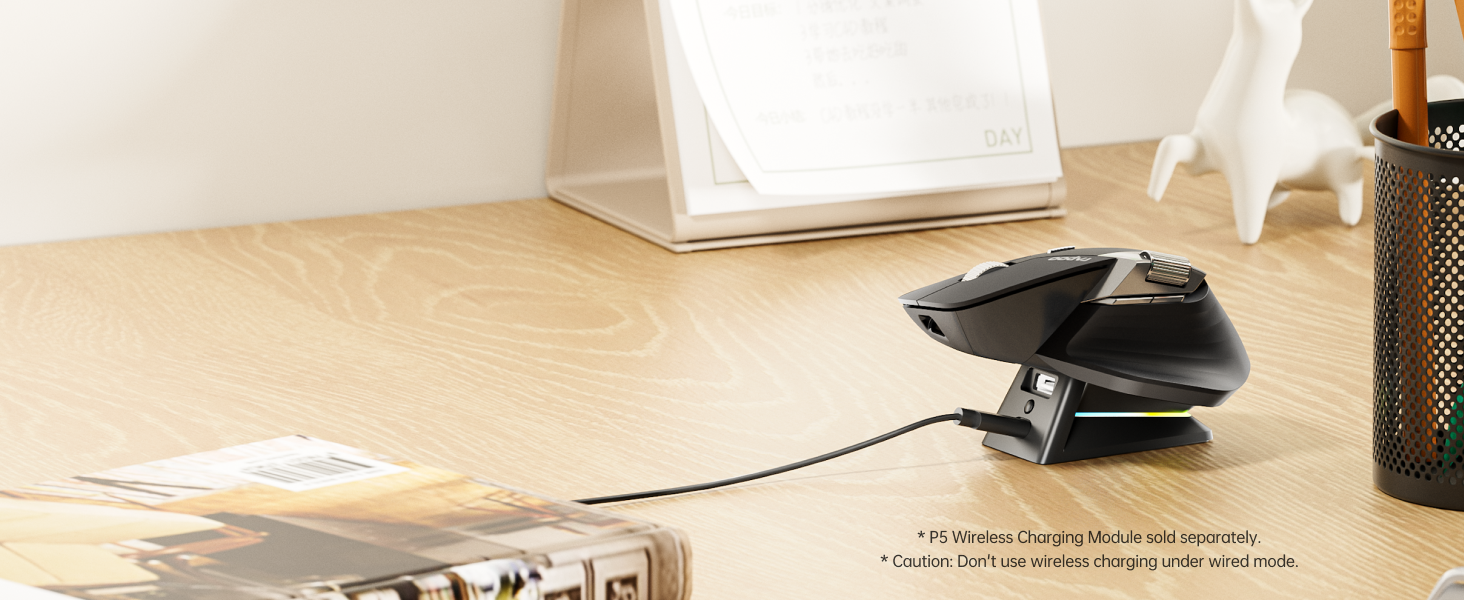
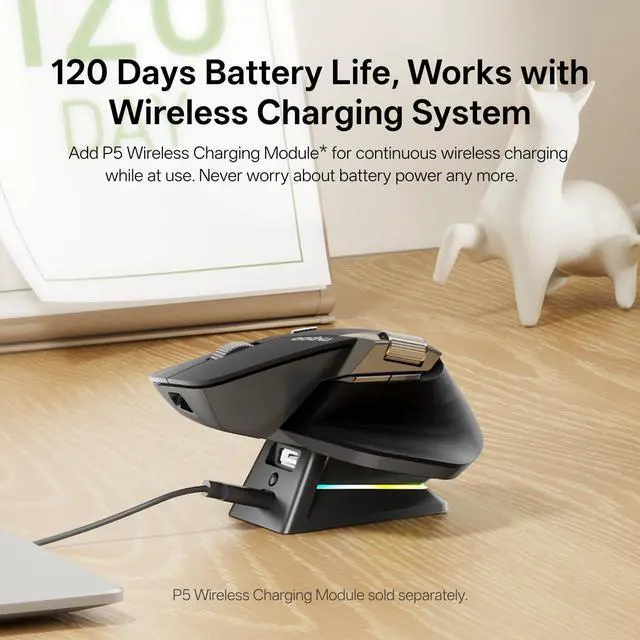
Support QI Wireless Charging
Add P5 Wireless Charging Module* for continuous wireless charging while at use.
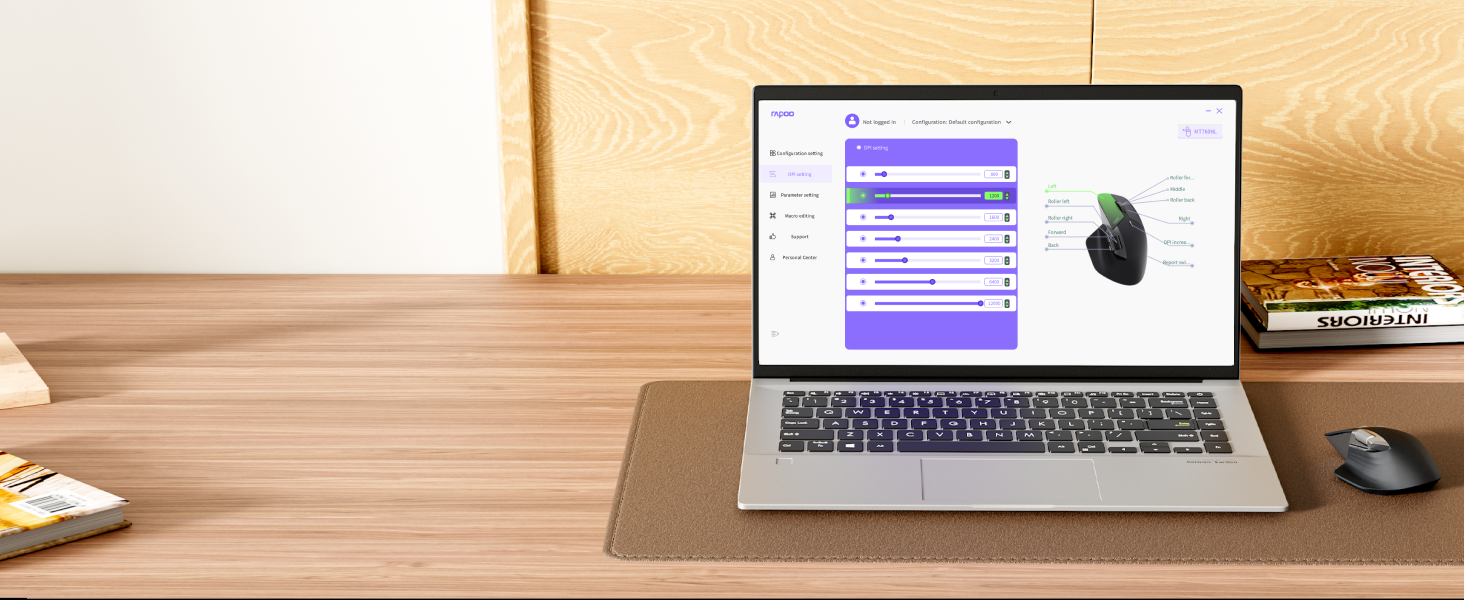
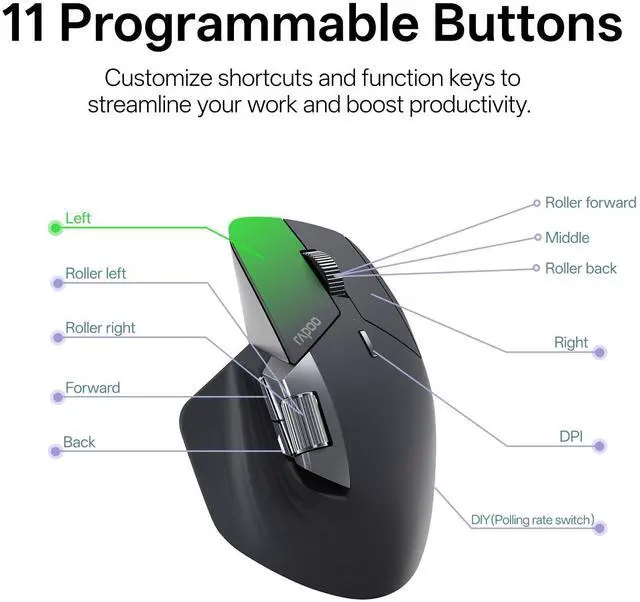
Programmable with On-board Memory
Streamline your workflow or gaming sessions with shortcuts, media keys and macros - stored in mouse.

Silent yet Tactile Clicks
Near-silent, soft but distinctive click that reduces noise by 90%.

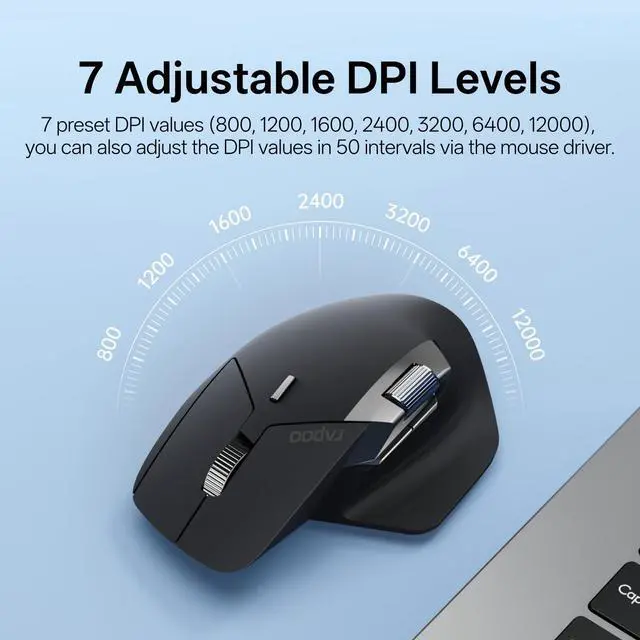
7 Adjustable DPI Levels
7 preset DPI values (800/1200/1600/2400/3200/6400/12000), adjustable in 50 intervals via the mouse driver to balance precision and quickness.

Works on Most Surfaces
Hi-performance laser sensor provides smooth tracking on most surfaces like wood, cloth, leather, resin, paper, etc. [Not suitable for glass or mirror]

120 Days Battery Life
Utilizes SLE low-power technology to prolong the battery life up to 120 days. And the USB-C provides a whole day of use from a 5-minute quick charge.
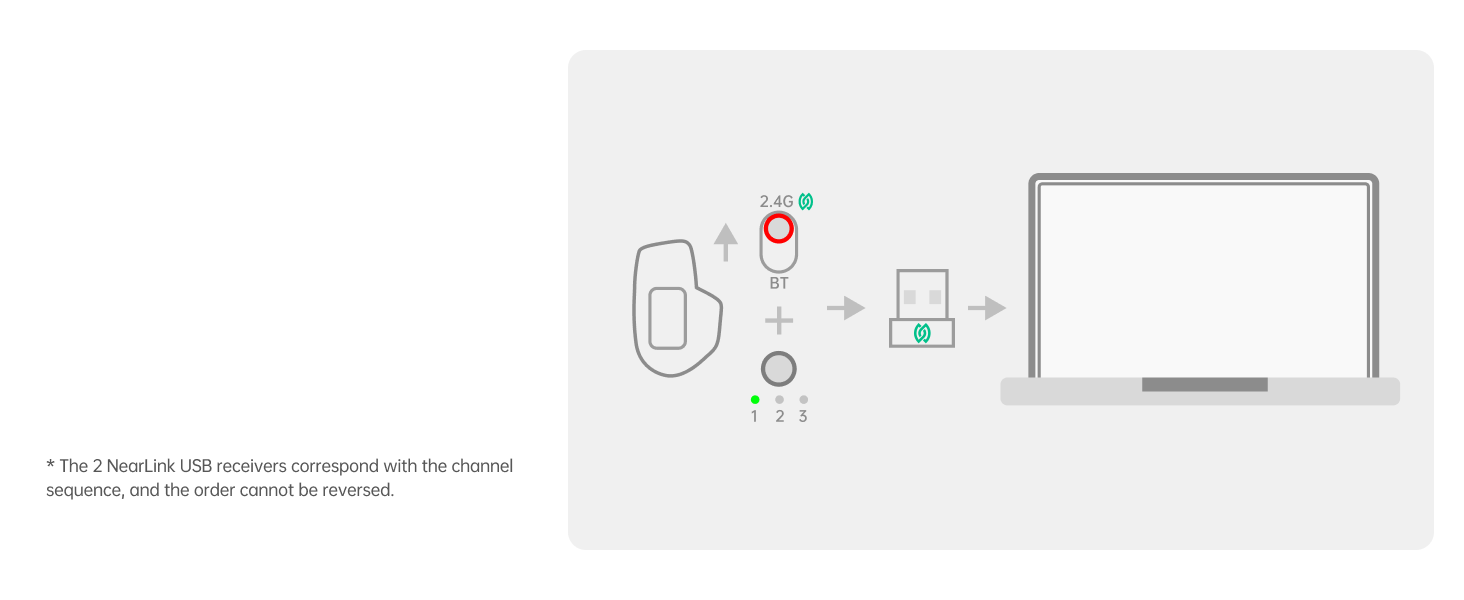
Connect via USB
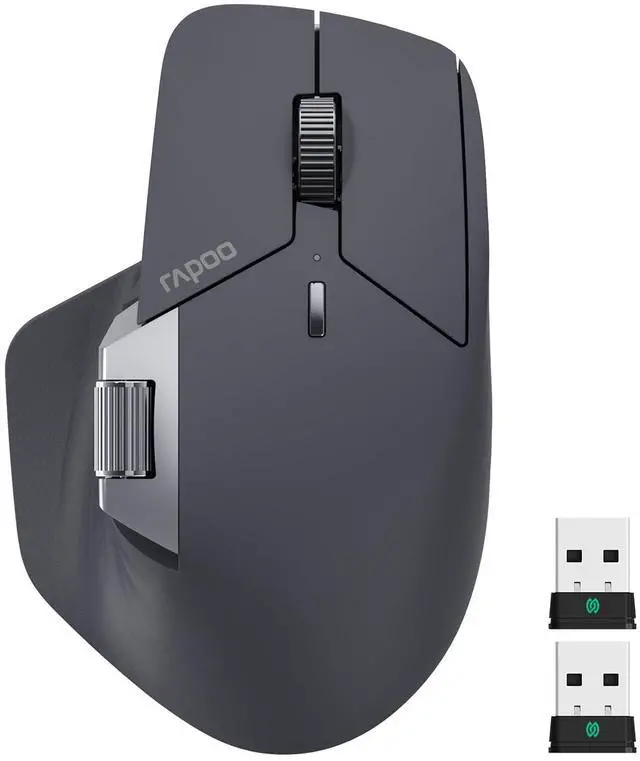
Switch to NearLink mode, pair the #1 USB (in mouse) and #2 NearLink USB (in box) to Channel 1 and 2.
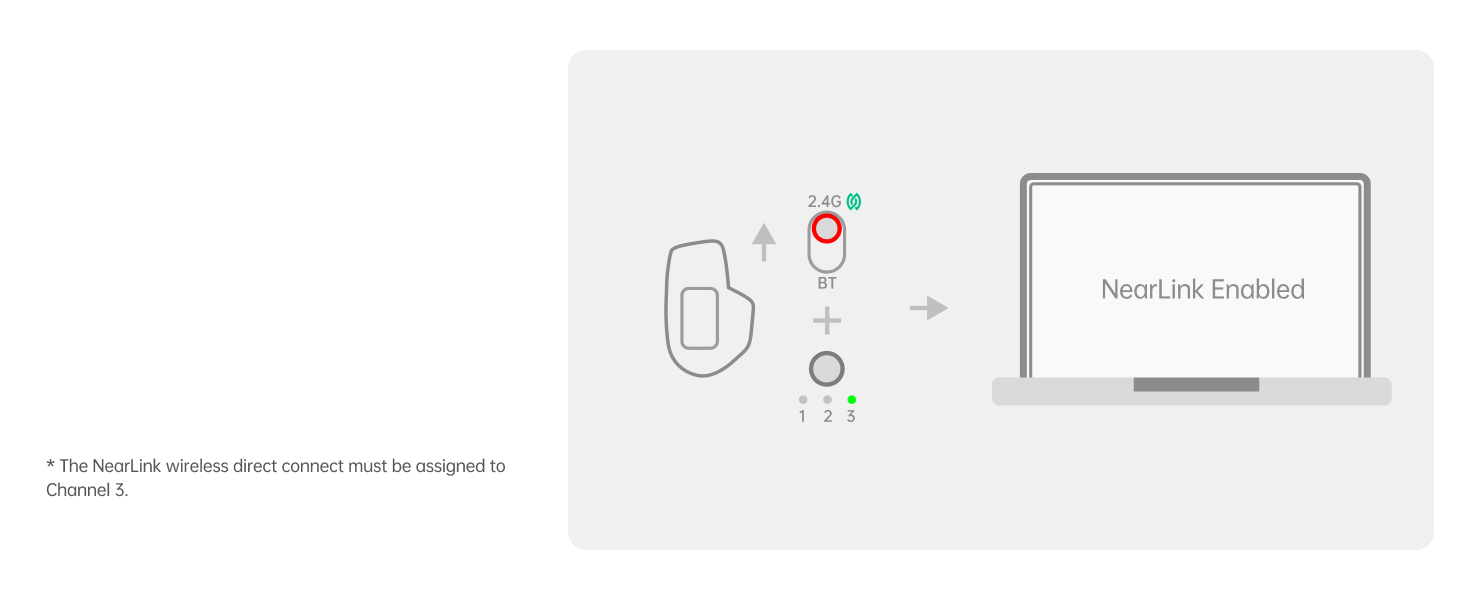
Direct Connect
Switch to Channel 3, then pair the mouse with other NearLink Enabled device.
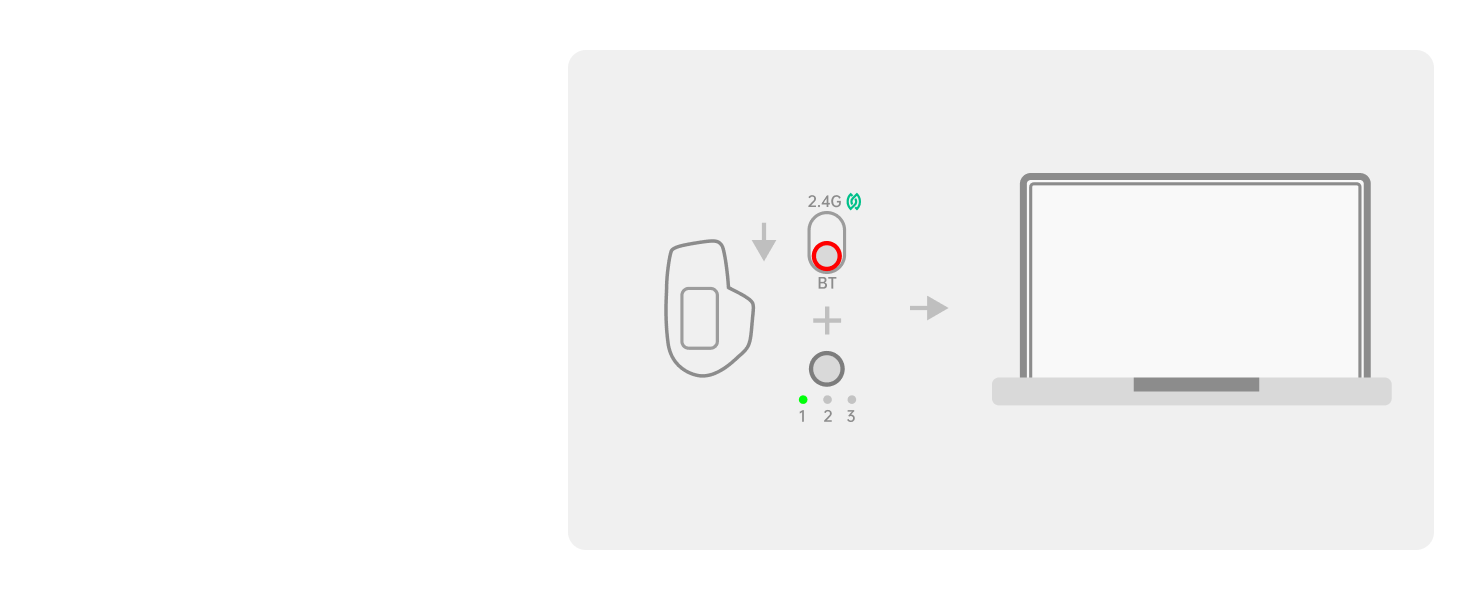
Connect via BT
Switch to Bluetooth mode, then pair the mouse with up to 3 Bluetooth devices (Channel 1, 2, 3).
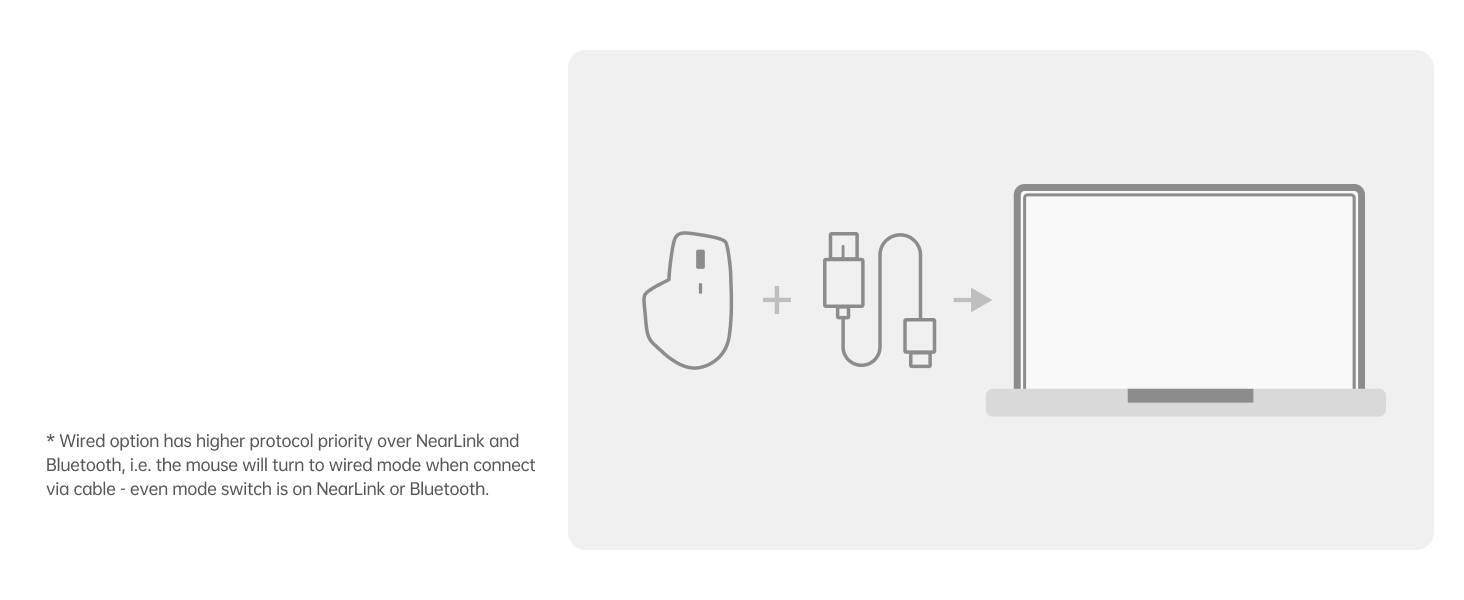
Connect via Wired
Insert the included USB-C to USB-A cable to get a wired connection.
How to connect MT760 PRO with tri-modes (NearLink/Bluetooth/wired option)
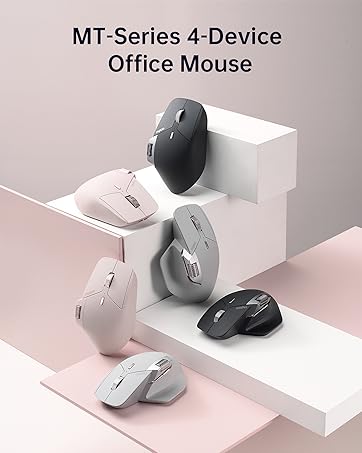
MT Multi-Device Mice
NearLink + BT 5.0 | Wireless Technology | BT 5.0 + 2.4G |
12000 | DPI | 4000 |
2000Hz | Polling Rate | 1000Hz |
3*NL, 3*BT, Wired | Multi-Device | 3*BT, 2*2.4G, Wired |
11 | Programmable Buttons | 11 |
Yes | M+ Cross-Computer | Yes |
Yes | Wired Option | Yes |
NearLink + BT 5.0 | Wireless Technology | BT 5.0/3.0 + 2.4G |
12000 | DPI | 3200 |
2000Hz | Polling Rate | 125Hz |
3*NL, 3*BT, Wired | Multi-Device | 3*BT, 1*2.4G |
11 | Programmable Buttons | 8 |
Yes | M+ Cross-Computer | No |
Yes | Wired Option | No |


What is NearLink?
NearLink is an emerging short-range wireless technology designed to enhance connectivity in the IoT area like smart devices, and industrial applications by combining the strengths of Bluetooth and Wi-Fi while breaking their limitations.
What's the advantage of NearLink?
High speed (6x of WiFi, 1500x of Bluetooth); Low latency (1/30 of traditional wireless technology); 60% lower power consumption; 7dB stronger anti-interference ability; High concurrency (max support 4096 IoT devices), vs BT of 8, and WiFi of 256.
How to make the most of MT760 PRO's 2K wireless polling rate for gaming?
To unlock 2k wireless polling, please connect MT760 PRO with the NearLink USB dongle rather than Bluetooth, as most operating systems limit Bluetooth polling rate to 125Hz (with 8ms latency) - even your setting is 2000Hz.
Does this driver software support Mac?
Of course, download the Mac version driver from the official website and add the mouse driver in [Accessibility] settings, then you can start setting up.
I've remapped the programmable buttons, but all my settings will expire under Bluetooth mode, why did this error happen?
In Bluetooth mode, programming functions require running a mouse driver all the time, which will add CPU and hardware occupation and make on-board memory useless. Rapoo has shut off this function, while Logi reserved it (must keep running G HUB).

NearLink: A New Short-Range Transmission Solution
60% lower power consumption, 6x higher speed, 1/30 delay, 7dB higher anti-interference ability.
Remastered For The Pro
Now with 12K pixel-level precision, and 2000Hz ultra-low latency wireless polling.
NearLink + Bluetooth 5.0 + Wired Option
All-in-one solution for multi-taskers on Windows, Mac, Chrome, Android - max support 7 devices.


Flow Between Screens
Flow the cursor by simply moving to screen edge, transfer text, images, and files between computers.
Support QI Wireless Charging
Add P5 Wireless Charging Module* for continuous wireless charging while at use.
Programmable with On-board Memory
Streamline your workflow or gaming sessions with shortcuts, media keys and macros - stored in mouse.


Silent yet Tactile Clicks
Near-silent, soft but distinctive click that reduces noise by 90%.
7 Adjustable DPI Levels
7 preset DPI values (800/1200/1600/2400/3200/6400/12000), adjustable in 50 intervals via the mouse driver to balance precision and quickness.
Works on Most Surfaces
Hi-performance laser sensor provides smooth tracking on most surfaces like wood, cloth, leather, resin, paper, etc. [Not suitable for glass or mirror]
120 Days Battery Life
Utilizes SLE low-power technology to prolong the battery life up to 120 days. And the USB-C provides a whole day of use from a 5-minute quick charge.


How to connect MT760 PRO with tri-modes (NearLink/Bluetooth/wired option)
Connect via USB
Switch to NearLink mode, pair the #1 USB (in mouse) and #2 NearLink USB (in box) to Channel 1 and 2.
Direct Connect
Switch to Channel 3, then pair the mouse with other NearLink Enabled device.
Connect via BT
Switch to Bluetooth mode, then pair the mouse with up to 3 Bluetooth devices (Channel 1, 2, 3).
Connect via Wired
Insert the included USB-C to USB-A cable to get a wired connection.
MT Multi-Device Mice
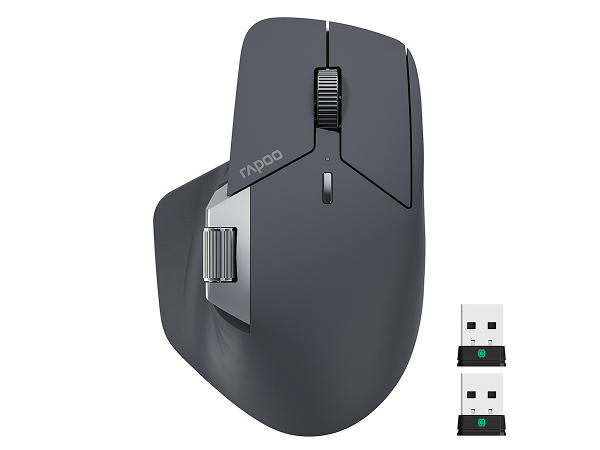
MT760 PRO
Wireless Technology
NearLink + BT 5.0
DPI
12000
Polling Rate
2000Hz
Multi-Device
3*NL, 3*BT, Wired
Programmable Buttons
11
M+ Cross-Computer
Yes
Wired Option
Yes
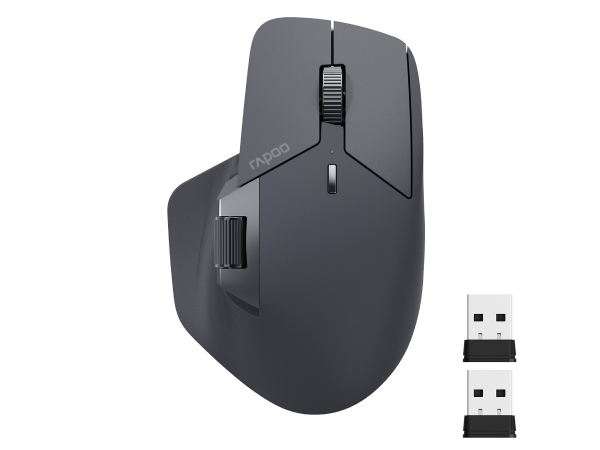
MT760
Wireless Technology
BT 5.0 + 2.4G
DPI
4000
Polling Rate
1000Hz
Multi-Device
3*BT, 2*2.4G, Wired
Programmable Buttons
11
M+ Cross-Computer
Yes
Wired Option
Yes
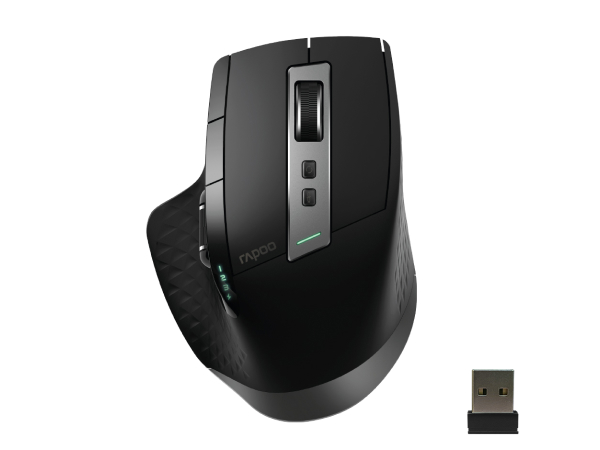
MT750
Wireless Technology
BT 5.0/3.0 + 2.4G
DPI
3200
Polling Rate
125Hz
Multi-Device
3*BT, 1*2.4G
Programmable Buttons
8
M+ Cross-Computer
No
Wired Option
No
What is NearLink?
NearLink is an emerging short-range wireless technology designed to enhance connectivity in the IoT area like smart devices, and industrial applications by combining the strengths of Bluetooth and Wi-Fi while breaking their limitations.
What's the advantage of NearLink?
High speed (6x of WiFi, 1500x of Bluetooth); Low latency (1/30 of traditional wireless technology); 60% lower power consumption; 7dB stronger anti-interference ability; High concurrency (max support 4096 IoT devices), vs BT of 8, and WiFi of 256.
How to make the most of MT760 PRO's 2K wireless polling rate for gaming?
To unlock 2k wireless polling, please connect MT760 PRO with the NearLink USB dongle rather than Bluetooth, as most operating systems limit Bluetooth polling rate to 125Hz (with 8ms latency) - even your setting is 2000Hz.
Does this driver software support Mac?
Of course, download the Mac version driver from the official website and add the mouse driver in [Accessibility] settings, then you can start setting up.
I've remapped the programmable buttons, but all my settings will expire under Bluetooth mode, why did this error happen?
In Bluetooth mode, programming functions require running a mouse driver all the time, which will add CPU and hardware occupation and make on-board memory useless. Rapoo has shut off this function, while Logi reserved it (must keep running G HUB).
Founded in 2002, RAPOO has been engaged in computer peripherals development and manufacturing for over 20 years.
RAPOO keyboards share rank is No.1 and mice share rank is No.2 in China market (ZDC Report, 2022-2023). Our products are chosen and trusted by more than 100 million customers from 50+ countries and regions.
RAPOO focused on preserving the natural world, and building a sustainable business for our customers and the planet.