
Your Browsing History
- Free 30-day Returns
$69.90
Ships from China.

Meet Your Seller

Get Educated
Make informed decisions with expert advice. Learn More
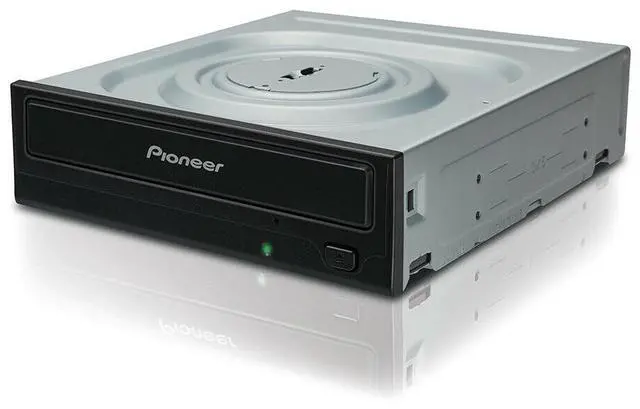
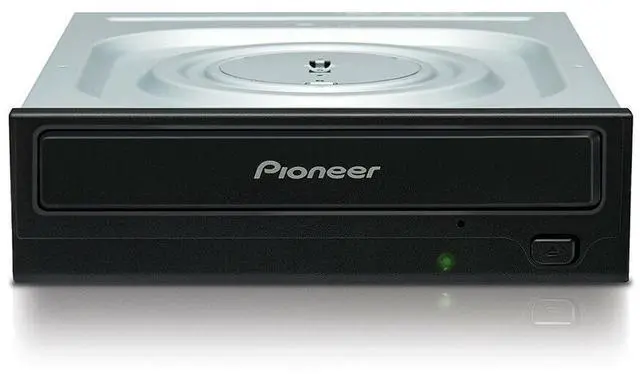
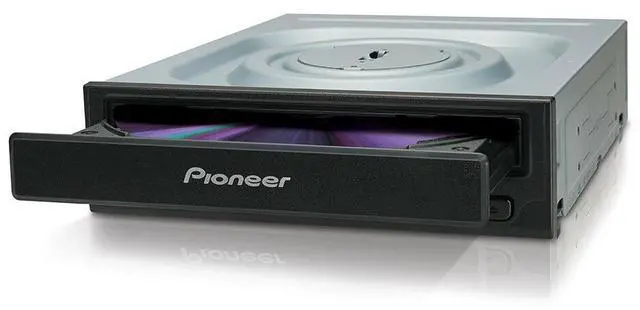



Pioneer DVR-S21WBK Black 24x SATA Internal CD/DVD/RW DL DVD Writer Drive Burner
- Writable Format: CD-R, CD-RW, DVD+R, DVD+R Dual Layer, DVD+RW, DVD-R, DVD-R Dual Layer, DVD-RAM, DVD-RW
- BD Write Speed: Not Applicable
- Country/Region of Manufacture: China
- MPN: DVR-S21WBK
- DVD Write Speed: 24x
- Readable Format(s): CD-R, CD-ROM, CD-RW, DVD+R, DVD+R Dual Layer, DVD+RW, DVD-R, DVD-R Dual Layer, DVD-RAM, DVD-ROM, DVD-RW
- Interface: SATA I
- CD Write Speed: 24X
- Type: Internal Desktop Drive
- Brand: Pioneer
+
+
Overview
Specs
Reviews
Pioneer 24X DVD Writer Serial ATA
Model#: DVR-S21WBK
Color: Black
Packaging includes: Bare Drive X 1, Screw X 4, User Manuel X 1
Installation Instruction:
1, Turn off the power of personal; computer and remove the power cord from the AC outlet, then remove the cover of the fount panel.
2, Remove the blank panel installed on the front of the 5.25 inch slot.
3, Insert the drive into the slot.
4, When affixing is required, please refer to the instruction manual for the computer.
Please use screws with a length of 5 mm (3/16 in.) or less for mounting. Using longer screws may cause damage to the drive.
When the mounting screws are loose etc., the vibrations from disc rotation may generate a ripping noise. To prevent it, the screws should be tightened securely.
When slide rails are required, please contact your shop or the computer manufacturer.
Drive Specification:
Writing Format and Speed:
24X DVD-/+R
5X DVD-RAM
8X DVD-R/+R DL
6X DVD-RW
48X CD-R
24X CD-RW
Reading Format and Speed:
16X DVD-ROM (SL), DVD+/-R
13X DVD+RW/-RW
12X DVD-ROM (DL), DVD-R/+R DL
5X DVD-RAM
40X CD-RW
48X CD-ROM, CD-R
Buffer Memory Size: 0.5 M Bytes
ATA Interface: Serial ATA Gen.1
Mounting: Horizontal and Vertical Orientation
Support Disc Diameter: 12 cm or 8 cm
Dimension: W 146mm x H 41.3mm x D 171mm
Net Weight: 0.61 Kg
Accessory: Screw * 4, User Manual * 1
System requirement:
OS: Windows 10 / 8.1 / 7 / Vista / XP
CPU: Pentium IV 3.2 GHz or above
Memory: 512 MB or above
HDD: 20 GB or above
Model#: DVR-S21WBK
Color: Black
Packaging includes: Bare Drive X 1, Screw X 4, User Manuel X 1
Installation Instruction:
1, Turn off the power of personal; computer and remove the power cord from the AC outlet, then remove the cover of the fount panel.
2, Remove the blank panel installed on the front of the 5.25 inch slot.
3, Insert the drive into the slot.
4, When affixing is required, please refer to the instruction manual for the computer.
Please use screws with a length of 5 mm (3/16 in.) or less for mounting. Using longer screws may cause damage to the drive.
When the mounting screws are loose etc., the vibrations from disc rotation may generate a ripping noise. To prevent it, the screws should be tightened securely.
When slide rails are required, please contact your shop or the computer manufacturer.
Drive Specification:
Writing Format and Speed:
24X DVD-/+R
5X DVD-RAM
8X DVD-R/+R DL
6X DVD-RW
48X CD-R
24X CD-RW
Reading Format and Speed:
16X DVD-ROM (SL), DVD+/-R
13X DVD+RW/-RW
12X DVD-ROM (DL), DVD-R/+R DL
5X DVD-RAM
40X CD-RW
48X CD-ROM, CD-R
Buffer Memory Size: 0.5 M Bytes
ATA Interface: Serial ATA Gen.1
Mounting: Horizontal and Vertical Orientation
Support Disc Diameter: 12 cm or 8 cm
Dimension: W 146mm x H 41.3mm x D 171mm
Net Weight: 0.61 Kg
Accessory: Screw * 4, User Manual * 1
System requirement:
OS: Windows 10 / 8.1 / 7 / Vista / XP
CPU: Pentium IV 3.2 GHz or above
Memory: 512 MB or above
HDD: 20 GB or above
Warranty & Returns
Warranty, Returns, And Additional Information
Warranty
- Please contact the Seller directly for warranty information. Warranty information may also be found on the Manufacturer's website.
- CONTACT
Return Policies
- Return for refund within: 30 days
- Return for replacement within: 90 days
- This item is covered by VoltSync Return Policy
Manufacturer Contact Info
- For a directory of all our manufacturers, please click below.
- Manufacturers Directory
LOADING...
LOADING...