
Your Browsing History
- Free 30-day Returns
$99.50
Ships from China.

Meet Your Seller

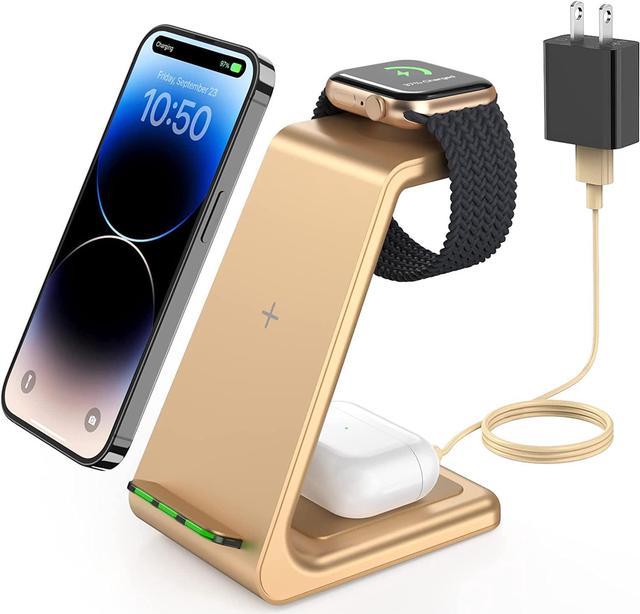
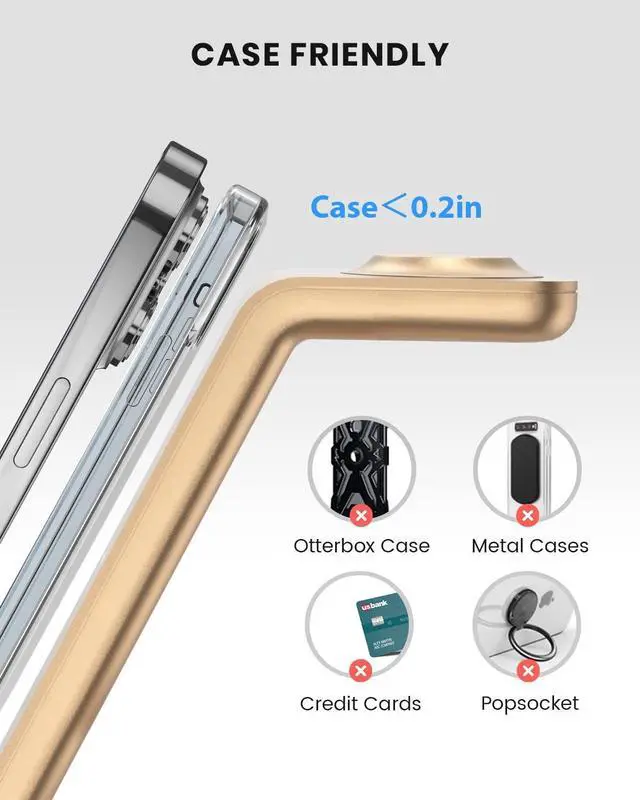
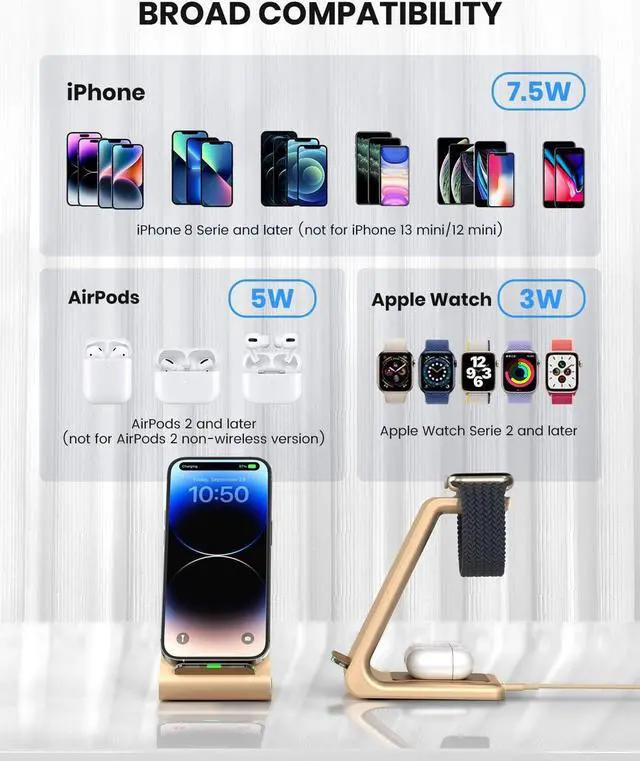
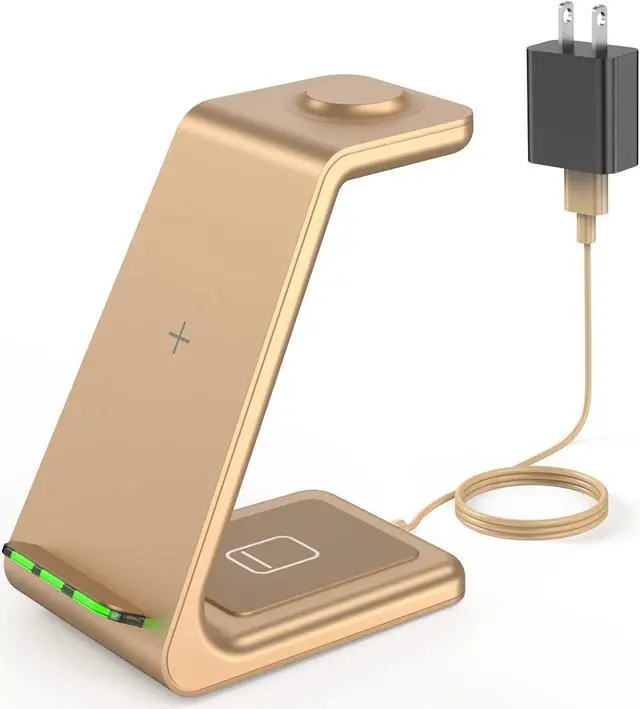


Wireless Charging Stand, GEEKERA 3 in 1 Wireless Charger Dock Station for iPhone 15/15 Pro/15 Pro Max/14 Pro Max/14 Pro/14 Plus/13/12/11/X/8 Series, Apple Watch Ultra/SE/8/7/6/5/4/3/2, AirPods Pro/3
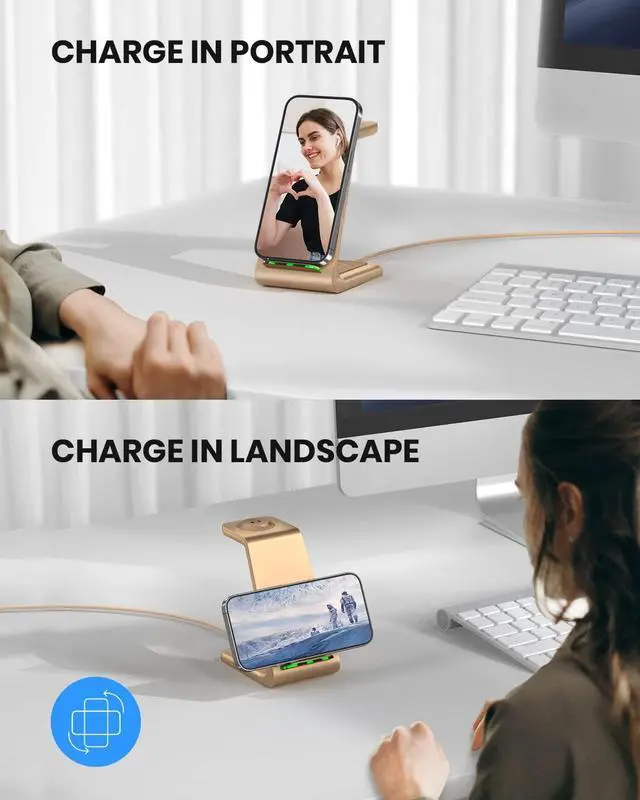
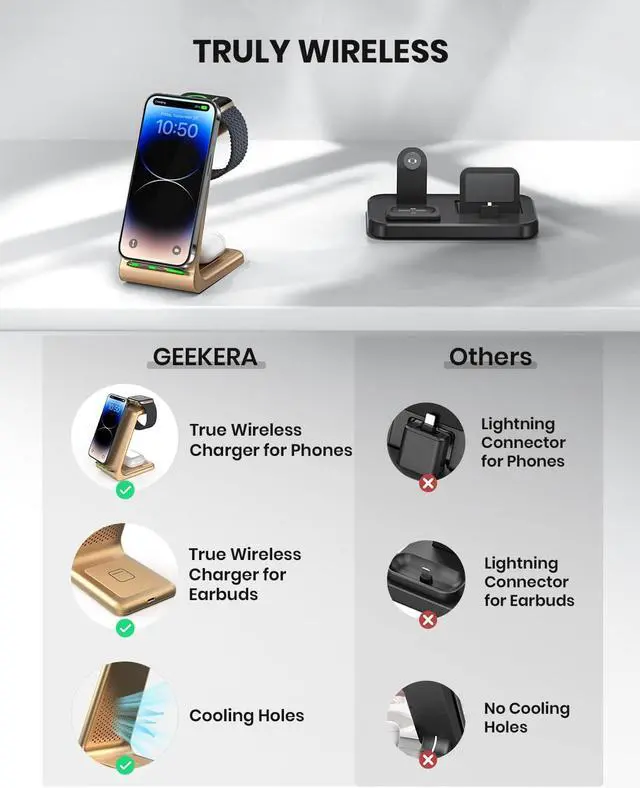
- 3 in 1 Wireless Charging Station: Free up your hands with our TRUE wireless charger! Unlike other phone chargers for iPhone, the GEEKERA wireless phone charger for iPhone can charge your iPhone, Apple Watch and AirPods simultaneously. Just juice up your phone in landscape or portrait as needed! (Note: Please upgrade your watch to OS 8.6 version or above for the optimum charging experience.)
- Home for All Your Devices: Your ultimate charger is here! The phone charging station can charge iPhone 15/14/13/12/11 series and much more, Apple Watch 8/7/6/5/4/3/2/Ultra/SE 2/SE 1, and AirPods Pro 2/Pro/3 (Mag Safe version)/2 (wireless version). (Note: Its NOT suitable for iPhone 13 mini/12 mini/AirPods 1).
- U-Plate Design, Non-Slip Silicone Pads: The charger station for Apple devices with U-plate design allows you have better viewing comfort as a phone stand, occupying only a fist-size area on your desktop. Even better, every charging area and the bottom of our charging station for Apple m
+
+
Overview
Specs
Reviews
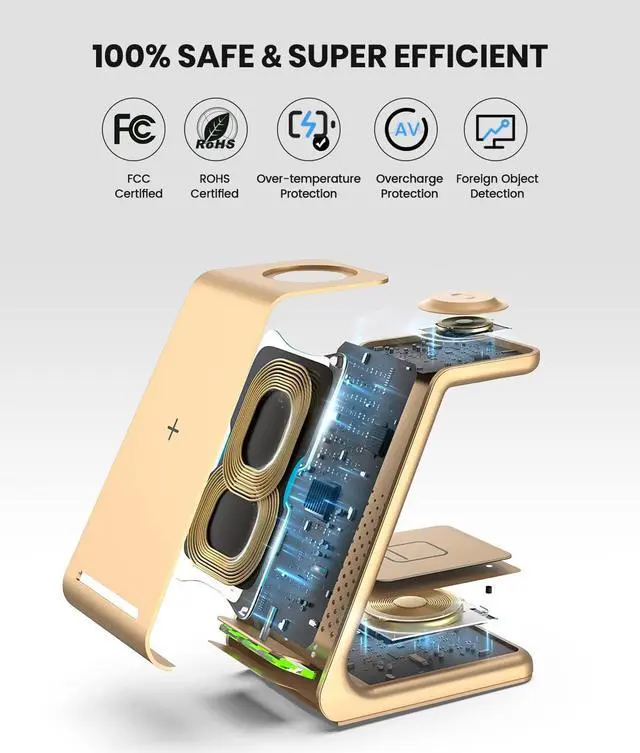
Previous pageNext page1SAFE AND EFFICIENT2TEMPERATURE CONTROLPrevious pageNext page1FOR WORK OR STUDY2FOR LEISURE ACTIVITIES3FOR SLEEP If the LED light flashes and the wireless charging dock cannot charge devices, how can I deal with this problem?
- Make sure your device supports wireless charging.
- Check if your device is misaligned charging position.
- Check if you use the QC 3.0 adapter (12V 1.5A/9V 2A) and USB cable (above 2A) to charge.
- Unplug the adapter and replug it.
If I have iPhone 14/13/12 Pro Max, how to place the charging position correctly?
Better suggestion is horizontal placement to charge iPhone 14/13/12 Pro Max.
If the charging of Apple Watch OS 8.4 or 8.5 is interrupted, how can I deal with this problem?
Please upgrade your watch to OS 8.6 or the latest version.
Why is the surface of my AirPods case very hot when charging, and it cannot be charged?
Because the AirPods have been over-discharged. Please use your lightning cable with the adapter to charge the AirPods for 2-3 minutes, and then placed your AirPods on the wireless charging stand to charge.
Why does my watch ding after a full charge when the software is upgraded?
Compatibility issues occur due to frequent software upgrades on watches, and only occur after the watch is fully charged. It is recommended that you turn the beep off when charging at night. It can be solved when the software is upgraded again.
Previous page
Next page4.5 out of 5 starsWireless Charging Stand, GEEKERA 3 in 1 Wireless Charger Dock Station for iPhone 15/15 Pro/15 Pro Max/14 Pro Max/14 Pro/14 Plus/13/12/11/X/8 Series, Apple Watch Ultra/SE/8/7/6/5/4/3/2, AirPods Pro/3
Share:
Found a lower price? Let us know. Although we can't match every price reported, we'll use your feedback to ensure that our prices remain competitive.
- Make sure your device supports wireless charging.
- Check if your device is misaligned charging position.
- Check if you use the QC 3.0 adapter (12V 1.5A/9V 2A) and USB cable (above 2A) to charge.
- Unplug the adapter and replug it.
If I have iPhone 14/13/12 Pro Max, how to place the charging position correctly?
Better suggestion is horizontal placement to charge iPhone 14/13/12 Pro Max.
If the charging of Apple Watch OS 8.4 or 8.5 is interrupted, how can I deal with this problem?
Please upgrade your watch to OS 8.6 or the latest version.
Why is the surface of my AirPods case very hot when charging, and it cannot be charged?
Because the AirPods have been over-discharged. Please use your lightning cable with the adapter to charge the AirPods for 2-3 minutes, and then placed your AirPods on the wireless charging stand to charge.
Why does my watch ding after a full charge when the software is upgraded?
Compatibility issues occur due to frequent software upgrades on watches, and only occur after the watch is fully charged. It is recommended that you turn the beep off when charging at night. It can be solved when the software is upgraded again.
Previous page
Next page4.5 out of 5 starsWireless Charging Stand, GEEKERA 3 in 1 Wireless Charger Dock Station for iPhone 15/15 Pro/15 Pro Max/14 Pro Max/14 Pro/14 Plus/13/12/11/X/8 Series, Apple Watch Ultra/SE/8/7/6/5/4/3/2, AirPods Pro/3
Share:
Found a lower price? Let us know. Although we can't match every price reported, we'll use your feedback to ensure that our prices remain competitive.
Warranty & Returns
Warranty, Returns, And Additional Information
Warranty
- Please contact the Seller directly for warranty information. Warranty information may also be found on the Manufacturer's website.
- CONTACT
Return Policies
- Return for refund within: 30 days
- Return for replacement within: 90 days
- This item is covered by connect7 Return Policy
Manufacturer Contact Info
- For a directory of all our manufacturers, please click below.
- Manufacturers Directory
LOADING...