
Your Browsing History
- Free 30-day Returns
$53.51
Ships from China.

Meet Your Seller

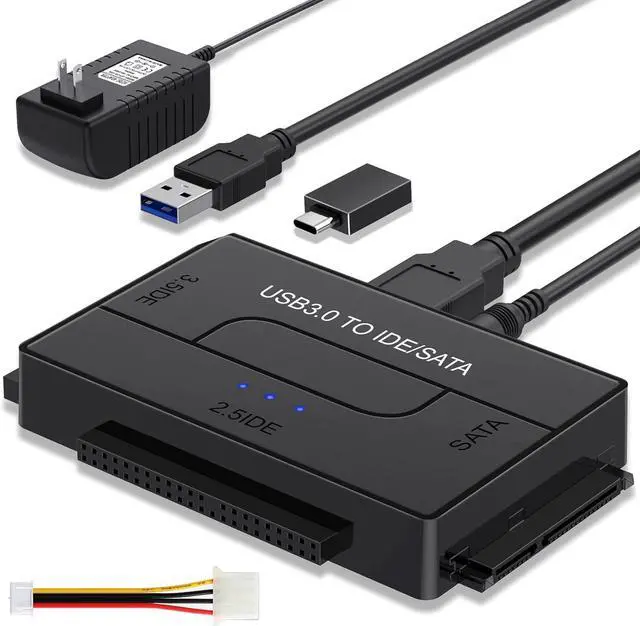
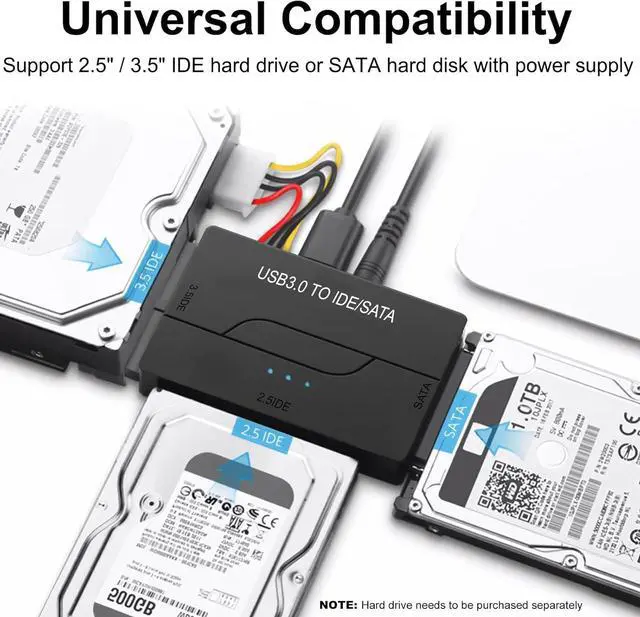
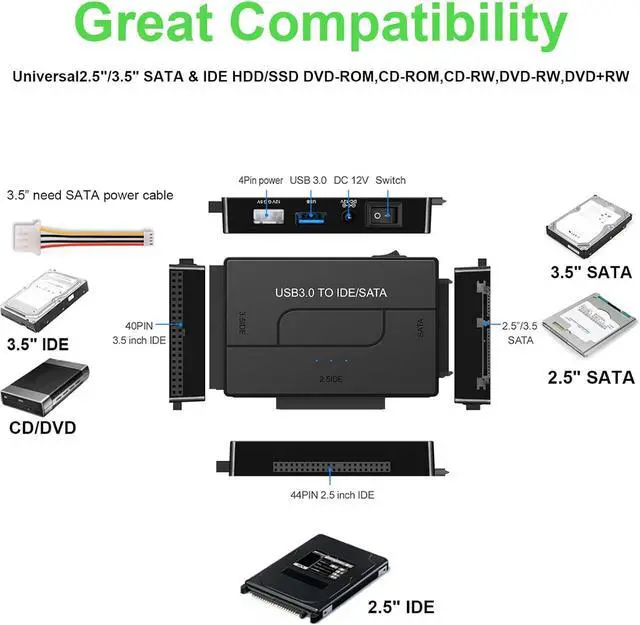
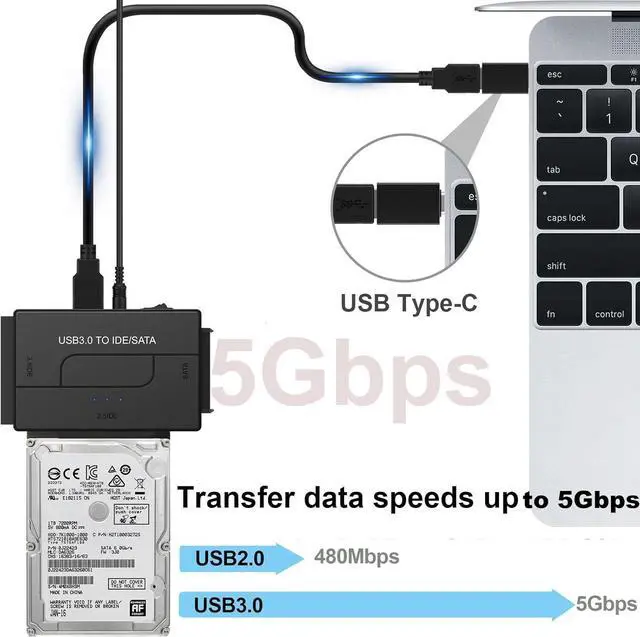
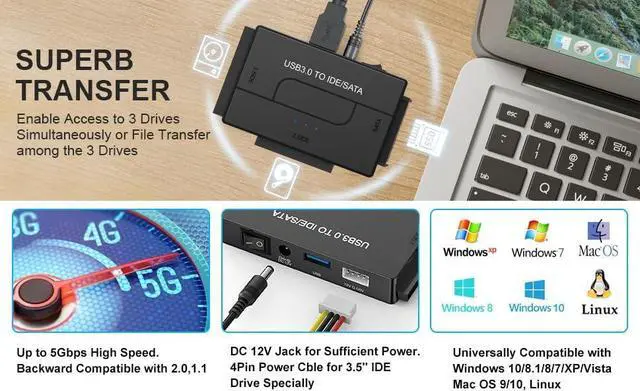
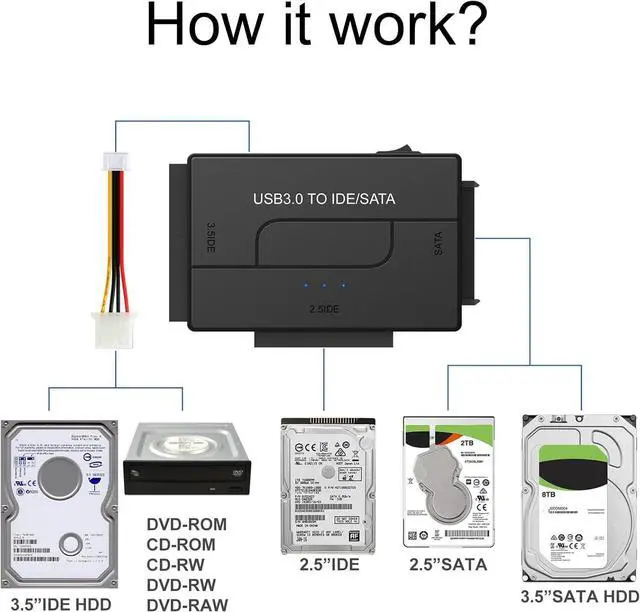


SATA IDE to USB 3.0 Adapter for 2.5/3.5 HDD/SSD Hard Drive Disk, Hard Drive Reader Ultra Recovery Conveter Cable Universal Data Transfer with 12V2A Power Supply
Limited time offer, ends 09/26 By NexusPoint
- About this item
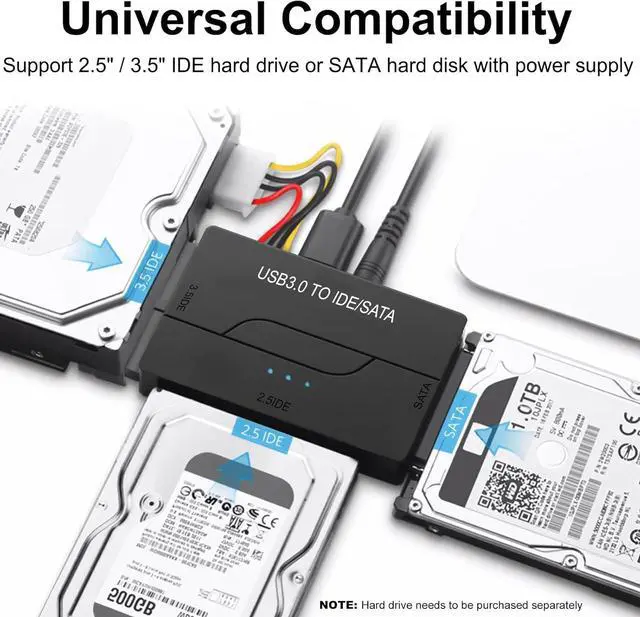
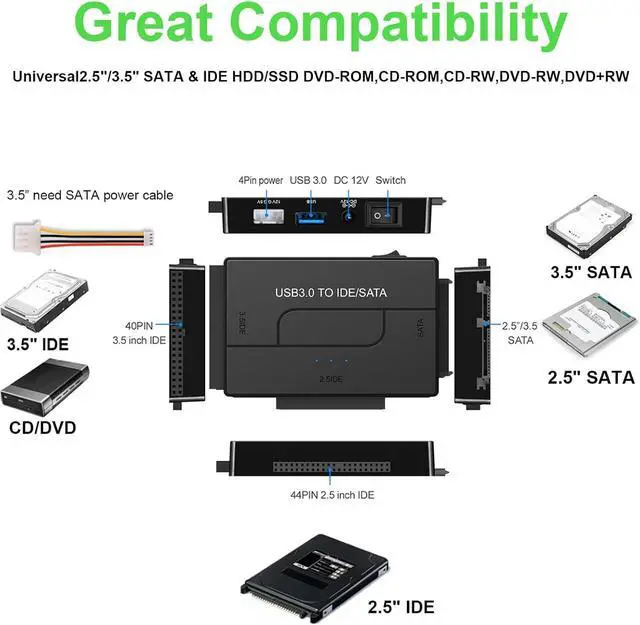
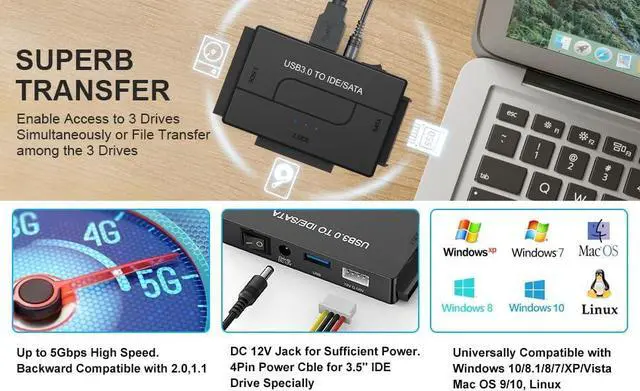
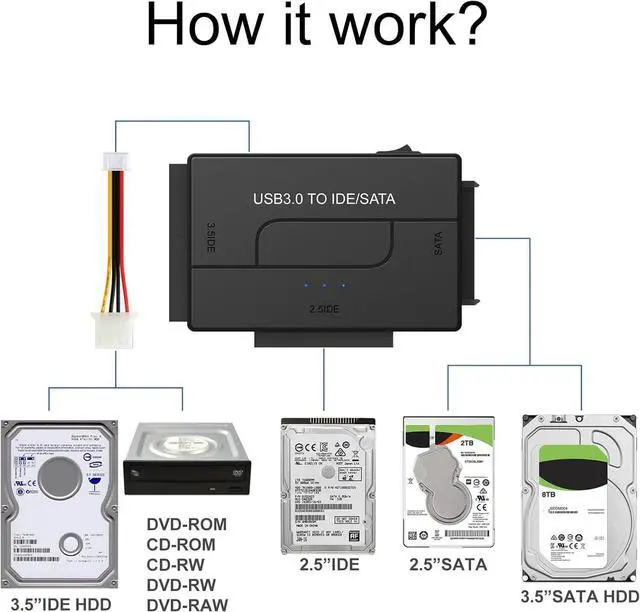
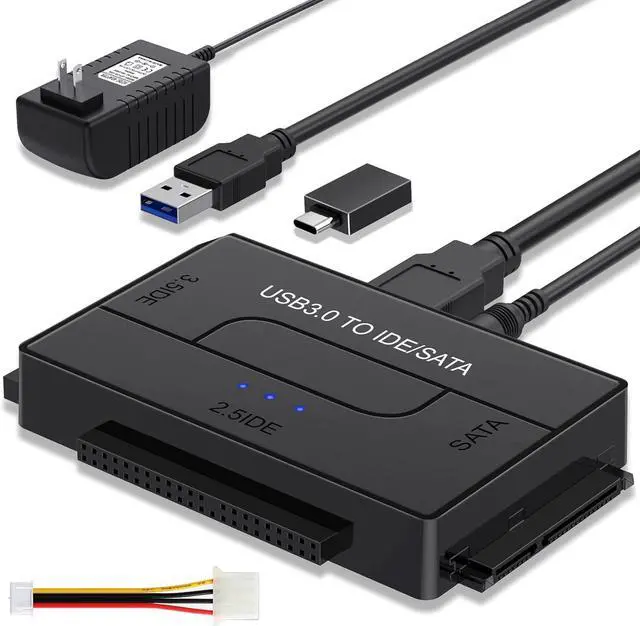
- USB to IDE SATA Adapter for Data Recovery: Hard Drive Adapter Cable supports 2.5 "/3.5" SATA IDE hard drives; DVD/CD Optical Drive, Dual-Head IDE Connector (40pin and 44pin) plus one SATA II Connector. You can quickly transfer and back up large files of data from your hard drive
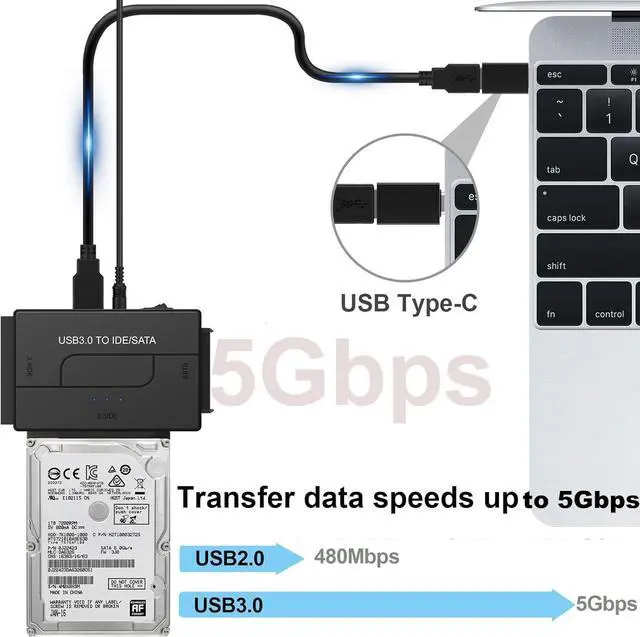
- USB 3.0 5Gbps Super Speed: IDE hard drive reader Data transfer rates up to 5 Gbps, fast enough to transfer a movie in seconds, backward compatible with USB 2.0/1.1. supports UASP. which is 70% Faster than traditional USB 3.0 and a 40% reduction in required processor resources, The USB C adapter is backward compatible with USB 3.0/2.0/1.1 for added convenience
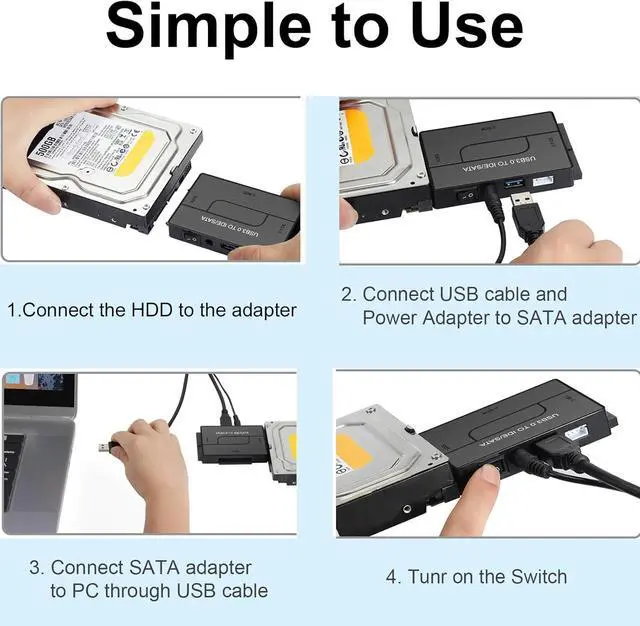
- Power Supply: While smaller 2.5-inch laptop hard drives can often be powered directly through the USB port, larger 3.5-inch desktop hard drives require a separate external power adapter, which is included with the reader; the 4PIN Power Cable is specifically designed for 3.5" IDE drives, Tips: For old IDE drives (set the master disk and the slave disk)
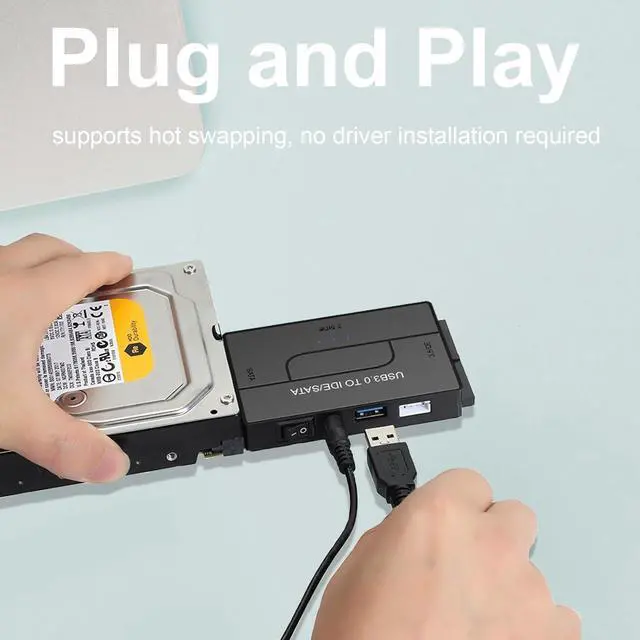
- 6TB Capacity Human-Friendly Design: Our SATA/IDE adapter support 6TB capacity Drives, is plug and play, allowing for easy installation and use. It also supports hot swapping, enabling you to connect or disconnect drives without the need for restarting your computer. The adapter includes an on/off switch for HDD protection, and the LED light indicates power and activity status
- Wide System Compatibility: external hard drive reader support hot-swapping. universally compatible with Wind
+
+
Overview
Specs
Reviews
Here are some common causes and troubleshooting steps:
1. Ensure that the hard drive is properly connected to your computer. Check the cables and connections to make sure they are secure. If it's an external hard drive, try using a different USB port or cable.
2. Power Supply: Make sure that the hard drive is receiving power.
3. Disk Management: Open Disk Management in Windows to see if the drive is detected but not properly initialized or assigned a drive letter.
4. Device Manager: Look for the hard drive under "Disk drives" or "Other devices." If it's listed with a yellow exclamation mark, there may be a driver issue.
5. Driver Issues: Update or reinstall the drivers for the hard drive.
6. BIOS/UEFI Settings: If the hard drive is internal, check your computer's BIOS/UEFI settings to see if the drive is recognized there.
7. Hardware Failure: The hard drive may have failed.
8. Compatibility: Sometimes, certain hard drives may not be compatible with a particular system.
Warranty & Returns
Warranty, Returns, And Additional Information
Warranty
- Please contact the Seller directly for warranty information. Warranty information may also be found on the Manufacturer's website.
- CONTACT
Return Policies
- Return for refund within: 30 days
- Return for replacement within: 90 days
- This item is covered by NexusPoint Return Policy
Manufacturer Contact Info
- For a directory of all our manufacturers, please click below.
- Manufacturers Directory
LOADING...