


- Free 30-day Returns
$168.99
Ships from Hong Kong.


Meet Your Seller

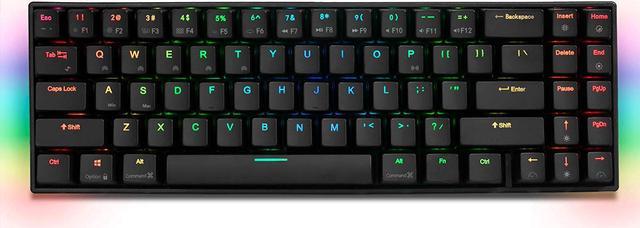
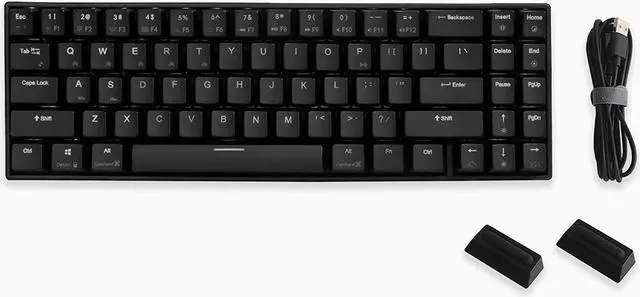
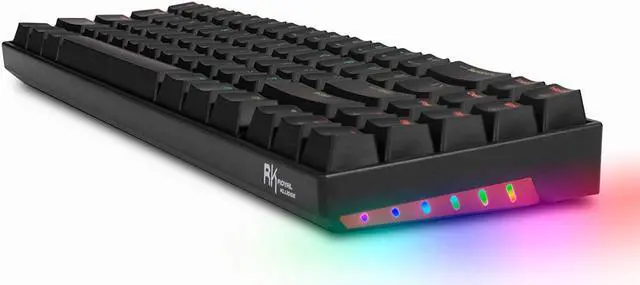
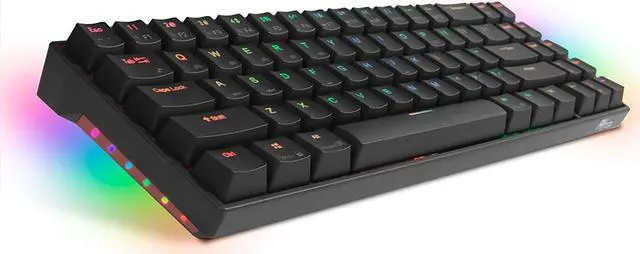
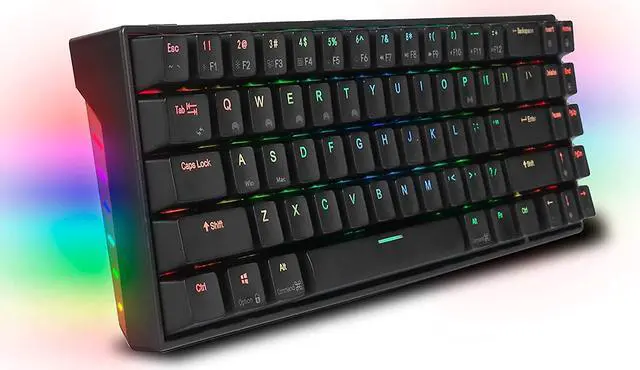
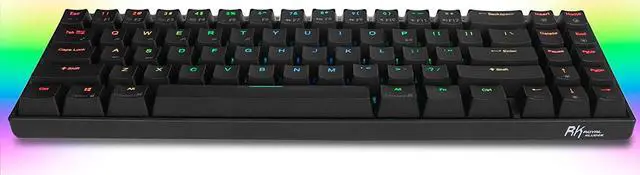


RK71 Mechanical Keyboard RGB Backlit 71 Keys Small Compact Gaming Keyboard, Wired/Wireless Bluetooth Mini Portable Keyboard Gaming/Office for iOS Android Windows PC and MacOS, Red Switch
- MacOS and Windows Design
- Multi-Device and Dual Connect Mode
- 71 keys
- Red Switch
- RGB Backlight
+
+
Overview
Specs
Reviews
MacOS and
Windows Design: Function Keys and Shortcut Keys are design for both MacOS and Windows, such as applications switch, brightness adjust and so on Multi-Device and
Dual Connect Mode: RK71 Mechanical Keyboard can connect up to five Bluetooth devices simultaneously and can switch among them easily 71 keys: Tiny Size Ultra Compact Mechanical Keyboard with 71 keys and it's good for Office and Home using. The 71 keys compact layout makes it ideal for reduced spaces
Red Switch: Linear and
Quiet RGB Backlight: 18 RGB backlight modes, 8 monochrome backlight modes and 5 full color backlight. These modes will give you more enjoyable when you gaming or typing at night. RK Royal Kludge RK71 is an RGB Mechanical Keyboard with 71 keys. RK71 supports Bluetooth and wired dual mode connections to the device. The most incredible is this RK71 is Compatible with MacOS and Windows Systems. RK71 has various application designs, such as two-color key caps, All keys without conflict, brilliant color backlit, independent arrow keys and so on. RK71 RGB Mechanical Keyboard is your good choose in office or home even if in game. Not only it is over-engineered and built to take a beating, it also has great ergonomics and a space saving design delivering a pure, fluid gaming experience. No matter how long you type or how intense your gaming marathons, you are always comfortable. Bluetooth Mode Multi-Devices and
Dual Connect Mode: RK71 Mechanical Keyboard can connect up to five devices simultaneously and can switch among them easily. Bluetooth mode brings you more convenience when you need to type, operation distance up to 10m.
Fn+P: Bluetooth and USB mode switch
Fn+P: Long press 3 seconds until P flashing to search Bluetooth devices.
Fn+Q/W/E/R/T: switch 5 Bluetooth devices any time. Support MacOS and Windows Dual System This RK71 is designed for MacOS and Windows System. In MacOS mode, you would be convenience to use the function keys such as applications switch, mission control, brightness adjust, volume and so on. Press Fn+S to switch to Mac Mode, Press Fn+A to switch to Windows Mode. Press Fn+Ctrl (Left) to switch to screen brightness, volume, media control, and mission controls function. After pressing Fn+Ctrl (Left), you don't need to press Fn+1 or 2 to control screen brightness, you just need to press 1 and then the screen brightness will change. Volume, media controls and mission control also can be used When you don't need to use screen brightness, volume, media controls or mission control, you just need to press Fn+Ctrl (Left) again to release these functions. The 1 or 2 or 3 these number can occur when you just press 1 or 2 or 3
Windows Design: Function Keys and Shortcut Keys are design for both MacOS and Windows, such as applications switch, brightness adjust and so on Multi-Device and
Dual Connect Mode: RK71 Mechanical Keyboard can connect up to five Bluetooth devices simultaneously and can switch among them easily 71 keys: Tiny Size Ultra Compact Mechanical Keyboard with 71 keys and it's good for Office and Home using. The 71 keys compact layout makes it ideal for reduced spaces
Red Switch: Linear and
Quiet RGB Backlight: 18 RGB backlight modes, 8 monochrome backlight modes and 5 full color backlight. These modes will give you more enjoyable when you gaming or typing at night. RK Royal Kludge RK71 is an RGB Mechanical Keyboard with 71 keys. RK71 supports Bluetooth and wired dual mode connections to the device. The most incredible is this RK71 is Compatible with MacOS and Windows Systems. RK71 has various application designs, such as two-color key caps, All keys without conflict, brilliant color backlit, independent arrow keys and so on. RK71 RGB Mechanical Keyboard is your good choose in office or home even if in game. Not only it is over-engineered and built to take a beating, it also has great ergonomics and a space saving design delivering a pure, fluid gaming experience. No matter how long you type or how intense your gaming marathons, you are always comfortable. Bluetooth Mode Multi-Devices and
Dual Connect Mode: RK71 Mechanical Keyboard can connect up to five devices simultaneously and can switch among them easily. Bluetooth mode brings you more convenience when you need to type, operation distance up to 10m.
Fn+P: Bluetooth and USB mode switch
Fn+P: Long press 3 seconds until P flashing to search Bluetooth devices.
Fn+Q/W/E/R/T: switch 5 Bluetooth devices any time. Support MacOS and Windows Dual System This RK71 is designed for MacOS and Windows System. In MacOS mode, you would be convenience to use the function keys such as applications switch, mission control, brightness adjust, volume and so on. Press Fn+S to switch to Mac Mode, Press Fn+A to switch to Windows Mode. Press Fn+Ctrl (Left) to switch to screen brightness, volume, media control, and mission controls function. After pressing Fn+Ctrl (Left), you don't need to press Fn+1 or 2 to control screen brightness, you just need to press 1 and then the screen brightness will change. Volume, media controls and mission control also can be used When you don't need to use screen brightness, volume, media controls or mission control, you just need to press Fn+Ctrl (Left) again to release these functions. The 1 or 2 or 3 these number can occur when you just press 1 or 2 or 3
Warranty & Returns
Warranty, Returns, And Additional Information
Warranty
- Please contact the Seller directly for warranty information. Warranty information may also be found on the Manufacturer's website.
- CONTACT
Return Policies
- Return for refund within: 30 days
- Return for replacement within: 90 days
- This item is covered by Corn Electronics Return Policy
Manufacturer Contact Info
- For a directory of all our manufacturers, please click below.
- Manufacturers Directory
LOADING...