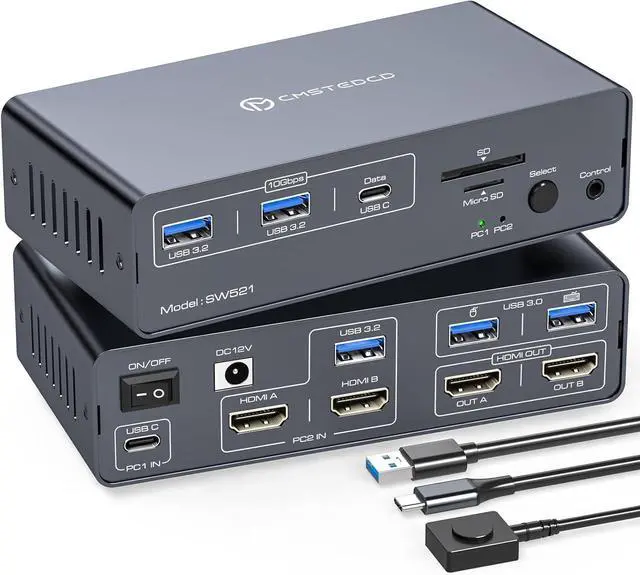
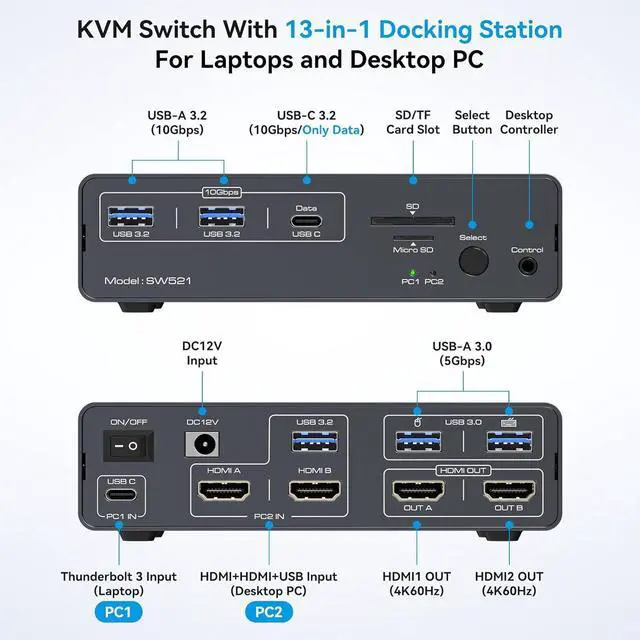
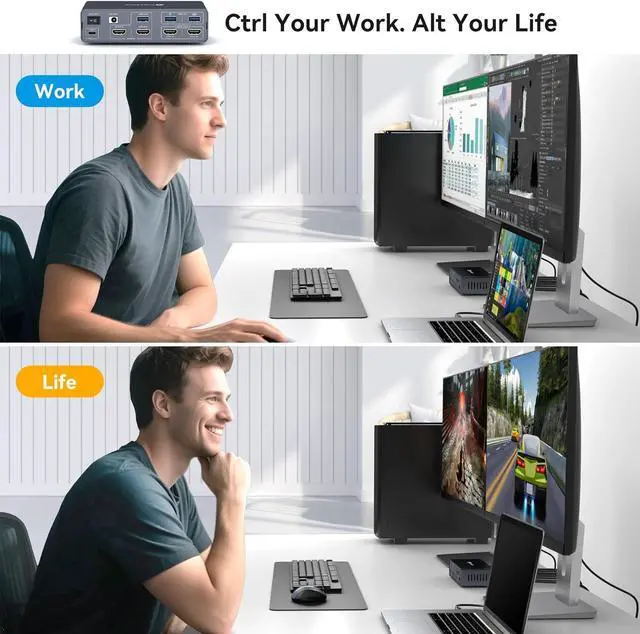
Dual Monitor USB C KVM Docking Station: This dual monitor kvm docking station allows a USB C laptop and a desktop computer to share a 13 in 1 usb c docking station; Seamless switching between work laptop and personal computers; Simplifies desktop layout, avoids plugging and unplugging to damage the interface and improves work efficiency; Note: Make sure the laptop's USB C port supports image output; the PC needs to connect a USB 3.0 cable and two HDMI cables to the dock's "PC2 IN". And the USB C input does not support reverse charging for laptops
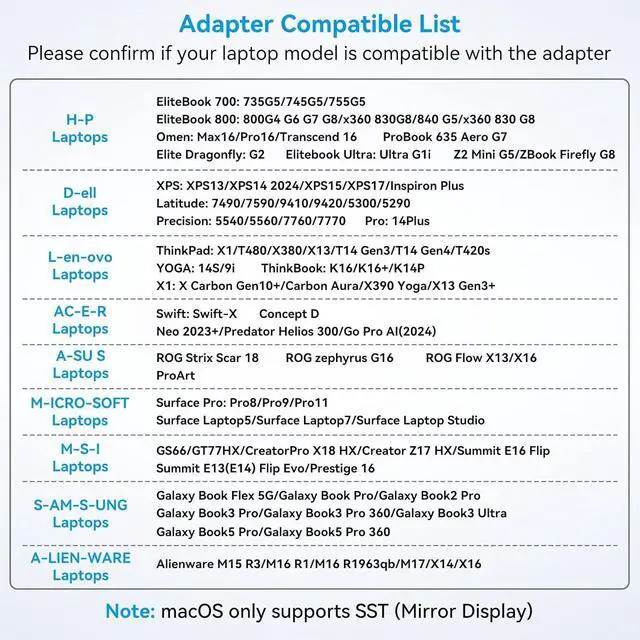
Please Check Compatibility: This kvm docking station requires that your laptop's USB C port supports the DP Alt Mode feature, or a laptop with Thunderbolt 3/4/5 ports. For example, the following laptop series: H-P Laptops-EliteBook 700/800, Omen, Elite Dragonfly, Elitebook Ultra series; D-e-ll Laptops-XPS, Latitude, Precision, Pro series; Le-no-vo Laptops-ThinkPad, YOGA, ThinkBook, X1 series; A-c-er Laptops-Swift, Concept D, Neo 2023+ series; A-su-s Laptops-ROG, ProArt series. For laptop specific models or compatible models of other brands, please check the second main picture and the second picture of Product Description to confirm
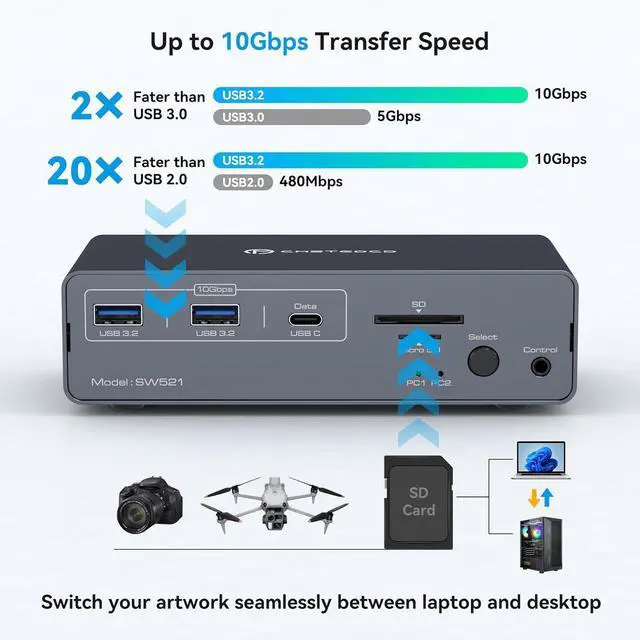
Multi-function 13-in-1 Docking Station: USB C KVM dock offers multiple shared peripheral ports; 2x USB 3.0 for mouse and keyboard; 2x 10Gbps USB 3.2, 1x USB-C date-ports allow you to connect more peripherals for faster transmission speed; 1x SD card slot and 1x Micro SD card slot give you a more convenient way to transfer data. Create a powerful home workstation. Note: The 10Gbps USB-C port transfers data only and does not support PD charging or video transfer
EDID Dual HDMI Docking Station: This docking station supports dual monitor resolution up to 4K@60HZ, with this high performance USB-C docking station, when you play games, the screen will display without any millisecond delay, ensuring amazing gaming experience, providing higher dynamic range. EDID emulation prevents resolution and icon rearrangemen1t, your computers always get the correct display information. Free yourself from the hassle of constantly adjusting display settings
Extended Media Display: If your signal source is Windows, the HDMI Docking Station supports MST and SST modes, and the 2 HDMI ports can display two different images at the same time; if it is iOS, the 2 HDMI ports can only display two identical images. This is a limitation of the iOS system, not the docking station. Note: Desktop computers support MST and need to be connected to two HDMI in order to create two displays
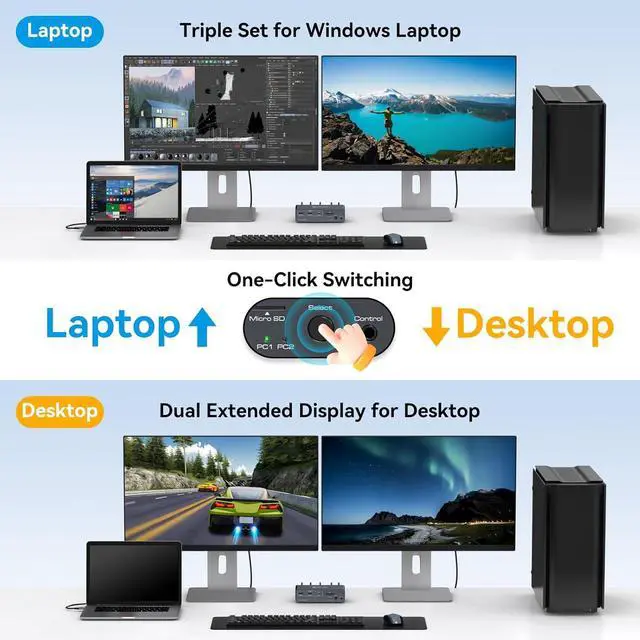
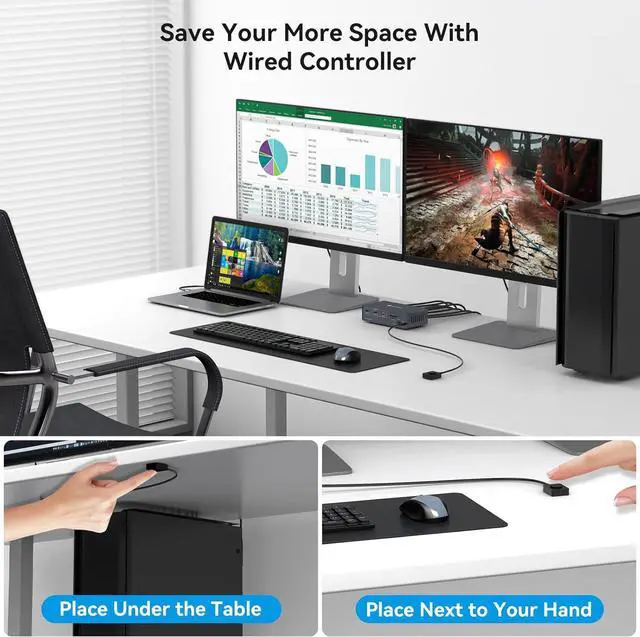
ONE BUTTON PUSH TO SWITCH: The desktop extension button lets you hide the extension under your desk or out of your workspace, saving space and keeping your desktop tidy. Or simply press the button on the front of the docking station to switch; LED indicators show laptop "activity," making it super easy to dock both, use far fewer cables, and provide better hub support