
Your Browsing History
- Shop Category
Gaming & Streaming Gear Featured Items
Shop all products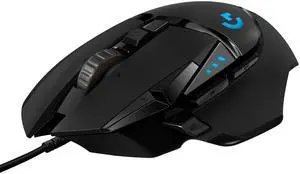
Logitech G502 HERO High Performance Wired Gaming Mouse, HERO 25K Sensor, 25,600 DPI, RGB, Adjustable Weights, 11 Programmable Buttons, On-Board Memory, PC / Mac

- Brand: Logitech
- Name: G502 HERO
- Type: Wired
- Interface: USB
- Model #: 910-005469
- Item #: 9SIC3G0M4V6964
- Return Policy: View Return Policy
- $66.66 –
- More options from $66.66 - $172.21
- Free Shipping

Verbatim 8-in-1 USB-C Hub with 4K HDMI Output, USB-C 100W Power Delivery, 2x USB 3.0 Ports, SD+MicroSD Card Reader, 3.5mm Audio
- Type: USB / Ethernet
- Standards: USB 3.0
- Ports: 2 x USB 3.0 1 x USB C for data 1 x USB C for power 2 x SD card readers 1 x HDMI 1 x 3.5mm audio port
- Dimensions: 7" x 3.82" x 1"
- Model #: VUC-2081D
- Item #: N82E16817130333
- Return Policy: Standard Return Policy
- $59.99
- $14.38 –
- Save: 76%
- Free Shipping
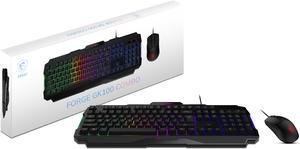
MSI Forge GK100 Combo – Gaming RGB Keyboard & Mouse Set, 19-Key Anti-Ghosting, 6400 DPI Optical Sensor, 6-Mode RGB, up to 6,400 DPI, Black

- Brand: MSI
- Name: FORGE GK100 COMBO
- Keyboard Interface: USB 2.0
- Design Style: Standard
- Model #: FORGEGK100C
- Item #: N82E16823167058
- Return Policy: Standard Return Policy
- $49.99 –
- More options from $44.87 - $57.62
- Free Shipping
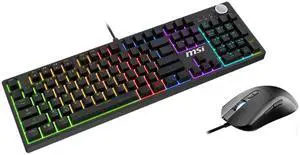
MSI Forge GK320 Combo RED US - Gaming RGB Keyboard & Mouse Set, Full Keys Anti-Ghosting, 12,800 DPI Optical Sensor, 13-Mode RGB, up to 12,800 DPI, Black
- Brand: MSI
- Name: FORGE GK320 COMBO
- Keyboard Interface: USB 2.0
- Design Style: Gaming
- Model #: FORGEGK320C
- Item #: N82E16823167072
- Return Policy: Standard Return Policy
- $99.99
- $64.99 –
- Save: 35%
- More options from $64.99 - $109.99
- Free Shipping
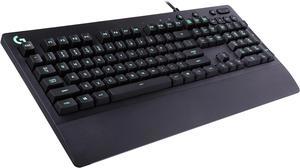
Logitech G213 Prodigy Gaming Keyboard, LIGHTSYNC RGB Backlit Keys, Spill-Resistant, Customizable Keys, Dedicated Multi-Media Keys – Black
- Brand: Logitech
- Name: G213 PRODIGY
- Keyboard Interface: USB 2.0
- Design Style: Standard
- Model #: 920-008083
- Item #: N82E16823126473
- Return Policy: Standard Return Policy
- $69.99 –
- More options from $69.99 - $165.62
- $1.99 Shipping
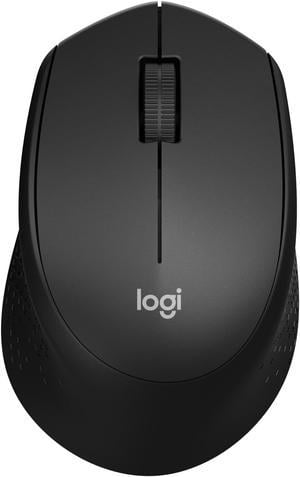
Logitech M330 SILENT Wireless Mouse, 2.4GHz with USB Receiver, Optical Tracking, Quiet & Lightweight, Long Battery Life, for PC, Mac, Laptop, Chromebook
- Brand: Logitech
- Name: M330 SILENT
- Color: Black
- Buttons: 3
- Model #: M330 PLUS RF Mouse
- Item #: 9SIC3G0M573959
- Return Policy: View Return Policy
- $45.49 –
- More options from $24.99 - $49.99
- Free Shipping
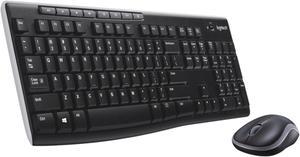
Logitech MK270 Wireless Keyboard and Mouse Combo, Full Size Keyboard, 2.4GHz USB Receiver, Long Battery Life, PC
- Keyboard Interface: USB 2.0
- Keyboard Color: Black
- Brand: Logitech
- Name: Wireless Combo MK270
- Model #: 920-004536
- Item #: N82E16823126332
- Return Policy: Standard Return Policy
- $39.99
- $34.99 –
- Save: 12%
- $4.99 Shipping

MSI Gaming Gear Bundle FRIEREN Edition, Wireless Mouse and Keyboard, Mechanical Linear Switches, TKL, Long-Range 2.4Ghz Wireless, Rechargable Power, Optical Sensor, 26000 DPI
- Model #: 952-8Z0Z-001
- Item #: N82E16823167075
- Return Policy: Standard Return Policy
- $249.99
- $215.99 –
- Save: 13%
- More options from $207.44 - $215.99
- Free Shipping
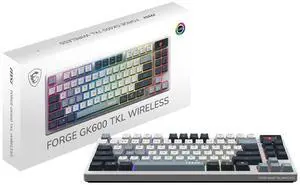
MSI Forge GK600 TKL Wireless Gaming Keyboard - Mechanical Linear Switches, Dye-Sublimated PBT Keycaps, Anti-Slip Base, RGB, USB 2.0, Bluetooth, 2.4 GHz - White
- Brand: MSI
- Keyboard Interface: USB + 2.4GHz + Bluetooth
- Design Style: Standard
- Layout: TKL
- Model #: FORGE GK600 TKL
- Item #: N82E16823167065
- Return Policy: Standard Return Policy
- $139.99
- See price in cart
- More options from $79.99 - $142.99
- Free Shipping
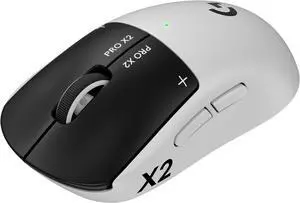
Logitech PRO X2 SUPERSTRIKE LIGHTSPEED Wireless Gaming Mouse, Ultra-Fast Performance, Ultra Lightweight (61 g), Customizable Click Haptics, USB-C charging, for PC/Mac/Laptop
- Brand: Logitech
- Mouse Grip Style: Claw
- Resolution (DPI): 32000 dpi
- Buttons: 5
- Model #: 910-007700
- Item #: N82E16826197674
- Return Policy: Standard Return Policy
- $239.99 –
- More options from $239.99 - $399.99
- Free Shipping
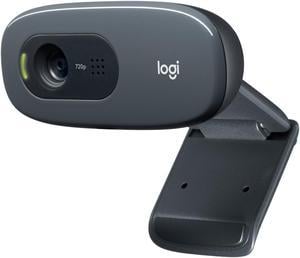
Logitech C270 HD Webcam, HD 720p, Widescreen HD Video Calling, HD Light Correction, Noise-Reducing Mic, For Skype, FaceTime, Hangouts, WebEx, PC/Mac/Laptop/Macbook/Tablet - Black
- Brand: Logitech
- Name: C270
- Interface: USB 2.0
- Max. Image Resolution: 3.0 MP (Software Enhanced)
- Model #: 960-000694
- Item #: N82E16826104648
- Return Policy: Standard Return Policy
- $39.99
- $27.99 –
- Save: 30%
- Est. Shipping Fee $3.99
Related searches
An input device is essentially any hardware or tool you use to enter information into a computer so that you can control it, whether you're talking about PC game controllers, microphones or many other types of devices. The category of input devices is pretty comprehensive, with items ranging from computer mice to keyboards to VR headsets to microphones. The input devices you need to get will be dependent on what you're going to be using them for. You can divide input devices into several different categories, including human interface devices, composite devices and video input devices.
Wireless Keyboards Reduce Clutter
The one input device that many people have is the computer keyboard, and it is considered a human interface device, or a device that takes input from people and gives the output. There are many different types of keyboards, so choose the one that works best with your needs. Wireless keyboards rely on WiFi to keep you connected, making them ideal for anyone who wants to cut down on wires and cords. Gaming keyboards let you easily maneuver and work your way through your favorite games. Bluetooth keyboards offer another great way to go cordless, and they often connect more seamlessly than wireless keyboards do.
Touchpads Give Sketch Artists a Platform
Your pointing input devices are the devices that you'll use to move your cursor around the screen to complete specific commands. Tools range from standard corded mouses to wireless gaming mice to touchpads to PC game controllers. At the end of the day, which pointing input device you use depends on what you're doing and what you feel most comfortable with. Whether you're an artist, writer or gamer, choose the one that is easiest for you to complete your tasks. Some people can't live without their touchpads, while others never leave home without their wireless gaming mouses.
Video-Input Devices Transport Your Video Data
Video input devices are the ones that you use to digitize video or any other sorts of images that you take outside and transfer or upload into the computer. These devices include digital cameras, digital camcorders, webcams, fingerprint scanners, image scanners and portable media players.
Composite Devices Hold a Little Bit of Everything
Composite input devices are input devices that have different input elements on a single machine. Gaming devices are the first things that come to mind when people think about composite devices since they have at least two different forms of input. The most common types of composite devices are gamepads, gaming joysticks and paddle.
Audio Input Devices Channel Sound
Audio input devices are the ones that capture sound. These devices allow you to send audio signals to a computer so that you can record, process or perform certain commands. Some examples of audio input devices include microphones and digital instruments like MIDI keyboards. A microphone allows you to speak into the computer and record information, or it will enable you to control and manage computer commands with your voice. Nearly everyone needs audio input devices, including musicians, gamers and writers.
An input device is essentially any hardware or tool you use to enter information into a computer so that you can control it, whether you're talking about PC game controllers, microphones or many other types of devices. The category of input devices is pretty comprehensive, with items ranging from computer mice to keyboards to VR headsets to microphones. The input devices you need to get will be dependent on what you're going to be using them for. You can divide input devices into several different categories, including human interface devices, composite devices and video input devices.
Wireless Keyboards Reduce Clutter
The one input device that many people have is the computer keyboard, and it is considered a human interface device, or a device that takes input from people and gives the output. There are many different types of keyboards, so choose the one that works best with your needs. Wireless keyboards rely on WiFi to keep you connected, making them ideal for anyone who wants to cut down on wires and cords. Gaming keyboards let you easily maneuver and work your way through your favorite games. Bluetooth keyboards offer another great way to go cordless, and they often connect more seamlessly than wireless keyboards do.
Touchpads Give Sketch Artists a Platform
Your pointing input devices are the devices that you'll use to move your cursor around the screen to complete specific commands. Tools range from standard corded mouses to wireless gaming mice to touchpads to PC game controllers. At the end of the day, which pointing input device you use depends on what you're doing and what you feel most comfortable with. Whether you're an artist, writer or gamer, choose the one that is easiest for you to complete your tasks. Some people can't live without their touchpads, while others never leave home without their wireless gaming mouses.
Video-Input Devices Transport Your Video Data
Video input devices are the ones that you use to digitize video or any other sorts of images that you take outside and transfer or upload into the computer. These devices include digital cameras, digital camcorders, webcams, fingerprint scanners, image scanners and portable media players.
Composite Devices Hold a Little Bit of Everything
Composite input devices are input devices that have different input elements on a single machine. Gaming devices are the first things that come to mind when people think about composite devices since they have at least two different forms of input. The most common types of composite devices are gamepads, gaming joysticks and paddle.
Audio Input Devices Channel Sound
Audio input devices are the ones that capture sound. These devices allow you to send audio signals to a computer so that you can record, process or perform certain commands. Some examples of audio input devices include microphones and digital instruments like MIDI keyboards. A microphone allows you to speak into the computer and record information, or it will enable you to control and manage computer commands with your voice. Nearly everyone needs audio input devices, including musicians, gamers and writers.
Bestselling Gaming & Streaming Gear Reviews:
Pawel Z.
9/5/2026 8:38:54 PM
amazing gaming mouse
“ Logitech gaming mouses are on another level. ”
Logitech PRO X SUPERLIGHT 2 DEX Wireless Gaming Mouse, Lightweight 60g Pro-grade Right-handed Mouse with 44K DPI Hero 2 Sensor and Up to 8k Hz Polling for PC/MacD
8/9/2026 3:29:34 PM
Mouse
“ I would recommend as a basic mouse ”
USB Wired Gaming Mouse, PC Gaming Mice USB Computer Mouse with LED Backlits, High - Precision Adjustable 3200 DPI, 6 Programmable Buttons, Ergonomic Gamer Mouse for Windows PC Mac LaptopCristopher M.
7/10/2026 10:00:29 PM
Great mouse
“ Great mouse, will buy it or the newer version again. ”
Logitech G502 X PLUS LIGHTSPEED Wireless RGB Gaming Mouse - Optical mouse with LIGHTFORCE hybrid switches, LIGHTSYNC RGB, HERO 25K gaming sensor, compatible with PC - macOS/Windows - BlackW,K
7/1/2026 4:12:13 AM
Solid mouse.
“ ive had no real problems with the mouse. ”
ASUS ROG Harpe Mini Core Wired Gaming Mouse - Wired USB, Small Compact Design, Right-Handed, 52g Lightweight, 12K DPI, Pro-Approved, Gear Link Web-Based Configuration, PC/Mac Support - BlackKenneth W.
6/15/2026 5:56:08 AM
Good to use
“ This is the first time using a type of mouse such as this as a gamer and I found it a very good choice for that, really getting your hand used to extra buttons for your fingers. ”
Logitech G502 Lightspeed Wireless Gaming Mouse with Hero 25K Sensor, PowerPlay Compatible, Tunable Weights and Lightsync RGB - BlackAnonymous
6/2/2026 9:34:41 PM
Side buttons too big and sensitive
“ Its a mouse that works, what else do you want? ”
Logitech G403 Hero 25K Gaming Mouse, Lightsync RGB, Lightweight 87G+10G optional, Braided Cable, 25, 600 DPI, Rubber Side GripsAnonymous
5/23/2026 6:24:40 PM
Great gamer
“ This is a highly functional mouse for gaming and production work. ”
Logitech G502 X Wired Gaming Mouse - LIGHTFORCE hybrid optical-mechanical primary switches, HERO 25K gaming sensor, compatible with PC - macOS/Windows - BlackAnonymous
4/3/2026 2:59:51 PM
It came in a combo
“ Glides very well on a mouse pad ”
ASUS ROG Harpe Mini Core Wired Gaming Mouse - Wired USB, Small Compact Design, Right-Handed, 52g Lightweight, 12K DPI, Pro-Approved, Gear Link Web-Based Configuration, PC/Mac Support - Black