What is/are in the package?
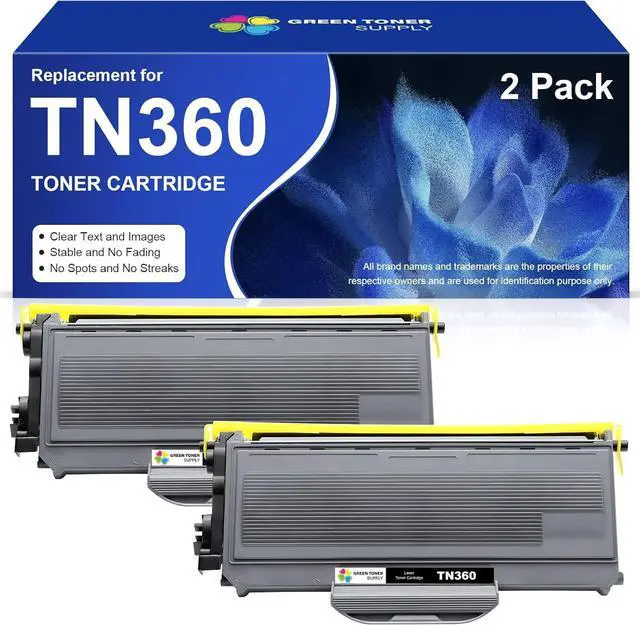
2 Pack Replacement for Brother TN360 Toner Cartridges (2xBlack)
How many pages does this print up to?
2,600 pages per TN360 toner cartridge (5 percent coverage of letter A4)
How do you install the Ink cartridge?
Shake the cartridge gently for 5-6 times.
Remove the orange protective cap.
Insert the toner cartridge insidethe drum unit.
Insert the drum unit (with the toner cartridges installed) into your printer.
* NOTE: Please DO NOT touch the chip.
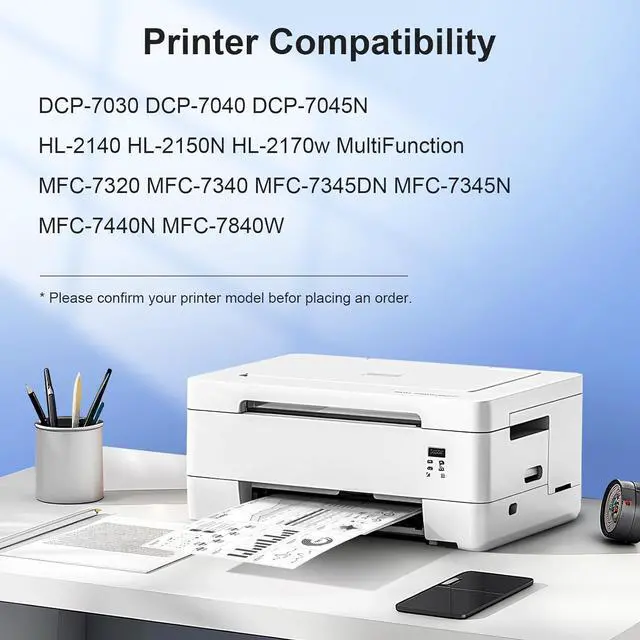
What are the compatible printers?
DCP-7030 DCP-7040 DCP-7045N HL-2140 HL-2150N HL-2170w MultiFunction MFC-7320 MFC-7340 MFC-7345DN MFC-7345N MFC-7440N MFC-7840W Printer
Storage recommendations?
Please store the unused/unopened toner cartridges in a dry and cool place. Avoid sun exposure
Have a question or a problem?
Please do not hesitate to contact us, our Customer Services Team will usually response your email or message within 1-2 business days.