• $265.99
  • Ships from Hong Kong.
    Price alert
    Shop it at NeweggBusiness.

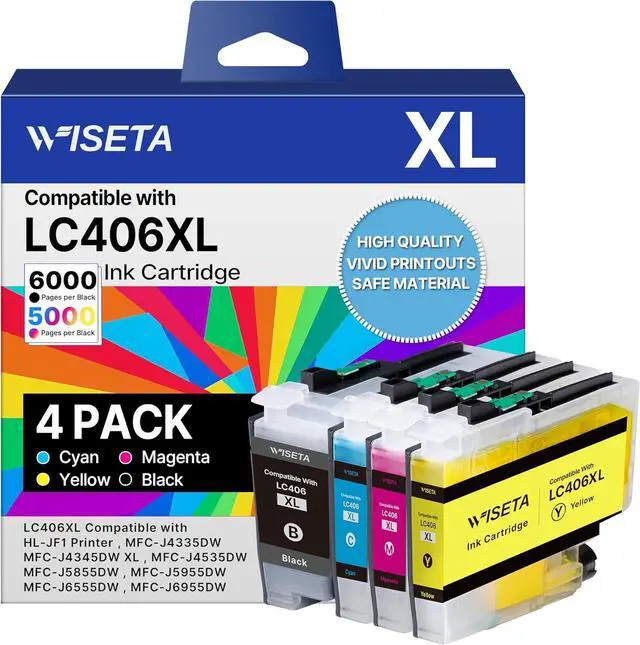
    LC406 Ink Cartridges for Brother Printer Compatible Replacement for Brother LC406XL LC406 Ink Cartridges for MFC-J4335DW J4345DW J4535DW J5855DW J5955DW J6555DW J6955DW Printer (4 Pack)

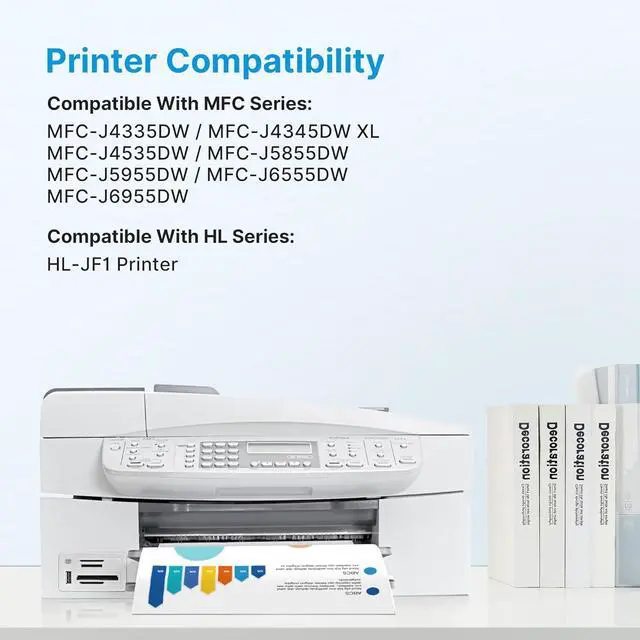
    • Compatible Printers: LC406XL LC406 Ink Cartridgescompatible with Brother MFC-J4335DW also compatible with MFC-J4345DW XL MFC-J4535DW MFC-J5855DW MFC-J5955DW MFC-J6555DW MFC-J6955DW HL-JF1 Printer
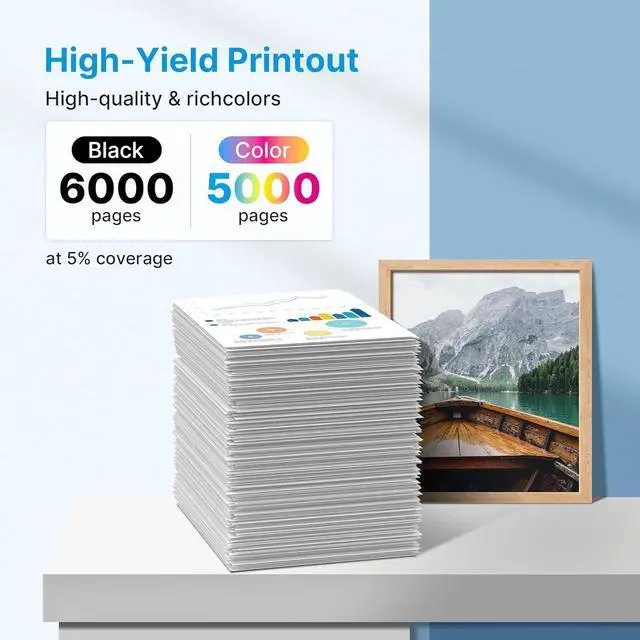
    • High Page Yield: High yields up to 6000 pages per LC406XL LC406 Black Ink Cartridge and 5000 pages per LC406XL LC406 Color Ink Cartridge (5% coveragae*A4 paper size)
    • Product Name: Wiseta for LC406XL 406XL LC 406 XL Replacement for brother ink cartridges lc406 High Yields Black Cyan Magenta Yellow 4 Pack
    • Package Contains: 1 x User Guide, 1 x Black lc406xl ink cartridges for brother printer, 1 x Cyan lc406xl lc406 ink, 1 x Magenta lc406xl lc406 ink, 1 x Yellow lc406xl lc406 ink (Total 4 Pack)
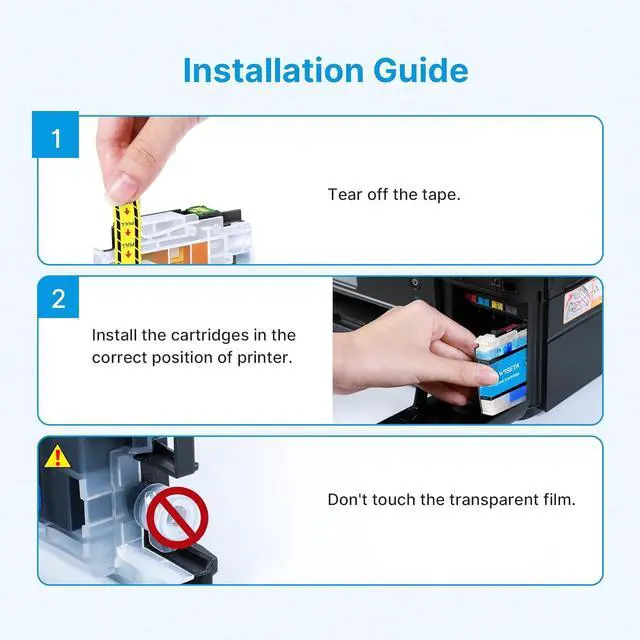
    • Warm Tip: If prompted for this Printer error "cartridge not recognized", "The printer does not have enough ink", Please reinstall the cartridge to turn it off and on once until it is recognized; When the printer prompts "non-original", please click OK or Next to continue

    +
    +
    Overview
    Specs
    Reviews
    Compatible Printers: LC406XL LC406 Ink Cartridgescompatible with Brother MFC-J4335DW also compatible with MFC-J4345DW XL MFC-J4535DW MFC-J5855DW MFC-J5955DW MFC-J6555DW MFC-J6955DW HL-JF1 Printer
    High Page Yield: High yields up to 6000 pages per LC406XL LC406 Black Ink Cartridge and 5000 pages per LC406XL LC406 Color Ink Cartridge (5% coveragae*A4 paper size)
    Product Name: Wiseta for LC406XL 406XL LC 406 XL Replacement for brother ink cartridges lc406 High Yields Black Cyan Magenta Yellow 4 Pack
    Package Contains: 1 x User Guide, 1 x Black lc406xl ink cartridges for brother printer, 1 x Cyan lc406xl lc406 ink, 1 x Magenta lc406xl lc406 ink, 1 x Yellow lc406xl lc406 ink (Total 4 Pack)
    Warm Tip: If prompted for this Printer error "cartridge not recognized", "The printer does not have enough ink", Please reinstall the cartridge to turn it off and on once until it is recognized; When the printer prompts "non-original", please click OK or Next to continue

    Warranty & Returns

    Warranty, Returns, And Additional Information

    Warranty

    • Please contact the Seller directly for warranty information. Warranty information may also be found on the Manufacturer's website.
    • CONTACT

    Return Policies

    Manufacturer Contact Info

    LOADING...