• $412.99
  • Ships from Hong Kong.
    Price alert
    Shop it at NeweggBusiness.

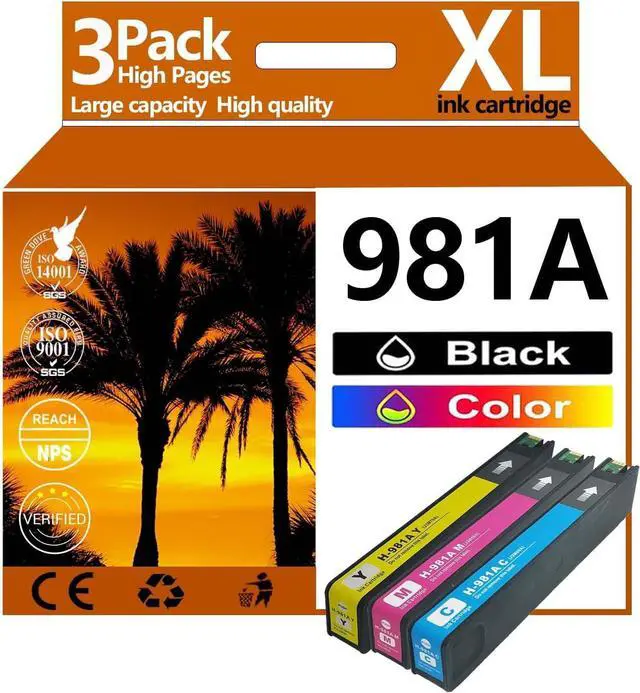
    981A Ink Compatible for HP 981A Ink Cartridges Black Color Combo Pack Compatible for HP Ink 981 Fit for PageWide Enleprise X556DN 586DN 586F 586Z 556XH Printer,981 981A Colors×3

    • Package Contents: 981A ink cartridges black/color combo pack remanufactured ink cartridge combo pack replacment for HP ink 981
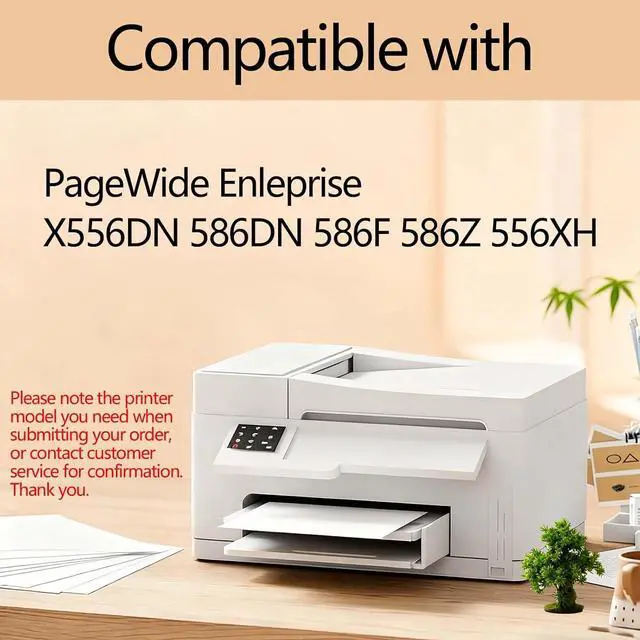
    • Wide Compatibility:For HP PageWide Enleprise X556DN 586DN 586F 586Z 556XH Series Printers
    • High Yield, Dramatic Cost Saving 11000 Pages Per Black Ink Cartridge,10000 Pages Per Color Ink Cartridge (Letter/A4, at 5% coverage) Slash your cost per page by up to 70% without compromising on performance
    • Vibrant, Professional-Grade Print Quality:Experience sharp, smudge-free text and brilliantly vivid colors for all your documents, reports, and photos. Our advanced ink formulation is rigorously tested to resist fading and ensure every printout looks professional, meeting the demands of both home offices and small businesses.
    • With Latest Chip: for HP All 981A ink cartridges use the latest upgraded chip technology to ensure efficient compatibility and fast recognition with your printer, while ensuring that your printer is not damaged
    +
    +
    Overview
    Specs
    Reviews
    Product Description:
    Product Name: 981A Ink Cartridge
    For HP PageWide Enleprise X556DN 586DN 586F 586Z 556XH Printers
    Printing Experience:
    1. Experience smooth ink flow and enjoy higher print quality and service life. The precise fit of the ink cartridge ensures easy installation and worry-free printing.
    2. If the ink cartridge does not recognize your printer for the first time please remove it and reinstall it. Then click "OK" continuously and the printer can continue to print.
    Installation Instructions:
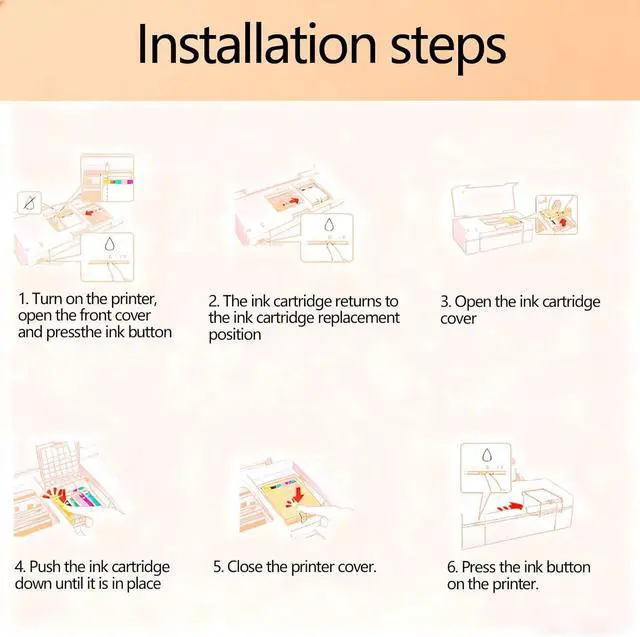
    1. After turning on the printer open the front cover of the printer and press the ink button.
    2. Put the ink cartridge back to the replacement position.
    3. Open the ink cartridge cover
    4. Take out the original ink cartridge
    5. Push the ink cartridge down until it is in place
    6. Close the cartridge cover and the printer cover
    7. After the above operations are completed press the ink button on the printer and all the ink cartridge replacement processes are completed.
    Sales Service:
    Customer Care 24/7: We provide exceptional Customer Live Support daily(even on holidays). If you have any questions Please send e-mails to us if you need customer support

    Warranty & Returns

    Warranty, Returns, And Additional Information

    Warranty

    • Please contact the Seller directly for warranty information. Warranty information may also be found on the Manufacturer's website.
    • CONTACT

    Return Policies

    Manufacturer Contact Info

    LOADING...