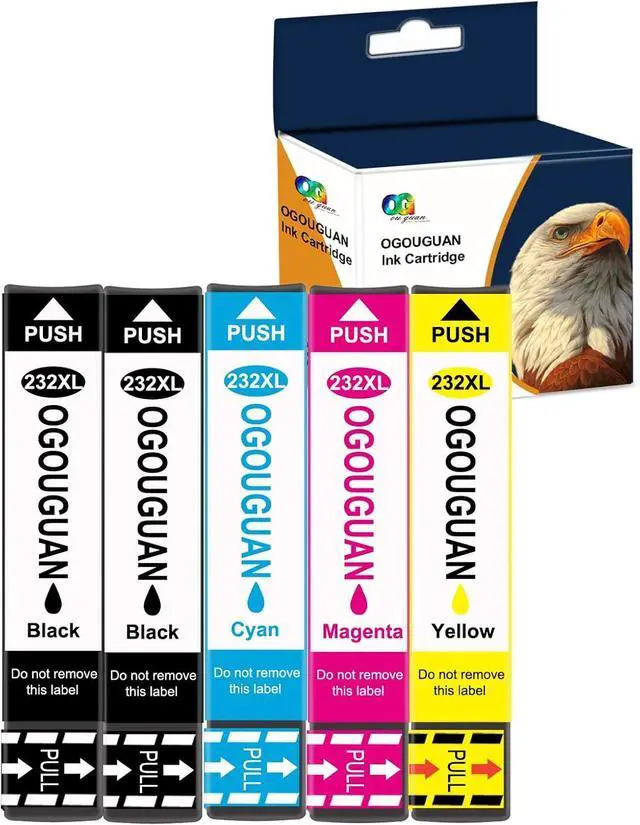
OGOUGUAN 5-Pack 232XL Ink Cartridges for 232 XL ink cartridges combo pack for printers offer crisp text and vibrant colors, making your documents look their best. brings higher ink capacity and more print pages.
Product information
Product Contain
2 x Black 232XL 232 XL T232 ink cartridge
1 x Cyan 232XL 232 XL T232 ink cartridge
1 x Magenta 232XL 232 XL T232 ink cartridge
1 x Yellow 232XL 232 XL T232 ink cartridge
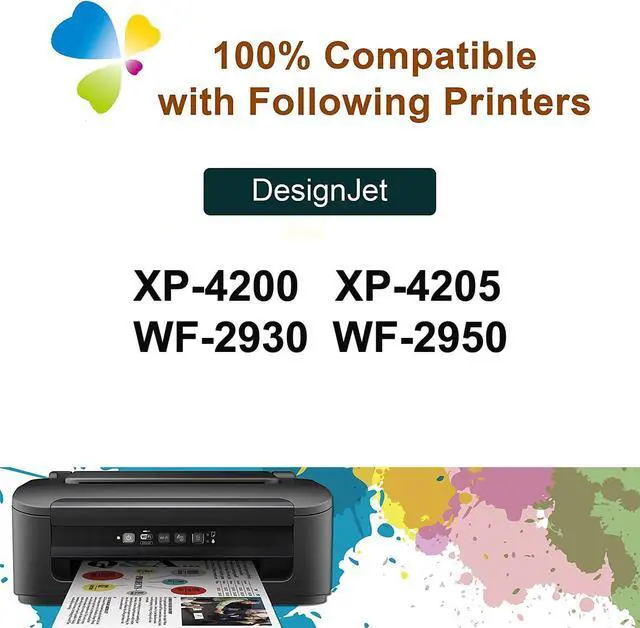
Compatible Printer
For XP-4200 XP-4205
For WF-2930 WF-2950
Available Page Yield at 5% coverage (A4/letter)
500 pages per 232XL 232 XL T232 black ink cartridge
350 pages per 232XL 232 XL T232 cyan ink cartridge
350 pages per 232XL 232 XL T232 magenta ink cartridge
350 pages per 232XL 232 XL T232 yellow ink cartridge
The common problems with compatible ink cartridges
Click "yes" to continue printing When prompted for non-genuine ink cartridges
When the printer displays "Non-genuine ink cartridges installed" or "Used or counterfeit ink cartridges detected", just press the "OK" or "Continue" button to continue printing.
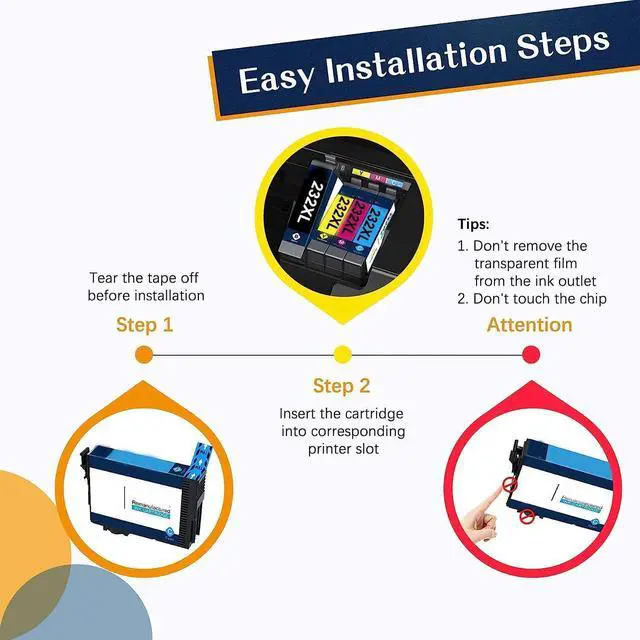
The printer issues a yellow warning message, follow these steps:
1) Remove the ink cartridge and clean the chip with an eraser.
2) Repeat the installation 2-3 times.





 We‘re shipping as usual! The Canada Post strike only affects certain remote deliveries and PO Boxes. Details
 Holiday Shipping Details & Extended Holiday Returns


