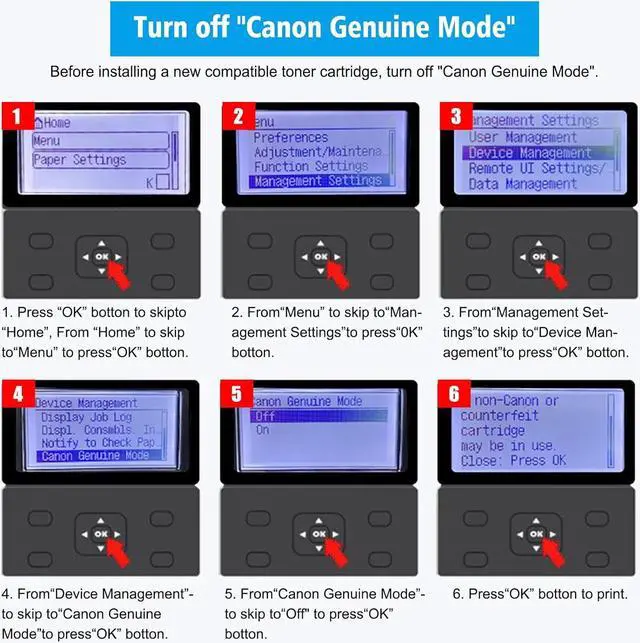
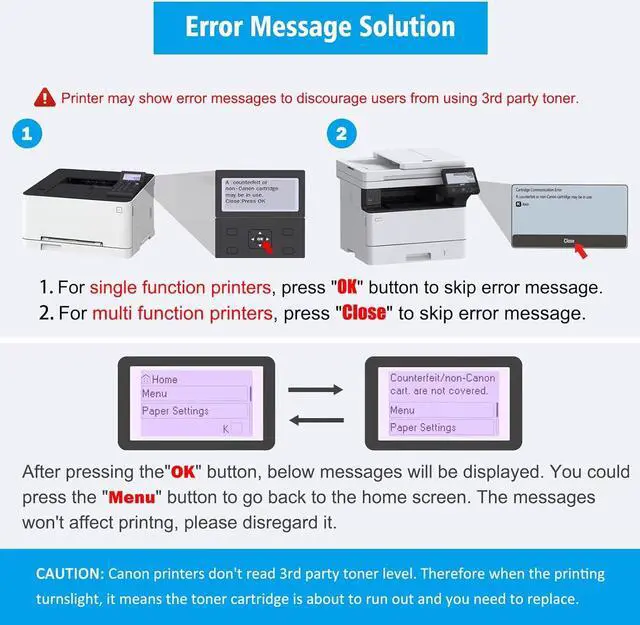
If there is Canon Genuine Mode in your printer, please must close this mode, Close Canon Genuine Mode as follow step: Menue > Management Settings > Device Management > Canon Genuine Mode > Off, After you close Canon Genuine mode, you install the compatible toner, there is prompt non Canon Cartridge is possibly inserted on printer, just press OK key, the toner should work.
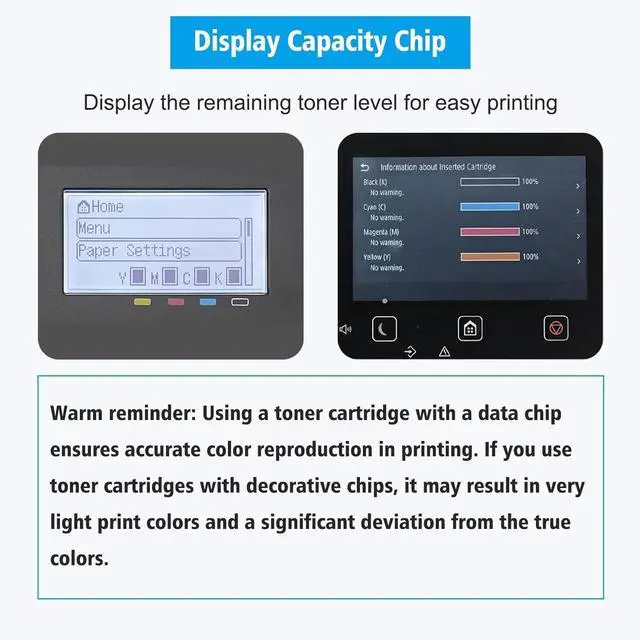
with Data Chip: Our compatible toner cartridges 067 are equipped data chips for remaining toner capacity display, it ensure enough page yield, it ensure that the printed colors remain consistently uniform and do not fade or become lighter over time. Other toner cartridges that use decorative chips cant display toner capacity, it may initially print acceptable colors, but as the number of printed pages increases, the print colors possibly gradually fade.
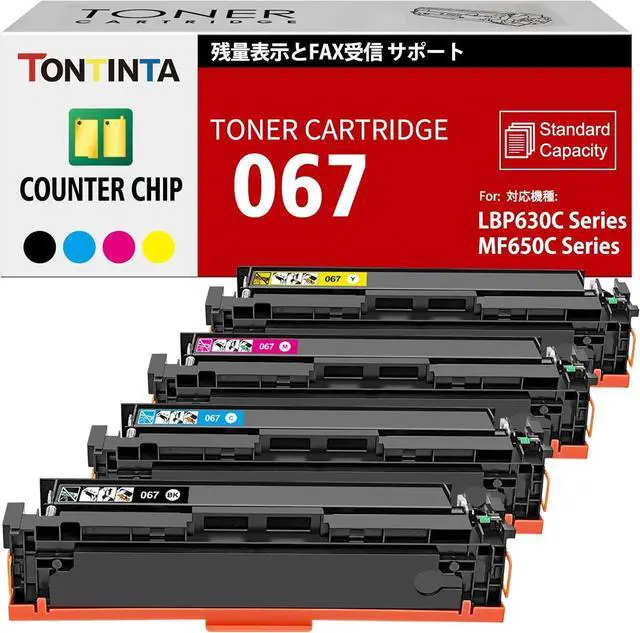
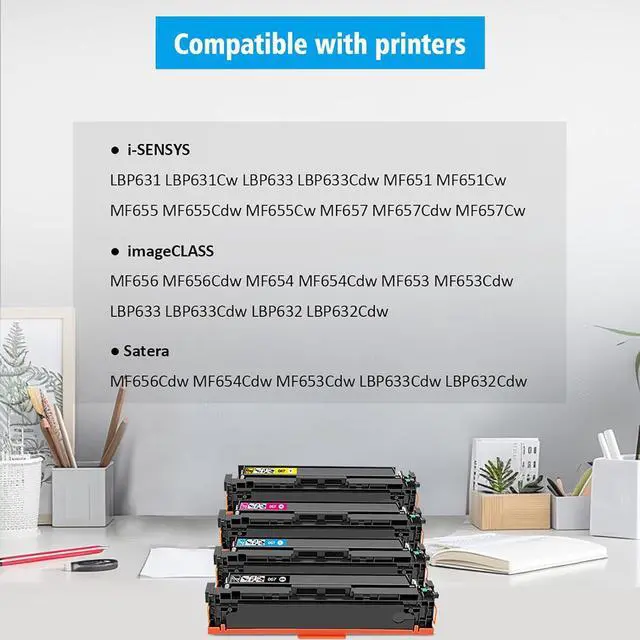
Compatible for Canon laser printer imageCLASS MF656 MF656Cdw MF654 MF654Cdw MF653 MF653Cdw LBP633 LBP633Cdw LBP632 LBP632Cdw printers.
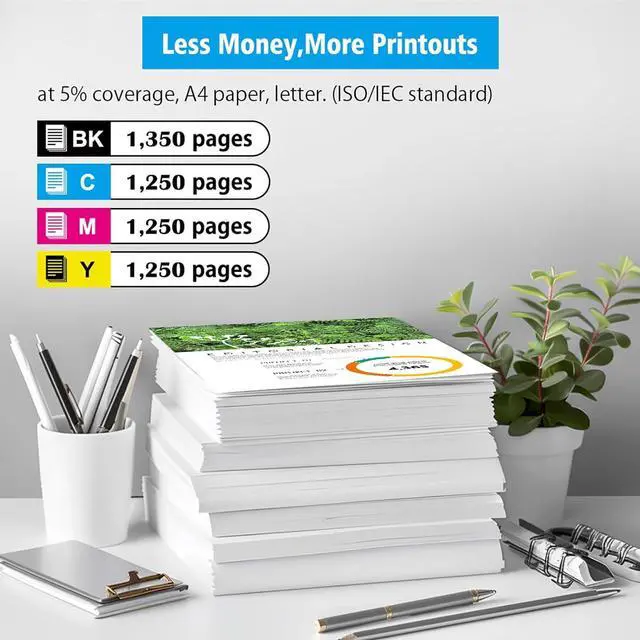
Page yield: Standard Capacity Black 1350 Pages, Cyan Magenta Yellow 1250 Pages at 5% coverage, A4 paper, letter. (ISO/IEC standard).
Storage method:
General requirements in temperatures between 10 and 30 degrees Celsius, relative humidity 20-80%.
Storage method:
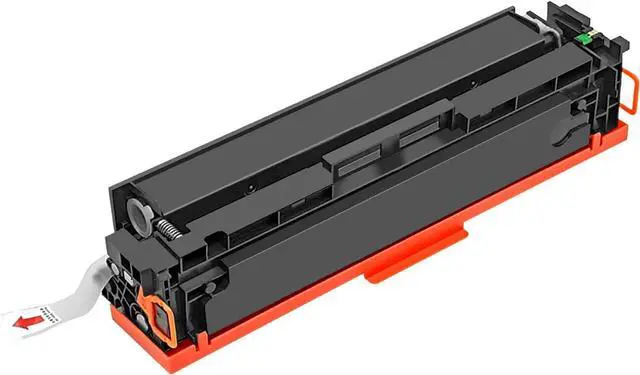
( with Data Chip ) 067 CRG-067 CRG067 4 Colors Compatible Toner Cartridges.
Our 067 CRG-067 compatible toner cartridge is another choice for the original Canon 067 CRG-067 CRG067, 067H CRG-067H CRG067H toner cartridge.
Packaging
Inner product packaging: black plastic bag
Packaging: Neutral box
Individual box
Quantity: 1 x Black, 1 x Cyan, 1 x Magenta, 1 x Yellow.
Note: When you install toner cartridge, the printer prompts you possibly use non-original toner cartridge, press OK key, then the toner cartridge can work.
Compatible with printers: Page Yield Specification


 We‘re shipping as usual! The Canada Post strike only affects certain remote deliveries and PO Boxes. Details
 Holiday Shipping Details & Extended Holiday Returns


