
Your Browsing History

Meet Your Seller

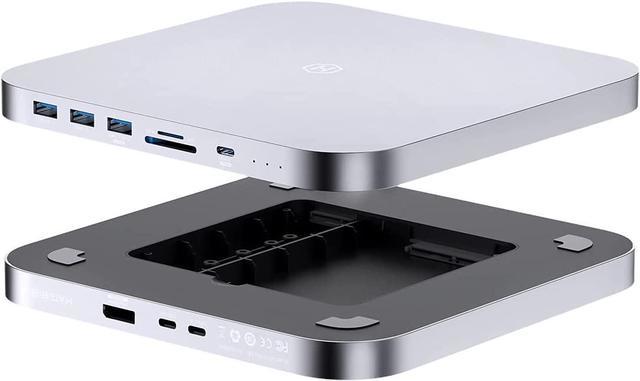
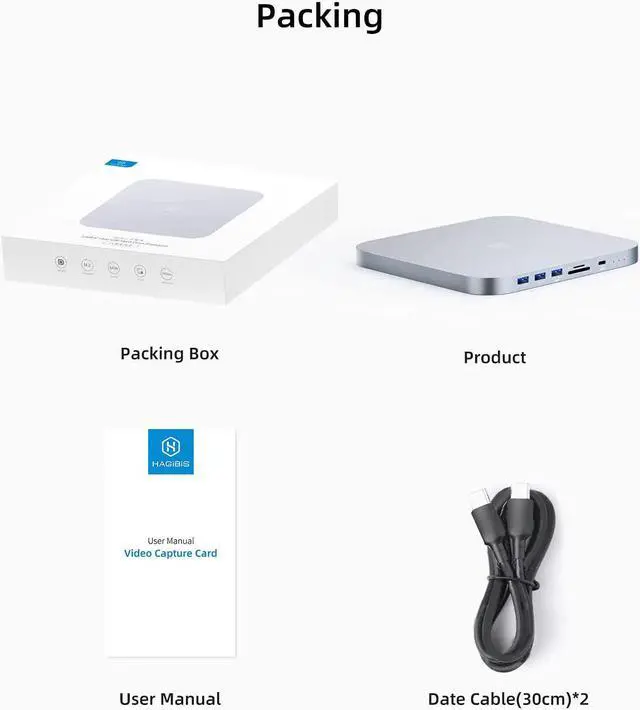
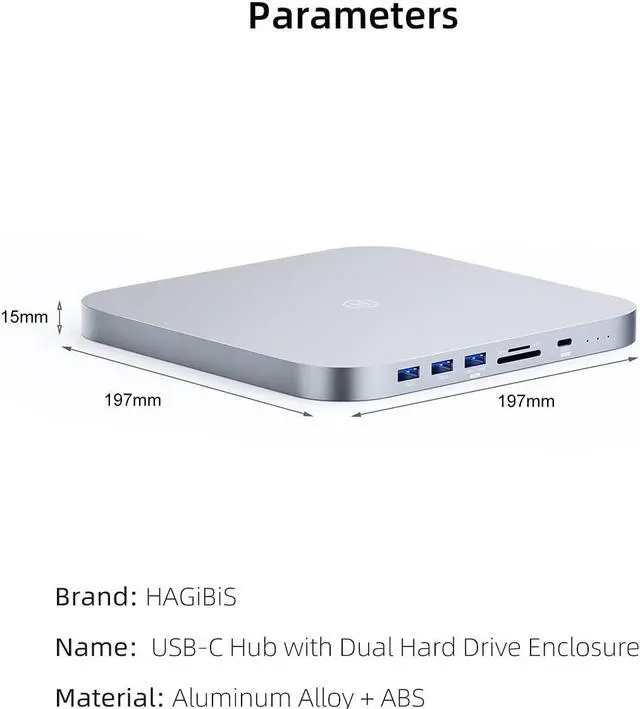


Hagibis USB-C Hub with Dual Hard Drive Enclosure, Type-C Docking Station for Mac Mini M1 with 2.5inch SATA, M.2 NVMe NGFF, 4K@60Hz DP1.4, USB 3.1 Gen2, 10Gbps USB-C, SD/Micro SD (MC25 Pro DP)
- Good partner for Mac Mini: This Hub has multiple interfaces to meet multiple needs. Same size, alloy material, plug and play, light, solid, fast heat dissipation, more suitable for your Mac Mini
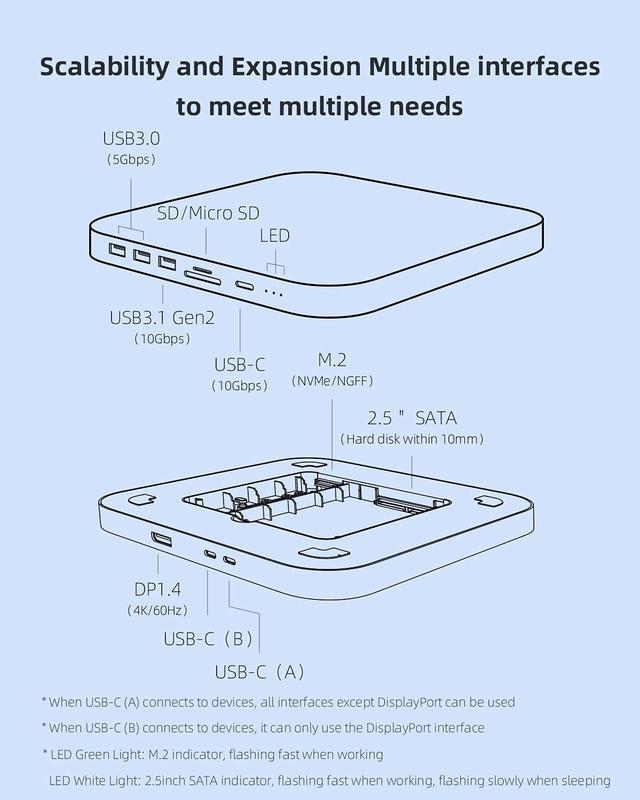
- Multiple interfaces: Hagibis Mac Mini Dock with M.2 NVMe/NGFF, 2.5inch SATA hard drive enclosure, DP1.4, 10Gbps USB3.1 Gen2, 10Gbps USB-C, 2 5Gbps USB3.0, SD/Micro SD card slot. Various interfaces meet all your needs
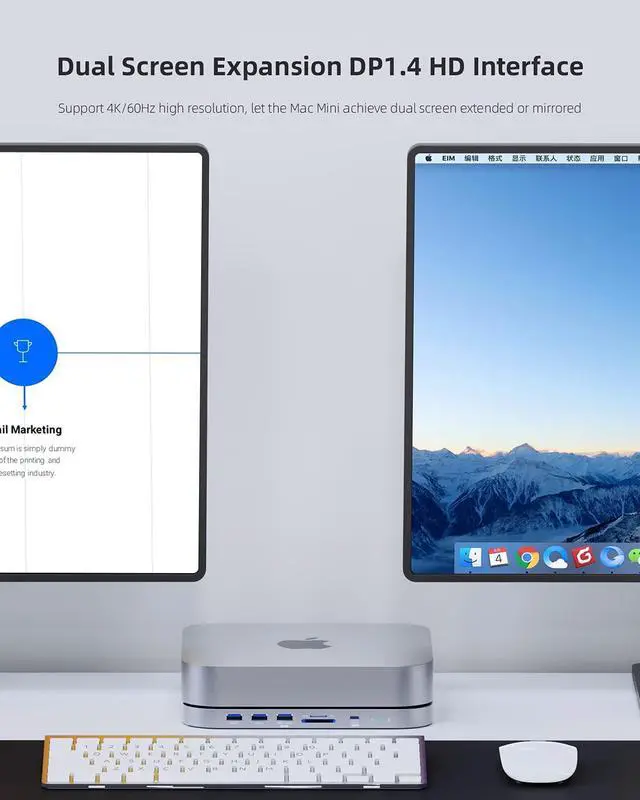
- Dual Screen Expansion: Support 4K/60Hz high resolution, let the Mac Mini achieve dual screen extended or mirrored. * When using DP port, you need to connect USB-C(B) to the device
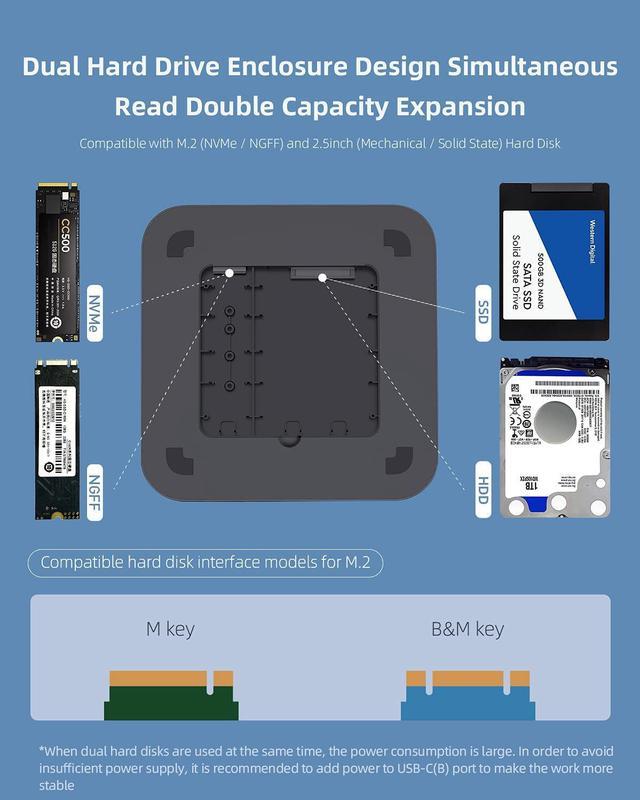
- Dual Hard Drive Enclosure Design: Compatible with M.2 (NVMe / NGFF) and 2.5inch (Mechanical / Solid State) hard disk (Hard disk within 10mm), support dual hard disk read and write at the same time
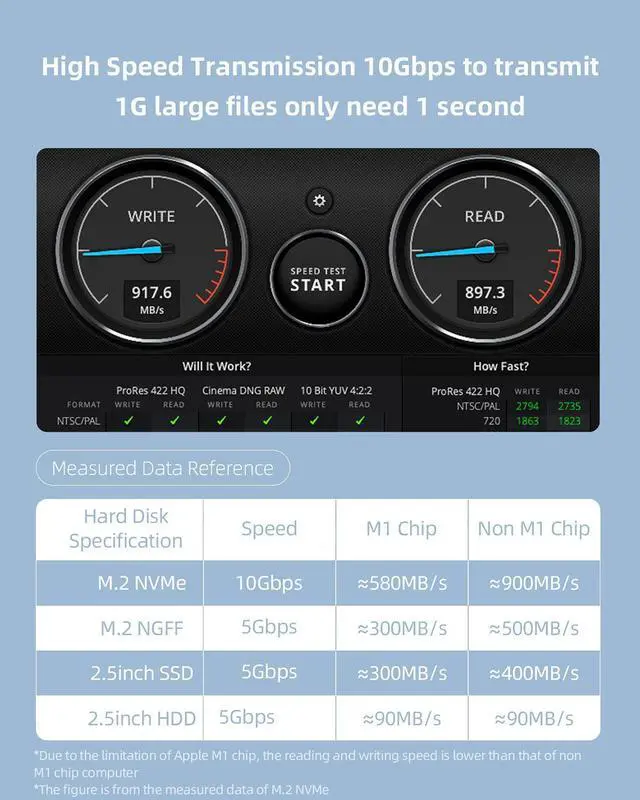
- High Speed Transmission: 10Gbps to transmit 1G large files only need 1 second. *Due to the limitation of Apple M1 chip, the reading and writing speed is lower than that of non M1 chip computer
+
+
Overview
Specs
Reviews
The usage state of MC25 after the computer host has entered dormancy state1. If the computer(Mac mini/Macbook or other laptop) is under usage, the hard disk is not at read/write mode, the HDD/SSD will enter the sleep mode after 3-12 minutes, and the HDD will stop rotating. (The Intel version of the MacBook takes 3 minutes; The MacBook Air with the M1 chip takes 1.5 to 2 minutes; The Mac Mini 2020 with the M1 chip takes 12 minutes; Intel's Mac Mini 2018 takes 13 minutes. )2. If the computer is under sleep mode, the HDD/SSD will also enter the sleep mode and stop rotating in about 30 seconds.
(For all platforms, Mac OS, Windows)2-1. The HDD/SSD will not be disconnected within 2-3 hours after the computer enter sleep mode. The HDD/SSD can be read when the computer wakes up. 2-2. When the computer enter sleep mode more than 2-3 hours, the HDD/SSD and HUB will be disconnected automatically. Maybe the HDD/SSD and HUB are still disconnected after the computer wake up. We recommended to unplug and plug the HUB manually to ensure that the HUB can be connected. *This point is complicated due to the setting of sleep mode of Windows/MacOS system is complicate, the power supply of different USB devices is different.
(the setting is different for different brand of USB Flash/HDD/SSD). 3. If you don't want the HUB and HDD/SSD to be disconnected, please set the computer not to enter sleep mode.
(For all platforms, Mac OS, Windows)2-1. The HDD/SSD will not be disconnected within 2-3 hours after the computer enter sleep mode. The HDD/SSD can be read when the computer wakes up. 2-2. When the computer enter sleep mode more than 2-3 hours, the HDD/SSD and HUB will be disconnected automatically. Maybe the HDD/SSD and HUB are still disconnected after the computer wake up. We recommended to unplug and plug the HUB manually to ensure that the HUB can be connected. *This point is complicated due to the setting of sleep mode of Windows/MacOS system is complicate, the power supply of different USB devices is different.
(the setting is different for different brand of USB Flash/HDD/SSD). 3. If you don't want the HUB and HDD/SSD to be disconnected, please set the computer not to enter sleep mode.
Warranty & Returns
Warranty, Returns, And Additional Information
Warranty
- Please contact the Seller directly for warranty information. Warranty information may also be found on the Manufacturer's website.
- CONTACT
Return Policies
- Return for refund within: 15 days
- Return for replacement within: 30 days
- This item is covered by Byteful Return Policy
Manufacturer Contact Info
- For a directory of all our manufacturers, please click below.
- Manufacturers Directory
LOADING...