
Your Browsing History
- Free 15-day Returns
$59.84
Ships from China.

Meet Your Seller




Visit Hetai Store
FOLLOW
2020 Newest Blueteeth Controller Joystick Gamepad For Nintend Wii U Pro With USB Cable Trigger Wireless Game Pad Controller
- Good Quality
+
+
Overview
Specs
Reviews
Description:
Product Description
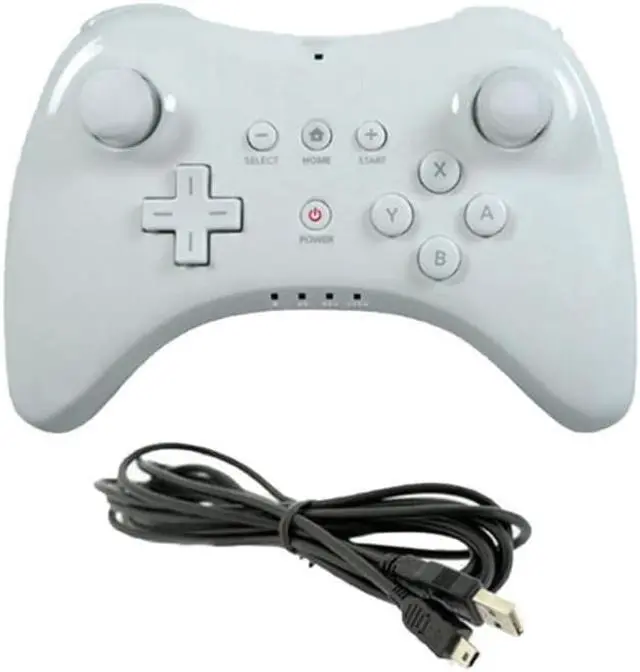
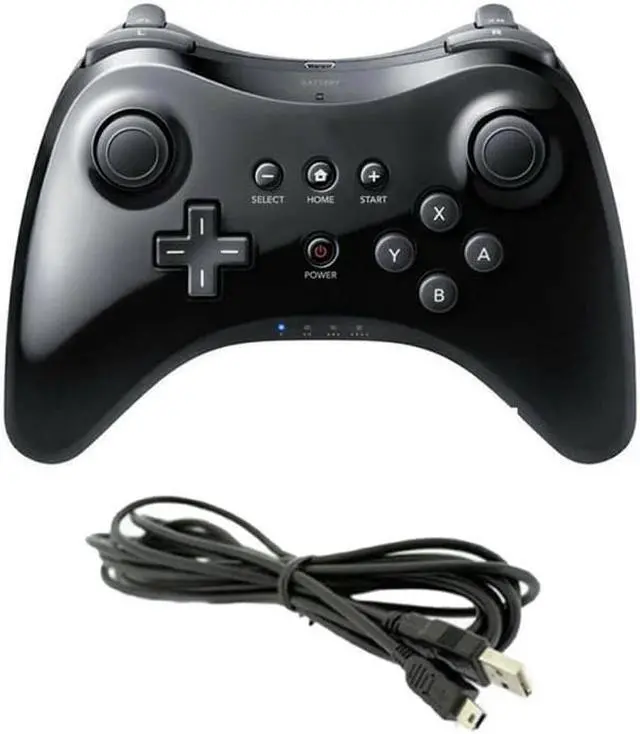
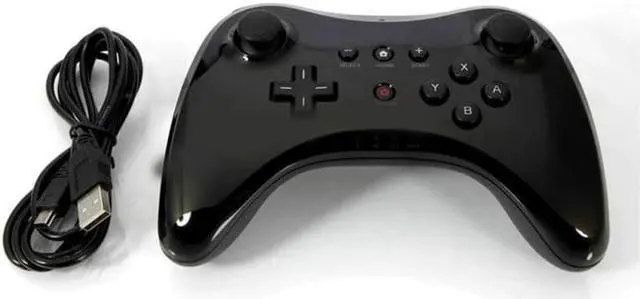
While the Wii U's GamePad and Wii Remote make for an interesting and different way to play games. Some games, like Super Smash Bros. Wii U, work better with a standard controller like the Wii U Pro controller. The Wii U Pro gamepad is akin to the standard controllers on other video game consoles, featuring an ergonomic design, two analog sticks, and a variety of buttons and triggers. Similar to the main GamePad controller, the Wii U Pro WUPARSKA controller also features Power, Home, Select, and Start buttons. The controller features a rechargeable battery with a whopping 80-hour charge, meaning you can play Super Smash Bros. or Mario Kart 8 all night without needing to worry about your controller running out of juice.
Product Description
Note: It is the 3rd Party produce with high quality.
Features
It is a high-precision controller for Wii U
Bluetooth Wireless - Bluetooth Technology allows seamless control
Operate easily and quickly
Comfortable to hold, even during extended gaming sessions
Feature the dual analog sticks and ergonomic button layout
Compatible with the Wii U system or games
How to get it to work
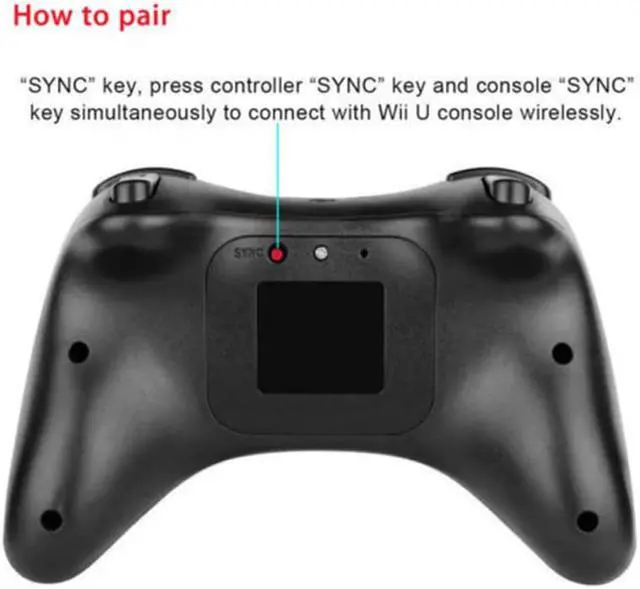
1. Turn on Wii U. While on the Wii U Menu, press the SYNC Button on the Wii U Console to display the controller pairing screen.
2. Press the SYNC button on the console again until the screen shows the controller type you want to pair.
3. Press the SYNC button on the Wii U Pro Controller.
4. Follow the on-screen instructions.
5. The Player LED on the controller will light up when the pairing is complete. The Player LED indicates the player number of the controller currently in use.
Color: Black
Product Description
While the Wii U's GamePad and Wii Remote make for an interesting and different way to play games. Some games, like Super Smash Bros. Wii U, work better with a standard controller like the Wii U Pro controller. The Wii U Pro gamepad is akin to the standard controllers on other video game consoles, featuring an ergonomic design, two analog sticks, and a variety of buttons and triggers. Similar to the main GamePad controller, the Wii U Pro WUPARSKA controller also features Power, Home, Select, and Start buttons. The controller features a rechargeable battery with a whopping 80-hour charge, meaning you can play Super Smash Bros. or Mario Kart 8 all night without needing to worry about your controller running out of juice.
Product Description
Note: It is the 3rd Party produce with high quality.
Features
It is a high-precision controller for Wii U
Bluetooth Wireless - Bluetooth Technology allows seamless control
Operate easily and quickly
Comfortable to hold, even during extended gaming sessions
Feature the dual analog sticks and ergonomic button layout
Compatible with the Wii U system or games
How to get it to work
1. Turn on Wii U. While on the Wii U Menu, press the SYNC Button on the Wii U Console to display the controller pairing screen.
2. Press the SYNC button on the console again until the screen shows the controller type you want to pair.
3. Press the SYNC button on the Wii U Pro Controller.
4. Follow the on-screen instructions.
5. The Player LED on the controller will light up when the pairing is complete. The Player LED indicates the player number of the controller currently in use.
Color: Black
Warranty & Returns
Warranty, Returns, And Additional Information
Warranty
- Please contact the Seller directly for warranty information. Warranty information may also be found on the Manufacturer's website.
- CONTACT
Return Policies
- Return for refund within: 15 days
- Return for replacement within: 30 days
- This item is covered by Hetai Return Policy
Manufacturer Contact Info
- For a directory of all our manufacturers, please click below.
- Manufacturers Directory
LOADING...
LOADING...