


- Free 30-day Returns
$134.06
Ships from China.

Meet Your Seller

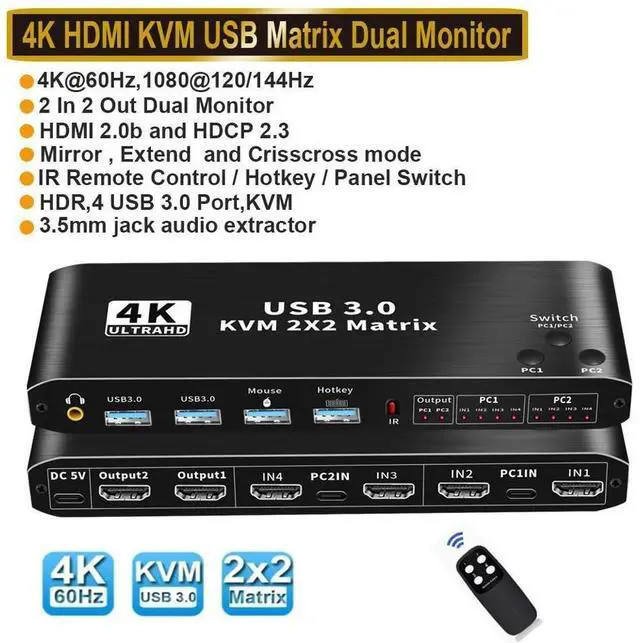
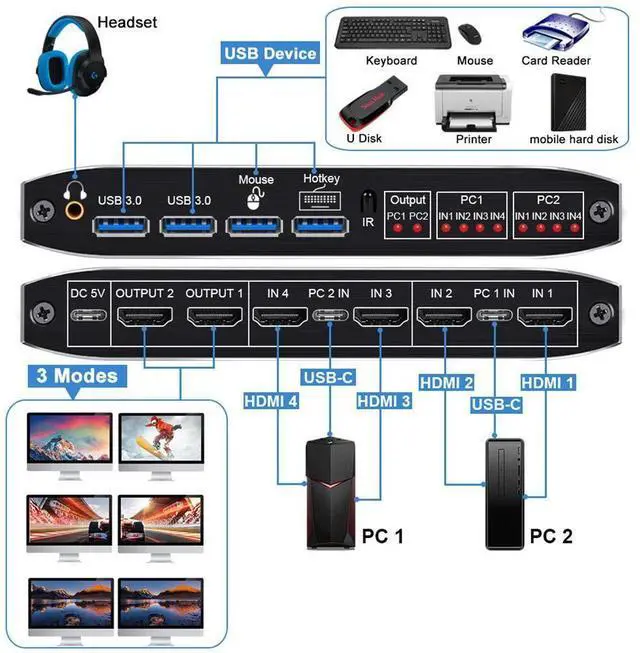



2x2 HDMI KVM Switch Matrix, 4K Dual Monitor HDMI KVM Switch Extended Display USB KVM Switch 2 in 2 Out for 2 Computers 2 Monitors with 3.5mm Audio, Support 4 USB 3.0 Share Keyboard Mouse with Hotkey
Limited time offer, ends 11/08 By GGnix
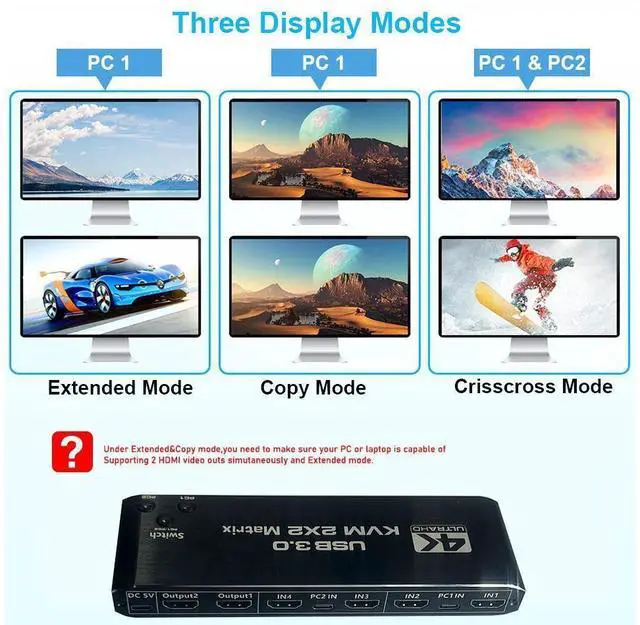
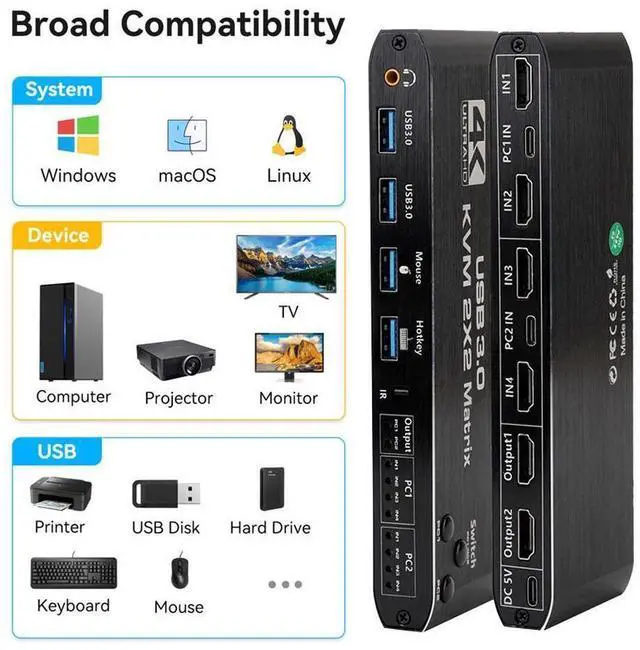
- [KVM Matrix Switch 2x2] The HDMI KVM Matrix console controls a computer or laptop that shares a set of USB keyboard, mouse and dual-monitor, and expands or copies the display. NOTE: The computer needs to support 2 screens or more Function.
- [USB3.0 KVM Switch with Audio Output] The integrated 2 USB 3.0 hub ports allow you to share 2 USB peripherals between 2 computers, such as printers, scanners, with a data transfer rate of up to 5Gbp/s.Our KVM Switch comes with 3.5mm Audio Jack ports, which can be inserted into a 3.5mm device.
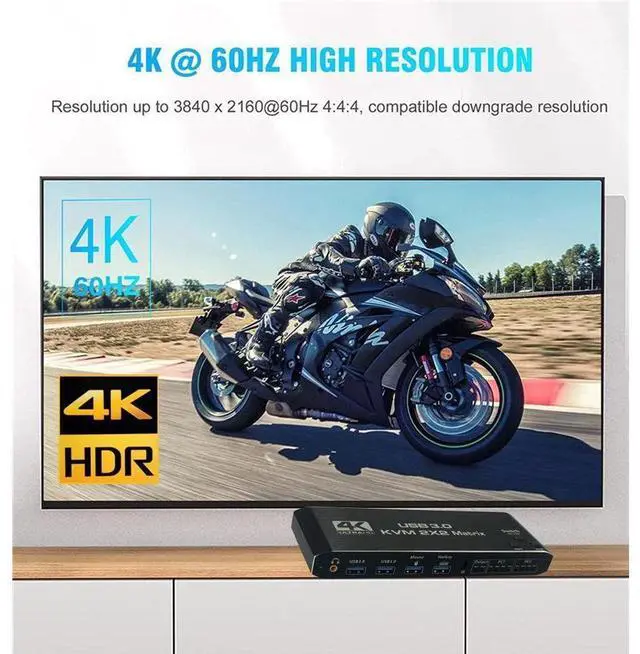
- [UHD 4K@60Hz HDMI KVM Dual Monitor] Supports resolution 4K @ 60Hz, RGB 4:4:4 and backwards compatibility. Support 3D,HDR,HDCP, make the image display more delicate and real.
- [Multiple switching modes] The USB Switch provides a variety of switching methods: manual switching through buttons, infrared remote control, keyboard hotkeys for quick channel selection.
- [Wide Compatibility] Supports multiple operation systems. Windows XP/7/8/ 10/ MACos /Linux /Unix etc.,
+
+
Overview
Specs
Reviews
4K HDMI USB KVM Matrix allows you to share one USB keyboard, USB mouse, and two HDMI monitor to control 2 computers, laptops, game consoles.
It is designed for multitask with two computers at your necessary, increasing productivity in the office or at home; You can switch between 2 computers using a manual switch located on the top of the KVM unit.
Features
- Support HDMI 2.0 b HDCP 2.3
--compliant with DVI to HDMI, DP to HDMI
- Resolution: Support 1080P/1080@144Hz, 3840x2160p, 4K/60Hz resolution, adaptive screen resolution
- Support system: Windows XP, Windows7, Windows10, Apple MAC, Linux, Unix and other operating systems
- Supports high current hard disk devices
- Extended / Mirror mode Switching Method:
1. Press the "Switch(PC 1 / PC 2)" button on the KVM switch panel to switch between the two source devices;
2. use hotkey switch(Ctrl+Shift+ 1 / 2 to PC1 / PC2 or Ctrl + Ctrl), Ctrl+Shift+ K to turn ON/OFF hotkey;
- Crisscross/Matrix Mode Switching Method:
1. Press the "PC 1" Button, OUTPUT 1 is selected by " PC 1", Each time press "PC 1" button, it will switch to HDMI IN 1 / 2 / 3 / 4;
Press the "PC 2" Button, OUTPUT 2 is selected by " PC 2", Each time press "PC 2" button, it will switch to HDMI IN 1 / 2 / 3 / 4.
2. Press the "PC 1" Button, OUTPUT 1 is selected by " PC 1", Use IR remote control to press " 1" "2" "3"4"button, it will switch to HDMI IN 1 / 2 / 3 / 4;
Press the "PC 2" Button, OUTPUT 2 is selected by " PC 2", Use IR remote control to press " 1" "2" "3"4"button, it will switch to HDMI IN 1 / 2 / 3 / 4.
Specification:
- Product Type: HDMI USB 3.0 KVM Matrix (2 in 2 out)
- Input Port: HDMI 2.0 x 4, USB-C x2, USB 3.0 x 4
- Output Port: 2 x HDMI 2.0, 1 x L/R audio
- Dimensions: 176x51x21mm
- Material: Aluminum Alloy shellanti-rust, anti-corrosion, anti-interference, fast transmission, surtace oxidation
Package contents
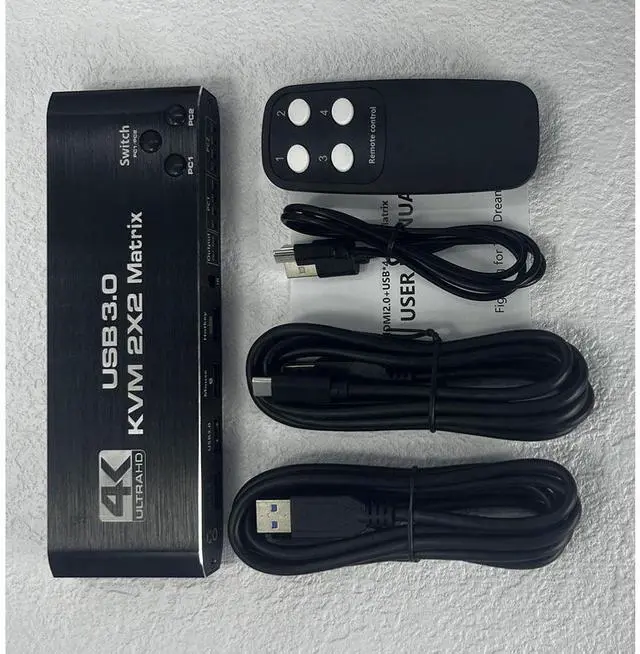
1 x HDMI KVM USB Matrix
2 x USB data cable
1 x USB power cable
1 x IR Remote Control (Without AAA battery)
1 x User Manual
Warranty & Returns
Warranty, Returns, And Additional Information
Warranty
- Please contact the Seller directly for warranty information. Warranty information may also be found on the Manufacturer's website.
- CONTACT
Return Policies
- Return for refund within: 30 days
- Return for replacement within: 30 days
- This item is covered by GGnix Return Policy
Manufacturer Contact Info
- For a directory of all our manufacturers, please click below.
- Manufacturers Directory
LOADING...