
Your Browsing History

Meet Your Seller



USB KVM Switch Selector Box USB 3.0 2.0 Switcher 2 Port PCs Sharing 4 Devices for Keyboard Mouse Printer Monitor with 2 USB Cable eokCXOY
- USB Sharing Hub
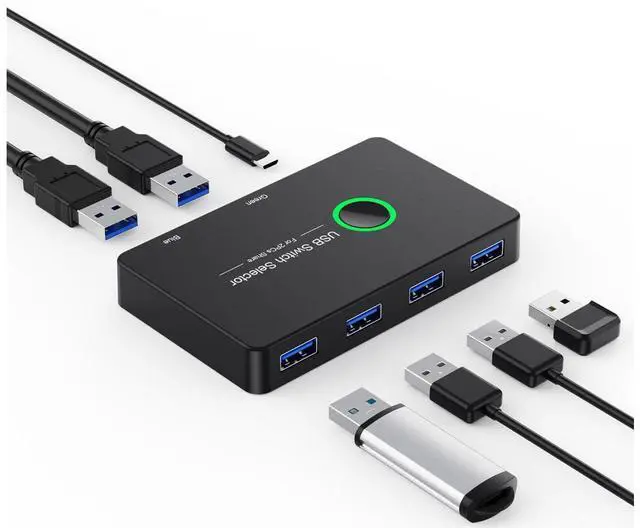
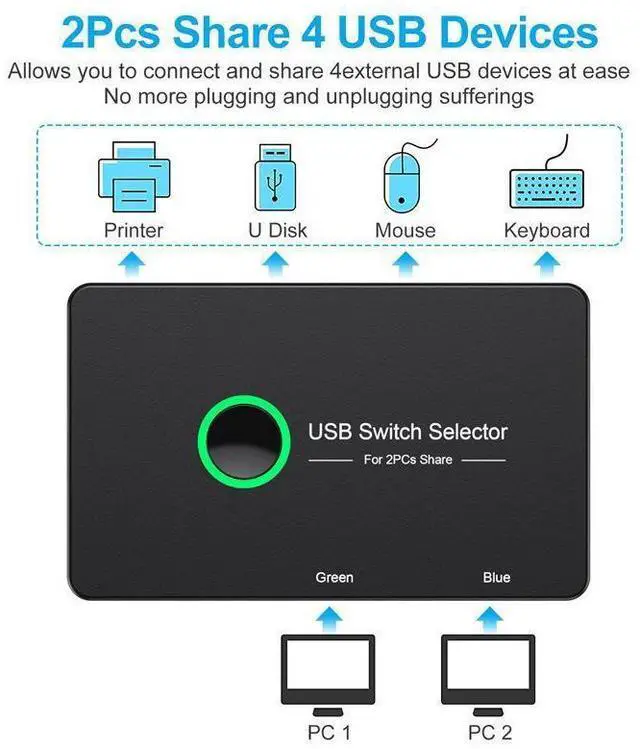
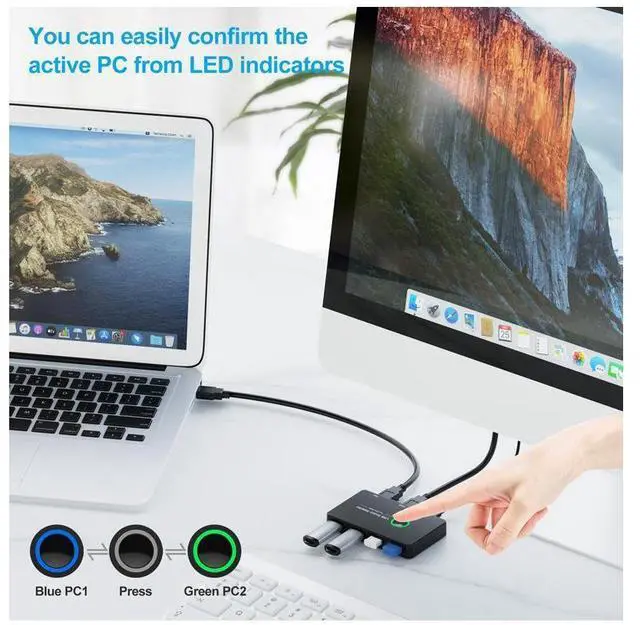
- One button swapping between 2 computers. Convenient & efficient, 2 computers share 4 USB devices, plug and play.
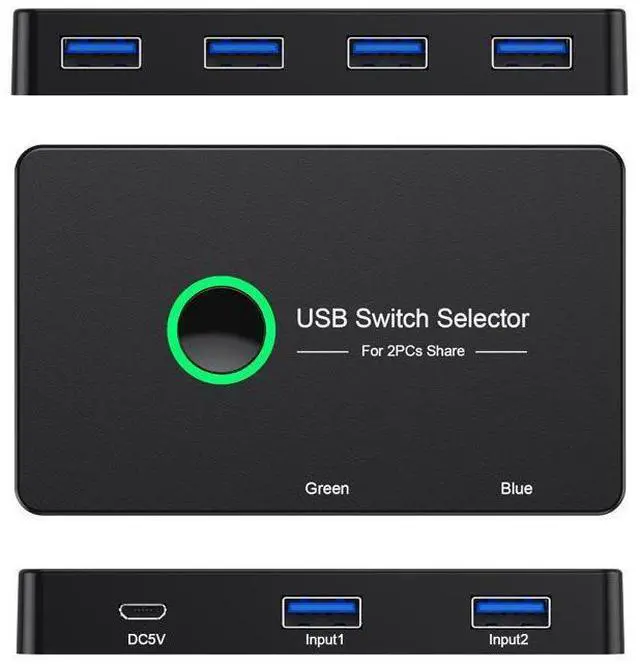
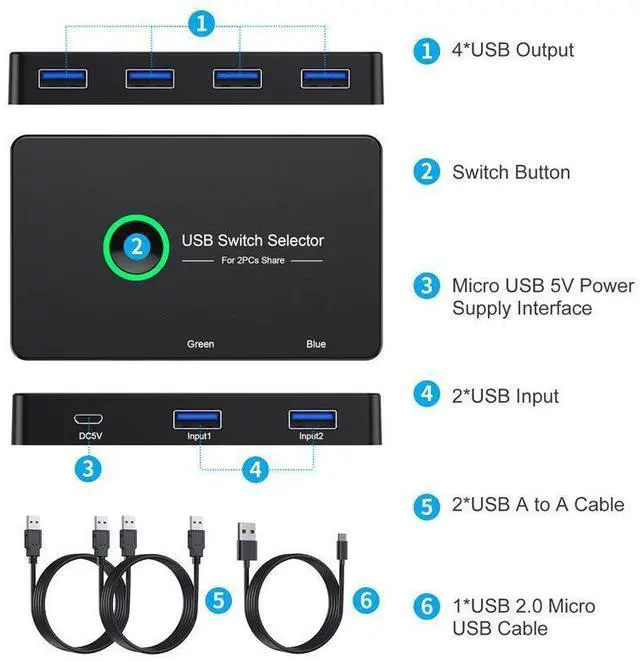
- 2 USB Input 4 USB Output
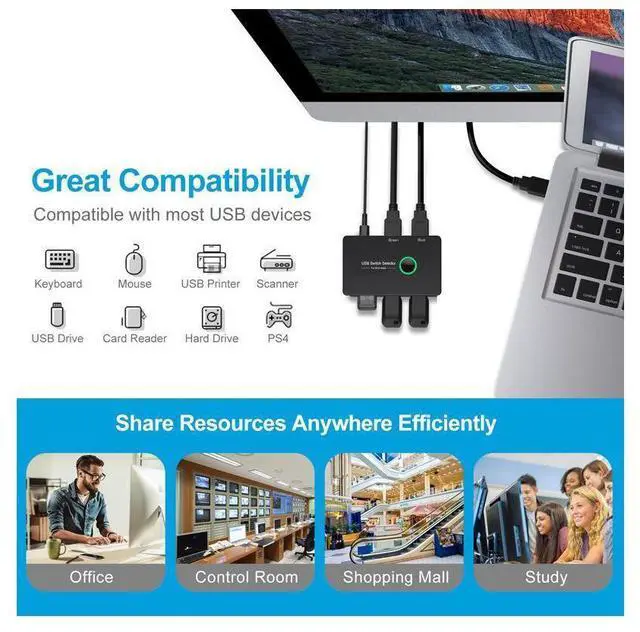
- Keyboard, mouse,USB printer, scanner, curve plotter, multifunction printer, Bluetooth equipment and other USB devices can be used with 2 computers which saves money and time.
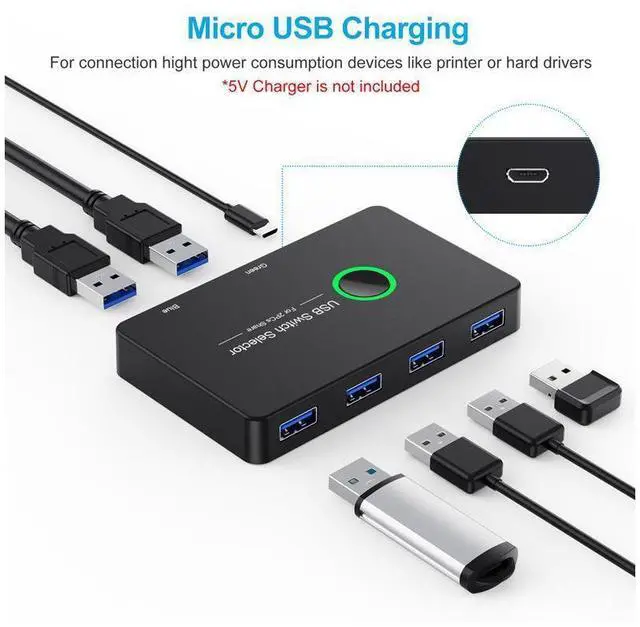
- 5V DC Power Supply Port
- Devices like HDD and Digital Video Cameras might need external power to running. Please make sure use Standard 5V Adapter for powering while using high power device.
- Great Compatibility
- Plug and play for Windows 10/8.1/7/Vista/XP and Mac OS X, Linux and Chrome OS.
- Note: Any charger with higher voltage than 5 V output is NOT allowed and may affect the product.
+
+
Overview
Specs
Reviews
USB Sharing Switch for 2 Computers sharing 4 USBKEY_TAB Ports, KVM Switches for PCs with One-Button Swapping and 2 Pack USB Cable.
USB Sharing Hub
One button swapping between 2 computers. Convenient & efficient, 2 computers share 4 USB devices, plug and play.KEY_TAB
2 USB Input 4 USB Output
Keyboard, mouse,USB printer, scanner, curve plotter, multifunction printer, Bluetooth equipment and other USB devices can be used with 2 computers which saves money and time.KEY_TAB
5V DC Power Supply PortKEY_TAB
Devices like HDD and Digital Video Cameras might need external power to running. Please make sure use Standard 5V Adapter for powering while using high power device.KEY_TAB
Great Compatibility
Plug and play for Windows 10/8.1/7/Vista/XP and Mac OS X, Linux and Chrome OS.
Note: Any charger with higher voltage than 5 V output is NOT allowed and may affect the product.
Using Steps
1,Connect both the USB Switcher Input Ports to your PC or laptop with the USB A to A Cables.
2,Connect your external USB devices to the USB Switcher output ports.
3,Press the switch button to select the input computer.
4,Power up the switch via the Micro USB port to access devices such as External HDD, Digital Video Cameras and more. Power adapter is not included.
Warranty & Returns
Warranty, Returns, And Additional Information
Warranty
- Please contact the Seller directly for warranty information. Warranty information may also be found on the Manufacturer's website.
- CONTACT
Return Policies
- Return for refund within: 30 days
- Return for replacement within: 30 days
- This item is covered by GGnix Return Policy
Manufacturer Contact Info
- For a directory of all our manufacturers, please click below.
- Manufacturers Directory
LOADING...