
Your Browsing History

Meet Your Seller

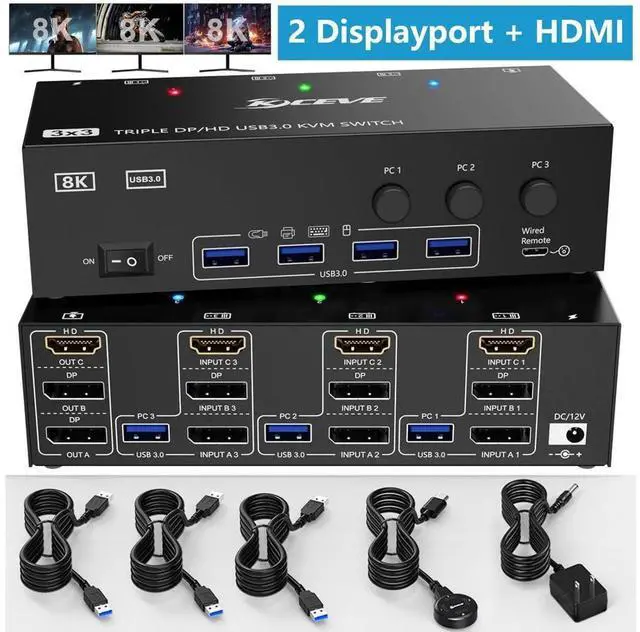


USB 3.0 KVM Switch 3 Computers 3 Monitors, HDMI + 2 DisplayPort Triple Monitor KVM Switcher, 8K@30Hz/4k@144Hz Triple Monitor DP KVM for 3 PC Share 3 Display and 4 USB3.0 Devices, Wired Remote Included
Limited time offer, ends 09/27 By GGnix
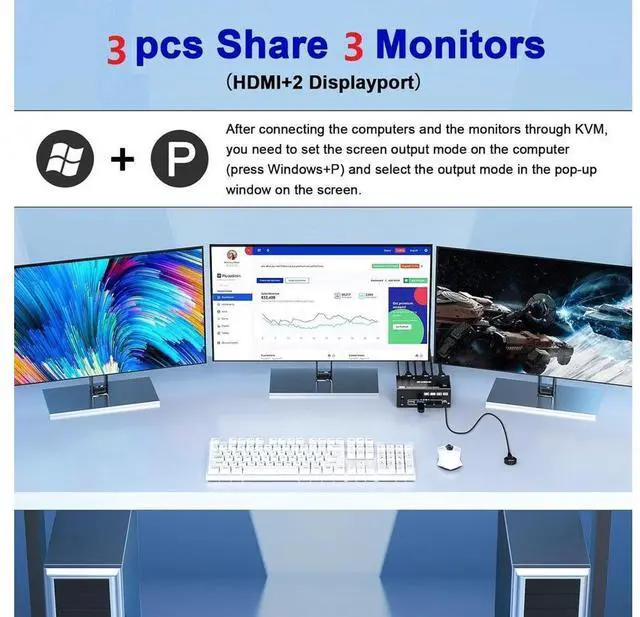
- [HDMI+2*Displayport KVM Switch Triple Monitor] This KVM switch allow you to control 3 computers by only one set of wired or wireless keyboard mouse, share 4 USB3.0 devices and 3 monitors. Only when your computer supports 3 display or multi display, you can use this KVM to achieve 3 PC to share 3 monitors.
- [Ultra HD 8K@60Hz/4K@144Hz Visual Enjoyment] Supports a maximum of 8K@60Hz (7680*4320), 4K@60Hz (3840x2160) Ultra HD image quality, and also supports other lower.
- [with 4 USB 3.0 Ports] with 4 integrated USB3.0 ports for keyboard, mouse and other USB devices. Supports USB 3.0 data transfer up to 5Gbps.
- [Supports multiple display modes] Support extended, mirrored and splicing wall display. Support many kinds of input devices, such as PC, Laptop, PS3/PS4, Xbox. Widely applied for Office, Multimedia Teaching,Meeting Room,etc.
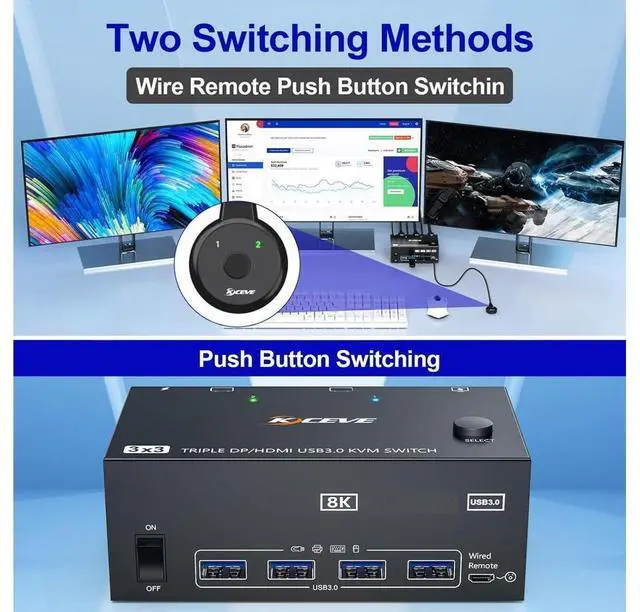
- [Support 2 Switching Mode] Support physical button and wired control. You can press the button on the panel or use the wired remote to select the computers.
+
+
Overview
Specs
Reviews
8K@60Hz/4K@144Hz Triple Monitor KVM for 3 Computer 2 Displayport 1.4 + HDMI 2.1
2 Displayport 1.4 +HDMI 2.1 USB 3.0 Triple Monitors KVM Switch allows 3 desktop computers/laptops to share 3 monitors and 4 USB 3.0 ports(keyboard, mouse and other USB devices). It can make your work space tidy and efficient, also a premium choice for working from home.
NOTE1: Only when your computer supports 3 display or multi display, you can use this KVM to achieve 3 PC to share 3 monitors.
NAOTE2: You must make sure that your computer supports three-screen output, otherwise you cannot get three monitors to work at the same time.
Test method: Without connecting to KVM, connect the computer directly to three monitors. If all three monitors work, then your computer supports three-screen output.
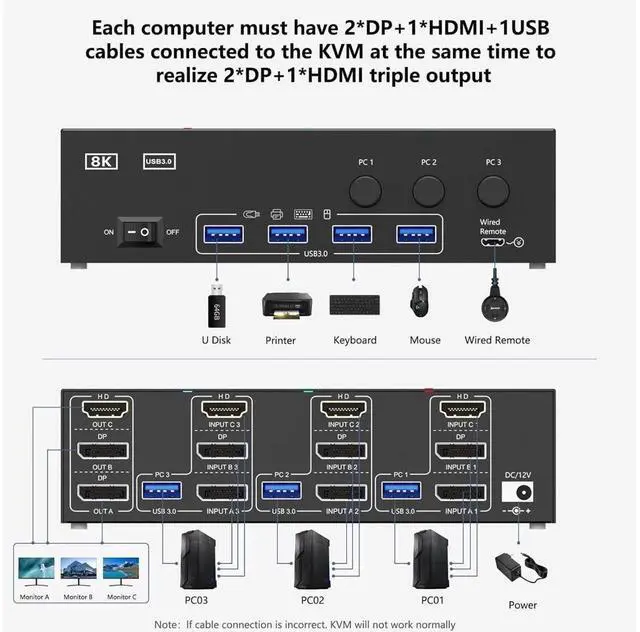
NAOTE3: Please connect it correctly to make KVM work properly.
Connection diagram of triple monitor KVM switch
Each computer requires 1*HDMI+2*Displayport +1* USB cable to connect the 3 monitor KVM switch, OUT A, OUT B, OUT C connect to 3 monitors.
Supports DP to HDMI, USB-C to HDMI, USB-C to DP converter and USB-C docking station.
Please confirm whether your computer's graphics card supports 1*HDMI+2*Displayport before placing an order.
Package contents:
1x Triple Monitor KVM Switch,
3 x USB 3.0 Cable,
1x Power Adapter,
1x Wired remote,
1x User's manual.
Warranty & Returns
Warranty, Returns, And Additional Information
Warranty
- Please contact the Seller directly for warranty information. Warranty information may also be found on the Manufacturer's website.
- CONTACT
Return Policies
- Return for refund within: 30 days
- Return for replacement within: 30 days
- This item is covered by GGnix Return Policy
Manufacturer Contact Info
- For a directory of all our manufacturers, please click below.
- Manufacturers Directory
LOADING...