
Your Browsing History

Meet Your Seller

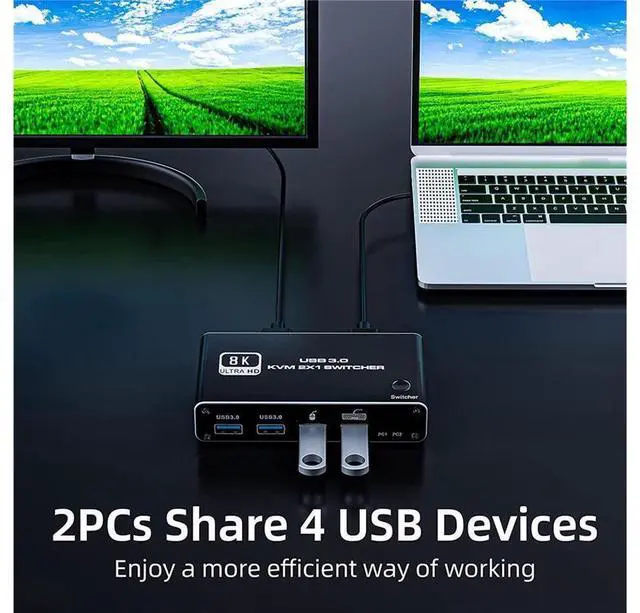
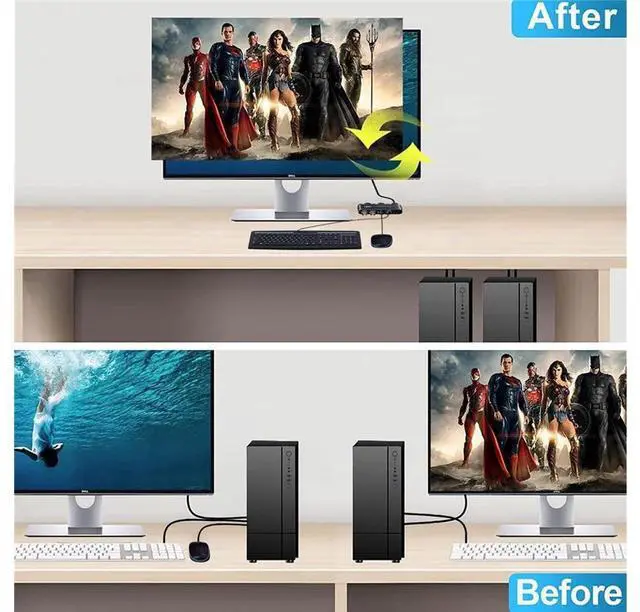
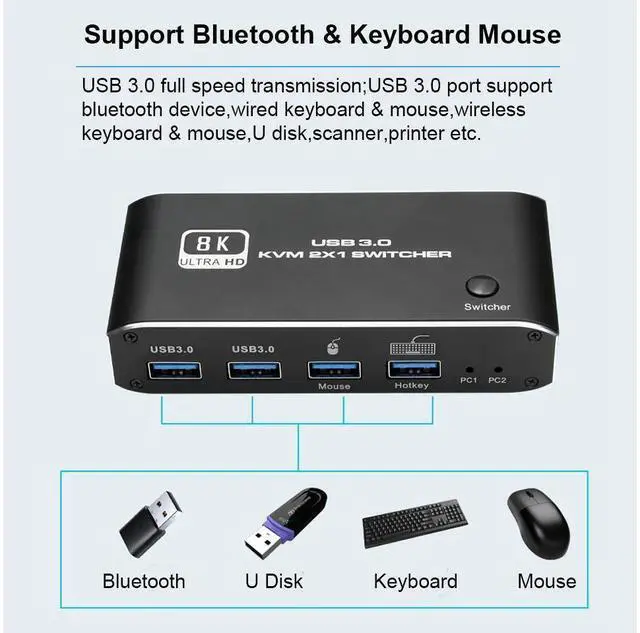


HDMI2.1 KVM Switch 2 in 1 Out 8K@60Hz HDMI USB-C KVM Switch with 2 PCs Share 1 Set of Keyboard, Mouse, 2 USB3.0 Hubs Compatible with Windows and Mac OS X eokCXOY
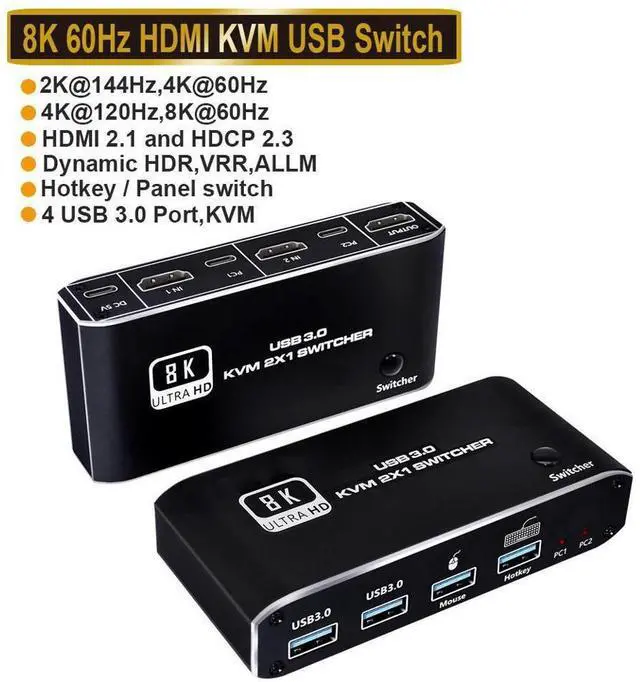
- HDMI KVM Switch 8K 60Hz 4K 120Hz Switcher with Hotkey 2 laptop PC Share 1 Monitor 4 USB 3.0 for Mouse Keyboard Printer
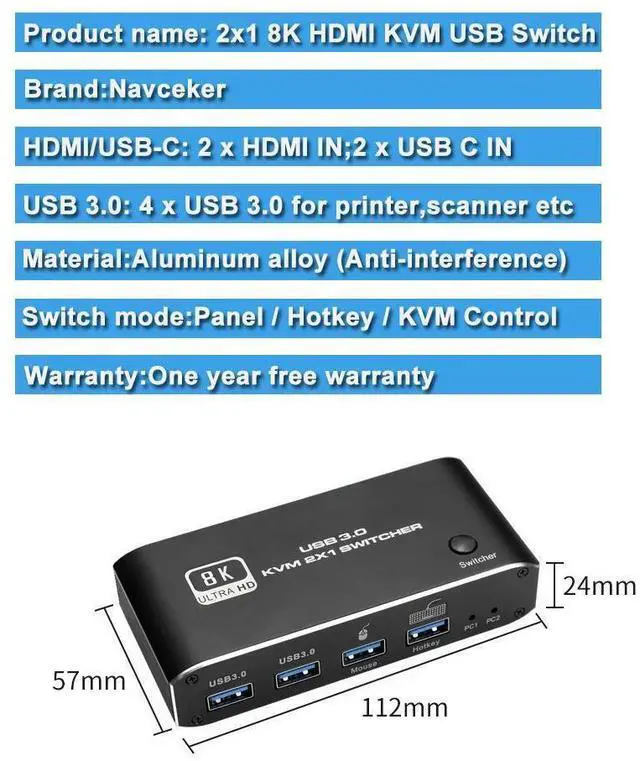
- - Product Type: HDMI USB 3.0 KVM Switch (2 in 1 out)
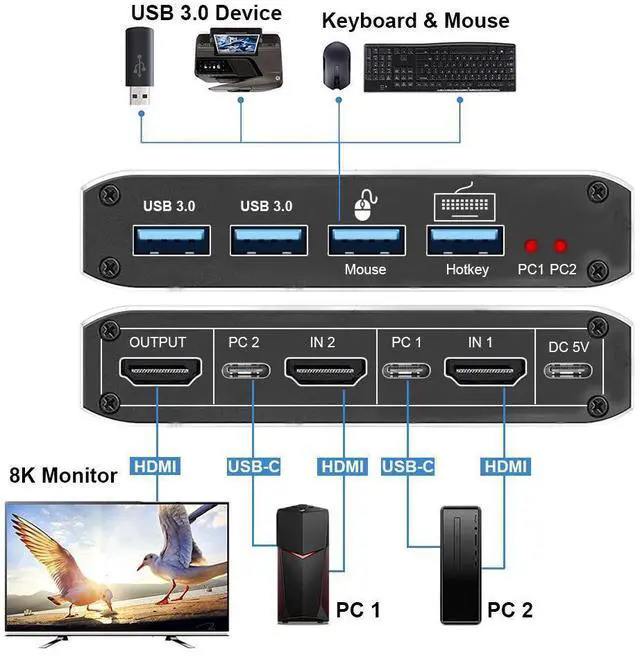
- - Input Port: HDMI 2.1 x 2,USB-C x2, USB 3.0 x 4
- - Output Port: 1 x HDMI 2.1
- - Dimensions: 111.8x63.2x24.5mm
- - Material: Aluminum Alloy shellanti-rust, anti-corrosion, anti-interference, fast transmission, surtace oxidation
- Features
- - Support HDMI 2.1 HDCP 2.3
- - Resolution: Support 1080P/1080@240Hz, 3840x2160p, 4K/60Hz/120Hz,8K@60Hz resolution, adaptive screen resolution
- - Support system: Windows XP, Windows7, Windows10, Apple MAC, Linux, Unix and other operating systems
- - Supports high current hard disk devices
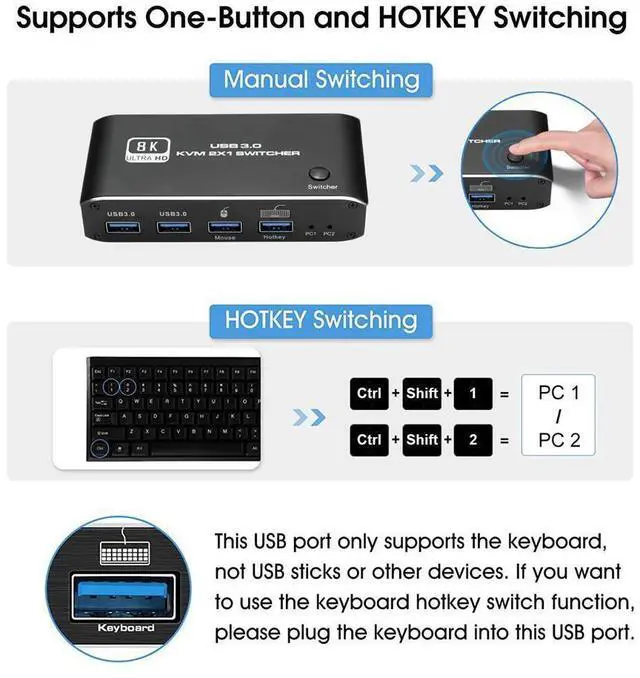
- - two Switching method: 1.Press the "Select" button on the KVM switch panel to switch between the two source devices;2.use hotkey switch(Ctrl+Shift+ 1 / 2 to PC1 / PC2);
- - Highly integrated digital chip combination, plug and play
+
+
Overview
Specs
Reviews
HDMI KVM Switch 8K 60Hz 4K 120Hz Switcher with Hotkey 2 laptop PC Share 1 Monitor 4 USB 3.0 for Mouse Keyboard Printer
- Product Type: HDMI USB 3.0 KVM Switch (2 in 1 out)
- Input Port: HDMI 2.1 x 2, USB-C x2, USB 3.0 x 4
- Output Port: 1 x HDMI 2.1
- Dimensions: 111.8 x 63.2 x 24.5 mm
- Material: Aluminum Alloy shellanti-rust, anti-corrosion, anti-interference, fast transmission, surtace oxidation
Features
- Support HDMI 2.1 HDCP 2.3
- Resolution: Support 1080P/1080@240Hz, 3840x2160p, 4K/60Hz/120Hz, 8K@60Hz resolution, adaptive screen resolution
- Support system: Windows XP, Windows7, Windows10, Apple MAC, Linux, Unix and other operating systems
- Supports high current hard disk devices
- two Switching method: 1. Press the "Select" button on the KVM switch panel to switch between the two source devices; 2. use hotkey switch(Ctrl+Shift+ 1 / 2 to PC1 / PC2);
- Highly integrated digital chip combination, plug and play
Warranty & Returns
Warranty, Returns, And Additional Information
Warranty
- Please contact the Seller directly for warranty information. Warranty information may also be found on the Manufacturer's website.
- CONTACT
Return Policies
- Return for refund within: 30 days
- Return for replacement within: 30 days
- This item is covered by GGnix Return Policy
Manufacturer Contact Info
- For a directory of all our manufacturers, please click below.
- Manufacturers Directory
LOADING...