
Your Browsing History
- Free 15-day Returns
$174.66
Ships from China.


Meet Your Seller

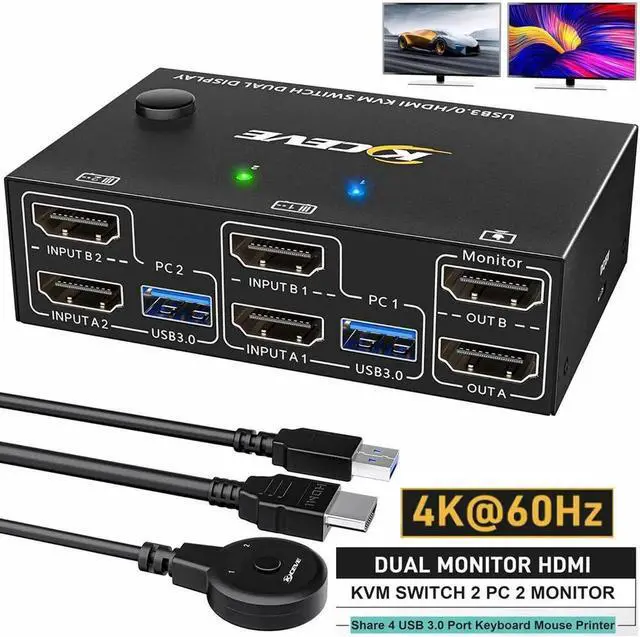


2 in 2 Out HDMI KVM Switch 2 Monitors 2 Computers, USB 3.0 HDMI KVM Switch 4K@60Hz EDID Emulator, Dual Monitor KVM Switch for 2 Computer Share Keyboard Mouse printer scanner, with Wired Remote
Limited time offer, ends 07/19 By Nexus3C
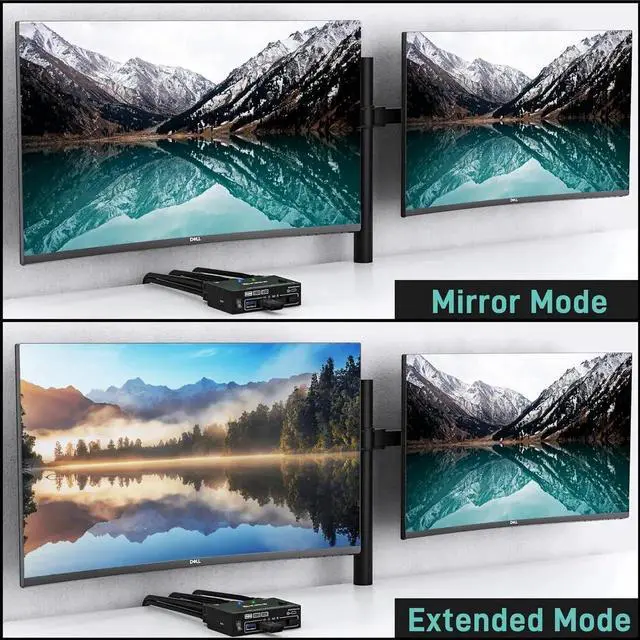
- [HDMI KVM Switch 2 PC 2 monitors] This KVM switchallow you to control 2 computers by one set of wired or wireless keyboard mouse,share 4 USB 3.0 devices and 2 monitors(Extend display mode or copy display mode).
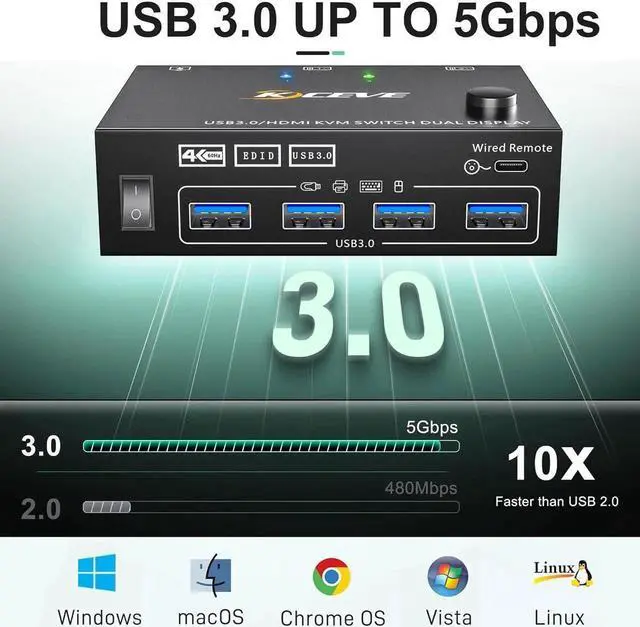
- [4 USB 3.0 Ports] with 4 integrated USB 3.0 ports which can recognize keyboard,mouse,printer and other USB devices.supports ultra-fast USB 3.0 data transfer up to 5Gbps,backward compatible with USB 2.0/1.1 devices.When using a high-power USB device with this KVM switch(such as HDD, Digital Video Cameras, SSD etc),external 5V adapter is required.
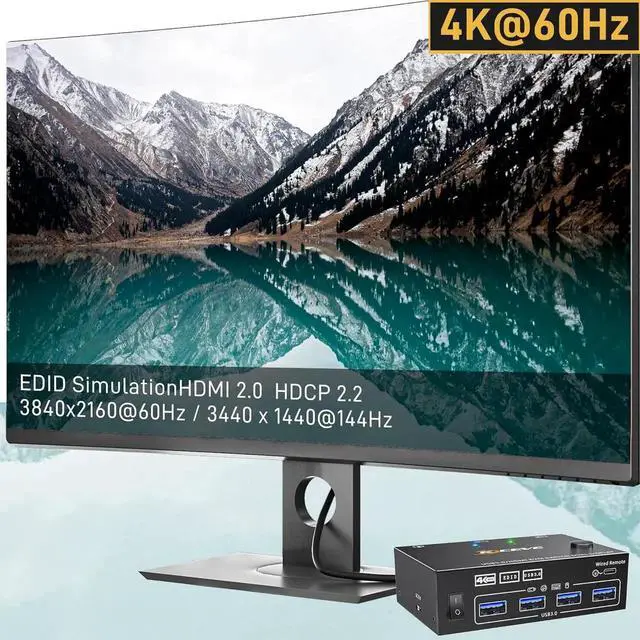
- [Ultra HD 4K@60Hz] Support 4K@60Hz, 4K@30Hz, 2K@144Hz, 3D 1920x1080@60hz backward compatibility.
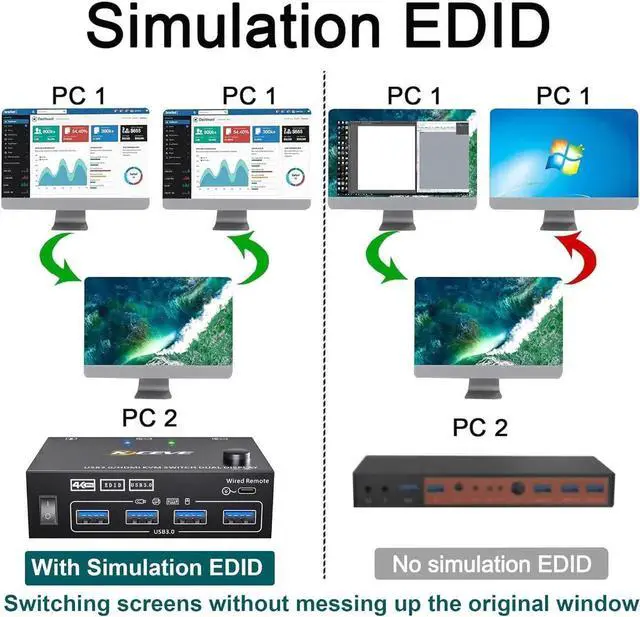
- [Support EDID Emulator] KVM switch has the EDID function of analog emulation which automatically adjusts and stores the resolution and refresh rate.
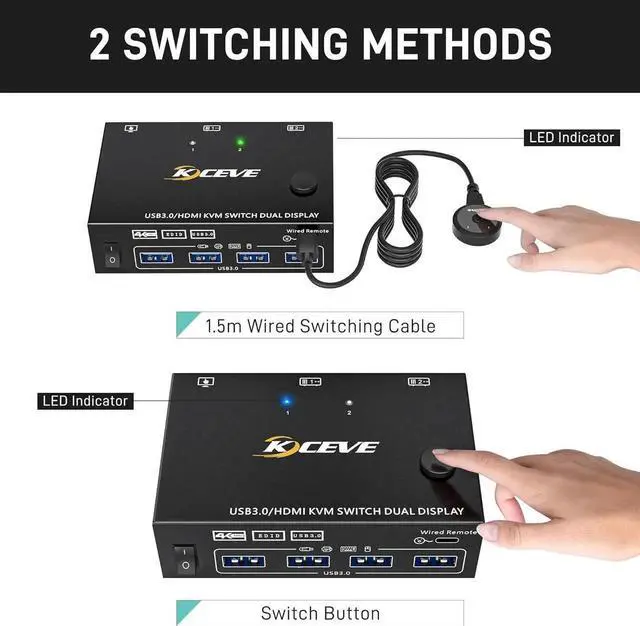
- [Great Compatibility & 2 Switching Mode] Driver-free for Windows Mac OS and Linux. You can press the button on the panel or use the wired remote controller (included) to switch the computers.
+
+
Overview
Specs
Reviews
2 computers share one set of wired/wireless mouse, keyboard, printer, scanner, and display on 2 monitors
Choose extended screen mode or mirror mode by pressing Windows+P
2 Switching methods: Switched by 1.5 m Wired Remote & Button Switch
Plug and play. No need driver
LED light indicate which computer is active
EDID Simulation:
Automatically adjust and store the resolution and refresh rate. The original window won't be messed up when switching screens
Great Compatibility
Compatible with Windows11/10/8/7/XP/Vista/Chrome/Mac OS/Linux system
Support most HDMI interfaces input device: PC, laptop, TV Box, Apple TV, PS3, PS4, PS5, Blu-ray player, projectors. Compliant with HDMI 2.0, HDCP 2.2, YUV: 4:4: 4
UHD Resolution Visual Enjoyment
Support UHD 4K@60Hz, 4K@30Hz, 2K@144Hz, 1920x1080P@60Hz or lower resolution
Please Note: Using 8K cables will solve the problem of flickering and black screen.
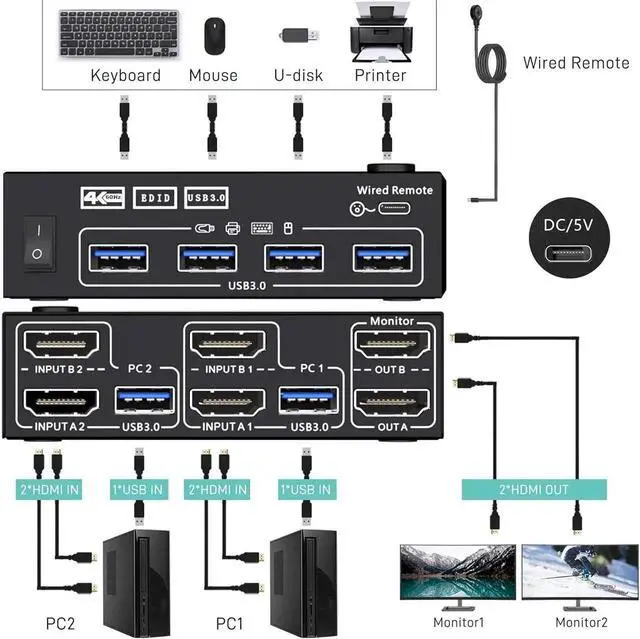
Connection Steps:
Step
1. Connect 2 HDMI cables+1 USB-A cable between PC1 and KVM (USB 3.0, INPUT A1, INPUT B1)
Step
2. Connect 2 HDMI cables+1 USB-A cable between PC2 and KVM (USB 3.0, INPUT A2, INPUT B2)
Step
3. Connect 2 HDMI cables between the KVM (OUT A, OUT B) and the monitors.
Step
4. Insert "Wired Remote" to switch between PC1 and PC2
Specification:
Input: Each PC (HDMI A+B), 1 x USB-A
Video Out: 2 x HDMI (Monitor)
Dual Monitor KVM Switch size: 10.1 x 6.5 x 3cm
HDMI / USB / Wired Control cable length: 150cm (50 inches)
Net Weight: 190g, Package: 610g
Build-in: ESD protection system
Shell Material: Metal
Powered by DC 5V Power
Packing List:
1 x KVM Switch Dual monitor
2 x HMDI Cable 1.5 m
2 x USB 3.0 Cable 1.5 m
1 x Wired Remote 1.5 m
1 x User Manual
Warranty & Returns
Warranty, Returns, And Additional Information
Warranty
- Please contact the Seller directly for warranty information. Warranty information may also be found on the Manufacturer's website.
- CONTACT
Return Policies
- Return for refund within: 15 days
- Return for replacement within: 30 days
- This item is covered by Nexus3C Return Policy
Manufacturer Contact Info
- For a directory of all our manufacturers, please click below.
- Manufacturers Directory
LOADING...