
Your Browsing History
- Free 30-day Returns
$213.99
Ships from China.

Meet Your Seller

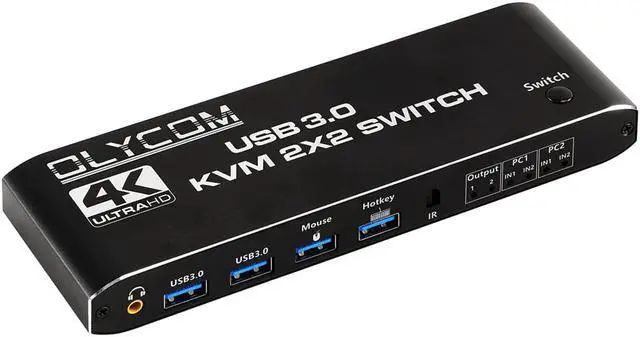
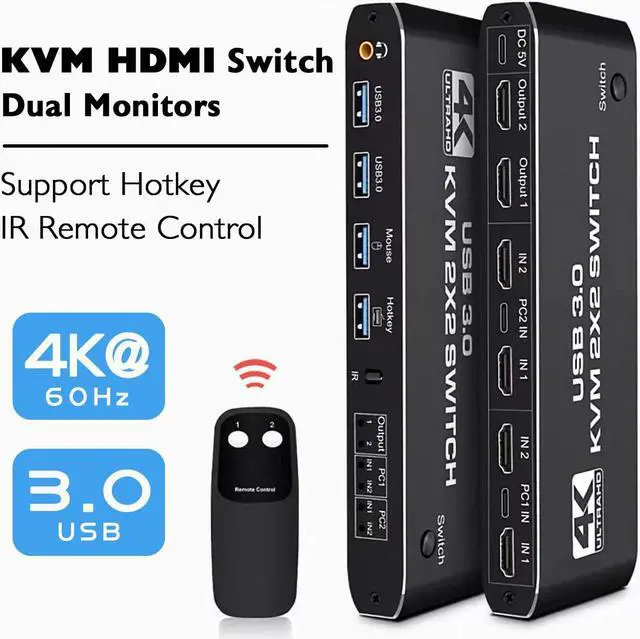


HDMI KVM Switch 2 in 2 Out and 4Port USB3.0 4K@60Hz KVM Switcher Support 2 Monitors 2 Computers Dual Display Ports with Remote Control HotKey and Audio
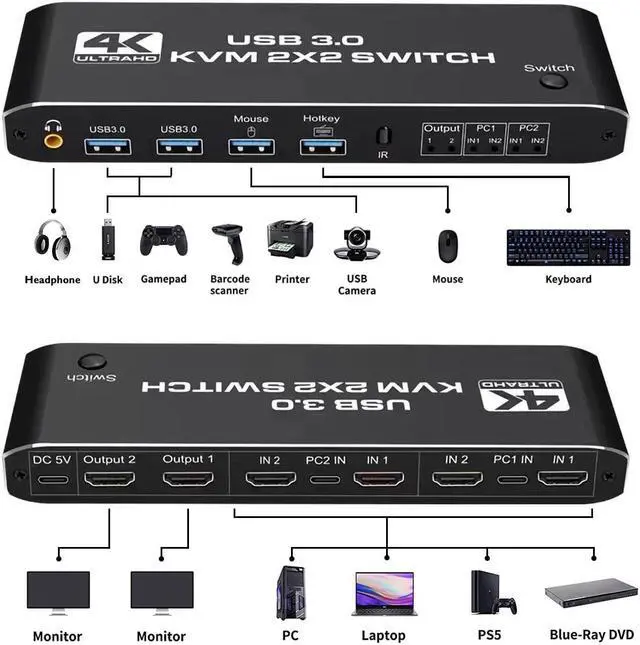
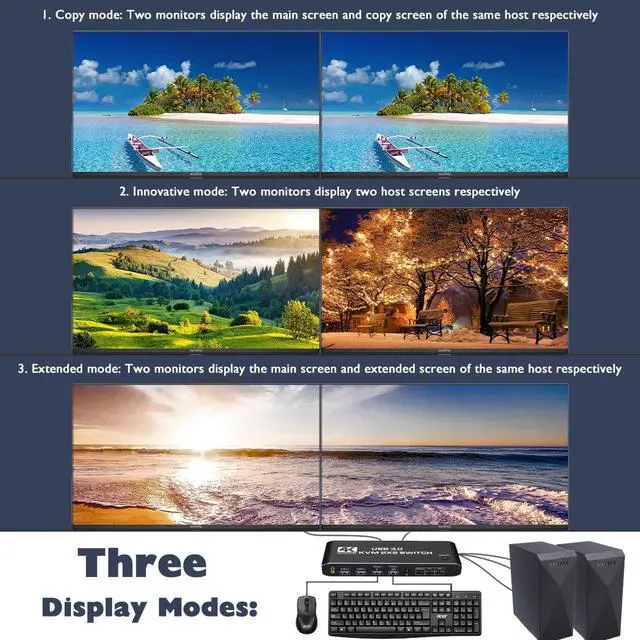
- HDMI 2 INPUT 2 OUTPUT AND 4 USB KVM SWITCH2 Port KVM Switch HDMI Dual Monitor -- Consoles control up to 2 computers or laptops with 1 set of USB keyboard, mouse, and share dual monitors for extended or copy display. The KVM provides two USB 2.0 ports and two USB 3.0 ports, supporting various USB devices. The USB device can be used on any computer without repeated plug and unplugging.
- UHD 4K@60Hz HDMI KVM DUAL MONITOR: Support 4K60Hz HDCP2.3 HD picture quality, adaptive screen resolution. Support 3840*2160@60Hz/3D/1080P resolution, compliance with HDMI 2.0 standard, and built-in Auto EDID make the image display more exquisite and realistic.
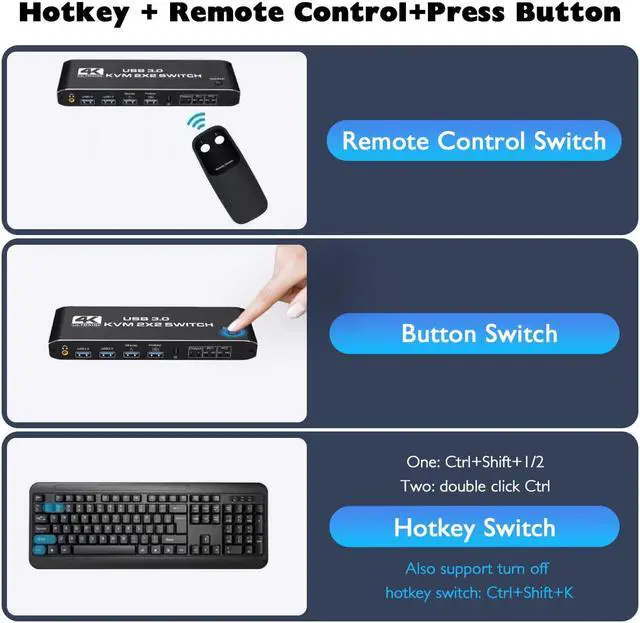
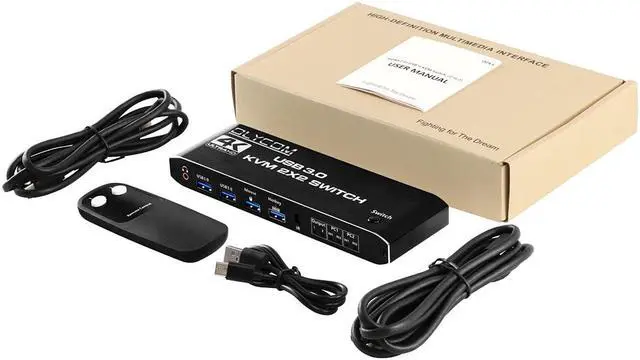
- KVM SWITCH BOX WITH 2 SWITCH MODES: NO 1. Remote control switch: The infrared remote control in the accessories can be used to realize long-distance switches (unblocked, about 15 meters). NO 2. You also can switch the two signal sources by the panel buttons, the status light tells you which port is active.
+
+
Overview
Specs
Reviews
HDMI KVM Switch 2 In 2 Out and 4Port USB3.0 4K@60Hz KVM Switcher Support 2 Monitors 2 Computers Dual Display Ports With Remote Control HotKey and Audio
Product Name: HDMI+USB3.0*2+Mouse + keyboard KVM Switch(2 in 2 out)
Product Color: Black
Product Size: 176*57*21mm(Length * width * height)
Product Weight: 170g
Product Parameters: HDMI output resolution (maximum) 4K60Hz (backward compatibility)
USB: USB3.0*2+Mouse(USB2.0)+keyboard(USB2.0)
Shell Material: Aluminum alloy material, surface treatment, oxidation wire drawing.
How to Use
1. Connect the USB TO TYPE-C Cable to power it.
2. Connect PC1 and KVM with 1 USB TO TYPE-C cable and 2HDMI cables.
3. Connect PC2 and KVM with 1 USB TO TYPE-C cable and 2HDMI cables.
4. Connect the keyboard and mouse to HDMI KVM SWITCH.
5. Connect two monitors and HDMI KVM SWTCH with two HDMI cables.
Tips:
1. The remote control is not equipped with batteries and needs to buy separately. If the remote control is not been used for a long time, it is recommended to remove the batteries.
2. Please use a good quality 19+1 26AWG HDMI cable, no longer than 5meters.
3. Please plug the keyboard into the designated USB port, do not plug into other USB ports, otherwise will lose the keyboard hotkey switching function.
Product Name: HDMI+USB3.0*2+Mouse + keyboard KVM Switch(2 in 2 out)
Product Color: Black
Product Size: 176*57*21mm(Length * width * height)
Product Weight: 170g
Product Parameters: HDMI output resolution (maximum) 4K60Hz (backward compatibility)
USB: USB3.0*2+Mouse(USB2.0)+keyboard(USB2.0)
Shell Material: Aluminum alloy material, surface treatment, oxidation wire drawing.
How to Use
1. Connect the USB TO TYPE-C Cable to power it.
2. Connect PC1 and KVM with 1 USB TO TYPE-C cable and 2HDMI cables.
3. Connect PC2 and KVM with 1 USB TO TYPE-C cable and 2HDMI cables.
4. Connect the keyboard and mouse to HDMI KVM SWITCH.
5. Connect two monitors and HDMI KVM SWTCH with two HDMI cables.
Tips:
1. The remote control is not equipped with batteries and needs to buy separately. If the remote control is not been used for a long time, it is recommended to remove the batteries.
2. Please use a good quality 19+1 26AWG HDMI cable, no longer than 5meters.
3. Please plug the keyboard into the designated USB port, do not plug into other USB ports, otherwise will lose the keyboard hotkey switching function.
Warranty & Returns
Warranty, Returns, And Additional Information
Warranty
- Please contact the Seller directly for warranty information. Warranty information may also be found on the Manufacturer's website.
- CONTACT
Return Policies
- Return for refund within: 30 days
- Return for replacement within: 30 days
- This item is covered by Fashion Technology Return Policy
Manufacturer Contact Info
- For a directory of all our manufacturers, please click below.
- Manufacturers Directory
LOADING...