




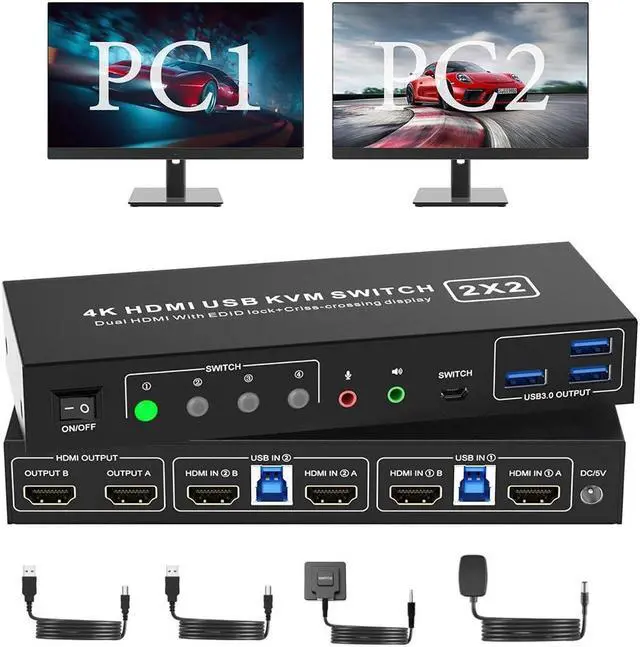


4K HDMI KVM Switch for 2 Computers Share 2 Monitors and 3 USB 3.0 devices.
- With this 2-port USB 3.0 dual-monitor HDMI KVM Switch (HDMI+HDMI), you can easily control 2 signal sources at the same time, share the same keyboard and mouse, and share 2 monitors.
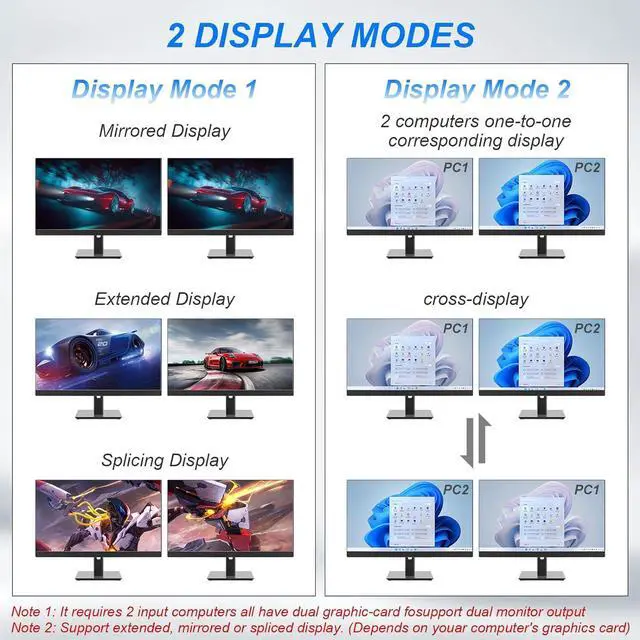
- Note: Each input source device must be connected to two dual monitors.
Product Features
1. 2 computers share one set of keyboard, mouse, 2 monitors, and more USB 3.0 peripherals.
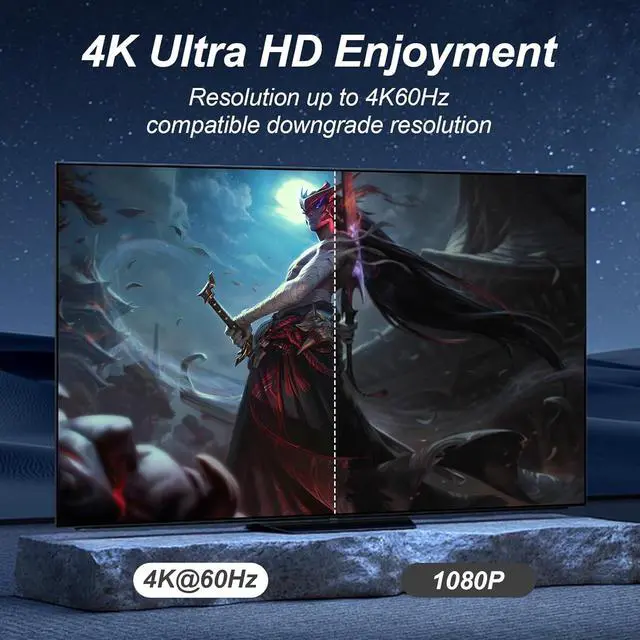
2. This dual monitor HDMI KVM switch Supports maximum resolution up to 4K 60Hz YUV 4:4:4, HDCP 1.4, HDR 2.2, with EDID Emulator; Dual monitors output support up to 4K@60Hz for extended, mirrored or spliced display (Depends on your computer's graphics card.);
3. Support cross-display between the two PCs on two monitors.
4. Compatible with Windows 11/10/7/2000/XP/Vista, Linux, UNIX, Ubuntu, Fedora, and other systems;
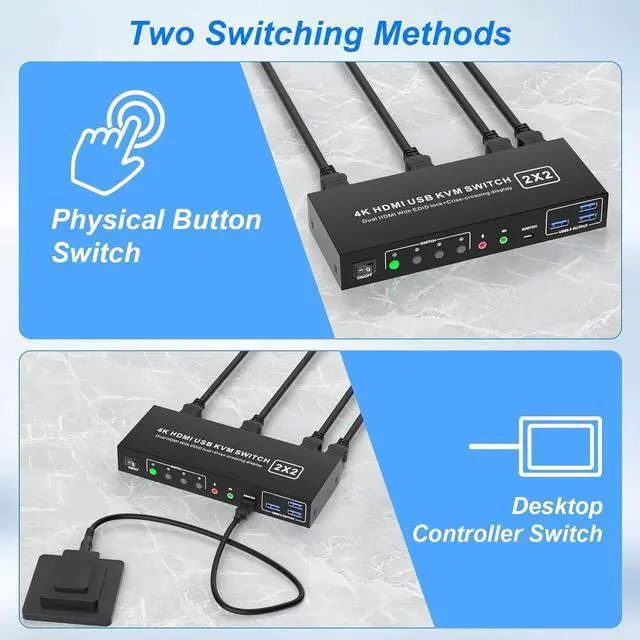
5. 2 Switching modes: Button switch and wired remote.
6. The ports that need to plug in HDMI/USB cables are all hidden behind the KVM, so the desktop doesn't get cluttered;
7. No complicated installation is required, and non-professionals can easily operate it.
8. Independent Audio Microphone output.

installation steps:
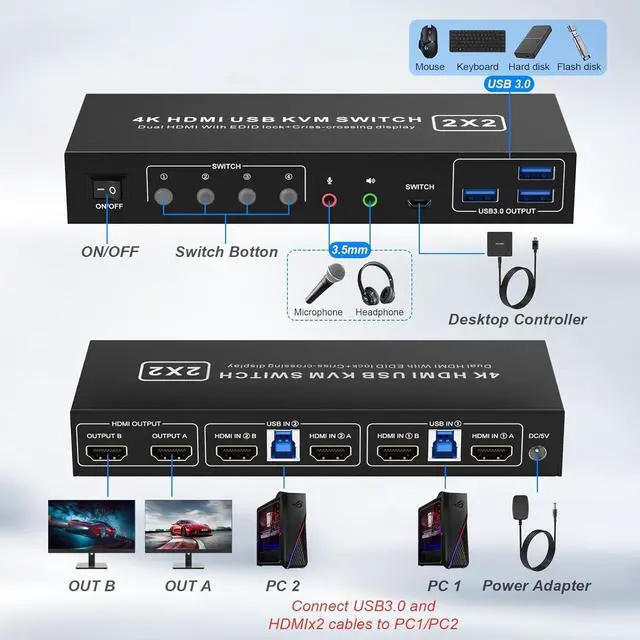
1. Insert the DC/5V adapter into the KVM ;
2. Plug the HDMI cable into the KVM and monitor;(HDMI Output)
3. Plug the HDMI cable and USB cable into the KVM and your computer/laptop (HDMI cables are not included)(Input)
HDMI IN1 A + HDMI IN1 B + USB IN1=PC1
HDMI IN2 A + HDMI IN2 B + USB IN2=PC2
4. Insert the mouse and keyboard into the KVM switch
5. If needed, you can connect a microphone and audio port
Note:
1. Most of the reasons why only one video output works is because of an incorrect connection. Please make sure each computer has2 HDMI cables connected to the KVM.
2. If the KVM switch does not work, you can turn off the switch on the panel and turn it on again after 2-3 seconds, and it will return to normal.
3. Please check whether HDMI IN1 A,HDMI IN1 B and USB IN 1 correspond, and whether HDMI IN2 A,HDMI IN2 B and USB IN 2 are corresponding. Mixed insertion is not supported.
4. HDMI cables are not included

USB 3.0 Dual Monitor KVM Support 4K@60HZ
- Supports high resolution up to 3840*2160@60Hz and downwards.
- Note: Only when both your computer Graphics card, monitor and cable all support 4K@60Hz, then you can get the 4K@60Hz effect, so if you want the maximum resolution you have to check your devices first.

Support EDID Lock Screen
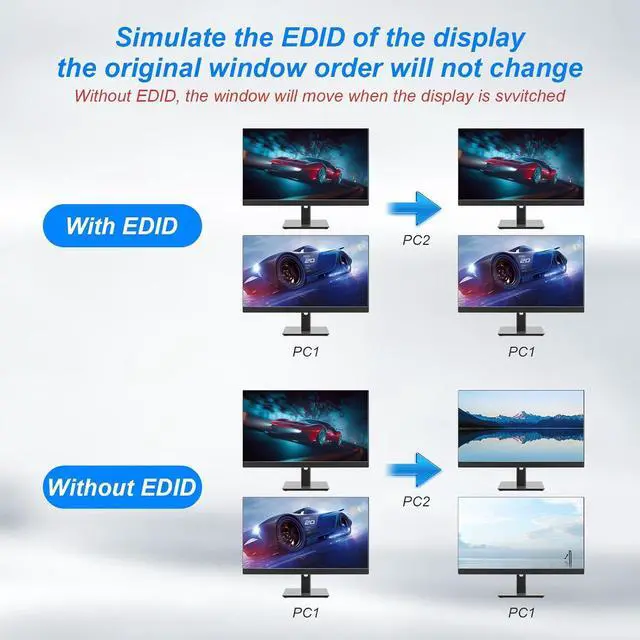
- KVM switch 2 monitors 2 computers can simulate the EDID of the display, when the monitor is switched between 2 computers, the original window order will not change.

How to Switch
- Our kvm switch dual monitor support panel switching and remote control switching
- Please note that the switching buttons below correspond to the switching modes.
- Button 1: OUTPUT A=HDMI IN 1 A, OUTPUT B=HDMI IN 1 B
- Button 2: OUTPUT A=HDMI IN 2 A, OUTPUT B=HDMI IN 2 B
- Button 3: OUTPUT A=HDMI IN 1 A, OUTPUT B=HDMI IN 2 A
- Button 4: OUTPUT A=HDMI IN 2 A, OUTPUT B=HDMI IN 1 A

3 USB 3.0 Ports
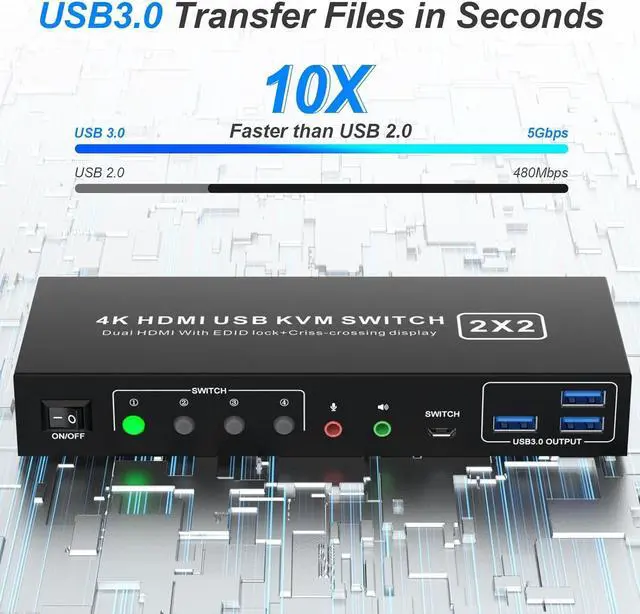
This dual monitor KVM HDMI switcher with 3 USB 3.0 ports which can recognize wired/wireless keyboard mouse, U-disk, printer, or other USB devices. USB 3.0 has a faster data transfer speed of up to 5Gbps, backward compatible with USB 2.0/1.1 devices while USB 2.0 has a data transfer speed of 480Mbps.

Switch by Panel button
- Push-button design allows for one-touch switching using a button on the KVM Switch box, eliminating the need to plug and unplug cables frequently, saving space and time.

Wired Remote Control
- Supports wired remote switching for easy cable management, with digital 1/2/3/4 indicator light.

LED Indicator
- When switching to which PC, the LED will tell you whether PC1 or PC2 is active.

Audio and microphone output
- monitor switch for 2 computers comes with a 3.5mm Audio Jack port with a DAC chip inside, which can be inserted into a 3-segment 3.5mm earpiece device, and a 3.5mm microphone interface, which can be inserted into a 3-segment microphone
