




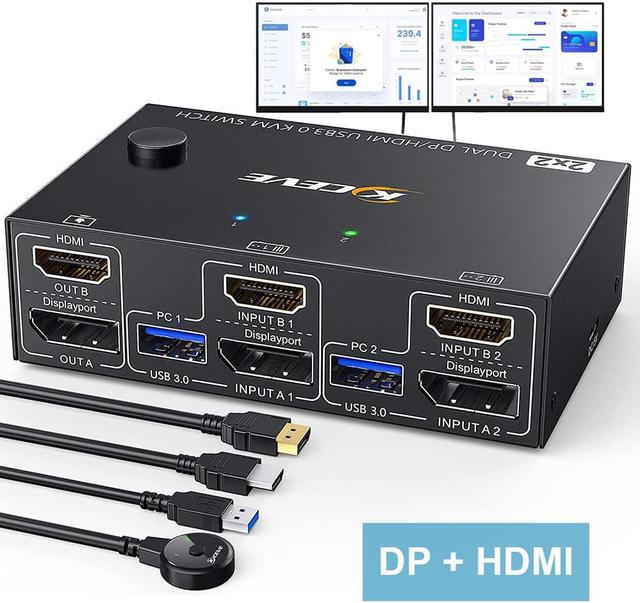
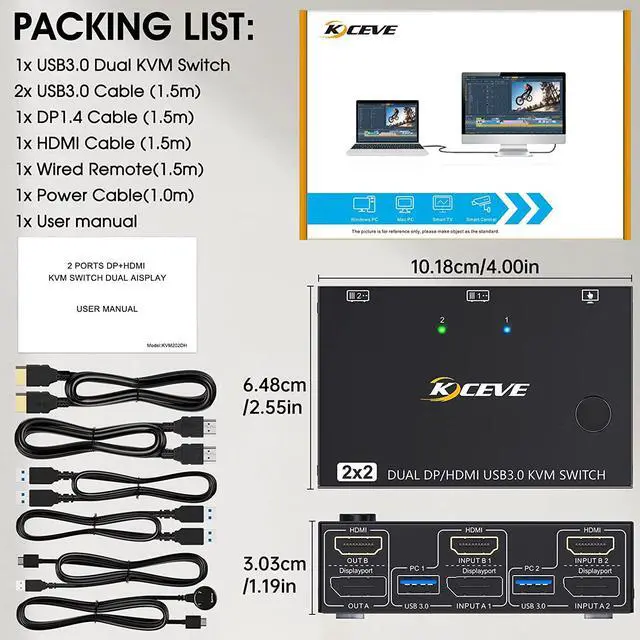


2 Port Dual Monitor KVM Switch (HD-MI + displayport),each pc needs 1*HD-MI+1*Displayport +1 USB cable to connect with KVM.
- Freely switch between two computers with one button, share one set of keyboard, mouse and 2 monitors.
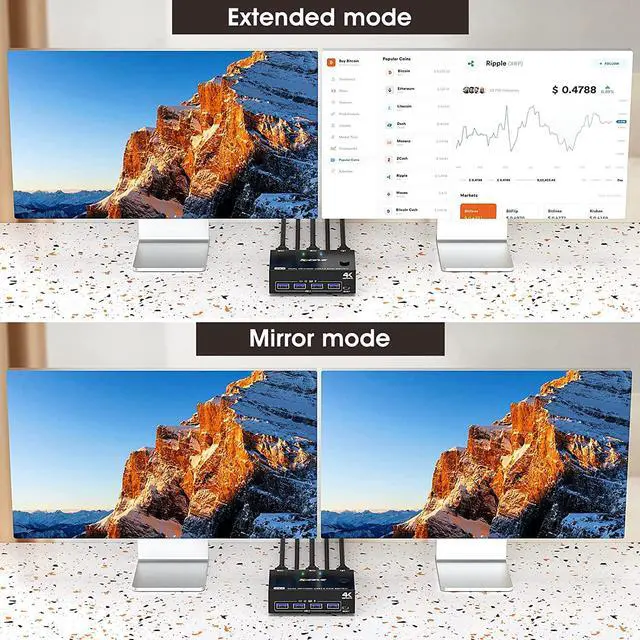
- HD-MI+DP dual display output, three display modes are optional (extended mode, mirror mode or splicing mode).
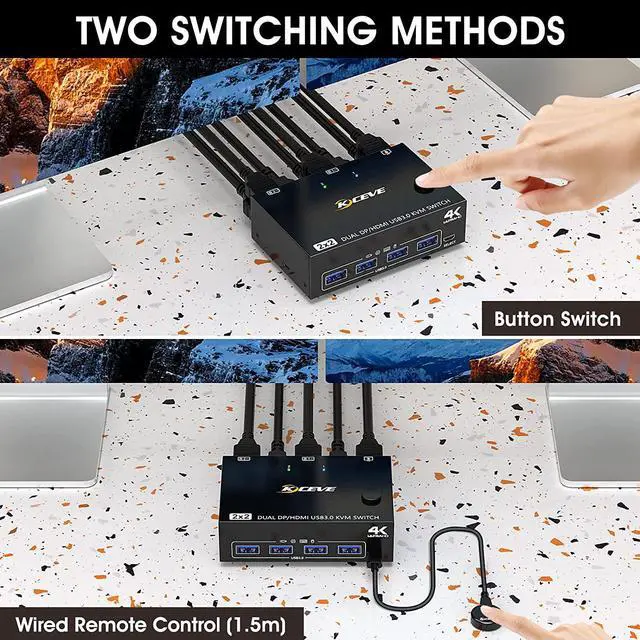
- Switching modes: Button switch and wired remote.
- Support wired or wireless keyboard and mouse.
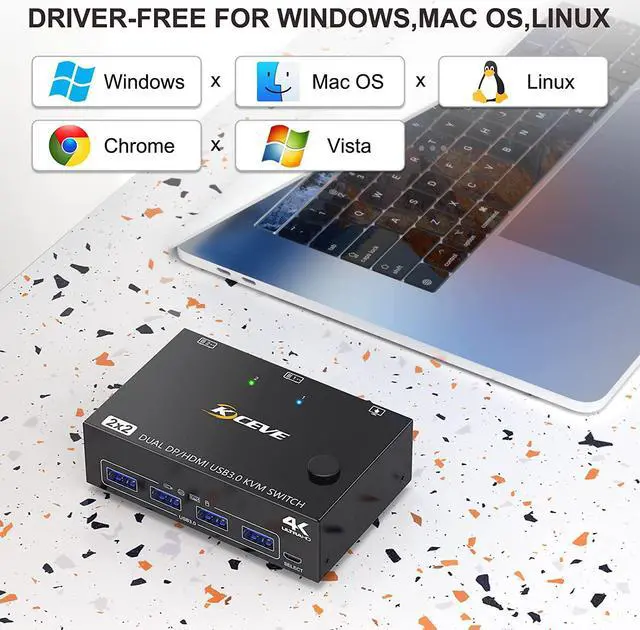
- Cross support most major OS including Windows, Linux, Mac
- With 4 USB 3.0 ports for USB devices,the DC 5V power supply port, it is convenient for you to use high-power USB devices (such as HDD, SSD, etc.). Usually this Dual monitor KVM switch powered by USB cables, no need to connect to DC 5V power supply.
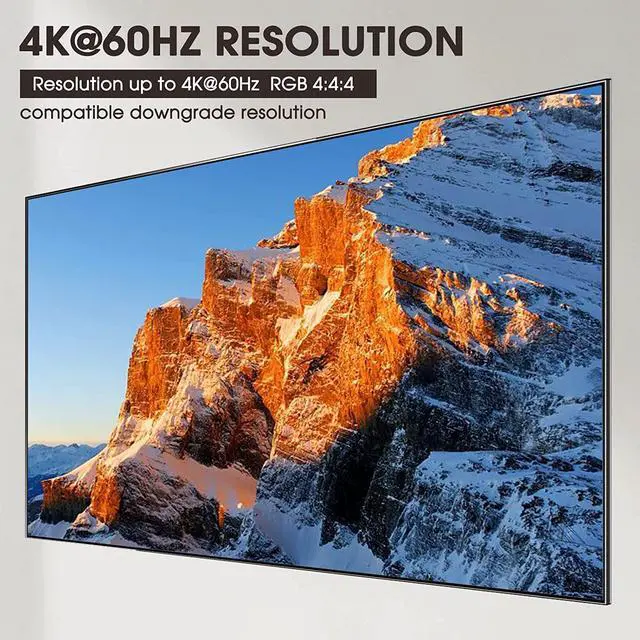
- HD-MI supports maximum resolution 4K@60Hz, 2K@120Hz, DP supports maximum resolution 4K@60Hz, 2K@144Hz, backward compatible.
- Support DP1.2 HD-MI 2.0 standard, compatible with HD-MI 1.4 standard.
- Suitable for docking station, freely switch back and forth between desktop and laptop + docking station,support USB-C/DP to HD-MI converter.

With this HD-MI + DP KVM Switch,the screens of the two monitors come from the same computer, and you can watch movies while working.
- This displayport HD-MI KVM need each PC support dual or multi-screen display. Detection method: You can connect the computer to 2 monitors directly (not via KVM). If both monitors work perfectly, the computer supports multi-monitor display.
- The two monitors can only output the video source from one computer (mirror mode or expansion mode), and cannot output the signal source of PC1 and PC2 at the same time.
- For laptops, this KVM switch HD-MI displayport supports USB C docking stations, but the resolution refresh rate may be limited by the docking station, and you may need to connect DC 5V to power the KVM (depending on your docking station).
- The cables (1*HD-MI cable+1*DP cable+1*USB cable) connecting PC 1 and PC 2 to the KVM cannot be cross-connected,because the USB cables not only supply power to the KVM, but also transmits data between the computer and the USB devices.

4K UHD Resolution
HD-MI support 4K@60Hz, 2k@120Hz;DP support 4K@60Hz, 2K@144Hz and backward compatible with lower resolutions.

4-Port USB 3.0 with 5Gbps
Supports 5Gbps data transfer speed , can transfer files in Seconds,10 times faster than USB 2.0.

Suitable for multiple systems
Driver-free for Windows 11/10/8/7/Vista/XP and Mac OS,Linux.

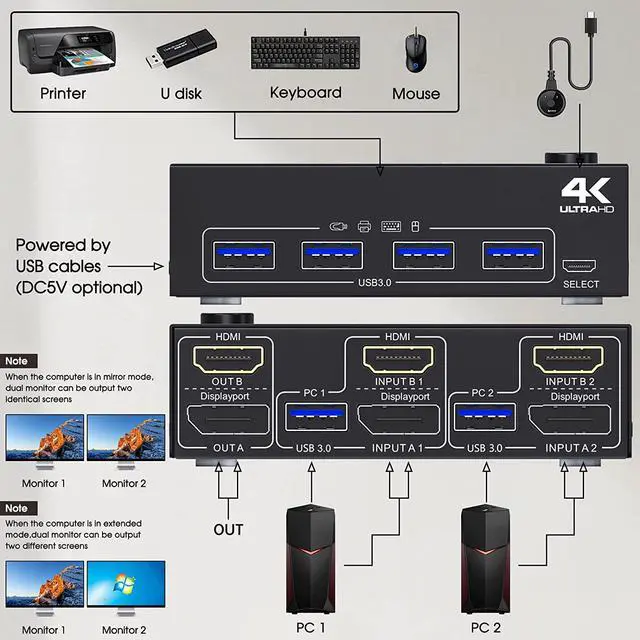
Installation Guide Tips: Each computer must connection HD-MI+DP cables and 1 USB cable to ensure keyboard, mouse and monitors to work correctly.
Connection steps:
Step 1: Connect 1*HD-MI+1*DP cables+1*USB cable between PC 1 and KVM (USB 3.0, OUT A1,OUT B1).
Step 2: Connect 1*HD-MI+1*DP cables+1*USB cable between PC 2 and KVM (USB 3.0, OUT A2,OUT B2).
Step 3: Connect HD-MI and DP cables between KVM and monitors. (Mark OUT A,OUT B)
Step 4: Plug your USB device (keyboard, mouse, printer, USB stick, etc.) into the USB-A port on the KVM.
Step 5: Insert the wired remote into the [SELECT] port to remotely switch between PC1 and PC2.
Important:
After connecting the computers and the monitors through KVM, you need to set the screen output mode on the computer (press Windows+P) and select the output mode in the pop-up window on the screen. Otherwise, only one of the two connected monitors has an image.

Works as a USB 3.0 switch (2 in 4 out)
With 4 USB 3.0 hubs, transfer rate of up to 5Gbps. Sharing keyboard mouse scanner, printer, flash drives etc.

Optional DC 5V power supply
It is convenient for you to use high-power USB devices (such as HDD, digital video camera, SSD, etc.).USB power cable Included.

with Wired Remote (Length: 1.50m)
Support wired remote for remote switching, which is convenient for cable management.With 1/2 digital indicator light (green light).

Test results from the our laboratory with (graphics card: RTX 3080, monitor: 3440x1440)
Display port support:
3840*2160@60Hz; 3440*1440@120Hz/60Hz; 2560*1440, 1920*1440@100Hz/60Hz; 1920*1080 @144Hz/120Hz/60Hz (Not a full list)
HD-MI port support:
3840*2160@60Hz; 3440*1440@100Hz/60Hz; 2560*1600@60Hz, 2560*1440, 2560*1080, 1920*1440, 1920*1200, 1600*1200, 1680*1050@100Hz/60Hz; 1600*900, 1440*900@120Hz/100Hz/60Hz; 1920*1080, 1280*800@144Hz/120Hz/100Hz/60Hz (Not a full list)
Note: These data are obtained according to the monitor and computer test in laboratory. The results may be inconsistent due to the differences of computer, monitor and cables.
***Notice***
- Adapters Might Be Needed: This Dual Monitor KVM Switch requires 1* HD-MI and 1* displayport input for each computer and 1* HD-MI + 1* displayport output for monitors. However, most computers especially laptops do not have HD-MI+DP output, thus reliable adapters will be needed for non-HD-MI DP outputs like mini DP, USB C. Please be aware of this before order!
- For laptops, this dual monitor KVM switch supports USB C docking stations, but the resolution refresh rate may be limited by the docking station, and you may need to connect DC 5V to power the KVM (depending on your docking station).
- If your computer has only 2 HD-MI output ports, then you need a dedicated HD-MI to DisplayPort (DP) converter or cable (with USB power supply), connect the HD-MI end to the computer, and the DP end to KVM, the resolution may be affected by the converter , so that it cannot reach 4K@60Hz.