




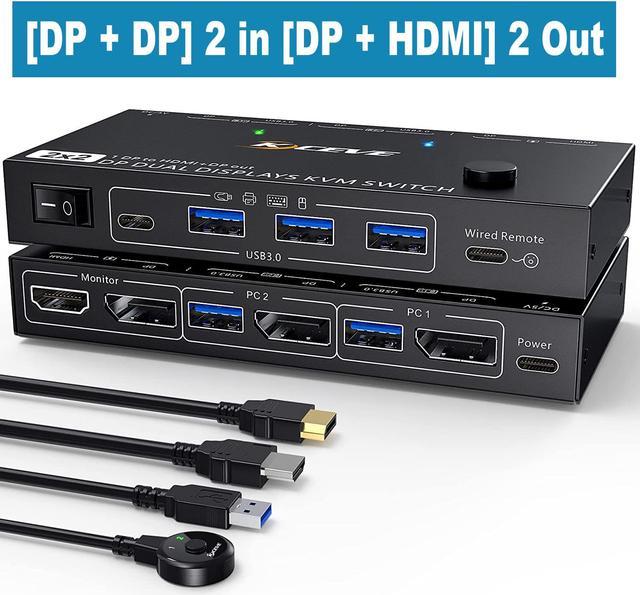


2x DP in / HD-MI + DP out USB 3.0 Displayport Switch
Specification:
- Name: DP KVM Switch Dual Monitor
- Material: Metal case
- Resolution : Up to 8K@30Hz
- Support wired or wireless keyboard and mouse
- Control way: physical button control and wired control
- Keyboard switch way: Not supported
- HD-MI Cable Range: <5M
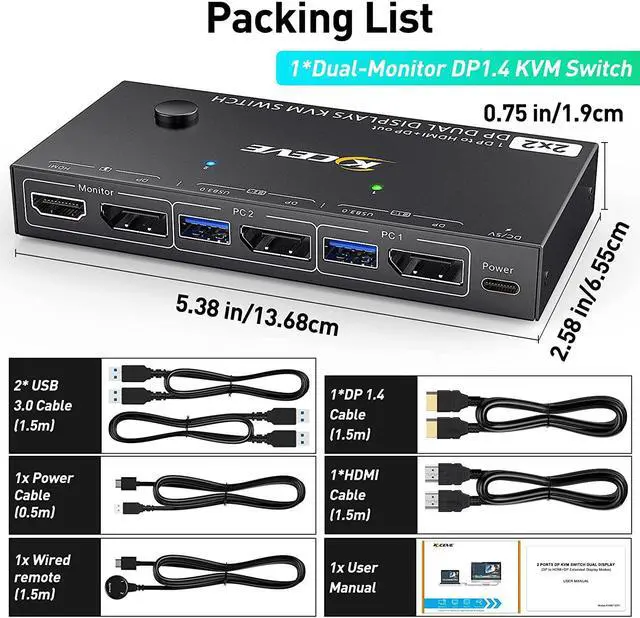
Packing list
- 1x DP KVM switch
- 2x USB 3.0 cables (1m)
- 2x DP 1.4 cables (1m)
- 1x wired control (1.5m)
Please prepare the rest cable yourself, DP port needs high qulity cable, DP 1.4 would be a good choice!

Connection steps:
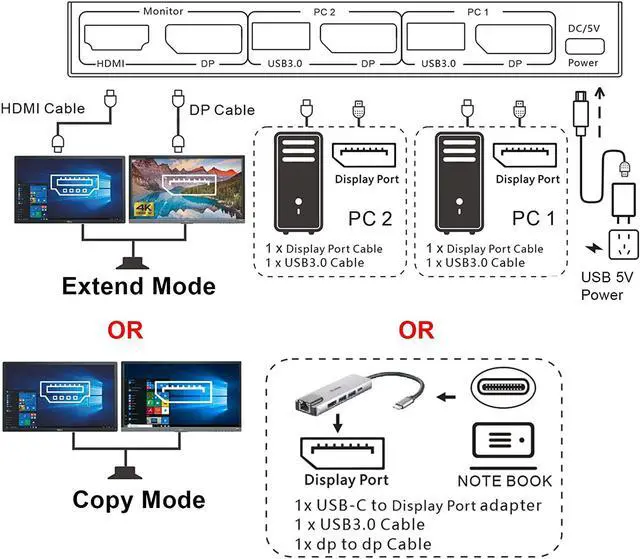
Step 1. Connect x DP1.4 cable +1 x USB3.0 cable to PC 1 and KVM
Step 2. Connect x DP1.4 cable +1 x USB3.0 cable to PC 2 and KVM
Step 3. Connect 1 x DP1.4 and 1 x HDMI cable between the KVM and the monitors.(DP monitor and HD-MI monitor)
Step 4. Connect the keyboard and mouse to the USB ports on the KVM.
Step 5. Insert the USB devices into the USB port on the KVM.
Step 6. Plug the desktop controller into the SELECT port and remotely switch between PC1 and PC2.
* * *Note * * *
-Each computer must be connected with DP cable and USB cable to keep the keyboard, mouse, and monitor working properly. If there is a USB connection to the computer and KVM, but the mouse and keyboard or other USB devices are not recognized, please connect the power supply (power cord is included in the package)
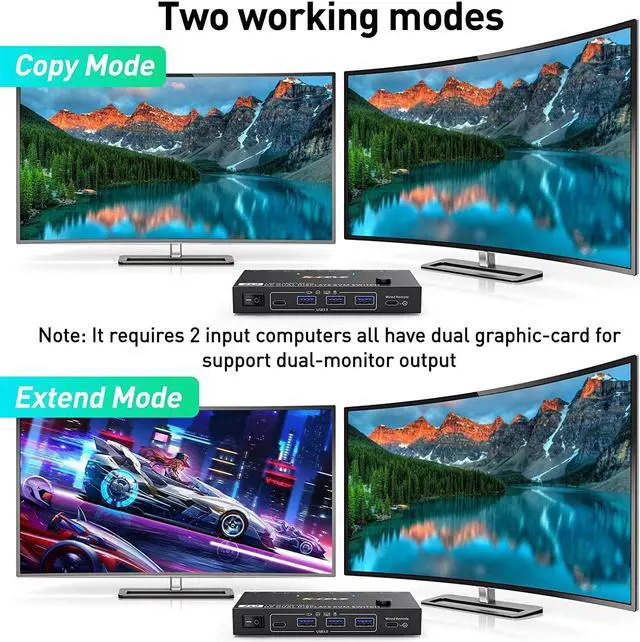
-After connecting the computer to the monitor using the KVM, set the screen output mode (press Windows+P) on the keyboard and select the output mode in the dialog box that is displayed. Otherwise, only 1 of the two connected monitors has an image.
-MAC-MINI (M1, M2 do not support extended mode)

8K HD Resolution
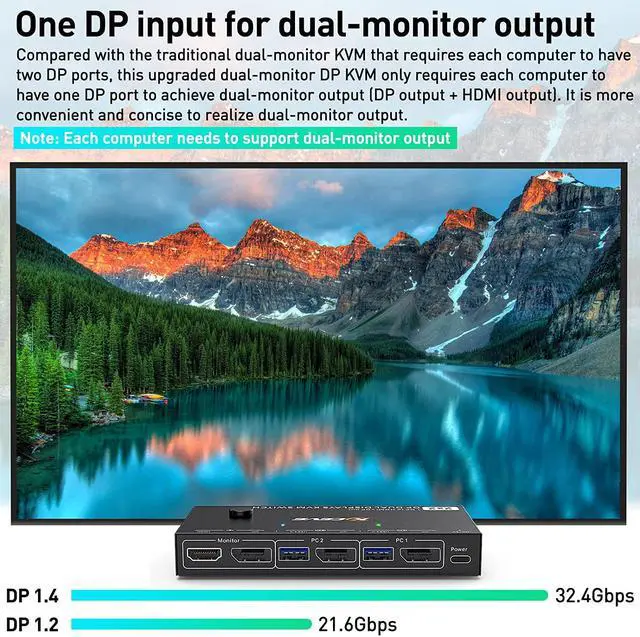
- Support 8K @30HZ, 4K @30Hz, 1440P @60HZ and backward compatible with lower resolutions.
- NOTE: Resolution can only reach 4k @60 hz if 2 monitors connected at the same times ; If only connect 1 monitor resolution will reache 8k @30hz.

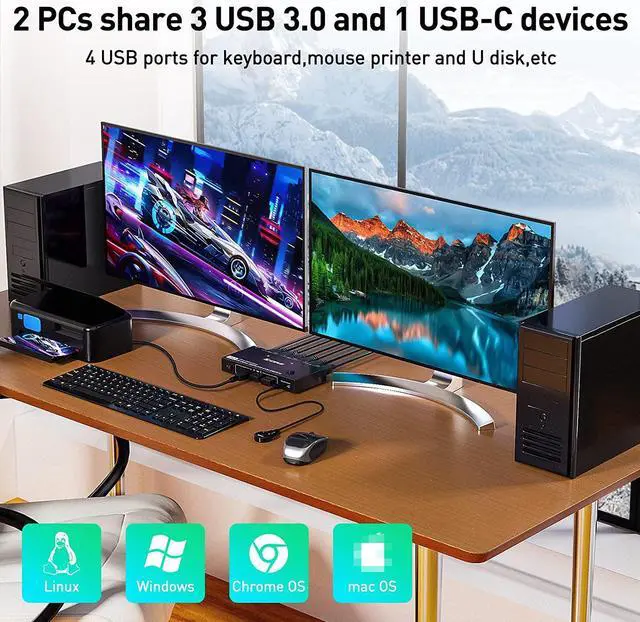
2 computers share one set of keyboard, mouse and 2 monitors
- Dual monitor DP KVM switch allows you to connect 2 DP port computers to share 2 monitors (DP +HDMI). This is a Plug and play, drive-free KVM switch for DP ports device to share keyboard mouse and monitor.
- Only need 1 DP connection for each computer, most model in the market will need 2 DP connection for each computer. This is the technology upgraded by the our team.
- Support physical button control and wired control. Please note that this model not support keyboard hotkey switch way. Allow you to quickly switch to the mode you need anytime and anywhere during the work, improve your work efficiency.

Only need 1 DP connection for each computer
- Only need 1 DP connection for each computer, most model in the market will need 2 DP connection for each computer. This is the technology upgraded by our team.
- When in copy mode the main screen can be copied to the second screen. When in extend mode, the window from main screen can be dragged to the second output screen.
- This dual monitor DP KVM switch can control 2 computers to share 2 monitors by 1 set of USB keyboard & mouse. To make it work properly please connect all USB cables to give enough power.
- Wired control: Control device with a wired control, you can hide the KVM switch under the table.
- Phsical button switch way also a fast and flexible way to select computer.

Great choice for HDMI + DP port computer
- USB cable must be connected for power supply.
- Please make sure your monitor has HDMI or DP port before purchasing.
- Support most monitors on the market.

4 USB Ports(3 USB3.0 + 1 Type C port)
Supports 4 USB outputs, including 3 USB-A 3.0 and 1 USB-C, breaking the traditional pattern of 4 USB-A. Allows more options for exporting USB devices.
The data transfer speed of USB-A 3.0 and USB-C far exceeds the traditional USB2.0.
Downwardly compatible with USB2.0 and USB1.1, it can be applied to USB devices such as printers, wired/wireless mice and keyboards.

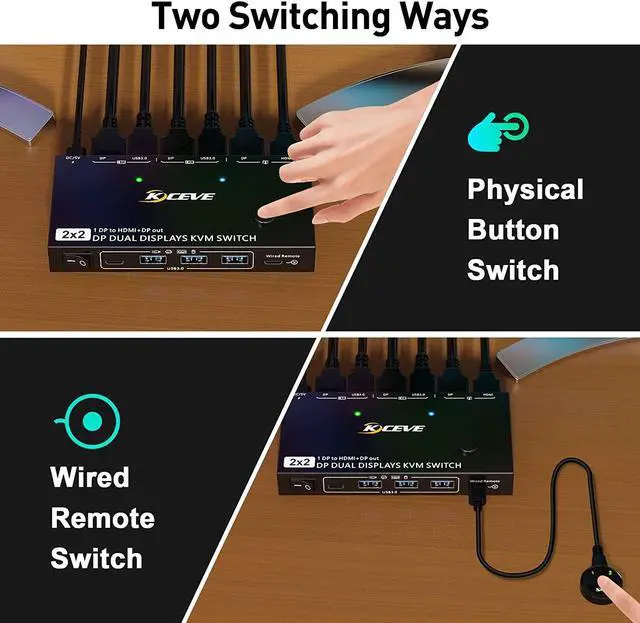
Two ways to switch
- Switching button on the control panelW
- ired control switching
NOTE
- The two color indicators show which computer to switch to.
- The length of the wired controller is 1.52m/4.98ft, which is long enough to make it very easy to use.
- with adhesive, so that the control panel can be fixed to the desktop or keyboard.