

  • $184.59
  • Free 15-day Returns
  • Ships from China.
    Sold by fadaoe

    Shipped by fadaoe

    Price alert
    Shop it at NeweggBusiness.

    Meet Your Seller

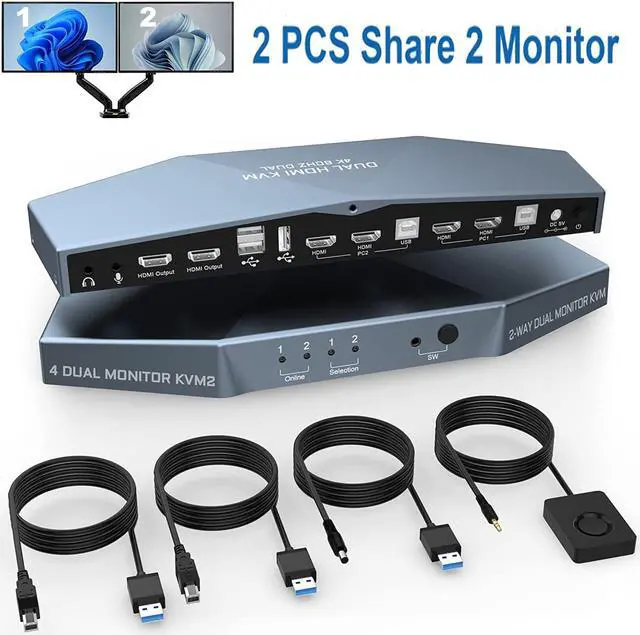
    Dual Monitor HDMI KVM Switch for 2 Computers Share 2 Monitors, 4K @60Hz Extended Display Dual Monitors KVM Switch with Audio Microphone Out and 3 USB 2.0 ports, PC Monitor Keyboard Mouse Switcher

    • Dual Monitor KVM Switch HDMI 2 in 2 Out: With this dual-monitor KVM switch, you can control them with a set of keyboard, mouse and one or two monitors to make the workplace tidy and efficient, also a top-notch choice for working from home.
    • HDMI 2.0 up to 144Hz: Supports maximum resolution up to 4096 x 2160 @60Hz, 2560 x 1440 @60Hz/144Hz, and backward compatible, depending on graphics card, monitor and adapter support, if available. Also supports separate audio and microphone ports.
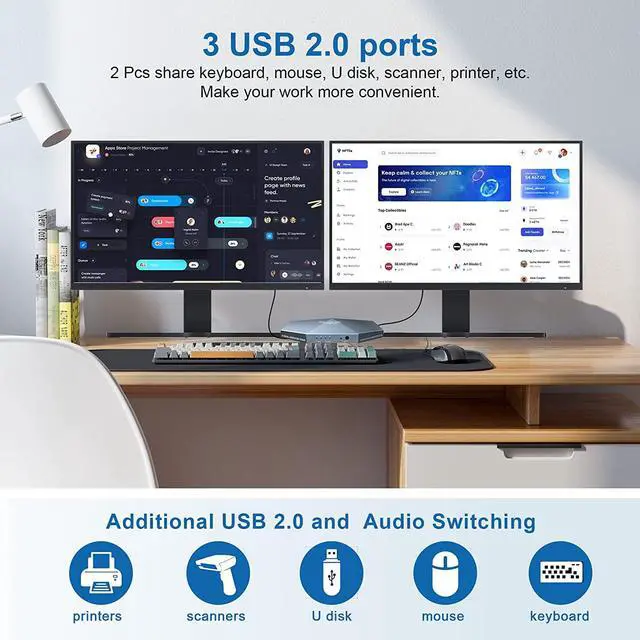
    • 3xUSB 2.0 ports for 2 computers: Plug-and-play with no drivers required, with additional USB 2.0 port for sharing USB printers, scanners and jump drives, wireless and gaming keyboard mouse.
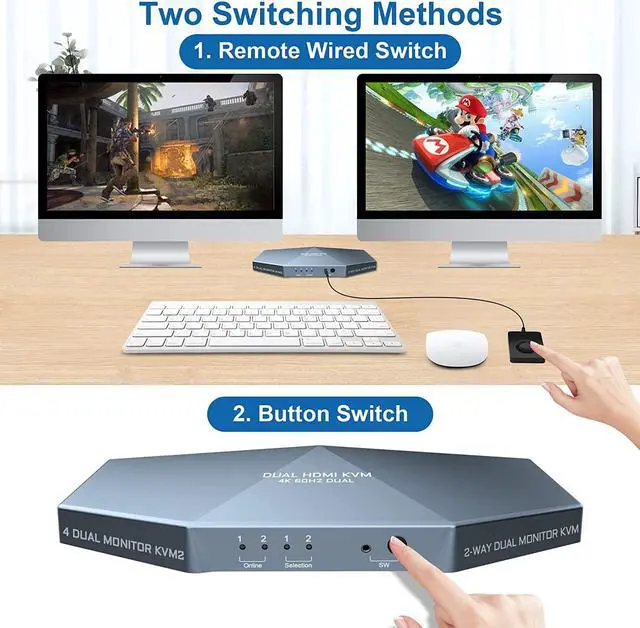
    • Convenient switching modes and Wide compatibility: 1. Toggle selection on front; 2. Wired remote switch. Compatible with a wide range of computer systems such as Windows, Linux, Mac, Unix, Ubuntu, Raspberry and most other major operating systems; Also supports HDMI devices without USB signal input such as DVR, NVR etc.
    +
    +
    Overview
    Specs
    Reviews
    image for this item

    HDMI KVM Switch 2-Port Dual Monitor


    Features:

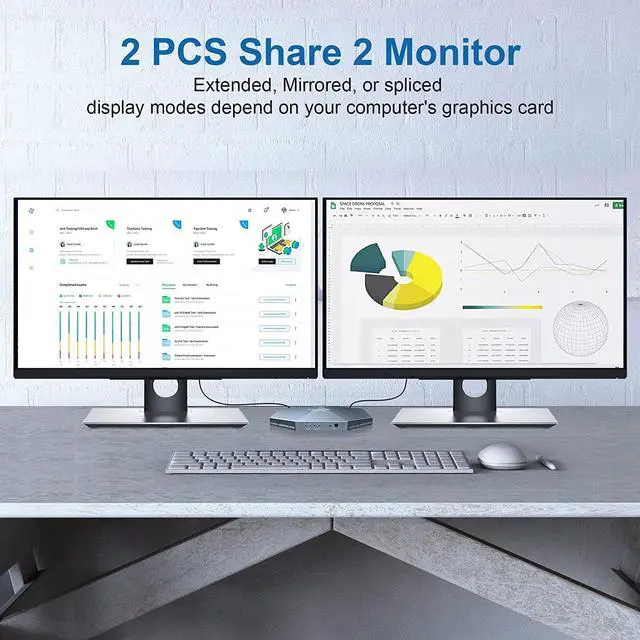
    1, Share a set of keyboard, mouse and two monitors between 2 computers or laptops;
    2, dual monitor output supports up to 4K@60Hz for extended, mirrored or spliced display;
    3. No complicated installation is required, and laymen can easily operate it.
    4, Cross-support for major operating systems, including Windows, Linux, Mac and more;
    5, switching modes: front panel buttons and wired remote control;
    6, with extra 3 USB 2.0 and audio microphone output;
    7, supports HDMI 2.0 standard, compatible with HDMI 1.4 standard.

    image for this item
    image for this item
    image for this item

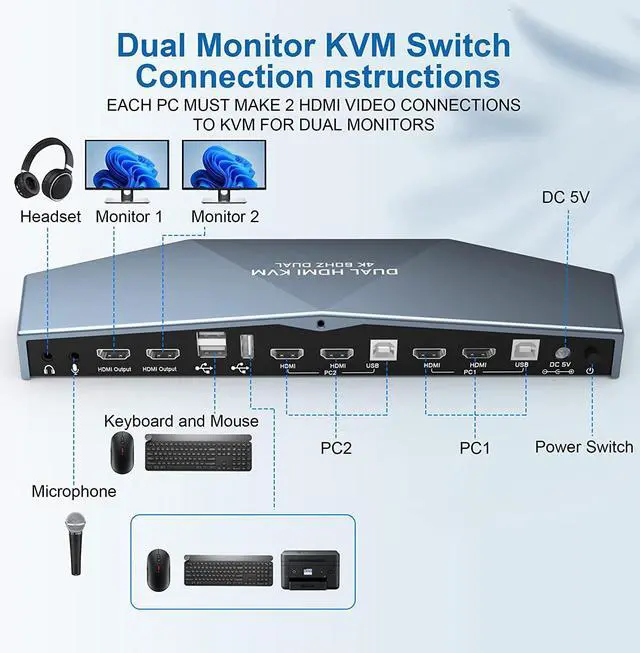
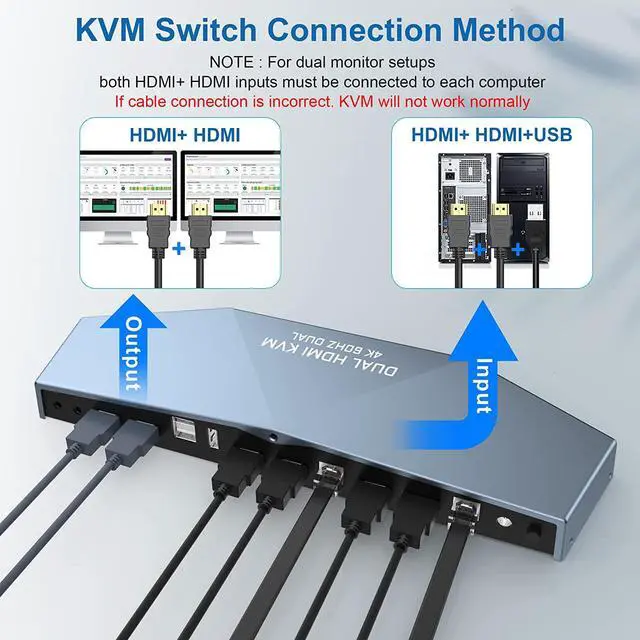
    Connection steps:

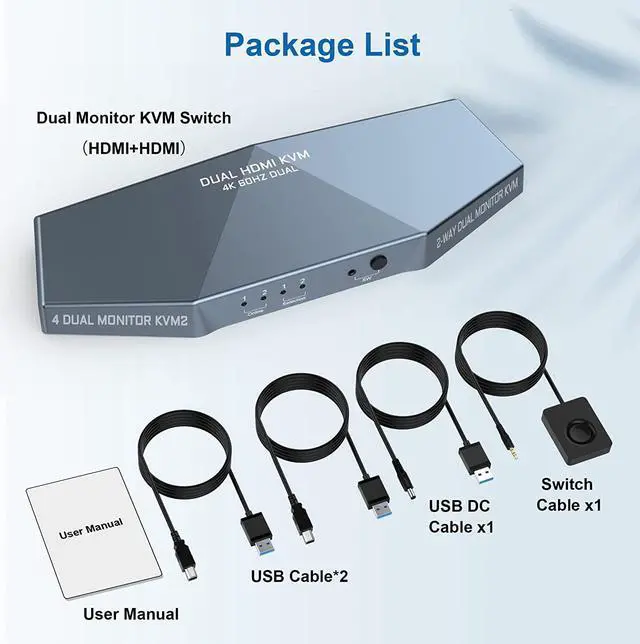
    1. Connect the included USB-DC cable to a 5V charger (not included).
    2. Plug the HD-MI cable into the KVM and monitor; (Output)
    3. Connect the HD-MI cable and USB cable to the KVM and your computer/laptop (HD.MI cables are not included) (input)
    HD.MI+ HD.MI + USB = PC1
    HD.MI + HD.MI + USB = PC2
    4. Plug the mouse and keyboard into the KVM switch
    5. If needed, you can connect a microphone and audio port
     

    Note:

    1. Most of the reasons why only one video output works are due to a wrong connection. Please make sure each computer is connected to the KVM via 2 HDMI cables.

    image for this item
    HDMI KVM Switch 2-Port Dual Monitor

    Features:

    1, Share a set of keyboard, mouse and two monitors between 2 computers or laptops;
    2, dual monitor output supports up to 4K@60Hz for extended, mirrored or spliced display;
    3. No complicated installation is required, and laymen can easily operate it.
    4, Cross-support for major operating systems, including Windows, Linux, Mac and more;
    5,
    switching modes: front panel buttons and wired remote control;
    6, with extra 3 USB 2.0 and audio microphone output;
    7, supports HD-MI 2.0 standard, compatible with HD-MI 1.4 standard.

    Warranty & Returns

    Warranty, Returns, And Additional Information

    Warranty

    • Please contact the Seller directly for warranty information. Warranty information may also be found on the Manufacturer's website.
    • CONTACT

    Return Policies

    • Return for refund within: 15 days
    • Return for replacement within: 30 days
    • This item is covered by fadaoe Return Policy

    Manufacturer Contact Info

    LOADING...