






Dual Monitors HDMI+Displayport KVM Switch
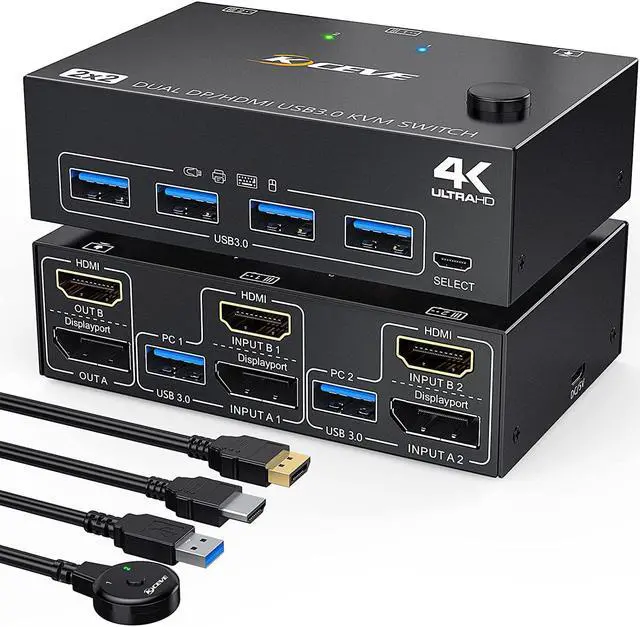
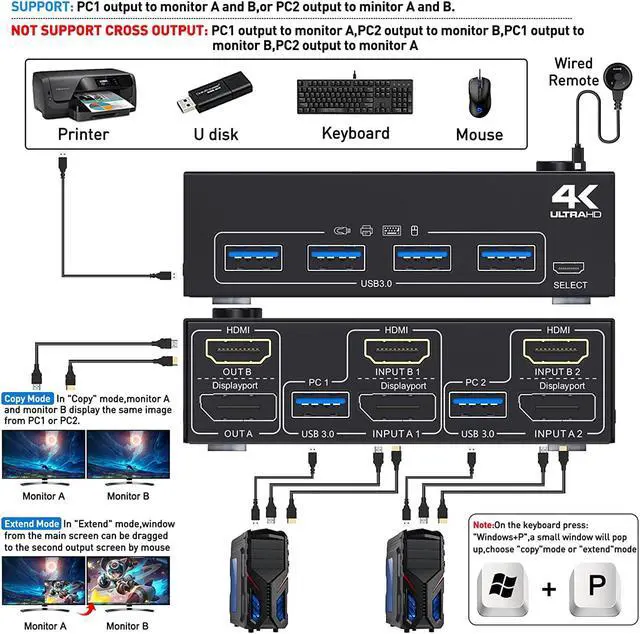
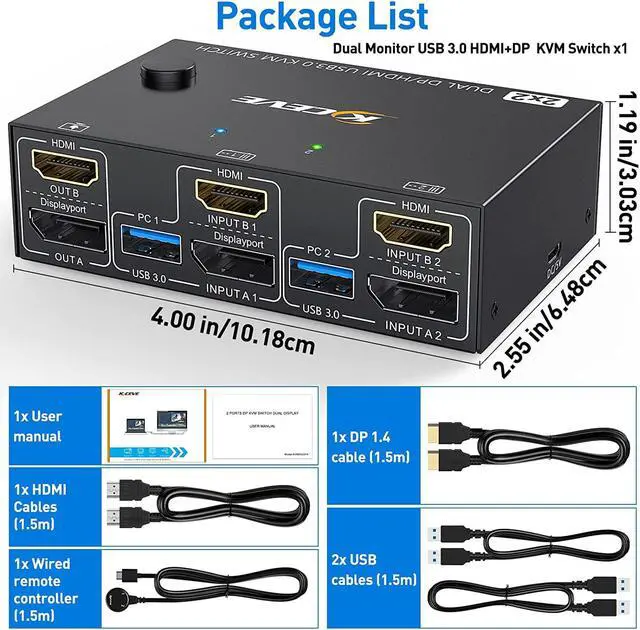
2 ports Dual-monitor USB3.0 DP+HDMI KVM Switch (DP +HDMI TO DP +HDMI ). Each input source device must be connected to two dual-monitor
Features:
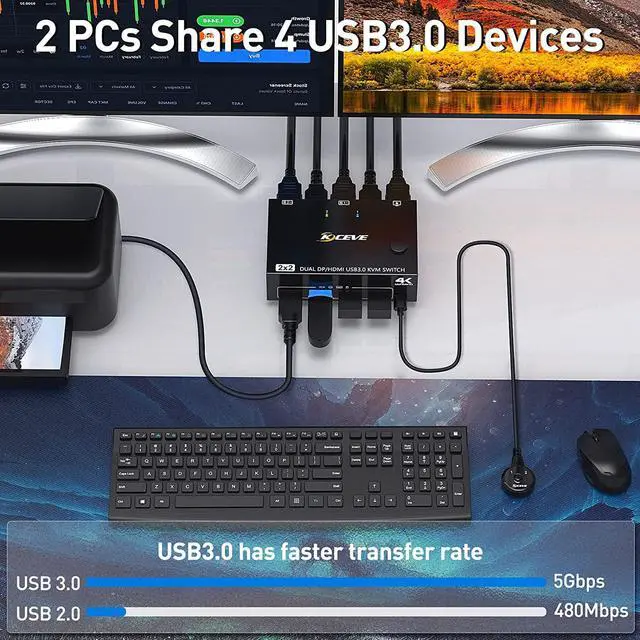
- 2 computers share a wired/wireless keyboard, mouse and 2 monitors.
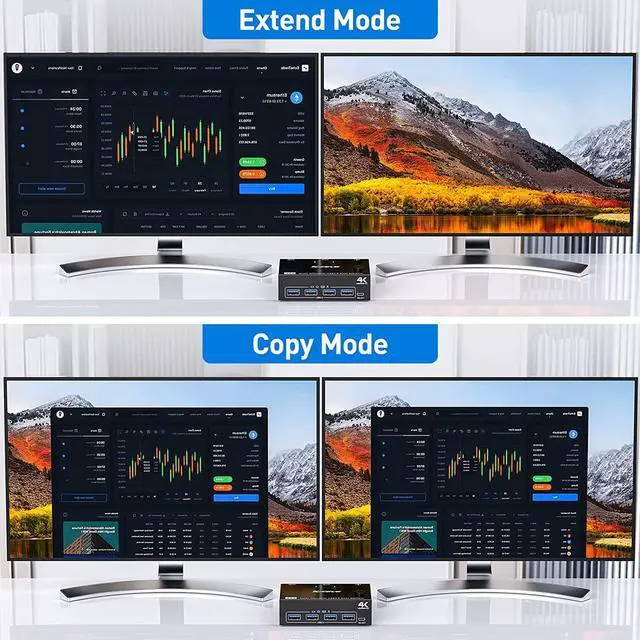
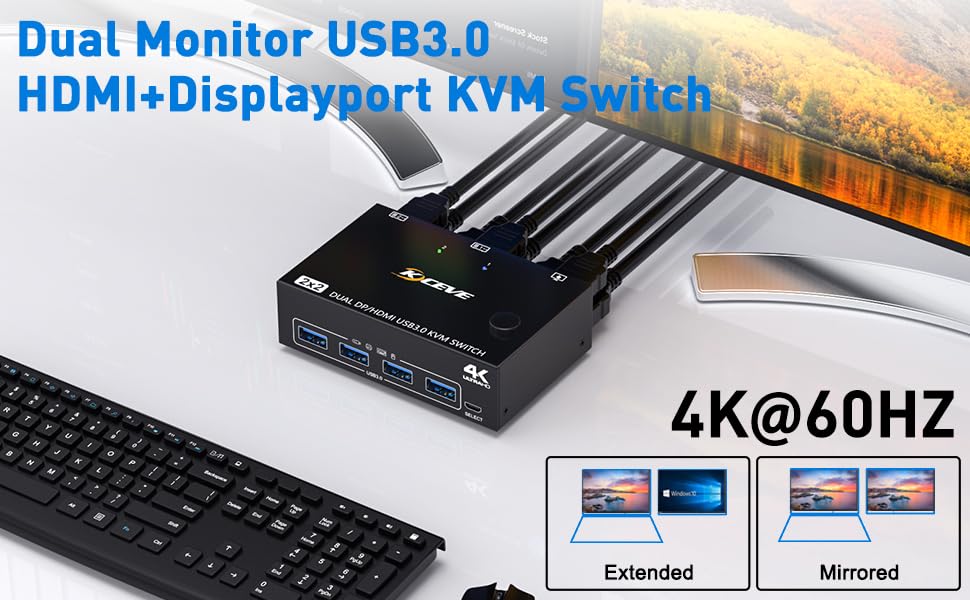
- Dual monitor output supports extended and copy display.
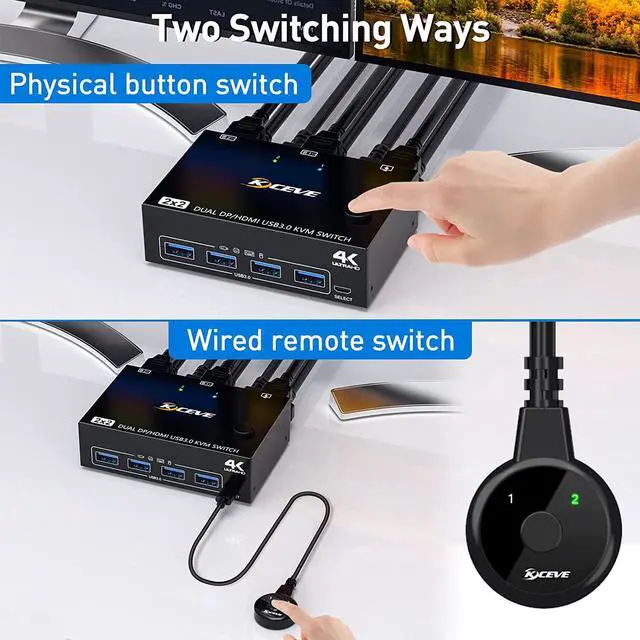
- Switching mode: push-button switch and wired remote control.
- Supports wired or wireless keyboard and mouse.
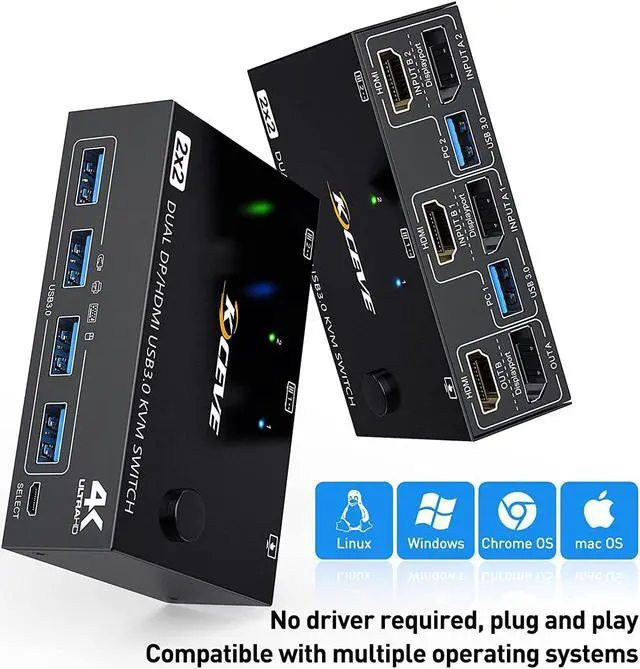
- Support for most major operating systems, including Windows, Linux, and Mac.(Note:We generally do not recommend the MAC system, because the compatibility between KVM and the MAC system is unstable, and it is easy to cause failures)
- Support the highest resolution 4K@60Hz, downward compatible,DP Port can support 8K@30Hz(Need connected 8K DP1.4 Cable,The cable that comes with the package is DP1.2)
- Share 4 USB3.0 devices
Note:
Dual display KVM switches require DP+HDMI connections per computer, and for computers with discrete and integrated graphics cards require DP+HDMI port to be part of the discrete graphics card.
Dual Monitor DP+ HDMI KVM Switch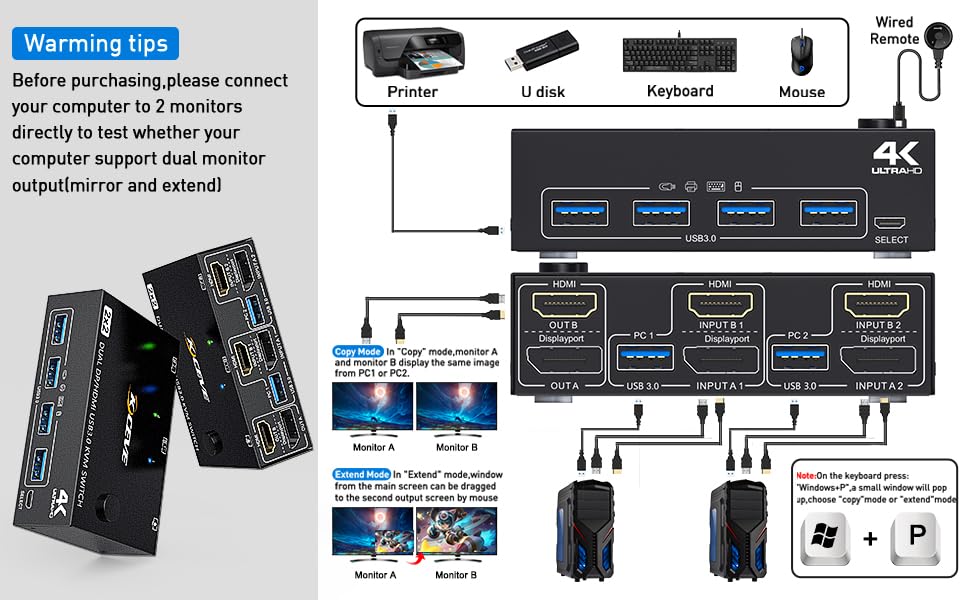
Displayport support:
3440*1440@144Hz/100Hz/60Hz/50Hz
2560*1440@144Hz/100Hz/60Hz/50Hz
1920*1440@144Hz/100Hz/60Hz/50Hz
1920*1200@144Hz/100Hz/60Hz
1920*1080@144Hz/100Hz
Note:If computers and monitors support 8K@30Hz, 4K@144Hz, please use 8K DP1.4 cable to connect, otherwise cannot get 8K@30Hz, 4K@144Hz. In addition, the DP cable included in the package is a DP1.2 cable
HDMI port support:
3840*2160@60Hz
3440*1440@100Hz/60Hz/50Hz
2560*1440@144Hz
1920*1080@144Hz/120Hz
Note: These data are obtained according to the monitor and computer test in our laboratory. The results may be inconsistent due to the differences of computer, monitor and wire.
Dual Monitor KVM Switch DisplayPort 1.4+HDMI with Two Working Mode
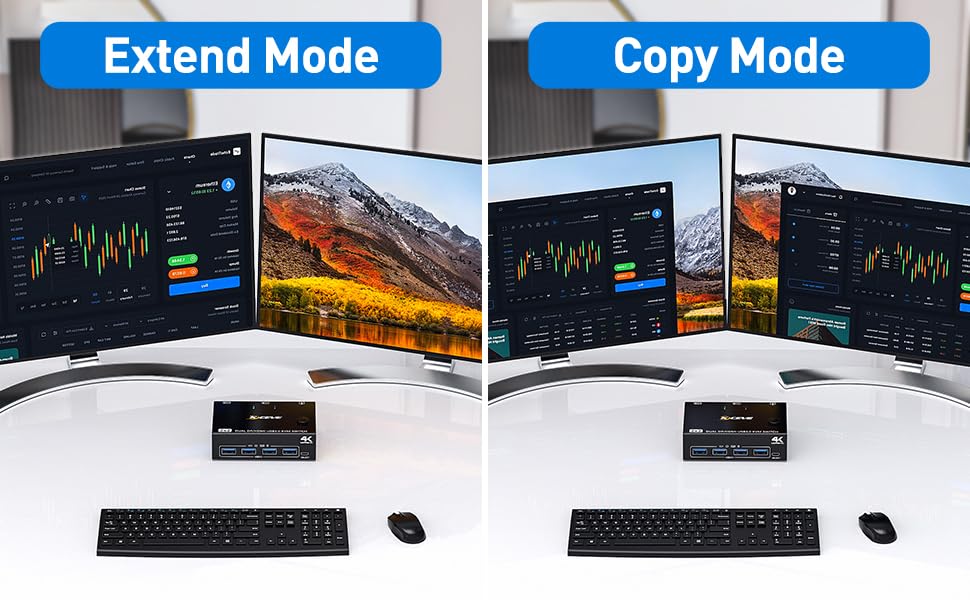
Dual screen setup.
Set up step:
Windows system to quickly set dual-screen output.
1. Press Windows and P on the keyboard
2. Select Extend or Copy
3. Enter to confirm
Warm tips:
If using the MST multi-screen docking station, the computer CPU requires 11th generation; Docking station resolution work with 4k@30Hz or 1080p@60Hz when dual screen display.
MAC1/MAC2 only supports one external screen, no multi-screen output.
In order to get a good using experience, it is recommended to use DP+HDMI monitors with the same resolution.
Dual Monitor DP HDMI KVM Switch with 4 USB3.0 Ports
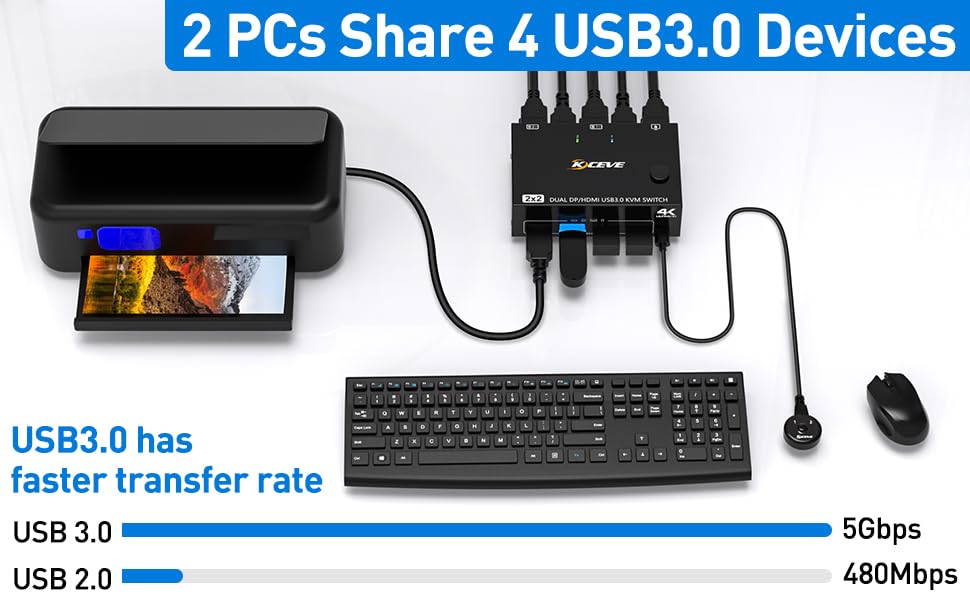
4 USB3.0 ports, backward compatible with USB2.0 and USB 1.1, share USB devices such as keyboard mouse scanner, printer, flash drive, etc.
USB 3.0 offers data transfer speeds of up to 5Gbps, while USB 2.0 offers data transfer speeds of only 480Mbps.
Note:
If the input USB3.0 ports are not connected or connected incorrectly, the output USB device will not be recognized.
If you use a light-emitting keyboard or mechanical keyboard or high-powered USB devices, or when the USB is not recognized and recognition is not stable, please connect the DC5V power cable
Dual Monitor KVM Switch with Two switching Methods
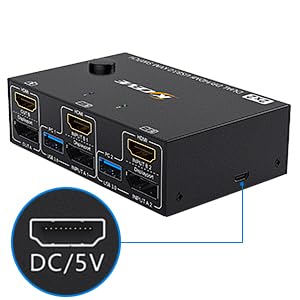
with DC/5V Port
The DC/5V Port is used to power the KVM in the event of a power shortage.
Under normal circumstances, the USB port also plays a role in powering the KVM, so it can be used without connecting to the DC/5V port. If you connect high-powered USB devices, such as light-emitting keyboards, mechanical keyboards, mechanical mice, etc., which require too much power, you can connect the DC/5V port to supply power.
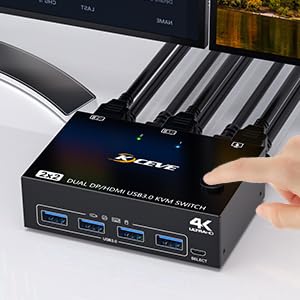
Switching button on the control panel
The toggle button is on the control panel and can be toggled with one click.
The two color indicators show which computer to switch to, the indicator is blue when switching to PC 1, and green when switching to PC 2, the indicator is obvious, but not blinding.
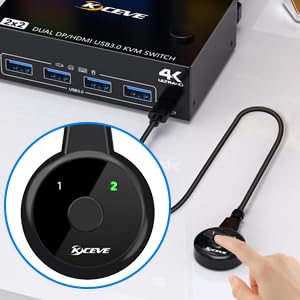
Wired control switching
The length of the wired controller is 1.52m/4.98ft, which is long enough to make it very easy to use.
In addition, we also gave the wired controller with adhesive, so that the control panel can be fixed to the desktop or keyboard.