
Your Browsing History
- Free 30-day Returns
$370.99
Ships from China.

Meet Your Seller

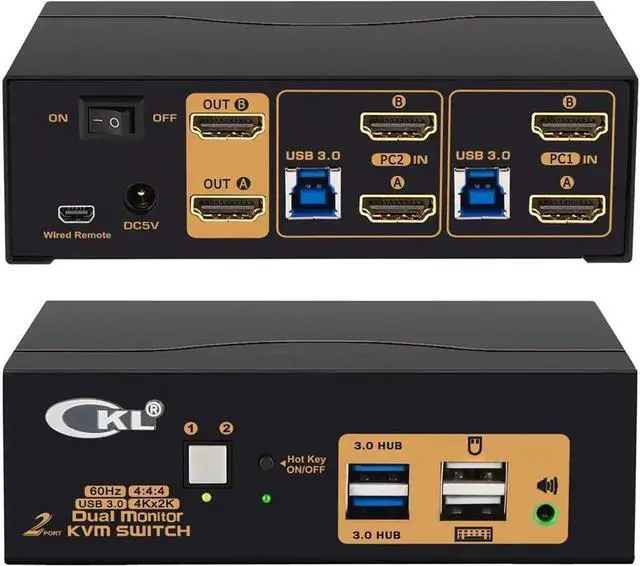


Vszerda 2 Port USB 3.0 KVM Switch Dual Monitor HDMI 4K 60Hz, Keyboard Video Mouse Peripherals Switcher for 2 Computers 2 Monitors with Audio
- KVM SWITCH DUAL MONITOR 2 IN 2 OUT : Control 2 computers or laptops with one set of wired or wireless keyboard, mouse and 2 extended or mirrored monitors at the same time;
- USB 3.0 KVM SWITCH 2 COMPUTERS 2 MONITORS: The integrated 2 USB 3.0 HUB ports allows you to share 2 more USB peripherals like printer, scanner, webcam and hard disk between 2 computers with data transfer rate up to 5Gbp/s (10 times faster than USB 2.0); The USB 3.0 cable Also draws power from USB 3.0 port on computers to drive the KVM switch;
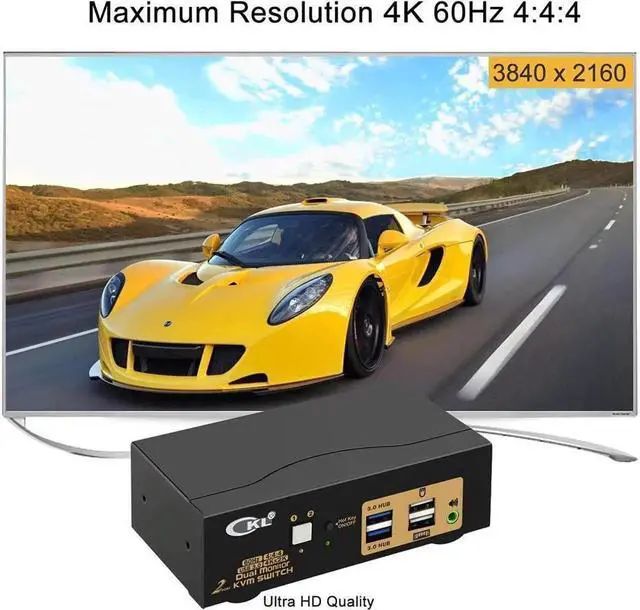
- HDMI 2.0 KVM SWITCH 2 PORT 4K 60HZ: Supports maximum resolution up to 3840x2160 4K@60Hz, 3440x1440@60hz/120Hz, 3840x1080@60hz/120Hz and compatible downwards depending on support of graphic card, monitor and adapters if used any; Supports auto detection and memory function in case of power down;
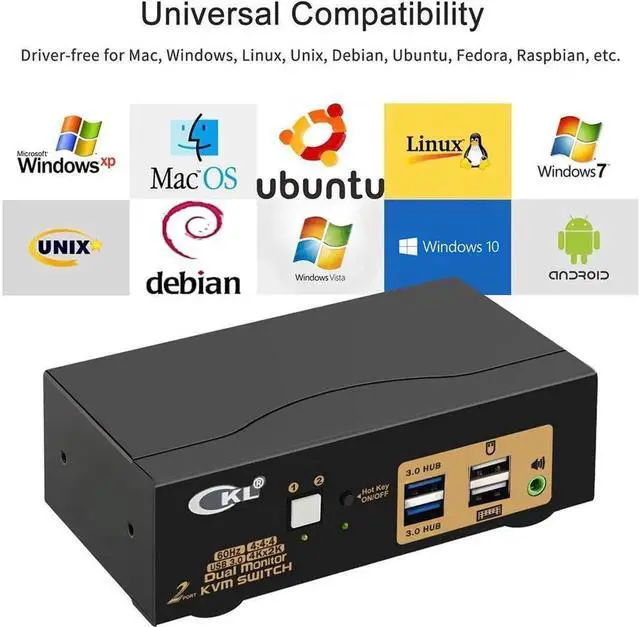
- MULTI PLATFORMS COMPATIBLITY : Cross supports most major operation systems like Windows, Linux, Mac and more; also support switch between devices without keyboard and mouse
+
+
Overview
Specs
Reviews
Sharing Keyboard, Mouse and Dual Monitors between Home Desktop, Work Laptop and Gaming Computers
Does Everything You Need!
2 computers / laptops share one set of keyboard, mouse, dual monitors and more USB 3.0 peripherals;
Dual monitor outputs support up to 4Kx2K (3840*2160) @60Hz (HDMI 2.0 ) for extended, mirrored or spliced display;
Support wired or wireless keyboard and mouse with USB pass-though technology;
Cross support most major OS including Windows, Linux, Mac;
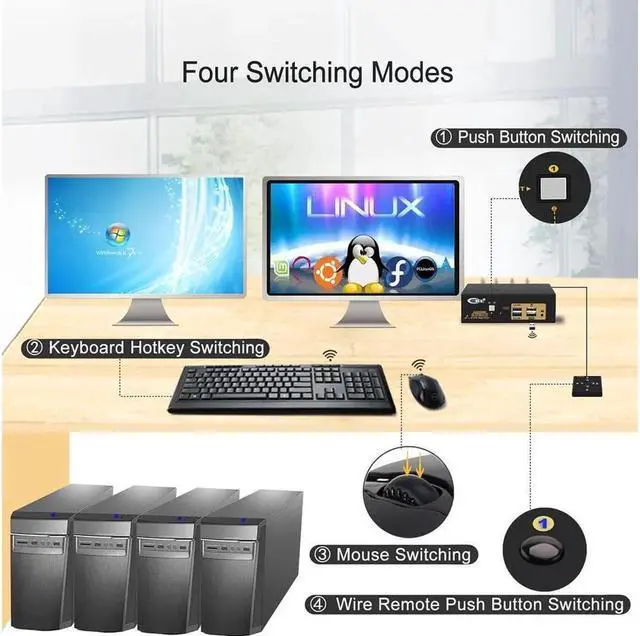
Advanced switching modes: keyboard Hotkey, mouse clicks, push button, auto scan and wired remote;
With 2 extra USB 3.0 HUBs for high speed data transfer up to 5Gbps (10 times faster than USB 2.0 );
The USB 3.0 cable Also draws power from USB 3.0 port on computers to drive the KVM switch;
Support HDMI digital audio (default) and swapping between computers.
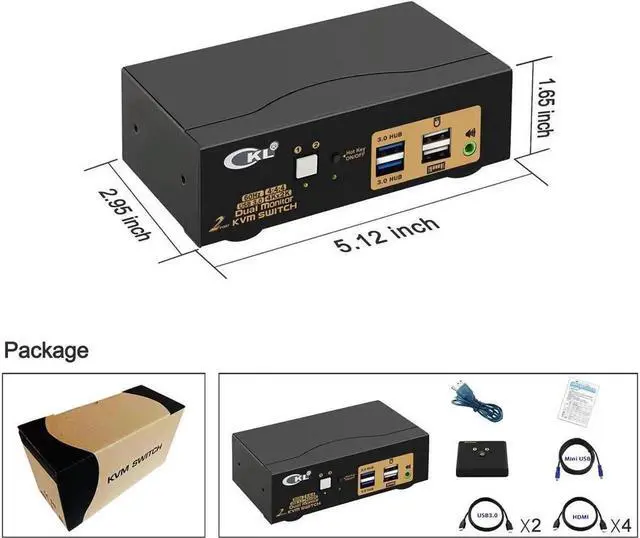
Include all cables needed except cable for monitors.
Installation Proceedures
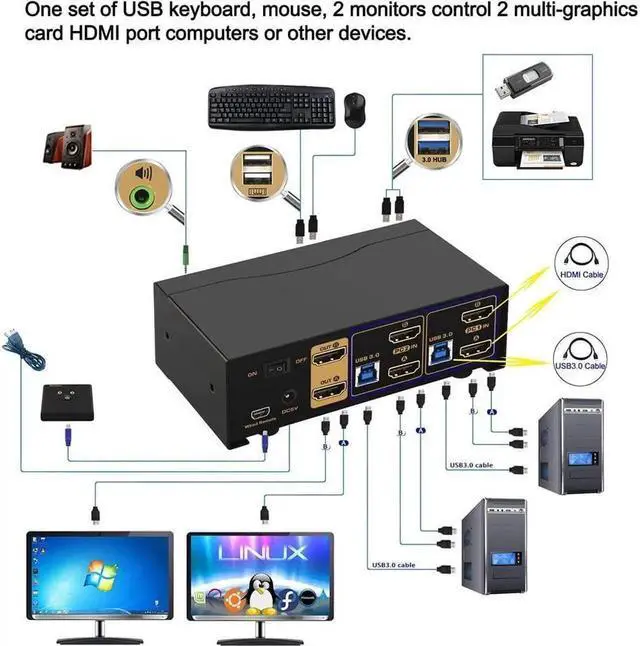
Power off everything before installation;
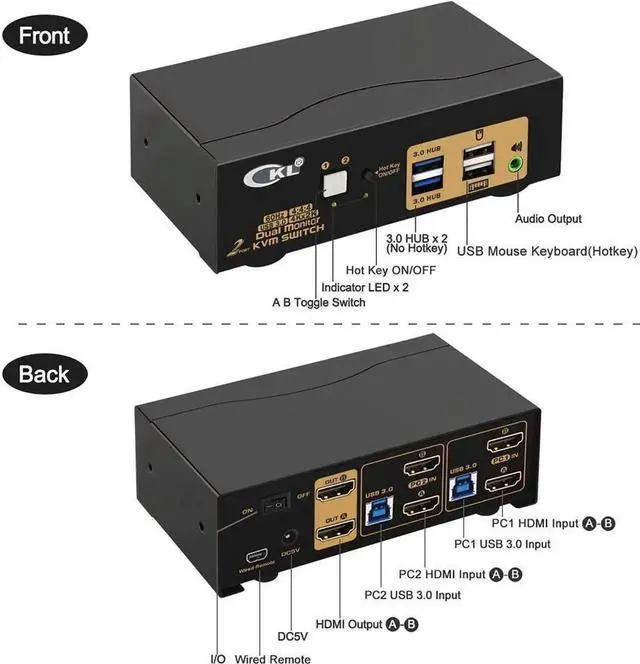
Computer 1: Connect 2 HDMI outputs from computer 1 to HDMI IN 1 A and HDMI IN 1 B ports; Connect USB A-male to USB 3.0 port on computer 1, and USB B-male to USB 1 input on the KVM switch;
Computer 2: Connect 2 HDMI outputs from computer 2 to HDMI IN 2 A and HDMI IN 2 B ports; Connect USB A-male to USB 3.0 port on computer 2, and USB B-male to USB 2 input on the KVM switch;
Primary Monitor: Connect primary monitor to HDMI Out A;
Extended Monitor: Connect extended monitor to HDMI Out B;
Keyboard and Mouse: Connect keyboard and mouse into USB keyboard and mouse port respectively;
Connect USB peripherals to USB 3.0 ports if needed (optional);
After cables being connected, power on the kvm switch first, then monitors, then computers.
Friendly Reminder:
1. Some keyboard with special features like gaming, programing, multi-media, mechnical, back lights may not be well supported on the USB keybaord and mouse port which
Warranty & Returns
Warranty, Returns, And Additional Information
Warranty
- Please contact the Seller directly for warranty information. Warranty information may also be found on the Manufacturer's website.
- CONTACT
Return Policies
- Return for refund within: 30 days
- Return for replacement within: 30 days
- This item is covered by Hai Kou Shi Quan Jun Dian Zi Shang Wu Yo Return Policy
Manufacturer Contact Info
- For a directory of all our manufacturers, please click below.
- Manufacturers Directory
LOADING...