


- Free 15-day Returns
$184.59
Ships from China.


Meet Your Seller

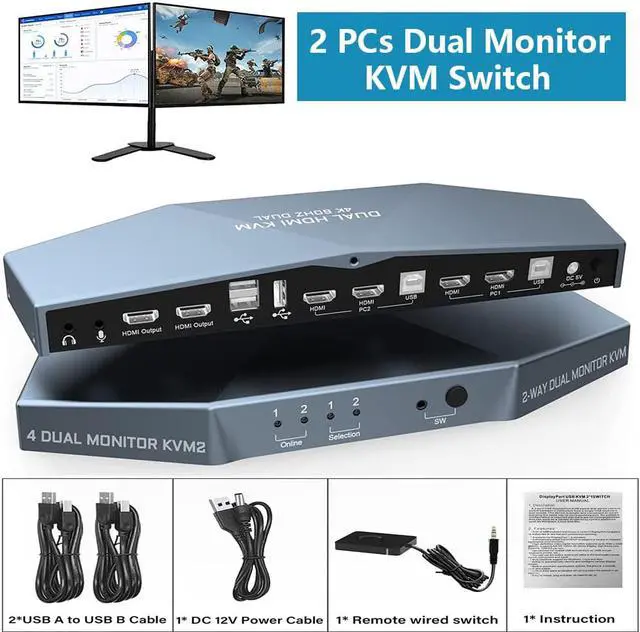


Dual Monitor HDMI 2.0 KVM Switch 2 Port Extended Display 4K @60Hz, USB KVM Switch HDMI 2 in 2 Out with Audio Microphone Output and 3 USB 2.0 Hub, 2 HDMI Monitors 2 Computers Switch, with 2 USB Cables
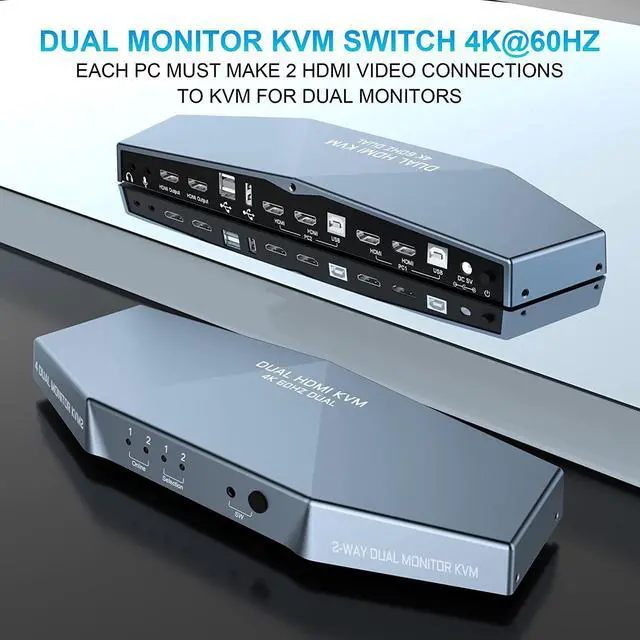
- [Dual Monitor KVM Switch HDMI 2 Port] Consoles control up to 2 computers or laptops with 1 independent set of USB keyboard, mouse and monitor or 2 monitors extended or duplicated display with dual head input. NOTE: It requires each computer has 2 video output interfaces and support extended display,otherwise this dual monitor kvm can not be realized dual monitor extended display.
- [UHD 4K@60Hz Resolution & Auto EDID] Enjoy high resolution max up to 4Kx2K@60Hz, and also supports 4K@30Hz, 3D and 1080P@60Hz or other lower resolution (Downward Compatible). Automatically adapt to HDID/HDCP, which can adapt to a variety of complex application environment.
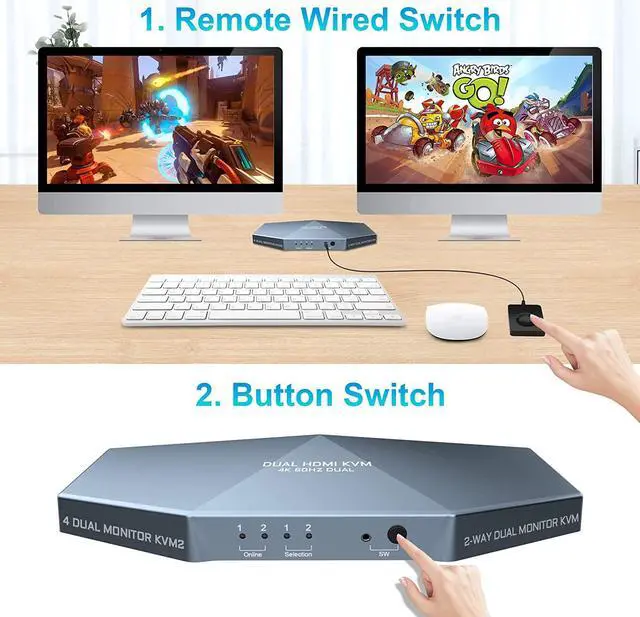
- [Wide Compatibility & 2 Switch Modes] Fully compatible with Windows 10/7/2000/XP/ and MacOS; 2 convenient switch modes: 1. Toggle selection on front panel; 2. Wired remote switch (one-touch switch).
- [Dual HDMI KVM Switch with USB 2.0 Port] has 3 USB 2.0 ports. 2 PCs can share more USB 2.0 devices at the same time, such as printers, scaners..
+
+
Overview
Specs
Reviews
2 Port Dual Monitor KVM Switch HDMI 4K@60Hz
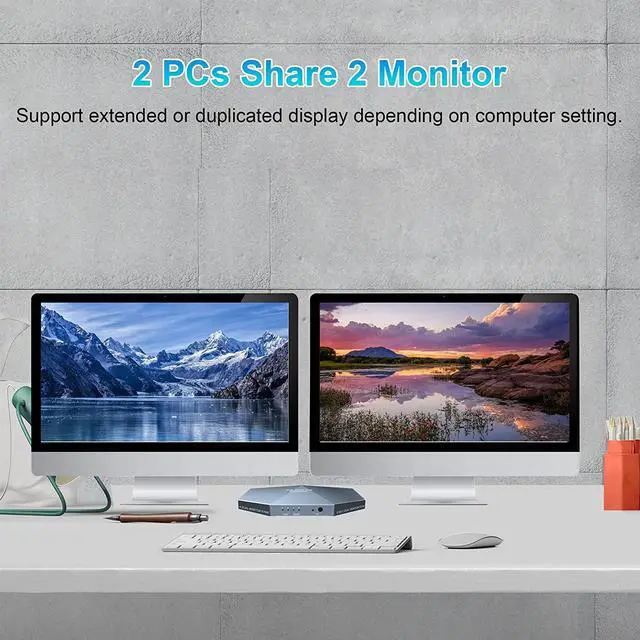
1. 2 computers share one set of keyboard, mouse and 2 monitors
2. Dual monitors output support extended and mirrored display
3.
Switching modes: Button switch and wired remote
4. Support wired or wireless keyboard and mouse
5. Cross support most major OS including Windows, Linux, Mac
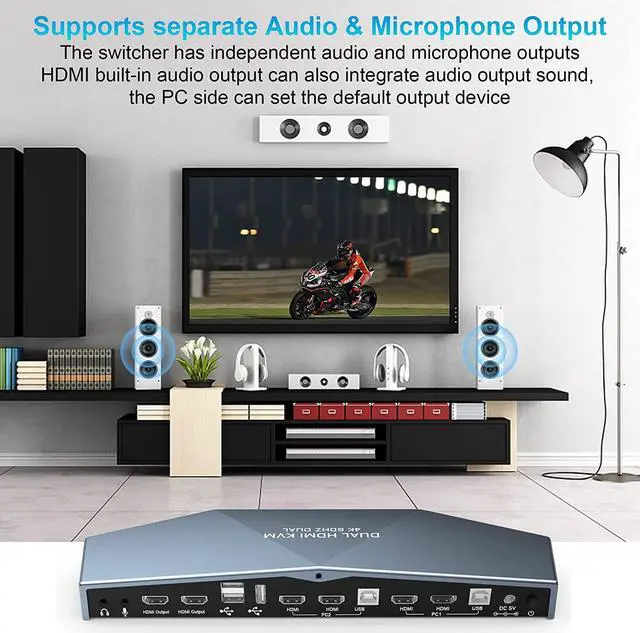
6. With extra USB 2.0 HUB and audio support.
7. Support max up resolution 4K@60Hz, downward compatible.
8. Support HDMI 2.0 standard, compatible with HDMI 1.4 standard.
10. Automatically adapt to EDID/HDCP
How to Get Dual Monitor Display:
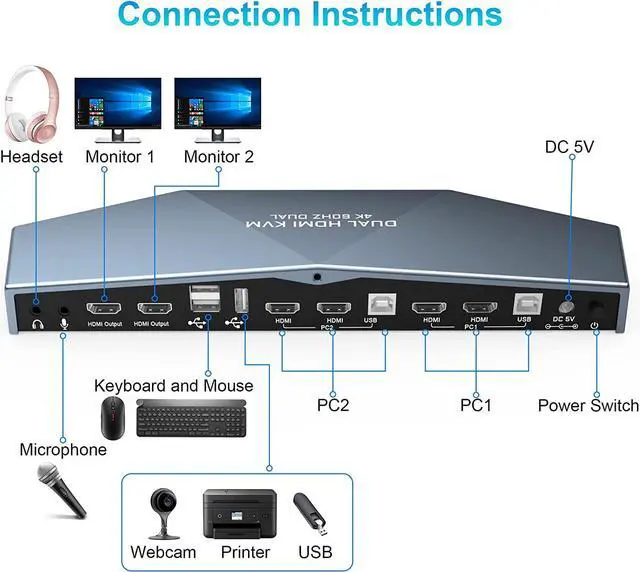
Each computer / laptop needs 2 video connections to correspondent HDMI IN 1 and HDMI IN 2 port on the KVM switch ( HDMI cable not included).
Reliable adapters are needed but not included for DVI, VGA, DisplayPort (DP), USB Type C video outputs. Please be aware of the adapters needed for your setup before order.
Avoid using adapters on both monitor and computer side for a same video flow.
The dual monitor displays are from a same input source selected, it does not support computer 1 on monitor A, computer 2 on monitor B.
Connection steps:
1) Connect the micro USB power cord for KVM power.
2) Connect 1 USB cable and 2 HDMI cables from each computer to the KVM.
3) Connect the HDMI port on the KVM to 2 monitors with 2 HDMI cables.
4) Connect the mouse and keyboard into the USB port on the KVM and turn on the power switch.
How to Get Keyboard and Mouse Work:
Make sure cable 1 is correctly connected, the end with USB, HDMI must be plugged into computer, the other end with only HDMI must be plugged into IN 1 port (not IN 2 port).
Recommend to plug Bluetooth adapter of wireless keyboard and mouse into rear USB keyboard port.
If special keyboard and mouse like gaming and mechanical types do not work well from rear USB ports, use front USB port or turn off the hotkey and use the wired remoter instead.
What's in the Box:
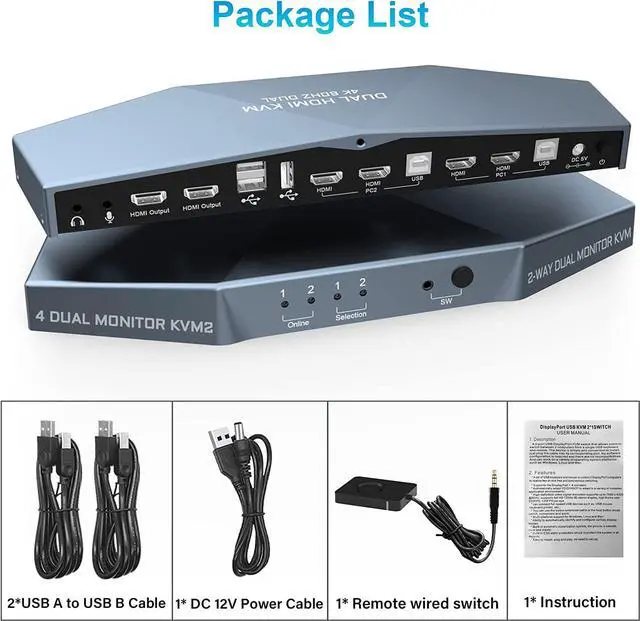
(1) 1x HDMI KVM dual monitor Switch
(2) 2x USB a-b Cables
(3) 1x Button extension cord
(4) Remote control cable X1 1x Manual
(5) 1x Manual
1. 2 computers share one set of keyboard, mouse and 2 monitors
2. Dual monitors output support extended and mirrored display
3.
Switching modes: Button switch and wired remote
4. Support wired or wireless keyboard and mouse
5. Cross support most major OS including Windows, Linux, Mac
6. With extra USB 2.0 HUB and audio support.
7. Support max up resolution 4K@60Hz, downward compatible.
8. Support HDMI 2.0 standard, compatible with HDMI 1.4 standard.
10. Automatically adapt to EDID/HDCP
How to Get Dual Monitor Display:
Each computer / laptop needs 2 video connections to correspondent HDMI IN 1 and HDMI IN 2 port on the KVM switch ( HDMI cable not included).
Reliable adapters are needed but not included for DVI, VGA, DisplayPort (DP), USB Type C video outputs. Please be aware of the adapters needed for your setup before order.
Avoid using adapters on both monitor and computer side for a same video flow.
The dual monitor displays are from a same input source selected, it does not support computer 1 on monitor A, computer 2 on monitor B.
Connection steps:
1) Connect the micro USB power cord for KVM power.
2) Connect 1 USB cable and 2 HDMI cables from each computer to the KVM.
3) Connect the HDMI port on the KVM to 2 monitors with 2 HDMI cables.
4) Connect the mouse and keyboard into the USB port on the KVM and turn on the power switch.
How to Get Keyboard and Mouse Work:
Make sure cable 1 is correctly connected, the end with USB, HDMI must be plugged into computer, the other end with only HDMI must be plugged into IN 1 port (not IN 2 port).
Recommend to plug Bluetooth adapter of wireless keyboard and mouse into rear USB keyboard port.
If special keyboard and mouse like gaming and mechanical types do not work well from rear USB ports, use front USB port or turn off the hotkey and use the wired remoter instead.
What's in the Box:
(1) 1x HDMI KVM dual monitor Switch
(2) 2x USB a-b Cables
(3) 1x Button extension cord
(4) Remote control cable X1 1x Manual
(5) 1x Manual
Warranty & Returns
Warranty, Returns, And Additional Information
Warranty
- Please contact the Seller directly for warranty information. Warranty information may also be found on the Manufacturer's website.
- CONTACT
Return Policies
- Return for refund within: 15 days
- Return for replacement within: 30 days
- This item is covered by fadaoe Return Policy
Manufacturer Contact Info
- For a directory of all our manufacturers, please click below.
- Manufacturers Directory
LOADING...