




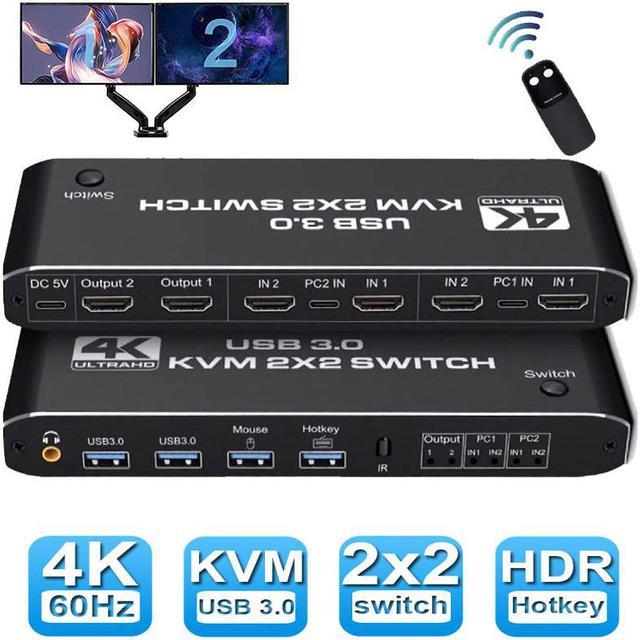


Aluminum KVM Switch Dual Monitor, Enjoy a Simpler and More Efficient Life!
Overview:
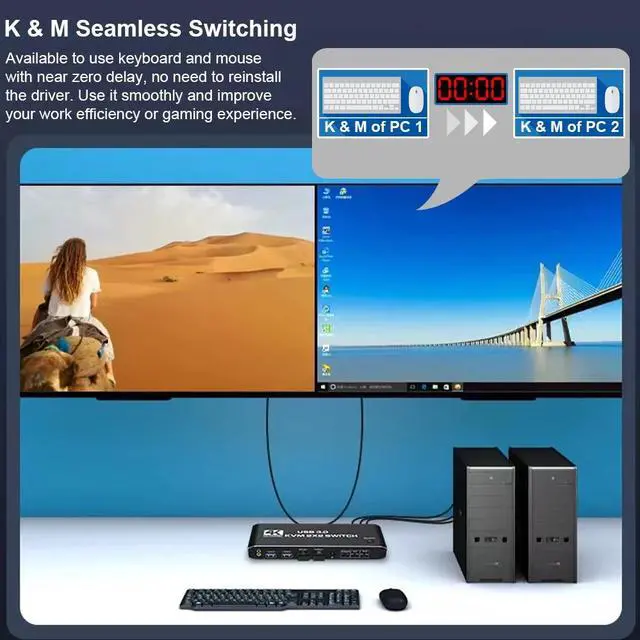
- The KVM switches allow you to share 2 monitors and 4 USB peripherals between 2 computers, such as a Mouse, Keyboard, Printer, Scanner, USB stick, etc. No need to constantly swap cables or set up complicated tethering software, making your life simpler and more efficient.
- Two display modes:
- Copy Mode: Two monitors show the screen of the same host computer;
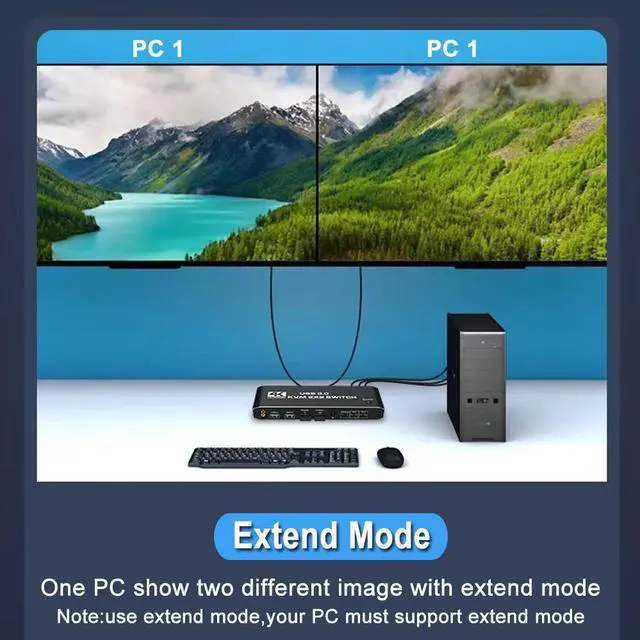
- Extended Mode: Two monitors display the main screen and extended screen of the same
Notice:
- Computer needs to support 2 screens or more;
- If your computer lacks the required connectors, you can use an adapter or conversion cable;
- Need to be connected to a power source, which ensures that the devices can work together;
- Make sure both computers support HDMI 2.0! You can't connect two computers and set one to 4K@60Hz and the other to 4K@30Hz because it won't work and your screen will stay blank, they both have to be able to display 4K@60Hz or both are 4K @30Hz.

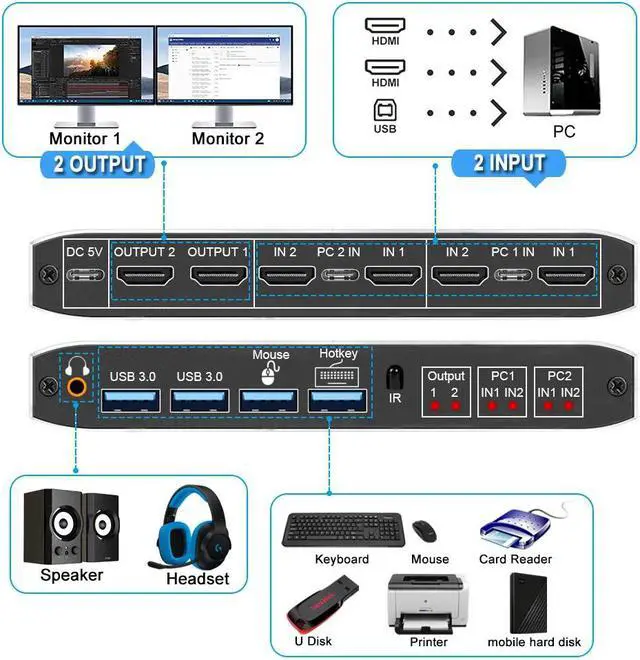
Introduction of ports:
- PC1: USB C + HDMI IN 1 + HDMI IN 2
- PC1: USB C + HDMI IN 1 + HDMI IN 2
- Monitor: HDMI Output 1 + HDMI Output 2
- Devices: 2 x USB-A 3.0, Mouse, Keyboard (Hotkey)
- Audio: 3.5mm Jack
- Power: USB C 5V1A
How to quickly master this KVM switch?
- Connect the USB-C cable to power it;
- Connect PC1 and KVM with 1 USB C cable and 2 HD-MI cables;
- Connect PC2 and KVM with 1 USB C cable and 2 HD-MI cables;
- Connect the keyboard and mouse to KVM;
- Connect 2 monitors and KVM with 2 HD-MI cables.
Note: HD-MI Cables not included in the package.

3 methods of use
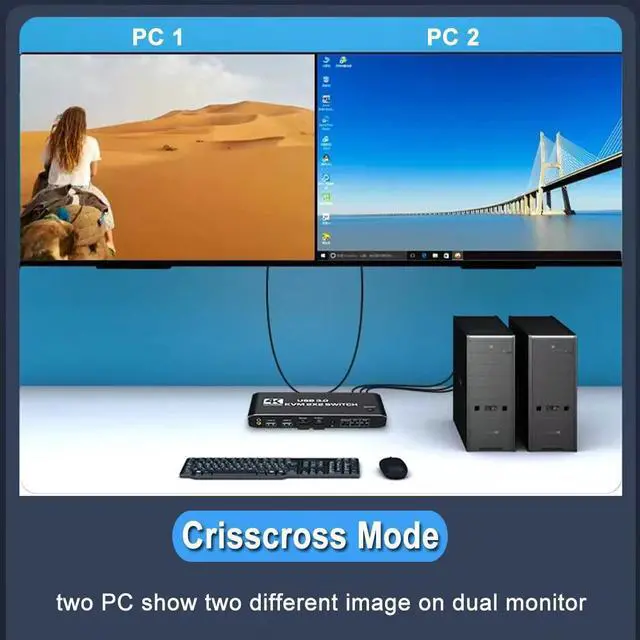
The KVM switch can be used in three modes: Mirror, Innovation, or Extended.modes. Copy mode: two displays display the main screen and copy screen of the same host respectively; Expansion mode: two displays display the images of two hosts respectively; Expansion mode: two displays display the main screen and expansion screen of the same host respectively.

4K@60Hz Visual Effect
Support 3840*2160@60Hz/ 3D/ 1080P resolution, compliance with HDMI 2.0 standard, built-in Auto EDID make the image display more exquisite and realistic.

3 Switch Modes
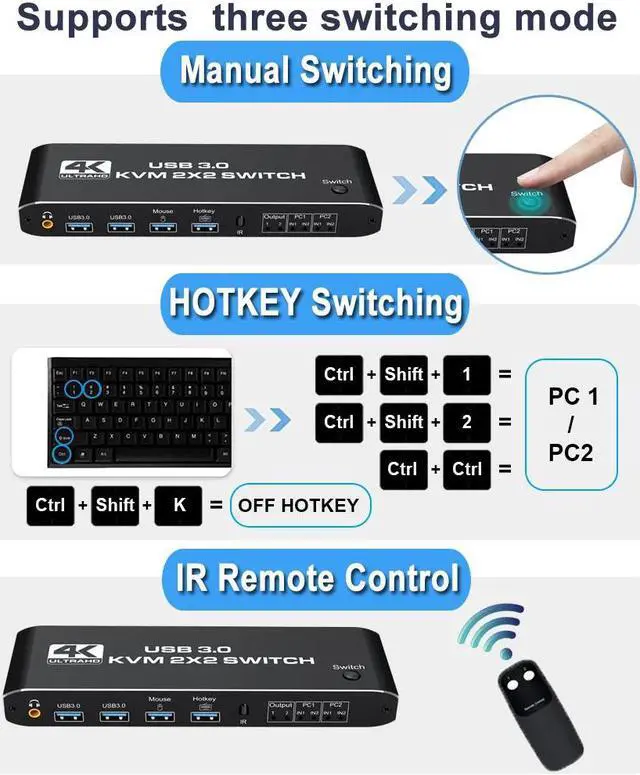
NO 1, You can choose hotkey switch, Press Ctrl + Shift + 1 to switch to PC1, press CTRL + Shift + 2 to switch to PC2; NO 2, You also can switch the two signal sources by the panel buttons, the status light tells you which port is active; NO 3, You can use the infrared remote control to achieve long-distance switching.

Wide Compatibility
Support mainstream systems such as Windows, MAC, Vista, Linux. Plug and play without installing drivers.

2PC share 4 USB Port
This dual monitor KVM has dedicated mouse and keyboard ports and 2 extra USB 3.0 hubs, supporting a variety of USB devices such as printers, hard disks, cameras, etc. Plug and play, no driver required.

Application
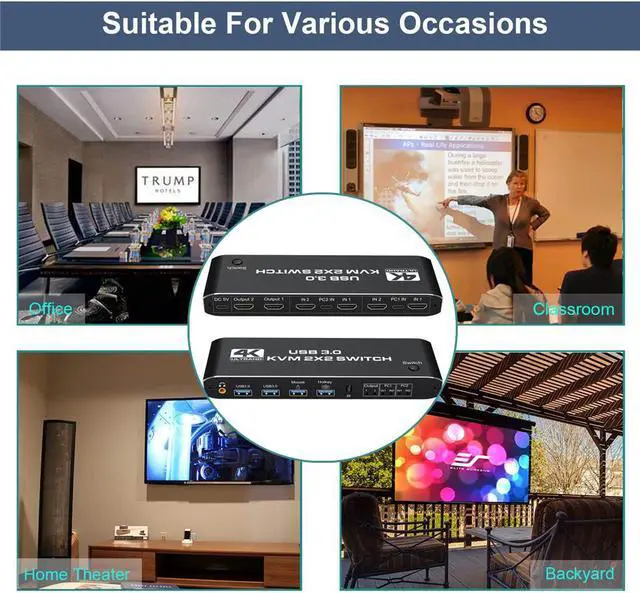
This dual display HDMI KVM switch has a lot of use scenarios, such as meetings, office work, playing games, medical research, stock trading etc.
Features:
- Support HDMI 2.0 b HDCP 2.2
- Resolution: Support 1080P/1080@144Hz, 3840x2160p, 4K/60Hz resolution, adaptive screen resolution
- Support system: Windows XP, Windows7, Windows10, MAC OS, Linux, Unix and other operating systems
- Supports high current hard disk devices
- Three Switching Method:
1. Press the "Select" button on the KVM switch panel to switch between the two source devices;
2. use hotkey switch(Ctrl+Shift+ 1 / 2 to PC1 / PC2 or Ctrl + Ctrl), Ctrl+Shift+ K to turn off hotkey;
3. use IR remote contrl to switch PC 1/ PC 2.
Specifications:
- Product Type: HDMI USB 3.0 KVM Switch (2 in 2 out)
- Input Port: HDMI 2.0 x 4, USB-C x2, USB 3.0 x 4
- Output Port: 2 x HDMI 2.0, 1 x L/R audio
- Dimensions: 111.8 x 63.2 x 24.5 mm
- Material: Aluminum Alloy shellanti-rust, anti-corrosion, anti-interference, fast transmission, surtace oxidation
Package contents:
- 1 x HDMI KVM USB Switch
- 2 x USB data cable
- 1 x USB power cable
- 1 x IR Remote Control (Without AAA battery)
- 1 x User Manual