


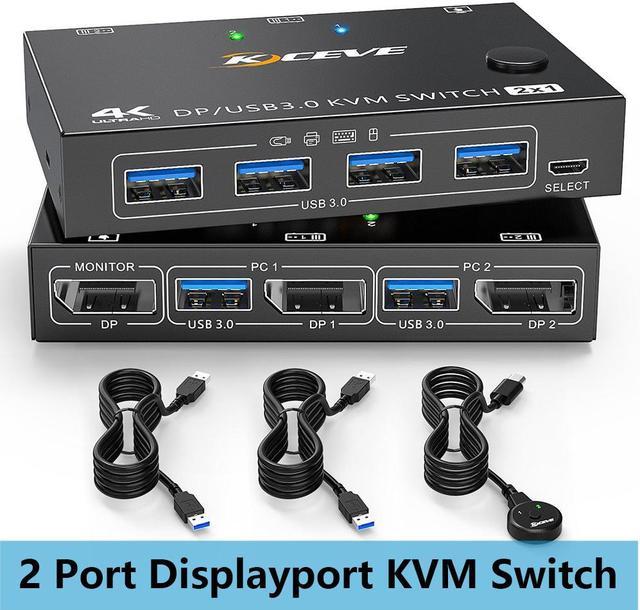



2 in 1 out DisplayPort USB3.0 KVM Switch
Features:
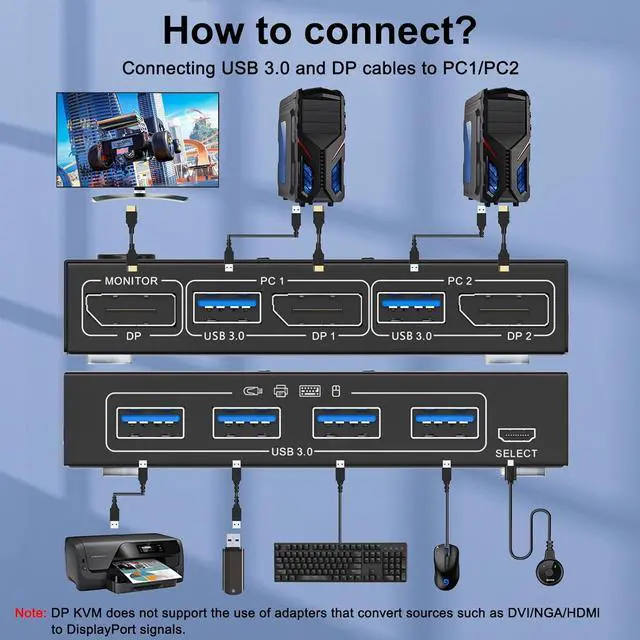
- 2 computers share a wired/wireless keyboard, mouse and 1 monitor
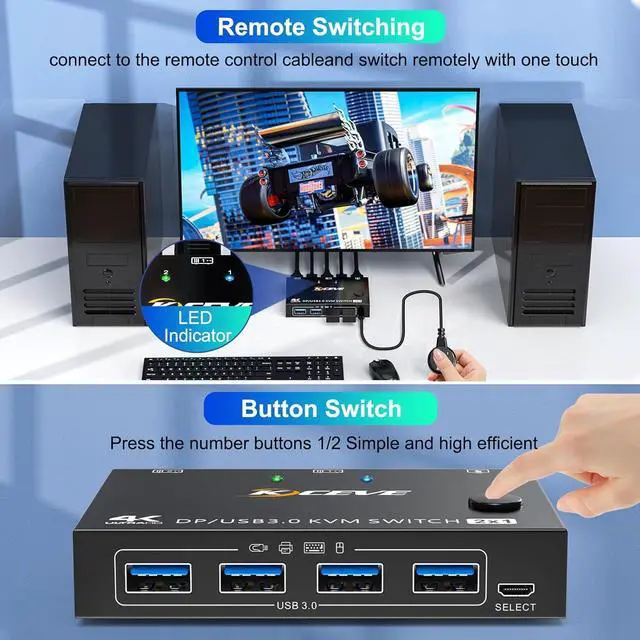
- Switching mode: push-button switch and wired remote control.
- Two color indicator lights (blue, green)
- Support the highest resolution 4K@60Hz, 3440*1440@144Hz 2K@120Hz downward compatible.(Need to use DP1.4 cable to reach 144Hz)
Note:
- If the input USB3.0 ports are not connected or connected incorrectly, the output USB device will not be recognized.
- If you use a light-emitting keyboard or mechanical keyboard or high-powered USB devices, or when the USB is not recognized and recognition is not stable, please connect the DC5V power cable.

Ultra HD 4K@60Hz 3440x1440@144Hz DP KVM Switch
The DP KVM Switch supports the resolution up to 4K@60Hz, 3440x1440@144Hz,which is backward compatible with lower resolution, such as 2K@120Hz,1080p, etc.
NOTE: Need to use DP1.4 cable to reach 144Hz

Two computers share one monitor and one set of keyboard and mouse, which greatly saves space.

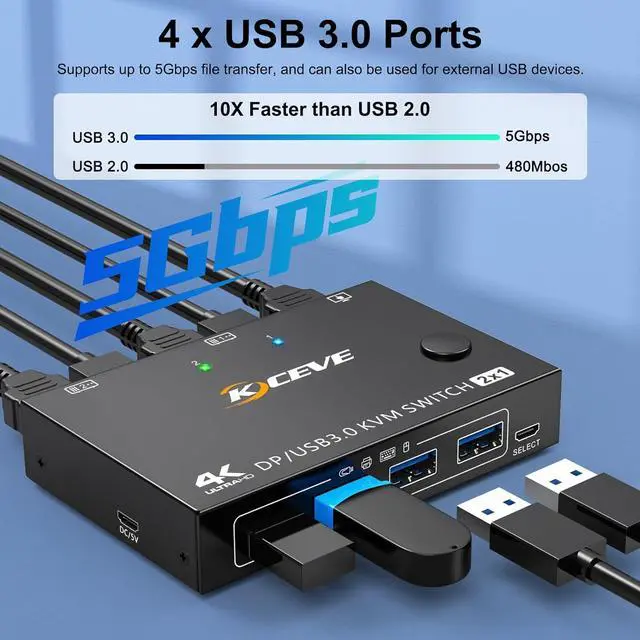
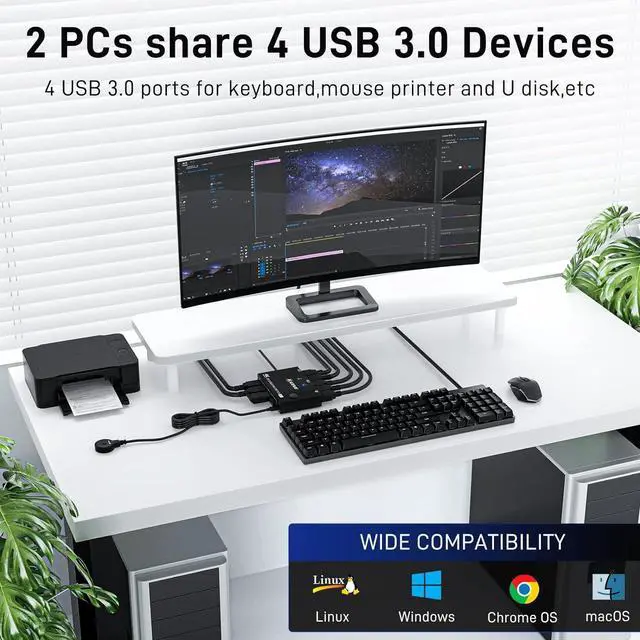
4 USB3.0 ports, backward compatible with USB2.0 and USB 1.1, share USB devices such as keyboard mouse scanner, printer, flash drive, etc.
USB 3.0 offers data transfer speeds of up to 5Gbps, while USB 2.0 offers data transfer speeds of only 480Mbps.
Displayport KVM Switch's detail images

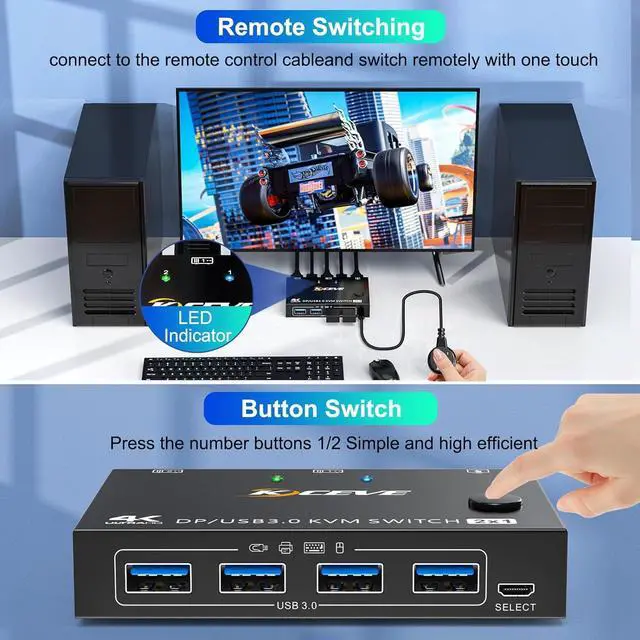
Switch button on the panel
The toggle button is on the control panel and can be toggled with one click.

Wired control switching
The length of the wired controller is 1.52m/4.98ft, which is long enough to make it very easy to use.

Two Color Light Indicator
There are two kind of colors to distinguish which computer is shown on the display.
Displayport KVM Switch 2 PC 1 Monitor Share 4 USB 3.0 Devices
2 PC share a set of wired / wireless mouse, keyboard, printer, scanner or webcam, and display on 1 monitor
2 Switching Methods: Switched by 1.5m Wired Remote & Button Switch
Plug and Play. No additional driver software required
LED lights indicate which computer is active
Great Compatibility
Compatible with Windows10 / 8 / XP / Vista / Chrome / Mac OS / Linux system
Support most DP interface input device: PC, laptop, TV Box, Xbox One, A-p-p-l-e TV, PS3, PS4, PS5, Blu-ray player, projectors.
KVM Switch support displayport 1.4
USB 3.0 interface supports 5Gbps
UHD Resolution Visual Enjoyment
Support UHD 8K@30Hz, 4K@120Hz, 4K@60Hz, 3440x1440@144Hz, 2560×1440@144Hz,1920x1080@144Hz.
Please Note: Using 8K cables will solve the problem of flickering and black screen.
The shorter DP cable makes the display more stable.
Please make sure your computer, monitor and cables support 8K or 4K
Friendly Reminder
If your computer don't have a displayport output. The solution is to use a USB C to DP or MINI DP to DP adapter.
Specification:
Input: Each PC (1 Displayport cable, 1 x USB cable) Video Out: Displayport (Monitor) Down Input: 4 x USB A, Support USB HUB
Display port switch size: 10.2x6.7x2cm(4x2.6x0.8 Inch)
Package weight: 380g, KVM Switch Displayport: 150g
HDCP: 2.2, YUV: 4:4:4
Build-in: ESD protection system
Surface: Black oxidation treatment
Shell Material: Metal
Powered by DC 5V supply
Packing List:
1 x KVM Switch Displayport
2 x USB 3.0 Cable 1.5m
1 x Charging Cable
1 x Wired Remote Cable 1.5m
1 x User Manual