
Your Browsing History
- Free 15-day Returns
$105.78
Ships from China.

Meet Your Seller

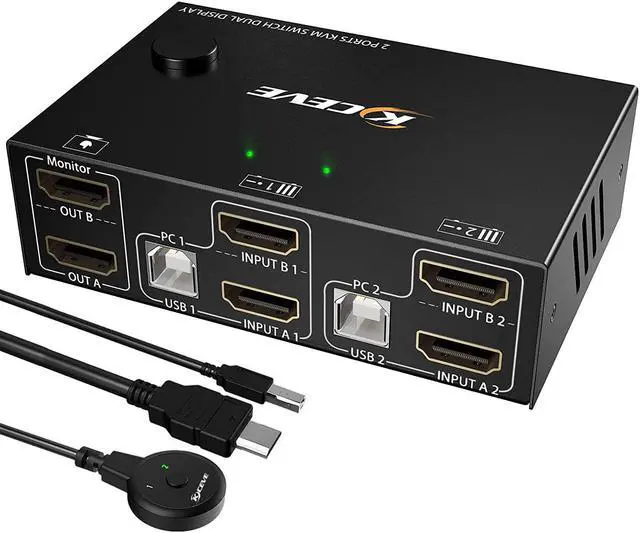


Dual Monitor KVM Switch HDMI 2 Port 4K@30Hz for 2 PCs, 2 Ports HDMI USB KVM Switch for 2 Computers Share 2 Monitors and 4 USB 2.0 Hub,Desktop Controller and USB HDMI Cables Included
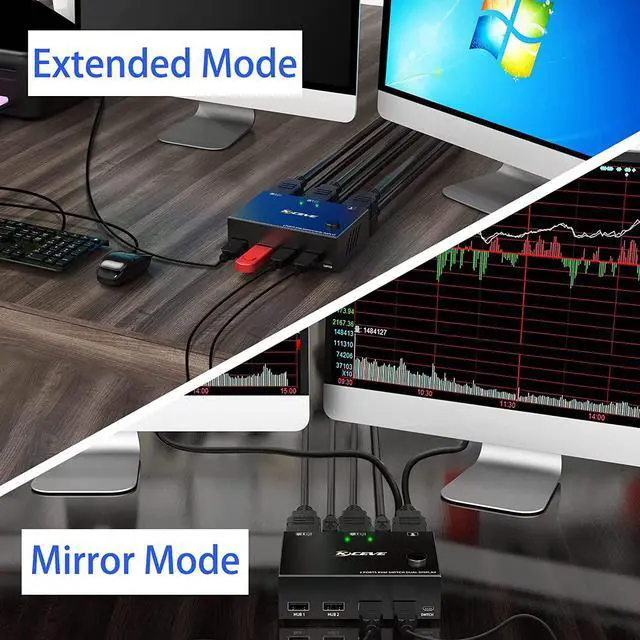
- [KVM Switch Dual Monitor HDMI 2 Port] This Dual Monitor KVM switcher allow you to control 2 PCs by only one set of keyboard & mouse,share 4 USB devices and 2 monitors(Extend display mode or copy display mode). Please note that the extended mode can output two different screens, and the copy mode can output two identical screens.
- [Ultra HD 4K@30Hz] 2 port HDMI KVM switch dual monitor support input of different resolutions, such as 4K@30Hz, 1440P@60HZ, 3D and 1080P@60HZ or lower resolution.
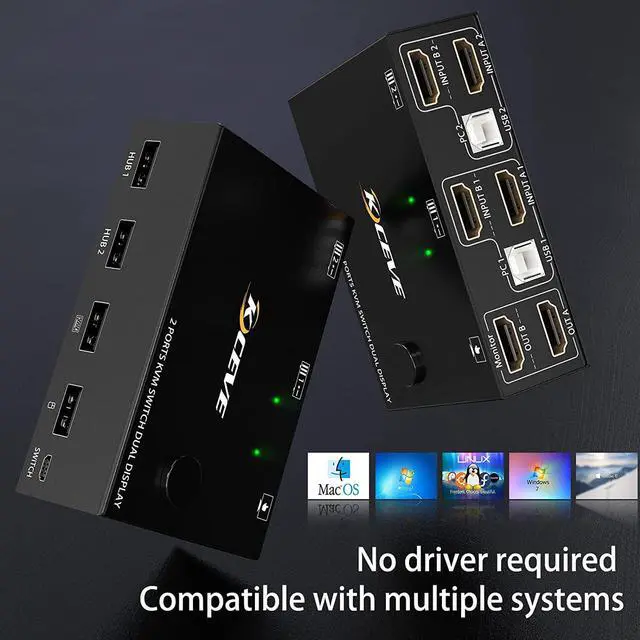
- [KVM Switch with 4 USB 2.0 Ports] Dual monitors HDMI USB switcher with standard USB 2.0 port which can recognize wired/wireless keyboard mouse USB hard drive printer or other USB devices. Please note that this KVM switcher not compatible with HD Webcam and mac-book pro well.
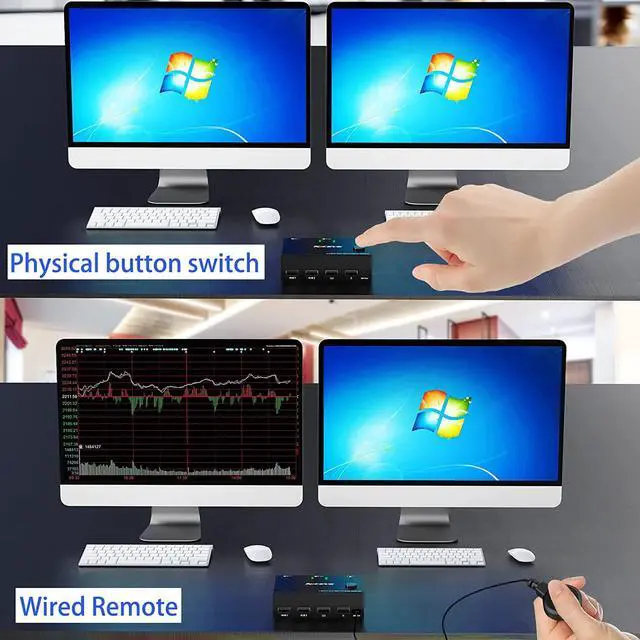
- [Great Compatibility & 2 Switching Mode] Driver-free for Windows 10/8/8.1/7/Vista/XP and Mac OS,Linux.plug and play. you can press the button on the panel or use the desktop controller to switch the computers.
+
+
Overview
Specs
Reviews
2 Port Dual Monitor KVM Switch (HDMI + HDMI), each pc must make 2 video connections for dual monitors
Advantages:
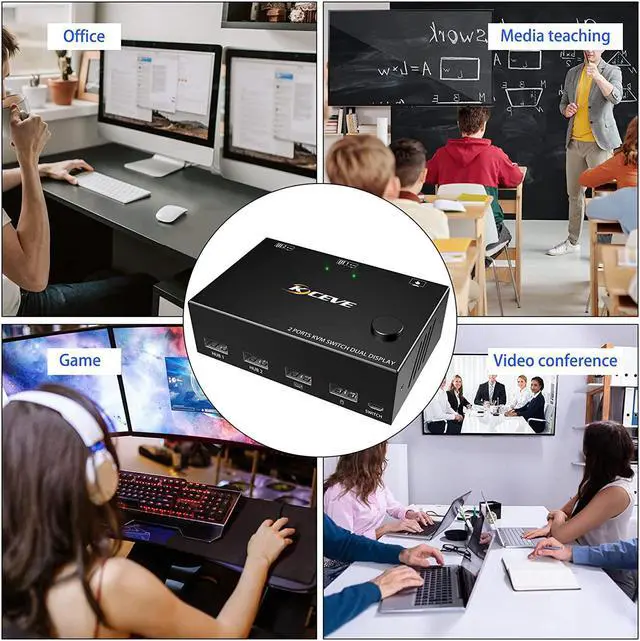
2 computers share one set of keyboard, mouse and 2 monitors.
Dual monitors output support extended and mirror display.
Switching modes: Button switch and wired remote.
Support wired or wireless keyboard and mouse.
Cross support most major OS including Windows, Linux, Mac
With 4 USB 2.0 HUB.
Support max up resolution 4K@30Hz, 1440P@60Hz, downward compatible.
Support HDMI 2.0 standard, compatible with HDMI 1.4 standard.
A USB hub can expand the USB 2.0 ports if multiple connections are required.
Connection steps:
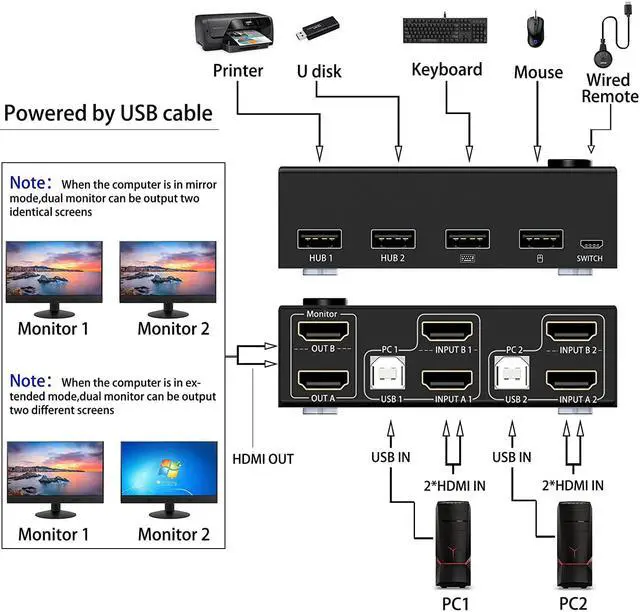
Step 1. Connect 2*HDMI cables+1*USB-B cable between computer 1 and KVM (USB 1, INPUT A1, INPUT B1).
Step 2. Connect 2*HDMI cables+1*USB-B cable between computer 2 and KVM (USB 2, INPUT A2, INPUT B2).
Step 3. Connect 2*HDMI cables between the KVM (OUT A, OUT B) and the monitors.
Step 4. Connect the keyboard and mouse to the K/M USB ports on the KVM.
Step 5. Insert your USB 2.0 device into the USB 2.0 port on the KVM(HUB 1, HUB 2).
Step 6. Insert the desktop controller into the "SWITCH" port to remotely switch between PC1 and PC2.
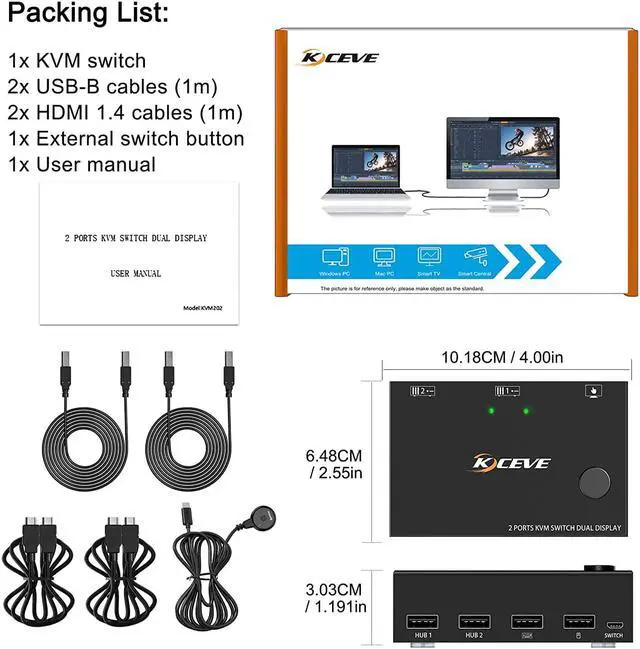
Packing List:
1x Dual Monitor KVM Switch
2 x USB Cable(USB-A to USB-B)
2 x HDMI Cable
1x Desktop Controller( 1.52 m)
1x User Manual
Advantages:
2 computers share one set of keyboard, mouse and 2 monitors.
Dual monitors output support extended and mirror display.
Switching modes: Button switch and wired remote.
Support wired or wireless keyboard and mouse.
Cross support most major OS including Windows, Linux, Mac
With 4 USB 2.0 HUB.
Support max up resolution 4K@30Hz, 1440P@60Hz, downward compatible.
Support HDMI 2.0 standard, compatible with HDMI 1.4 standard.
A USB hub can expand the USB 2.0 ports if multiple connections are required.
Connection steps:
Step 1. Connect 2*HDMI cables+1*USB-B cable between computer 1 and KVM (USB 1, INPUT A1, INPUT B1).
Step 2. Connect 2*HDMI cables+1*USB-B cable between computer 2 and KVM (USB 2, INPUT A2, INPUT B2).
Step 3. Connect 2*HDMI cables between the KVM (OUT A, OUT B) and the monitors.
Step 4. Connect the keyboard and mouse to the K/M USB ports on the KVM.
Step 5. Insert your USB 2.0 device into the USB 2.0 port on the KVM(HUB 1, HUB 2).
Step 6. Insert the desktop controller into the "SWITCH" port to remotely switch between PC1 and PC2.
Packing List:
1x Dual Monitor KVM Switch
2 x USB Cable(USB-A to USB-B)
2 x HDMI Cable
1x Desktop Controller( 1.52 m)
1x User Manual
Warranty & Returns
Warranty, Returns, And Additional Information
Warranty
- Please contact the Seller directly for warranty information. Warranty information may also be found on the Manufacturer's website.
- CONTACT
Return Policies
- Return for refund within: 15 days
- Return for replacement within: 30 days
- This item is covered by fadaoe Return Policy
Manufacturer Contact Info
- For a directory of all our manufacturers, please click below.
- Manufacturers Directory
LOADING...