

  • $50.19
  • Free 15-day Returns
Ships from China.
Sold by fadaoe

Shipped by fadaoe

Price alert
Shop it at NeweggBusiness.

Meet Your Seller

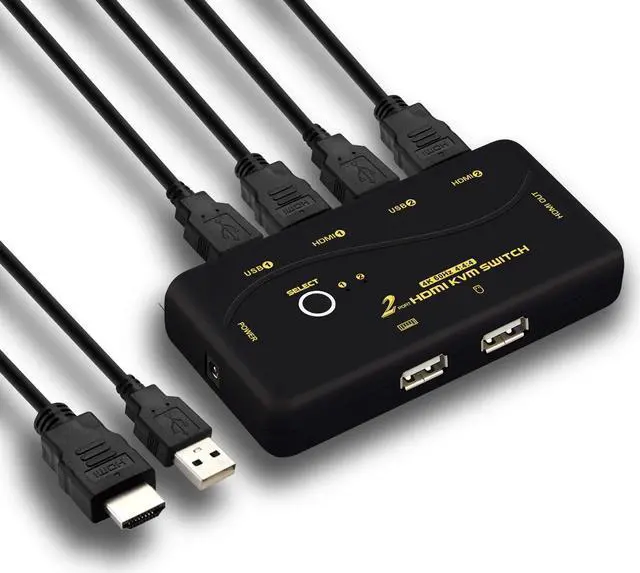
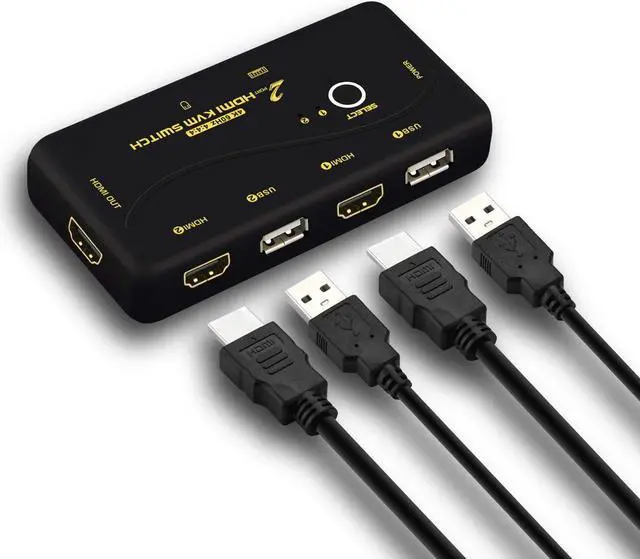
4096x2160@60Hz 4:4:4 Ultra HD 2 Port HDMI KVM Switch with Cables Support HDMI 2.0, HDCP 2.2, HDR 10, EDID for Linux, Windows, Mac, Unix

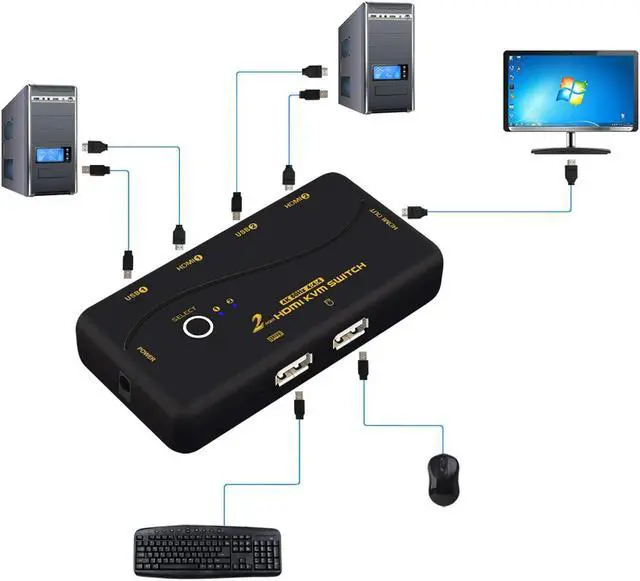
  • 2 in 1 out KVM Switch with HDMI: one set of USB keyboard, mouse and 1 monitor controls 2 HDMI port computers/DVR/NVR. (Basic keyboard and mouse is recommended)
  • Max resolution up to 4096x2160@60Hz 4:4:4, compatible 4096x2160@60Hz, 3840x2160@30Hz, 1080P, 1080P 3D, 1080I, 720P, 720I, 480P, 480I. Support auto HDMI 2.0, EDID, HDCP2.2, HDR10.
  • Certified HDMI Adopter: we are certified HDMI adopter over 10 years.
  • Support Apple keyboard(hot key is changeable), touch screen, OLED screen, etc. Drive-free for Windows 10/7/2000/XP/Vista, Linux, Mac, Debian, Ubuntu, Fedora, Raspbian and Ubuntu.
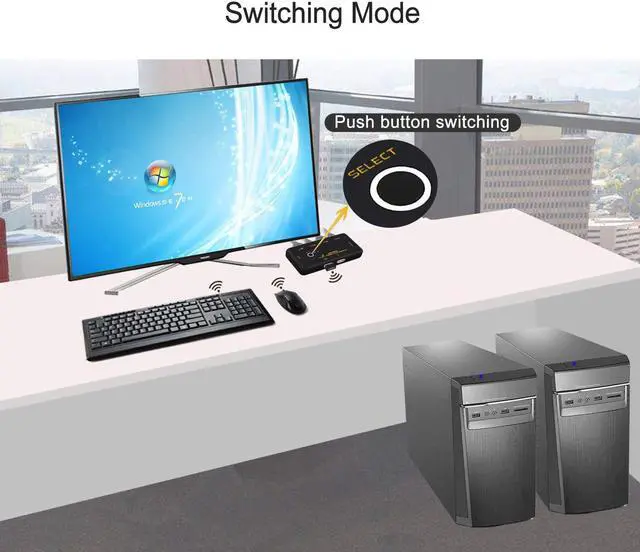
  • Switching way: manual push button switching. 12 months warranty.
+
+
Overview
Specs
Reviews (2)
image for this item
KVM Switches KVM with HDMI KVM Switch 2 Port 4K KVM Switch

Installation Step:

1. Turn off all devices;

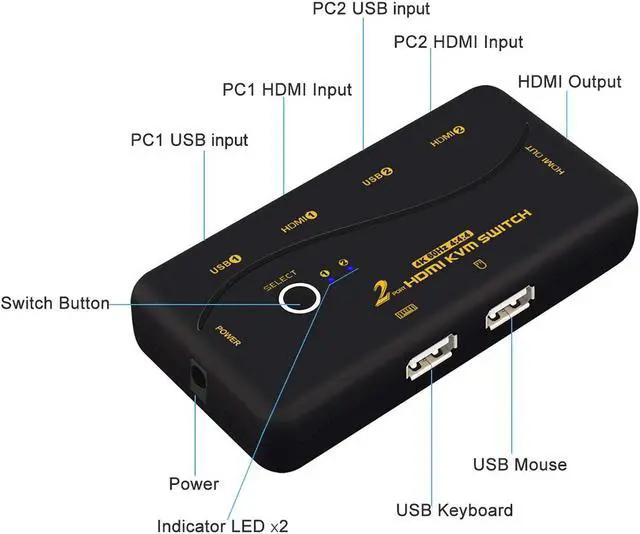
2. Connect your computers to the KVM switch by USB cables and HDMI cables;

3. Plug the mouse and keyboard into mouse slot and keyboard slot;

4. Connect your Monitors to output port of the KVM switch;

5. Plug power adapter into the KVM switch and AC socket;

6. Boot your computers/laptops.

image for this item
Package:

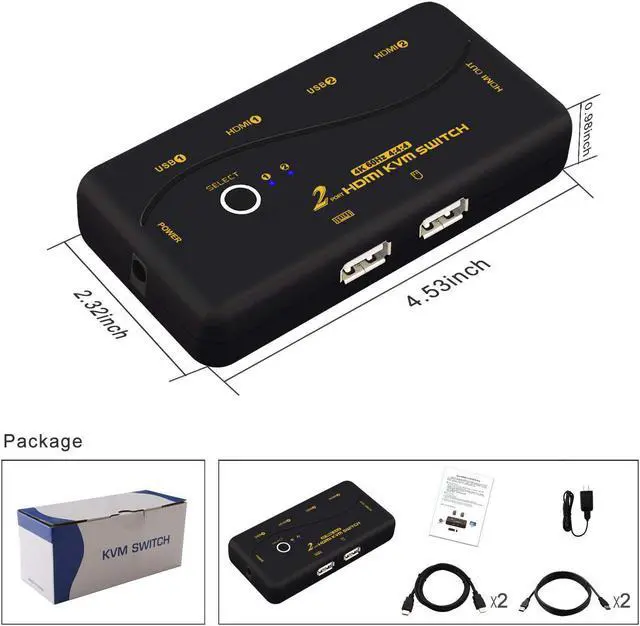
1 x HDMI 2.0 KVM switch

2 x HDMI cables

2 x USB cables

1 x DC 5V 2A Power adapter

1 x manual

image for this item
Tips:

1. For Raspbian and Linux system, the mouse maybe be lag, you can make this operate: click the right [Ctrl] on the keyboard 2 times, then click [Z], at last click [Enter]. (whole operate time should not over 5s), can solve the issue.

2. For MAC system, mouse/keyboard maybe out of control, you can make this operate: click right [Ctrl] on the keyboard 2 times, then click [F2], at last click [Enter]. (whole operate time should not over 5s), can solve the issue.

3. For keyboard/mouse freeze, you can make this operate: click the right [Ctrl] on the keyboard 2 times, then click [ESC] 3 times, at last click [Enter]. (whole operate time should not over 5s), can solve the issue.

4. If no display, please try to press the push button about 3s, then the monitor resolution will be changed to 4K@30Hz. If press push button about 5s again, the monitor will return to 4K@60Hz.

1

Warranty & Returns

Warranty, Returns, And Additional Information

Warranty

  • Please contact the Seller directly for warranty information. Warranty information may also be found on the Manufacturer's website.
  • CONTACT

Return Policies

  • Return for refund within: 15 days
  • Return for replacement within: 30 days
  • This item is covered by fadaoe Return Policy

Manufacturer Contact Info

LOADING...