


- Free 15-day Returns
$80.99
Ships from China.


Meet Your Seller

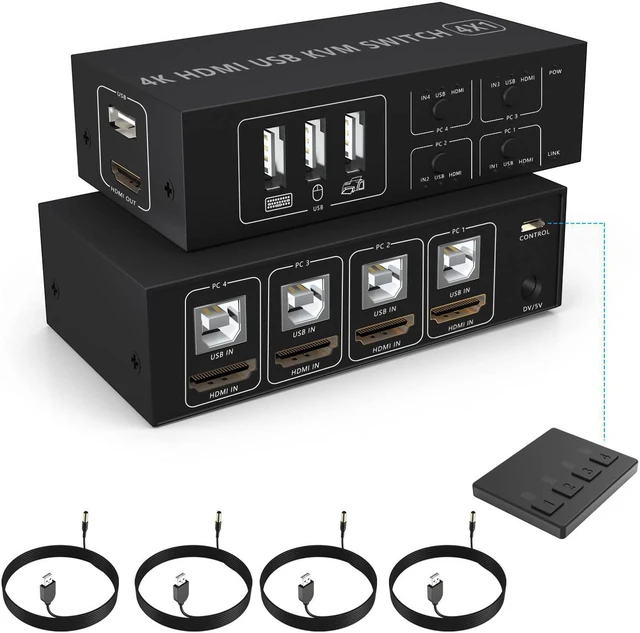
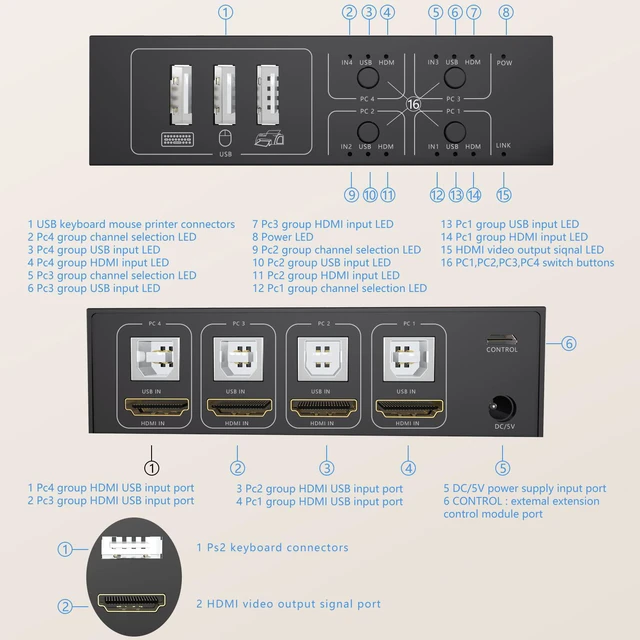


4x1 HDMI USB KVM Switch 4 Port, 4K@60Hz HDMI 4 in 1 Out KVM USB Switch One-Button Switch 4 Computers Share Keyboard Mouse Printer Monitor with 4x USB Cable,1x Controller,1x Power Cable
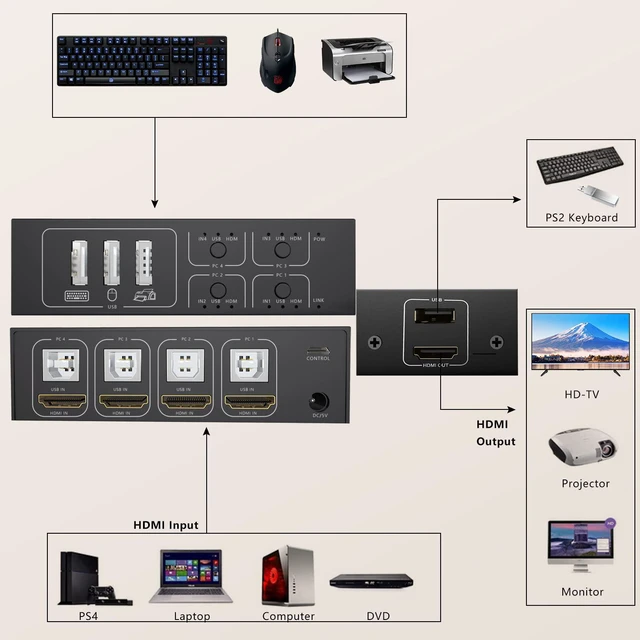
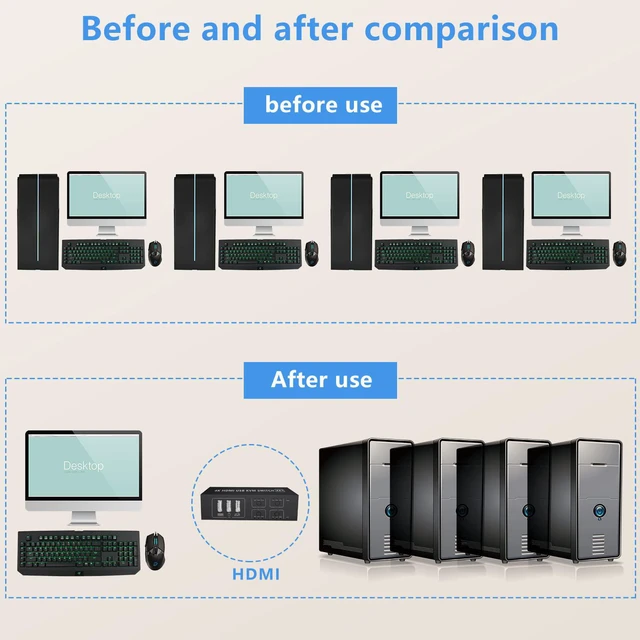
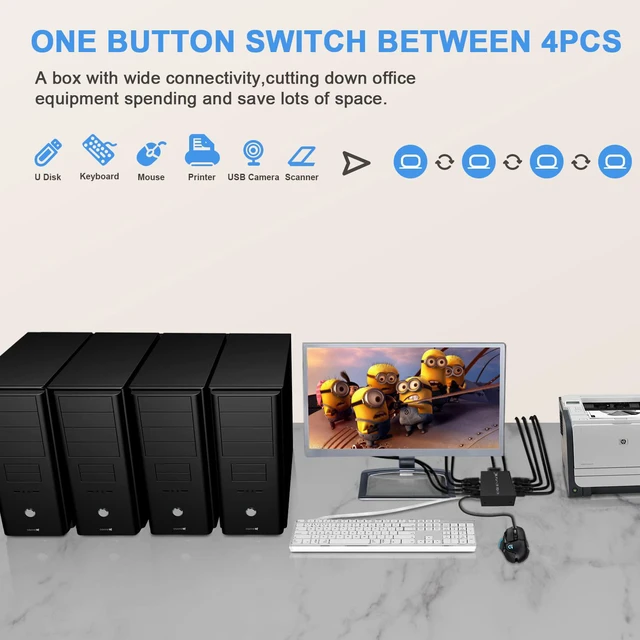
- [4 computers share 4 USB devices] 4 Port USB sharing switch allows four USB peripherals devices to be shared between 4 computers at the push of a button without constantly swapping cables or set up complicated network sharing software. Improve work efficiency.
- [With 4 USB Ports] Ideal for sharing devices such as mouse, keyboard and other USB devices between 4 PCs. One set of keyboard and mou se control 4 hosts laptop. Realize 4 in 1 out freely select synchronous switching. NOTE: Not support hotkey switching.
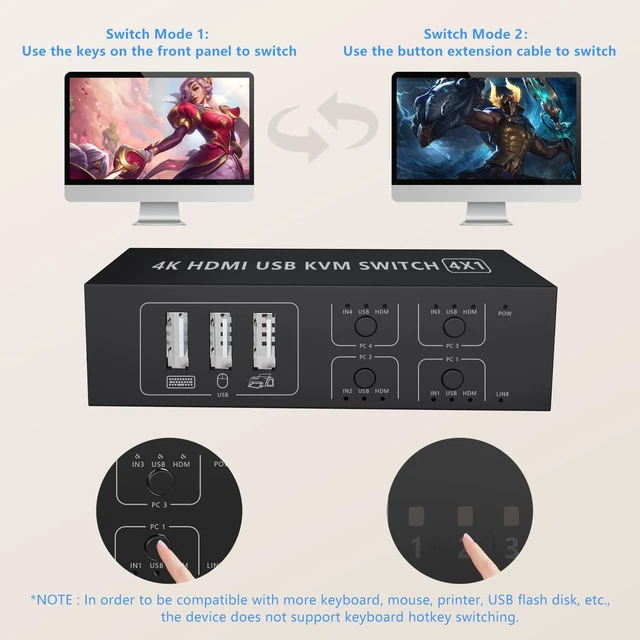
- [Two switching modes] There are two ways to switch: 1.Use the four button switches on the host panel. 2. Switch between systems easily using the included remote switch.
- [4K KVM Switch] The 4-port kvm switch supports HDCP 2.2. Support max resolution up to 4K@60HZ, compatible with 1080p or lower.
- [One-Button Swapping and LED design] One-Button and LED indicate lights, you can easily switch between 4 computers by a single click on the button or use the remote cable.
+
+
Overview
Specs
Reviews
Share 4 USB devices between 4 Comptuers
4-Port USB Switch is an excellent choice to share 4 USB devices between 4 Comptuers
Simply press the switch button to change the controlling computer, without the need for disconnecting and reconnecting the USB cables, saving time and space!
It's ideal for sharing a printer or scanner in a small office environment;
It's also great for use at home if you have multiple PCs or Macs.
Plug and play, using high technology to decode, no need to drive, support hot plug.
Two switching modes
1. Use the four button switches on the host panel.
2. Switch between systems easily using the included remote switch.
LED design
LED indicating the active computer.
Note:
In oder to be compatible with more keyboards, printers, U disks, etc., this device does not support keyboard hotkey switching
Powered by USB-B cable, no external power adapter is needed, saving your space, simpler and smarter.
Due to the compact and lightweight design, it's a good partner to you while in working office or while on-the-go.
4 USB Ports
With 4 USB hubs, sharing devices as scanners, printers, flash drives etc.
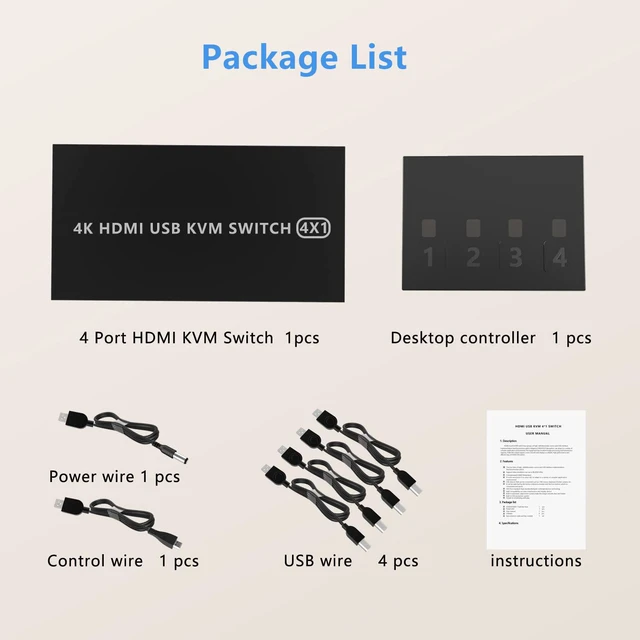
Package Contents
1*KVM 4 in 1 out switcher
4*USB cable
1*User Manual
1*Remote switch cable
4-Port USB Switch is an excellent choice to share 4 USB devices between 4 Comptuers
Simply press the switch button to change the controlling computer, without the need for disconnecting and reconnecting the USB cables, saving time and space!
It's ideal for sharing a printer or scanner in a small office environment;
It's also great for use at home if you have multiple PCs or Macs.
Plug and play, using high technology to decode, no need to drive, support hot plug.
Two switching modes
1. Use the four button switches on the host panel.
2. Switch between systems easily using the included remote switch.
LED design
LED indicating the active computer.
Note:
In oder to be compatible with more keyboards, printers, U disks, etc., this device does not support keyboard hotkey switching
Powered by USB-B cable, no external power adapter is needed, saving your space, simpler and smarter.
Due to the compact and lightweight design, it's a good partner to you while in working office or while on-the-go.
4 USB Ports
With 4 USB hubs, sharing devices as scanners, printers, flash drives etc.
Package Contents
1*KVM 4 in 1 out switcher
4*USB cable
1*User Manual
1*Remote switch cable
Warranty & Returns
Warranty, Returns, And Additional Information
Warranty
- Please contact the Seller directly for warranty information. Warranty information may also be found on the Manufacturer's website.
- CONTACT
Return Policies
- Return for refund within: 15 days
- Return for replacement within: 30 days
- This item is covered by fadaoe Return Policy
Manufacturer Contact Info
- For a directory of all our manufacturers, please click below.
- Manufacturers Directory
LOADING...