
Your Browsing History

Meet Your Seller

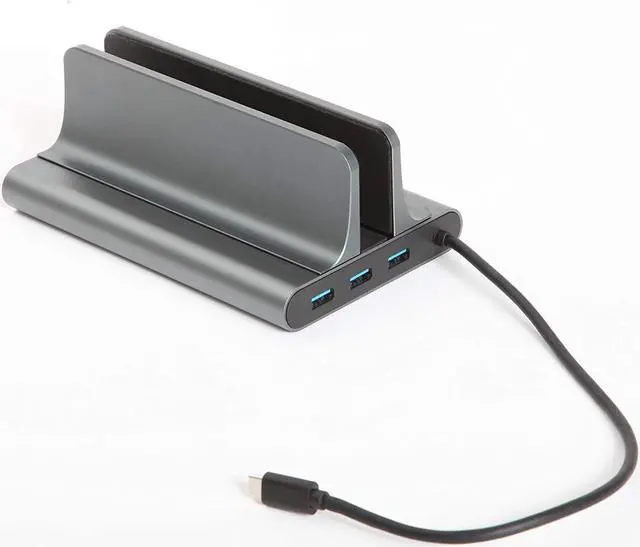


Laptop Docking Station Stand, USB C, (6-in-1 Type C) Thunderbolt 3, HDMI, USB, Type C, Compatible with MacBook/MacBook Pro and IPad, Single/Dual Monitor, USB C Pro Dock, Laptop Hub, MacBook Dock
- Improve Productivity-? The sleek design of the docking station and a decrease of wires on your desk creates a more efficient and neat workspace to help increase your productivity
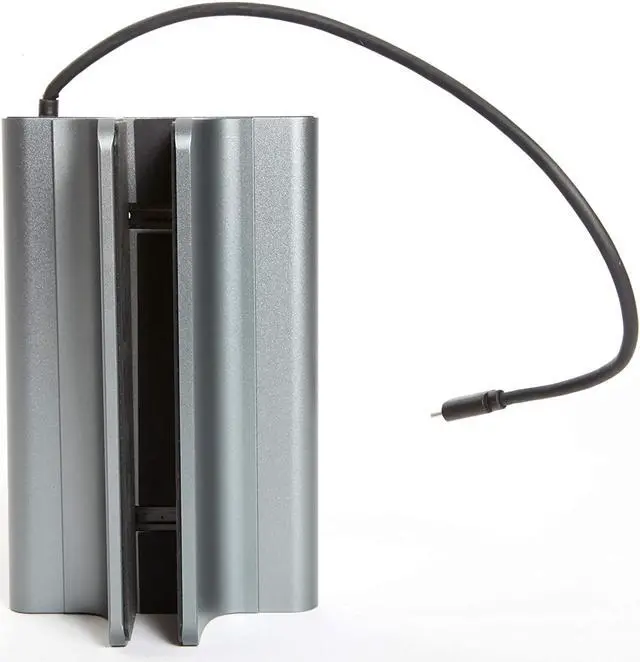
- High Quality & Supportive?- The dock is made of aluminum (metal) with a weighted base and a scratch-less padded interior that grips your laptop or tablet and prevent a tip over
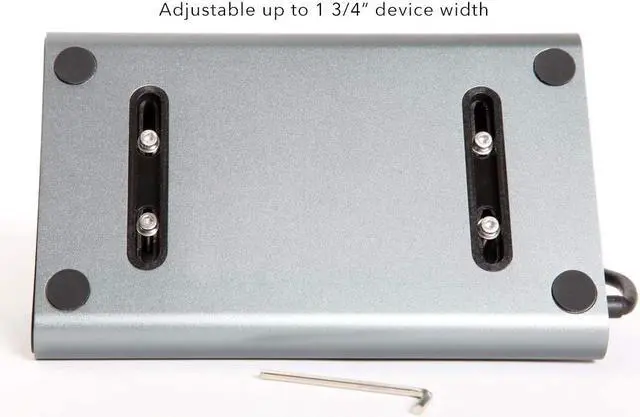
- Adjustable & Quick- ?The adjustable “Grip Bars” can hold a very thin iPad or an encased laptop up to 1 ?3?4?” thick using the tool provided.
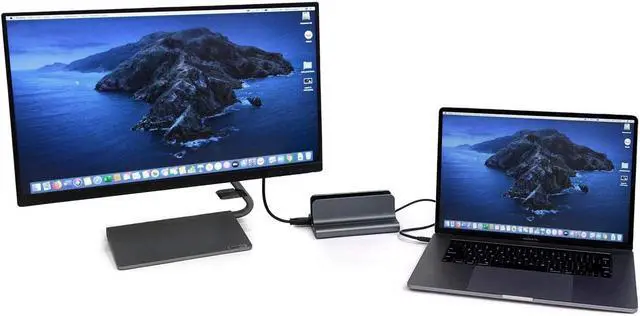
- Single or TVs-? The HDMI, USBC and ThunderBolt ports make it possible to turn your small laptop into a massive workstation. (Can be used with monitors/TVs if one accepts HDMI)
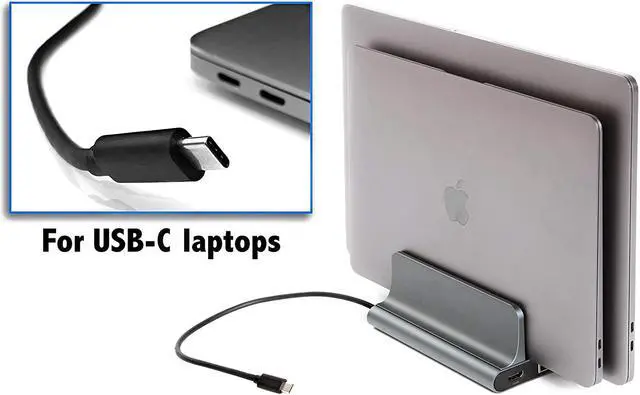
- Multipurpose-? Can be used as a hub to connect the device to your monitor/TV while still using the device in hand. NOTE: This Product is for the use of USB C devices only! Make sure the laptop's USB C port supports video output, power delivery charging, and data transfer. (Windows users check the link in th
+
+
Overview
Specs
Reviews
The Laptop Docking Station is perfect for a home or office workspace; the sleek design looks great while keeping your desk organized. A well organized workspace has been proven to increase motivation and productivity. Connect to wireless keyboards, a wireless mouse, chargers, HDMI cables, flash drives, ect. while still having available ports on your device. The dock should reduce your need for expensive adapters.
Windows users copy this link to see how to set your screen to a external monitor while the laptop is closed:
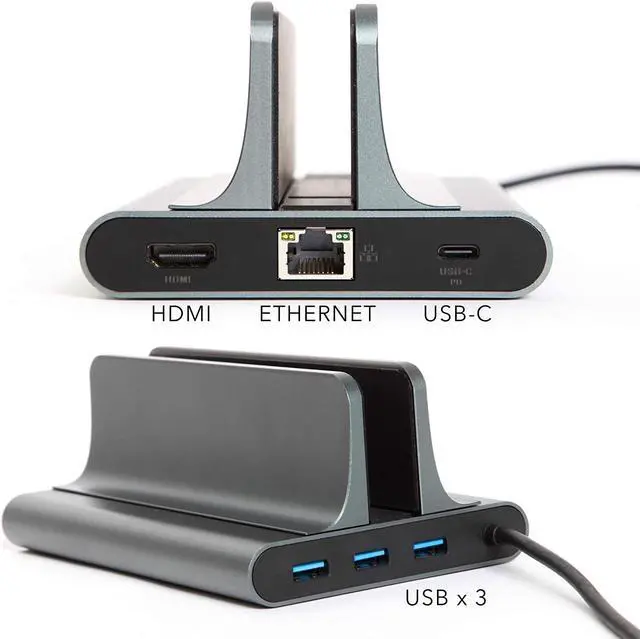
(female) Ports:
3 USB
1 USB C / Type C
Ethernet
HMDI
(male) cable: 1 USB C/Type C
Use your laptop as a desktop computer:
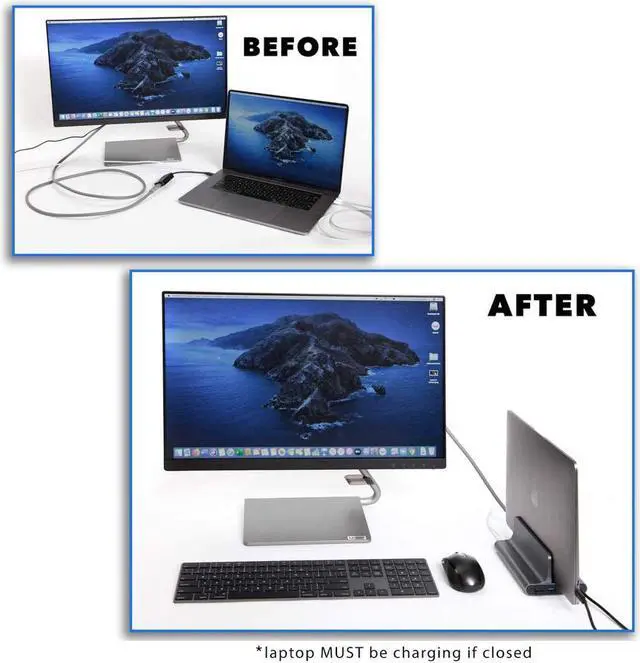
Set your laptop in the dock and use a monitor (or two), keyboard and mouse (like a desktop computer). Now do you need to work on-the-go? Grab your laptop from the dock and seamlessly transition to working directly on your laptop without having to upload then download work from a virtual server.
Use the docking station as a hub for three screens:
If you choose to use your laptop rather than docking it, connect two monitors and essentially make use of three screens. To connect two monitors, connect one with an HDMI cable (Ex: TV) and a second with a USB C (Ex: Apple Pro Display).
How this product came about:
I was searching for a hub to connect my laptop to my monitor in an attempt to solve the problem of too many cords on my desk. I only came across expensive, bulky and unsightly ones. The second problem was while I was using my wireless keyboard, mouse and monitor connected through the laptop, the laptop actually got in my way on my desk. I decided to develop my own hub/docking station to handle both of these problems.
Windows users copy this link to see how to set your screen to a external monitor while the laptop is closed:
(female) Ports:
3 USB
1 USB C / Type C
Ethernet
HMDI
(male) cable: 1 USB C/Type C
Use your laptop as a desktop computer:
Set your laptop in the dock and use a monitor (or two), keyboard and mouse (like a desktop computer). Now do you need to work on-the-go? Grab your laptop from the dock and seamlessly transition to working directly on your laptop without having to upload then download work from a virtual server.
Use the docking station as a hub for three screens:
If you choose to use your laptop rather than docking it, connect two monitors and essentially make use of three screens. To connect two monitors, connect one with an HDMI cable (Ex: TV) and a second with a USB C (Ex: Apple Pro Display).
How this product came about:
I was searching for a hub to connect my laptop to my monitor in an attempt to solve the problem of too many cords on my desk. I only came across expensive, bulky and unsightly ones. The second problem was while I was using my wireless keyboard, mouse and monitor connected through the laptop, the laptop actually got in my way on my desk. I decided to develop my own hub/docking station to handle both of these problems.
Warranty & Returns
Warranty, Returns, And Additional Information
Warranty
- Please contact the Seller directly for warranty information. Warranty information may also be found on the Manufacturer's website.
- CONTACT
Return Policies
- Return for refund within: 15 days
- Return for replacement within: 30 days
- This item is covered by Byteful Return Policy
Manufacturer Contact Info
- For a directory of all our manufacturers, please click below.
- Manufacturers Directory
LOADING...