





StarTech.com Laptop to Server KVM Console - Rugged USB Crash Cart Adapter with File Transfer and Video Capture
+
+
Overview
Specs
Reviews
StarTech.com Laptop to Server KVM Console - Rugged USB Crash Cart Adapter with File Transfer and Video Capture
Warranty & Returns
Warranty, Returns, And Additional Information
Warranty
- Limited Warranty period (parts): 1 year
- Limited Warranty period (labor): 1 year
- Read full details
Return Policies
- Return for refund until: January 31, 2027
- Return for replacement until: January 31, 2027
- This item is covered by Newegg.ca's Extended Holiday Return Policy.
- Read full return policy for details.
We want to ensure your holiday shopping this year is hassle-free. That’s why we’re automatically extending our return policies on almost every product! For purchases placed between November 1st, 2026 and December 31, 2026 you will have until January 31, 2027 to return your product.
Manufacturer Contact Info
- Manufacturer Website
- Support Phone: 1-800-265-1844
- Support Email: support@startech.com
- Support Website
- View other products from STARTECH
LOADING...
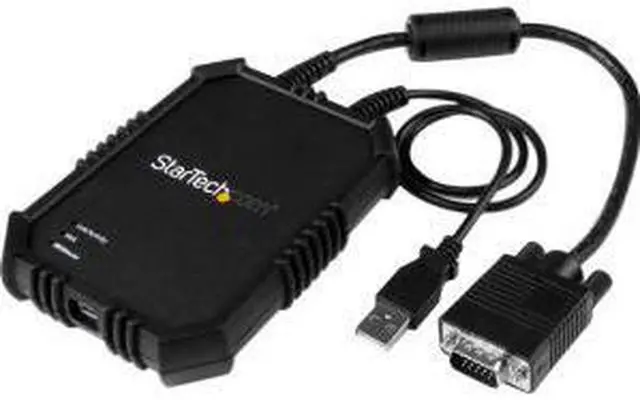
The StarTech.com NOTECONS02X is a rugged USB crash cart adapter that turns a laptop into a portable KVM console for temporary access to servers and other VGA-and-USB systems, making it suitable for IT technicians troubleshooting headless equipment in server rooms or in the field.
Recommended For
- IT administrators who travel between server rooms and need laptop-based local console access for setup or troubleshooting without carrying a full crash cart.
- Technicians maintaining headless servers, PCs, ATMs, or kiosks who need direct keyboard, video, and mouse access for local diagnostics or repairs.
- Data-center or field-service staff working in cramped racks or remote equipment rooms where a permanent monitor and keyboard are impractical.
- IT staff who need to capture console activity or move files during on-site maintenance, such as saving troubleshooting evidence or transferring patch files.
Real-World Use Scenarios
- When an IT technician needs to troubleshoot a headless server in a rack, they can connect a laptop for local screen, keyboard, and mouse access without bringing a separate monitor and keyboard; this is intended for temporary service, not continuous console use.
- If a server needs attention before its operating system loads, an on-site technician can use the laptop as a console to view and control startup or BIOS-level screens, subject to possible mouse limitations in some BIOS/UEFI environments.
- During on-site maintenance of a VGA- and USB-equipped ATM, kiosk, or industrial PC, a field technician can use a laptop to access the device locally without setting up a full crash cart.
- While diagnosing a server or terminal, a technician can transfer files between the laptop and host and capture screenshots or video of the session, helping with troubleshooting records or handoff notes; file transfer is unavailable while video is recording.
- For technicians moving between sites or working in a crowded rack area, the adapter can replace carrying a traditional crash cart for short troubleshooting visits; it is designed for temporary console access and a single display, rather than extended workstation use.
Spec Summary
| Attribute | Value |
|---|---|
| Best For | Connecting a laptop to a server for crash-cart KVM console access |
| Model Identifiers | StarTech.com NOTECONS02X |