
Your Browsing History
- Free 30-day Returns
$75.02
Ships from China.
Sold by PeakCircuit Technology
Shipped by PeakCircuit Technology

Meet Your Seller

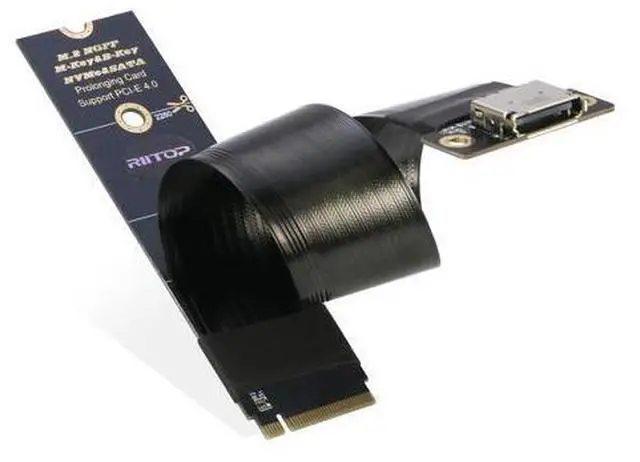
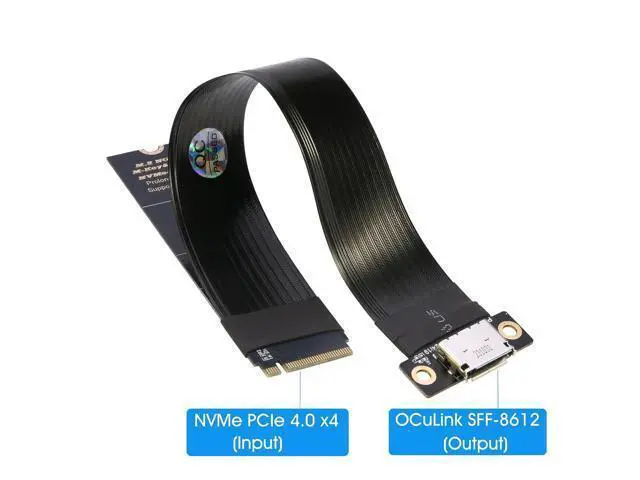
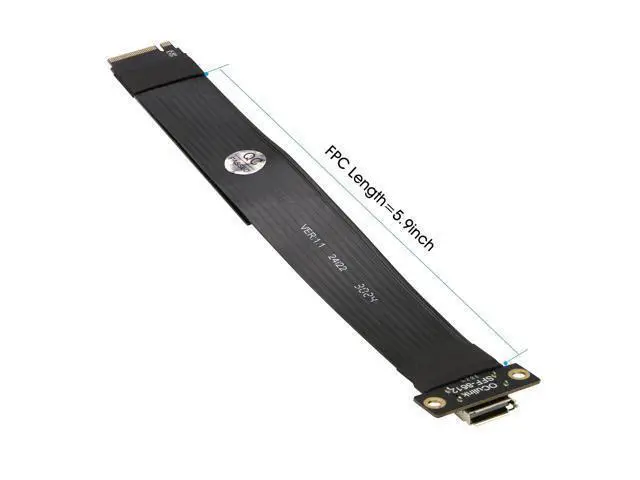


M.2 NVMe to Oculink SFF-8612 Extender (15cm), M.2 NVMe PCIe 4.0 x4 to OCuLink SFF-8611 4i Host Adapter for eGPU and SSD
Limited time offer, ends 09/13 By PeakCircuit Technology
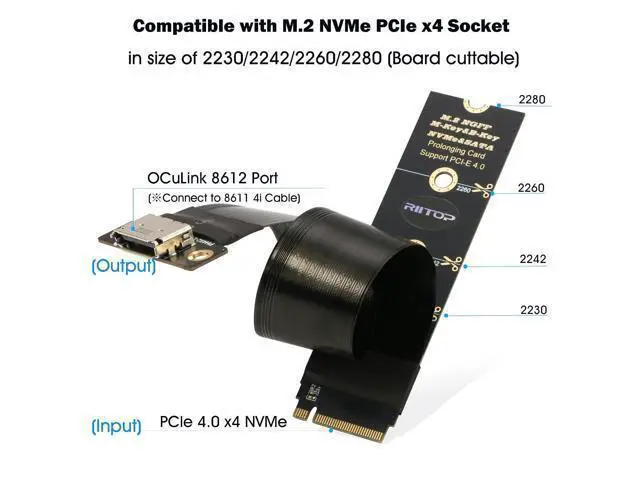
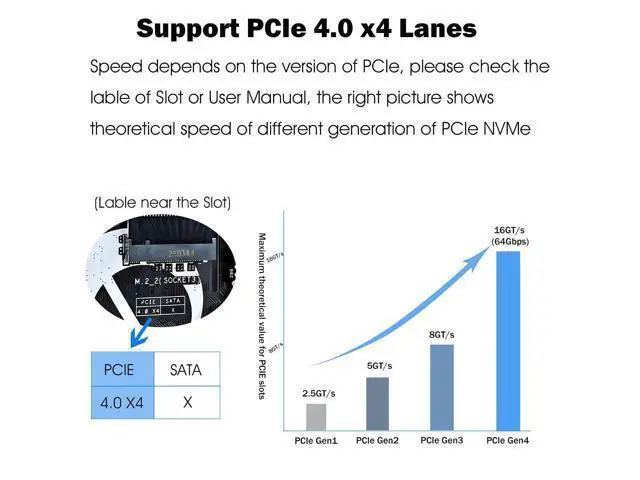
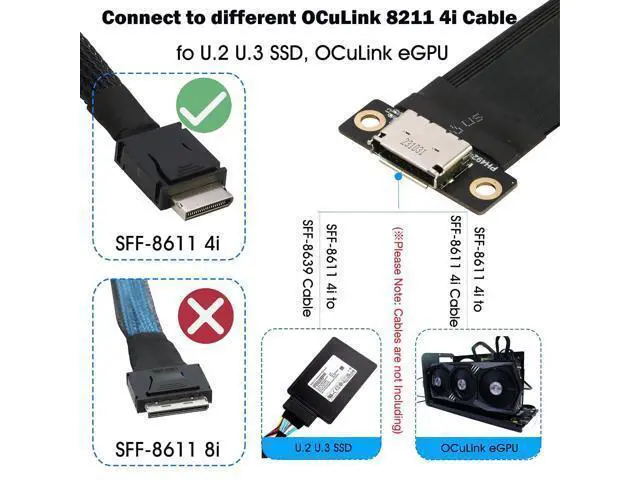
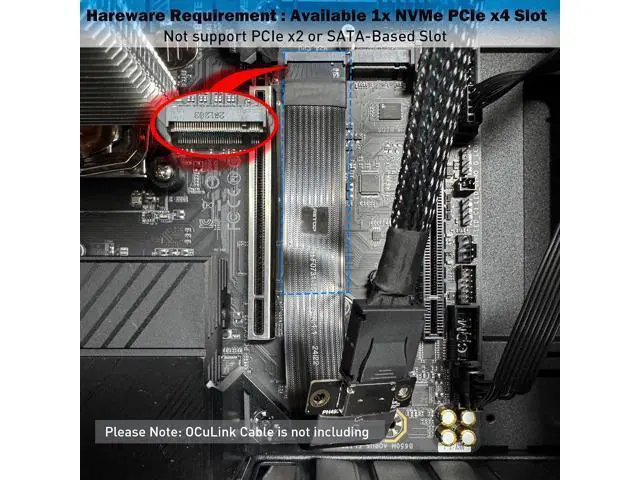
- [NVMe to OCuLink Adapter] RIITOP SFF-8612 to NVMe Extender allows you expand an OCuLink SF-8611 4i Host via M.2 PCIe NVMe Socket of Laptop or MINI PC, to connect OCuLink eGPU or U.2 U.3 SSD. It comes with 15cm FPC Circuit Board; [Features] 1.RIITOP OCuLink to NVMe Extension Adapter supports PCIe 4.0/3.0 x4, Data transfer rate up to 64Gbps, there is no speed limited. 2. The NVMe Board's full length is 22x80mm, but it can be cut to short size 22x30mm, 22x42mm, 22x60mm to fit different size of SSD Socket 3. 15cm FPC Circuit Board will help you Connect OCuLink Cable easily; [Hardware Requirement] 1x Available M.2 NVMe PCIe 4.0 x4 Socket, Please note: PCIe x2 or any SATA-Based M.2 Socket can not be Compatible 2. The Speed will be slower if NVMe Socket is PCIe 3.0 or 2.0, 3. There is no OCuLink Cable in package, please prepare the right Cable to connect the device you want to use, one side of the cable should be SFF-8611 4i (SFF-8611 has 2 versions: 4i and 8i); [Package Including] 1x NVMe to OCuLink SFF-8612 Extender; 1x Scredriver; 1x Fixing Screw; [Please Note] Some Laptops does not support NVMe Socket to expand to connect eGPU, please check the protocol of NVMe Socket on the user manual from brand website first
+
+
Overview
Specs
Reviews
[NVMe to OCuLink Adapter] RIITOP SFF-8612 to NVMe Extender allows you expand an OCuLink SF-8611 4i Host via M. 2 PCIe NVMe Socket of Laptop or MINI PC, to connect OCuLink eGPU or U. 2 U. 3 SSD. It comes with 15cm FPC Circuit Board; [Features] 1. RIITOP OCuLink to NVMe Extension Adapter supports PCIe 4.0 / 3.0 x4, Data transfer rate up to 64Gbps, there is no speed limited. 2. The NVMe Board's full length is 22x80mm, but it can be cut to short size 22x30mm, 22x42mm, 22x60mm to fit different size of SSD Socket 3.
15cm FPC Circuit Board will help you Connect OCuLink Cable easily; [Hardware Requirement] 1x Available M. 2 NVMe PCIe 4.0 x4 Socket, Please
note: PCIe x2 or any SATA-Based M. 2 Socket can not be Compatible 2. The Speed will be slower if NVMe Socket is PCIe 3.0 or 2.0, 3. There is no OCuLink Cable in package, please prepare the right Cable to connect the device you want to use, one side of the cable should be SFF-8611 4i (SFF-8611 has 2 versions: 4i and 8i); [Package Including] 1x NVMe to OCuLink SFF-8612 Extender; 1x Scredriver; 1x Fixing Screw; [Please Note] Some Laptops does not support NVMe Socket to expand to connect eGPU, please check the protocol of NVMe Socket on the user manual from brand website first
15cm FPC Circuit Board will help you Connect OCuLink Cable easily; [Hardware Requirement] 1x Available M. 2 NVMe PCIe 4.0 x4 Socket, Please
note: PCIe x2 or any SATA-Based M. 2 Socket can not be Compatible 2. The Speed will be slower if NVMe Socket is PCIe 3.0 or 2.0, 3. There is no OCuLink Cable in package, please prepare the right Cable to connect the device you want to use, one side of the cable should be SFF-8611 4i (SFF-8611 has 2 versions: 4i and 8i); [Package Including] 1x NVMe to OCuLink SFF-8612 Extender; 1x Scredriver; 1x Fixing Screw; [Please Note] Some Laptops does not support NVMe Socket to expand to connect eGPU, please check the protocol of NVMe Socket on the user manual from brand website first
Warranty & Returns
Warranty, Returns, And Additional Information
Warranty
- Please contact the Seller directly for warranty information. Warranty information may also be found on the Manufacturer's website.
- CONTACT
Return Policies
- Return for refund within: 30 days
- Return for replacement within: 90 days
- This item is covered by PeakCircuit Technology Return Policy
Manufacturer Contact Info
- For a directory of all our manufacturers, please click below.
- Manufacturers Directory
LOADING...
LOADING...