Important Notices:
1. Kindly note that Kamvas 22 is NOT a standalone product. It needs to be connected to a computer/laptop to work.
2. Connection Tips:
- The Kamvas 22 is coming with 2 USB-C ports, which support both a 3-in-1 USB-C connection(HDMI Signal) and a full-featured Type-C connection (DP Signal).
1) For the 3-in-1 USB-C cable,
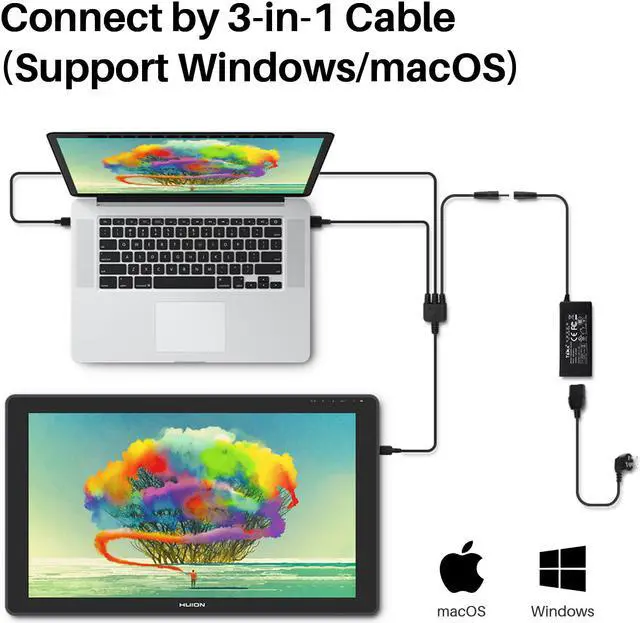
- your computer needs to have HDMI and USB ports available for the connection, if not, you need an adapter to convert for the connection. Please be assured the USB cable & HDMI cable are securely plugged into your computer.
- It is only coming with a US power adapter (suit for 110V-240V). If you need EU or other power adapters, please ask us for further information.
Design for more posibilities
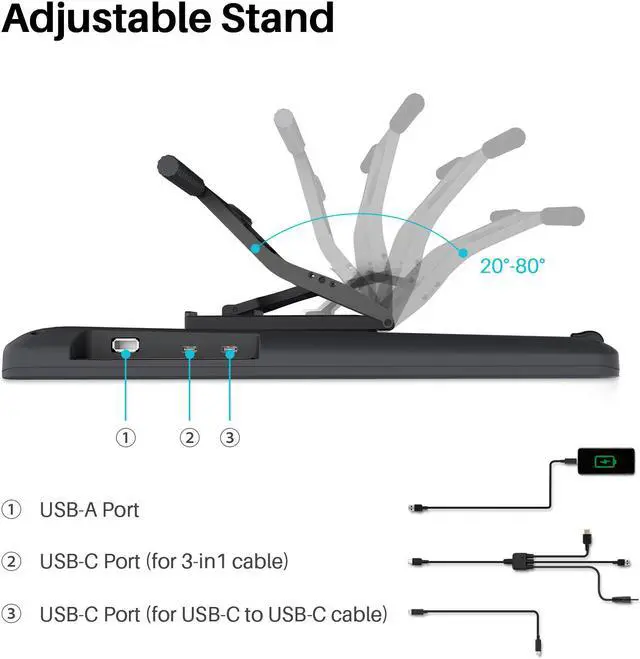
Kamvas 22 is coming with a USB-A port which can be used to connect to external equipment such as a keyboard, USB flash drive, mouse, etc
Adjustable stand
Kamvas 22 is equipped with an adjustable stand, which could be moved between 20 and 80 degrees, helping you get into the most comfortable position to work in and offering you the best viewing angle for drawing and typing.
Excellent Compatibility
You could draw with Kamvas 22 in any creative software including Illustrator, Photoshop, Painter, SAI, Krita, and Mediband. Moreover, you could use it for a web conference, online education, and so on. Discover Kamvas 22 by yourself!
Kindly note that Kamvas 22 is NOT a standalone product. It needs to be connected to a computer/laptop to work.
More space & gorgeous colors display for creation
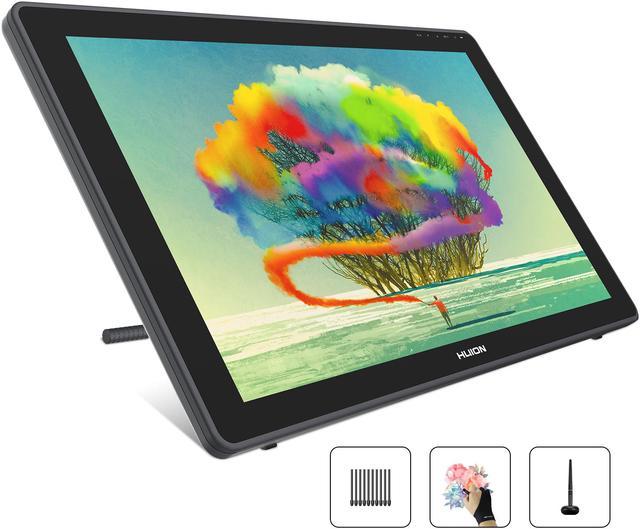
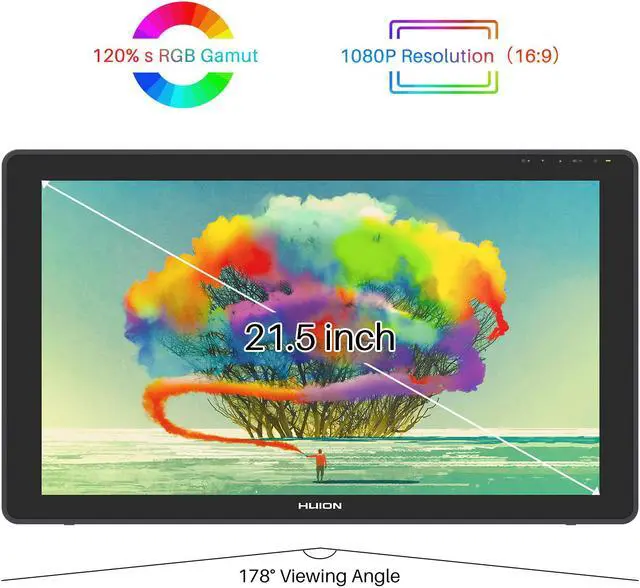
As a 21.5-inch desktop pen display, the working area of Kamvas 22 is up to 476.64 x 268.11mm, providing more creation space for you.
The 120% sRGB wide color gamut can present 16.7 million colors, which has a magnificent color effect and can greatly reduce the color difference.Together with the 1000:1 high contrast ratio, this device is sure to have a more refined and delicate display effect.
Easy and Quick Connection
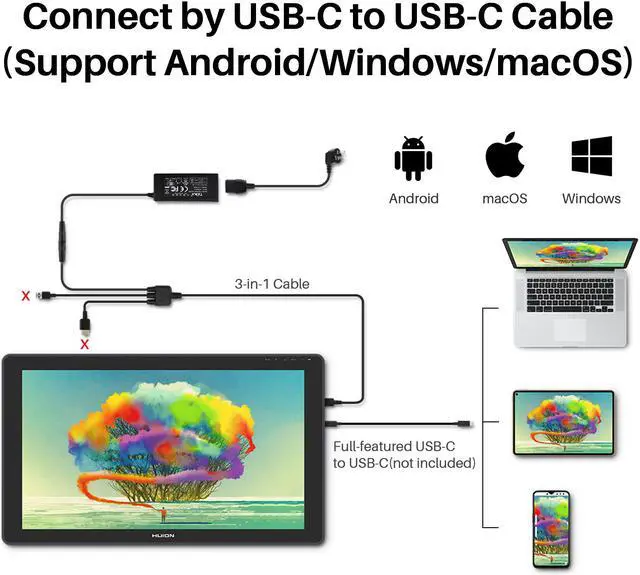
The Kamvas 22 drawing tablet monitor boats 2 USB-C ports, which support both 3-in-1 USB-C connection (HDMI Signal) and full-featured Type-C connection(DP Signal). You can easily connect Kamvas 22 art tablet with screen with any device that supports USB-C interface via a full-featured Type-C cable(sold separately), whcih can be used for transmitting data, power and video signal.
Connect by 3-in-1 Cable
Simple plug the 3-in-1 Cable to the USB-C port(which is more close to USB-A) on Kamvas 22, the pen display will support device Windows 7 or later,macOS 10.12 or later.
Your computer needs to have HDMI and USB ports available for the connection, if not, you need an adapter to convert for the connection.
Connect by USB-C to USB-C Cable (Sold Separately)
The type-c port of your PC or mobile need to support USB3.1 GEN1 and DP 1.
Plug the full-featured Type-C cable to the USB-C port(which is not close to USB-A) on Kamvas 22, as well you need to plug the 3-in-1 Cable as power supply, now you can connect Kamvas 22 drawing tablet with screen to any device that supports USB-C interface , which can be used for transmitting data, power and video signal.
Start Your Creation with Mobile Devices
The Kamvas 22 supports connectivity with the mobile devices via a full-featured Type-C cable(sold separately). Launch Huion Sketch and express your ideas with your mobile wherever and whenever you want.
Note: Mobile device like Huawei, Samsung that support desktop operating system for PC mode or DEX mode will have better performance.
Large Screen Size
1920x1080 HD drawing monitor to lively display every details, anti-glare glass panel to keep your screen clear even bright light, 178°wide viewing angle ensure the image quality. The cursor on the screen keeps close and moves simultaneously to the nib, without causing any parallax.
The frosted surface of AG glass effectively reduce the glare damage to human eyes, brings users the same feeling as drawing on paper.
Create on Whatever Software You Like
Kamvas 22 graphics drawing monitor is compatible with both Mac OS 10.12 or later and Windows 7 or later.
It is also compatible with mainstream software like Adobe Photoshop, Clip Studio, Paint Tool Sai and more.
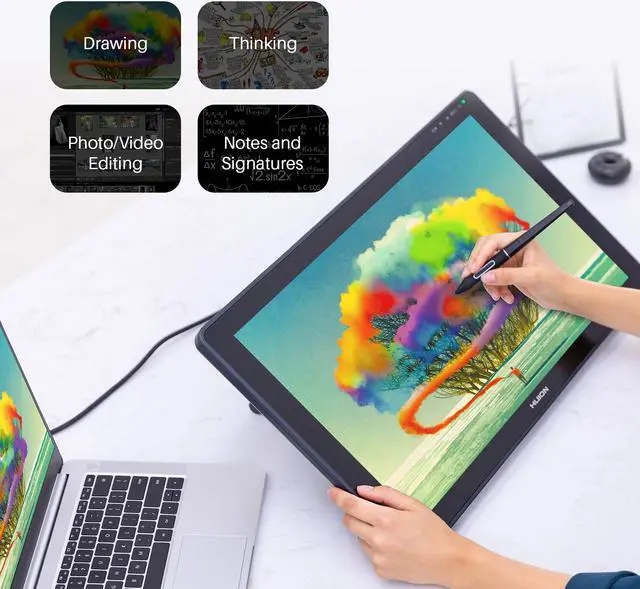
Start your work, sketch, paint or edit photo, sign documents digitally, create mind-maps, draw diagrams or take notes.
Updated Battery-free PenTech 3.0
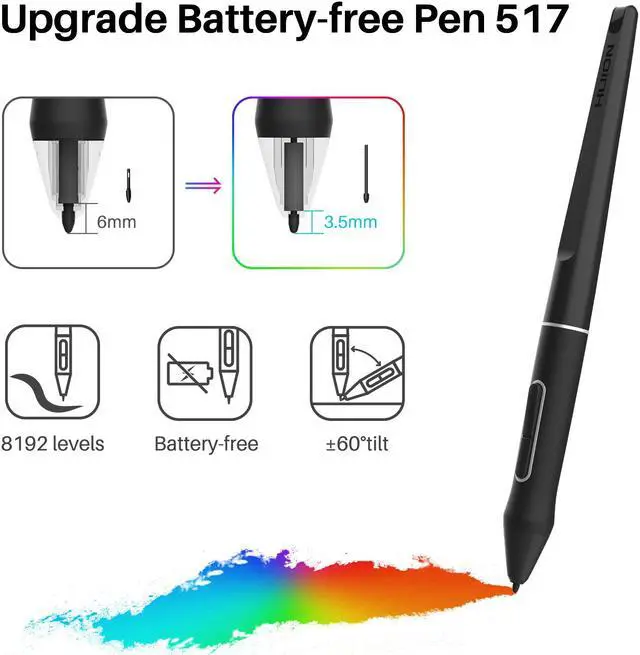
The upgraded pen technology enables pressure applied to be captured sensitively and lines input to be rendered in a more organic way.Battery-free pen PW517 is optimized with a highly-sensitive and stable pen nib to ensure a more lifelike drawing experience as you’re using a regular ball point pen.
Comes with 8192 pen pressure and ±60 degrees of natural tilt recognition. Provide a more accurate and natural drawing experience and almost without offset.
Outstanding Color Pisplay
The 120% sRGB wide color gamut presents 16.7 million colors vividly. Thanks to the wide color gamut, Kamvas 22 graphics drawing monitor has an outstanding color display effect and can greatly reduce the color difference.
Multi-angle adjustable stand
The multi-angle adjustable stand is sturdy and reliable. You are free to adjust the angle within the range of 20°~ 80° easily to make your drawing much more comfortable.