


Ships from China.
Most customers receive within 4-17 days.

Meet Your Seller

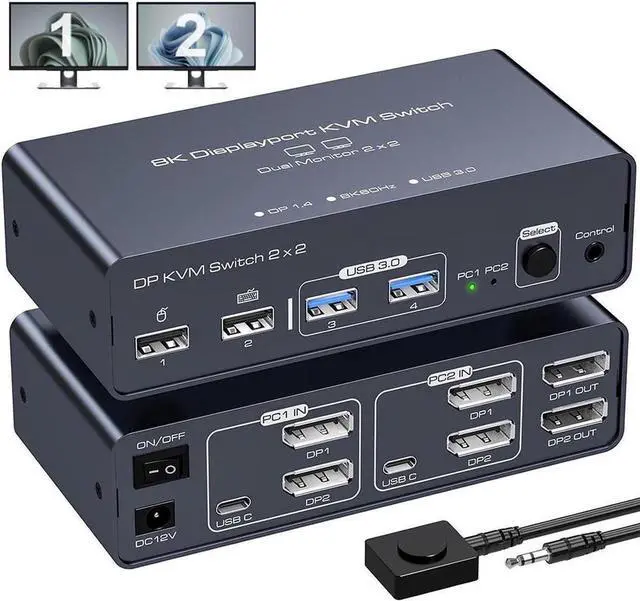


2 Port Dual Monitor DisplayPort KVM Switch 2 in 2 Out, 8K60Hz 4K120Hz Displayport KVM Switch for 2 Monitors 2 Computers Shared 4 USB Device Support DP1.4 With USB3.0 to USB C Cable - Aluminium
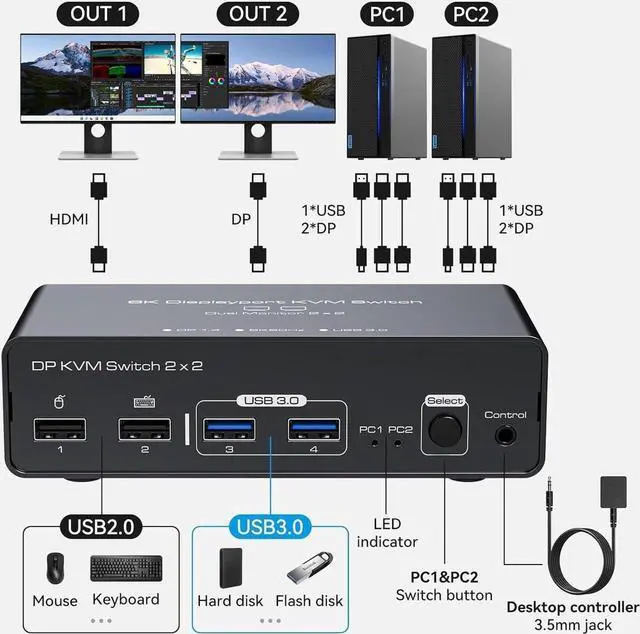
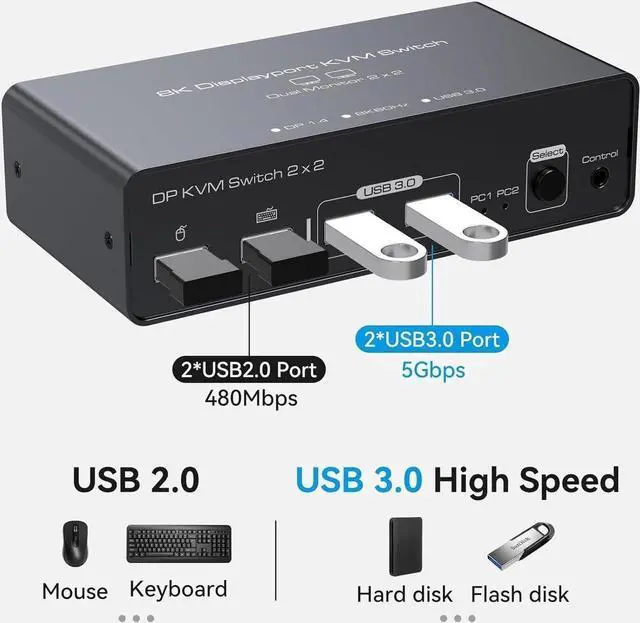
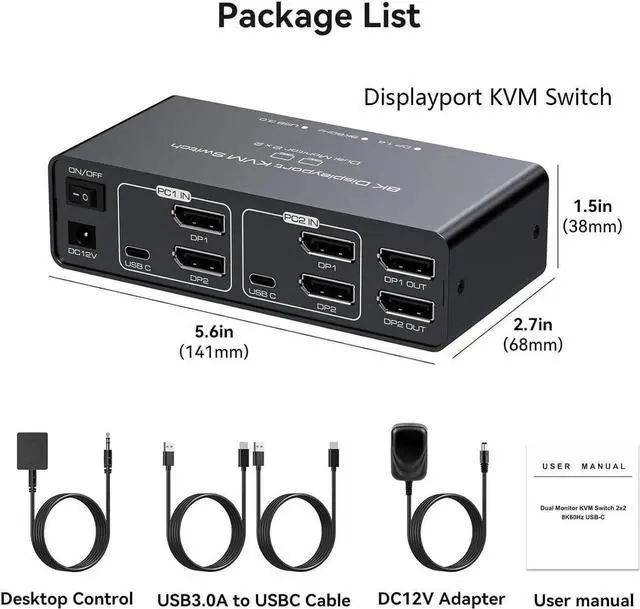
- [KVM Switch Dual Monitor] This kvm switch allow 2 PCs to share 2 monitors and 4 USB devices such as a mouse, keyboard, printer etc. Supports Extended Mode and Duplicate Mode. Note: Using kvm switches requires that each computer supports more than 2 monitors.
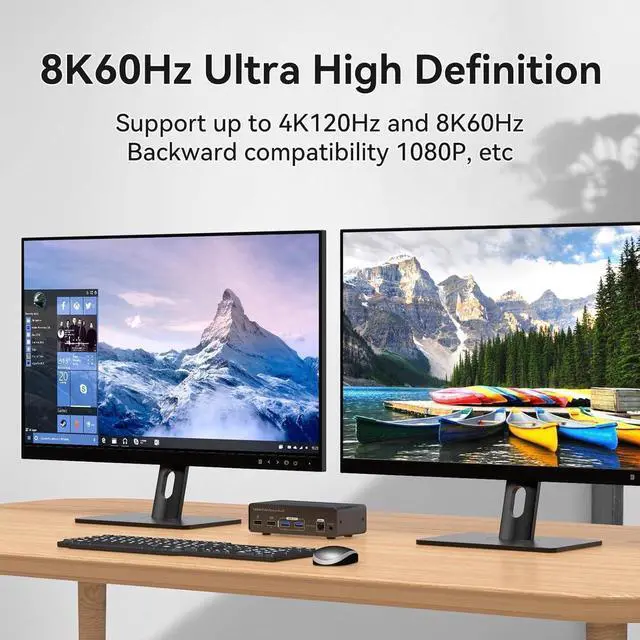
- [Ultra HD 8K@60Hz Support] Supports resolutions up to 8K@60Hz, 4K@120Hz, and is backward compatible with 4K@60Hz, 1080p@60Hz, and more. Support DP1.4, data transfer rate up to 32.4Gbps data, signal transmission without delay.
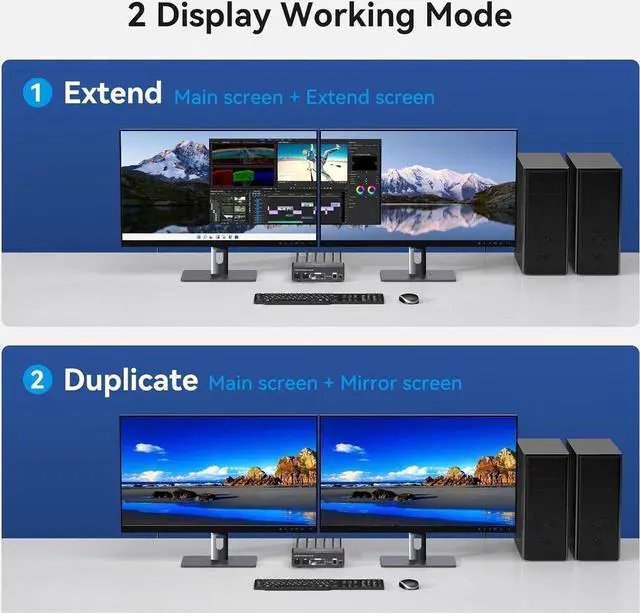
- [Support for Screen Expansion and Duplication] Supports duplicate mode and expansion mode. Duplicate mode: 2 monitors output the same screen, Extended mode: 2 monitors output different screens.
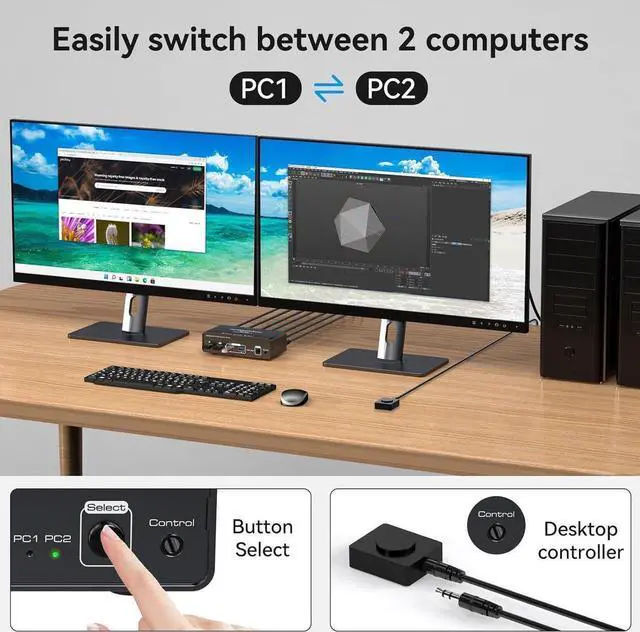
- [One-Touch Switching] 2 switching methods: 1. Simply press the select button on the machine to switch the signal source (PC1 or PC2) 2. Using the wired expansion button.
- [Wide Compatibility] Support Windows/Vista/XP and Mac OS, Linux and Unix, and can be used in offices, conference rooms, multimedia teaching etc..
Overview
Specs
Reviews
[KVM Switch Dual Monitor] This kvm switch allow 2 PCs to share 2 monitors and 4 USB devices such as a mouse, keyboard, printer etc. Supports Extended Mode and Duplicate Mode.
Note: Using kvm switches requires that each computer supports more than 2 monitors.
[Ultra HD 8K@60Hz Support] Supports resolutions up to 8K@60Hz, 4K@120Hz, and is backward compatible with 4K@60Hz, 1080p@60Hz, and more. Support DP 1.4, data transfer rate up to 32.4G bps data, signal transmission without delay.
[Support for Screen Expansion and Duplication] Supports duplicate mode and expansion mode.
Duplicate mode: 2 monitors output the same screen, Extended
mode: 2 monitors output different screens.
[One-Touch Switching] 2 switching methods: 1. Simply press the select button on the machine to switch the signal source (PC1 or PC2) 2. Using the wired expansion button.
[Wide Compatibility] Support Windows/Vista/XP and Mac OS, Linux and Unix, and can be used in offices, conference rooms, multimedia teaching etc..
Warranty & Returns
Warranty, Returns, And Additional Information
Warranty
- Please contact the Seller directly for warranty information. Warranty information may also be found on the Manufacturer's website.
- CONTACT
Return Policies
- Return for refund within: 30 days
- Return for replacement within: 90 days
- This item is covered by NexusPoint Return Policy
Manufacturer Contact Info
- For a directory of all our manufacturers, please click below.
- Manufacturers Directory
LOADING...