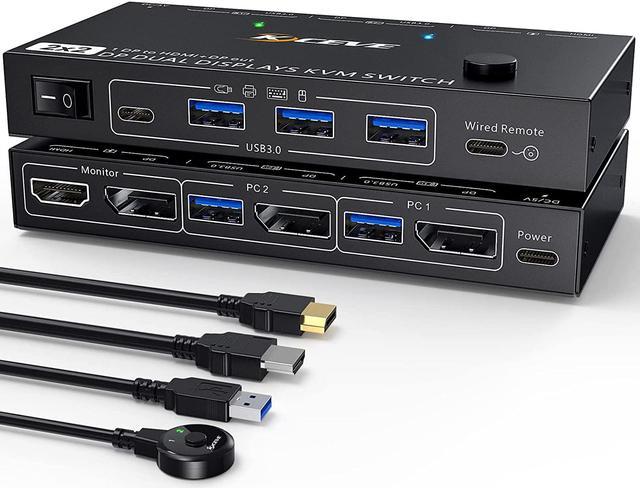
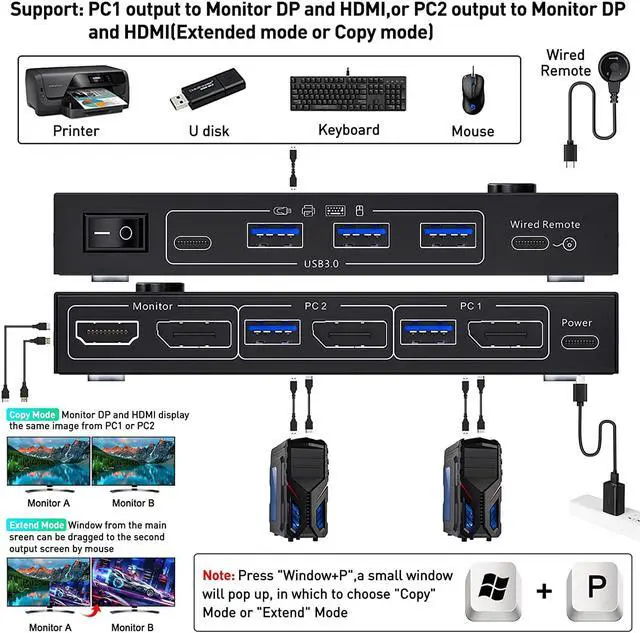
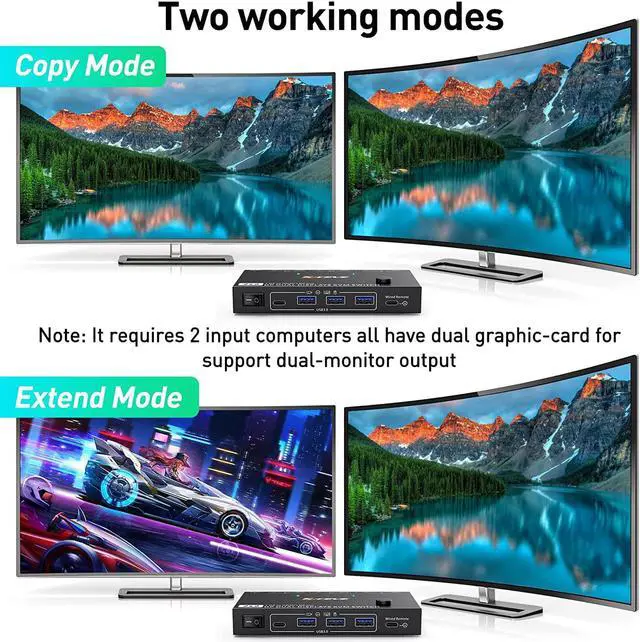
Dual Monitor KVM Switch DP 1.4 In DP 1.4 +HDMI2.1 OutDual DP1.4 input To DP1.4 + HDMI2.1 output KVM Switch helps 2 computers or laptops to share 2 monitorsDP1.4+HDMI2.1,1 set of keyboard, mouse and 3 USB 3.0 + 1 Type-C devices,support extend mode and copy mode. Note:Press "Window+P",a small window will pop up, in which to choose "Copy" Mode or "Extend" Mode.
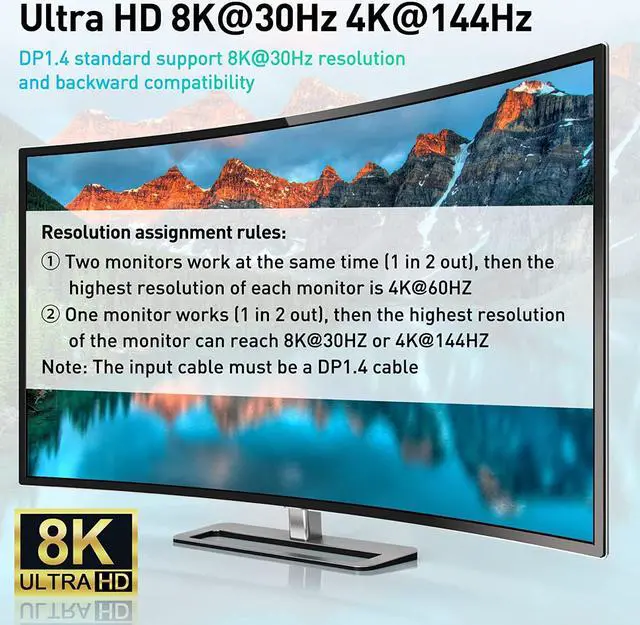
About Resolution Since only one DP port is required for input, the input resolution will be divided into two. When two monitors are connected and both monitors work at the same time, the highest resolution of each monitor is 4K@60Hz. If only one monitor is connected or only one monitor is working, then the highest resolution of the monitor can reach 8K@30Hz. Note: All cables need 8K cables, especially the input DP cables must be DP1.4 cables.
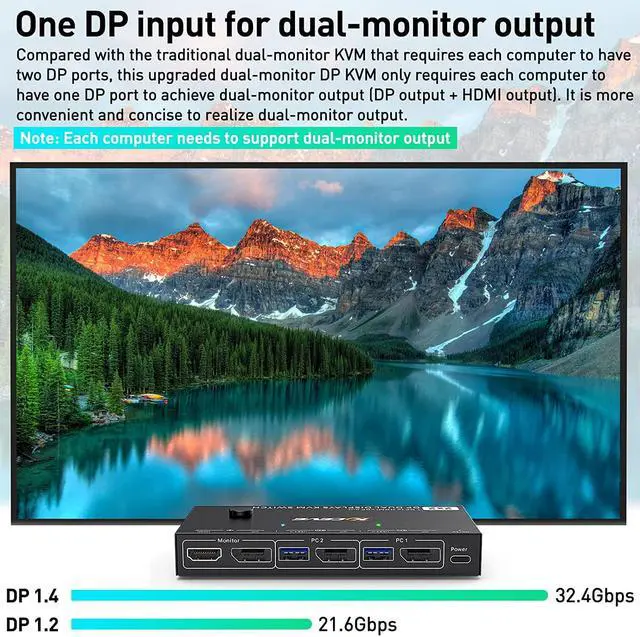
Upgraded dual-monitor DP1.4 KVM Switch This upgraded dual-screen DP1.4 KVM switch only needs 1 DP port for each computer to achieve dual-screen outputDP1.4+HDMI2.1. Compared with those traditional dual-screen switcher, the connecting cables are reduced, the desktop is more convenient and tidy, and the application is more extensive.
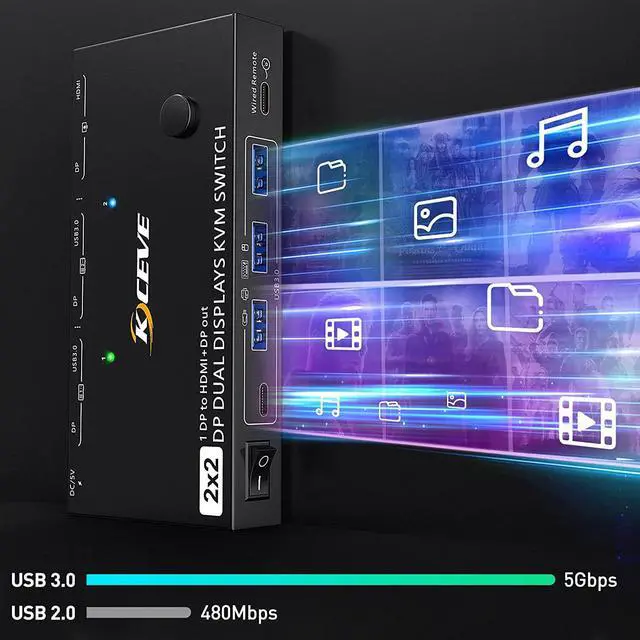
DP1.4 KVM Switches with 3 USB 3.0 Ports+1 USB C PortDual monitor Displayport USB Switch with 3 USB 3.0 Ports+1 USB C Port which can recognize wired/wireless keyboard,mouse,printer,scaner and other USB devices. USB 3.0 offers data transfer speeds of up to 5Gbps, while USB 2.0 offers data transfer speeds of only 480Mbps.Note:If the input USB3.0 ports are not connected or connected incorrectly, the output USB device will not be recognized.
DP1.4 + HDMI2.1 Extended Mode&Copy ModeDual display KVM switches require 1*DP connections per computer, requires 1 HDMI monitor and 1 DP monitor. Note:MAC M1/M2 only supports one external screen, no multi-screen output. If using the MST multi-screen docking station, the computer CPU requires support for 11th generation.
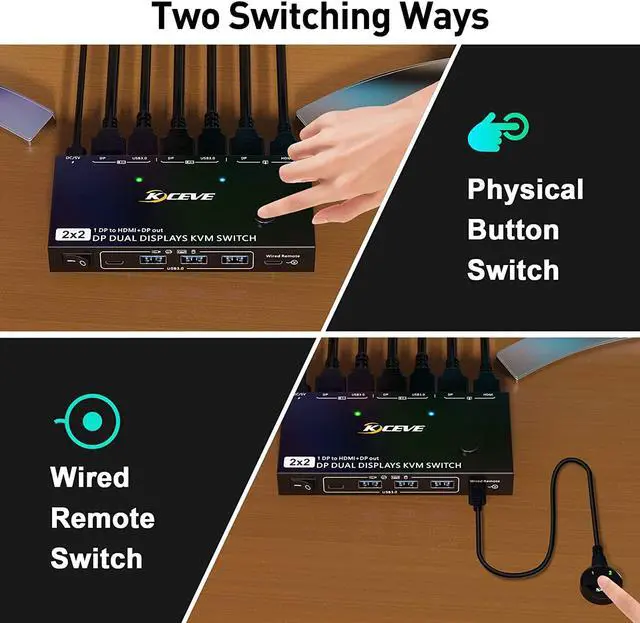
Power Switch and 2 Switching MethodsAOOCOO Dual Monitor KVM Switch is driver-free, plug and play. You can switch the computer by pressing the button on the panel or using the wired remote control. Two-color lights indicate the active computer. The design of the power switch is very convenient to cut off the power. When the KVM is not in use, it can be turned off with one--key, avoiding unplugging and saving power.
Input and Output ConversionsTheoretically support HDMI/USB C to DP adapter, HDMI to DP/USB C adapter, but due to different hardware such as adapters and computer monitors, it may cause instability and unsupported situations, which is normal, so we recommend using DP port connect. Does not support and not recommend DVI/VGA to DP, DP to HDMI/DVI/VGA.
Package List1*Dual Monitor Displayport1.4 USB3.0 KVM Switch+2*DP1.4 Cables(1.5m/4.9ft)+2*USB3.0 Cables(1.5m/4.9ft)+1*Wired Remote Controller(1.52m/5ft)+1*USB-C Power Cable+1*User Manual.