






12 Side Buttons Mouse In Wireless
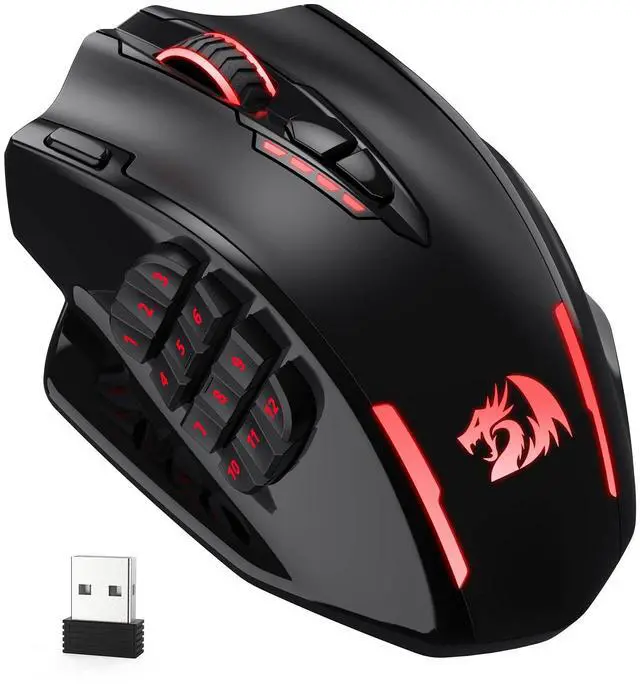
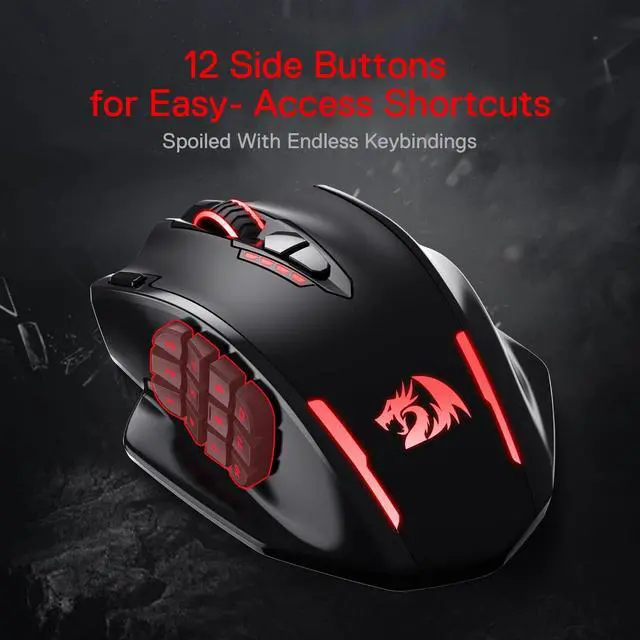
Redragon M913 is the first Redragon wireless MMO gaming mouse with 12 programmable side buttons. The most tactical combo with wireless function plus side shortcuts aim for higher user experience.

Dual Mode, Limit-Breaker
Easy to switch through wireless and wired mode and get fully charged with USB-C cable for only 4 hours. 1000 Hz Polling Rate with 40G acceleration can be activated in any mode.

Low Consumption & Eco Mode
Geared with low consumption Pixart 3335 sensor, long-hours of use about 80 hours is available in ECO mode. The mouse will automatically turn into sleep mode after 9 minutes with no movements.

Q Mouse is wired to the computer but not responding?
A: If the computer does not recognize the mouse, try using a different USB port or test it on another computer.
Q Troubleshooting for software issue
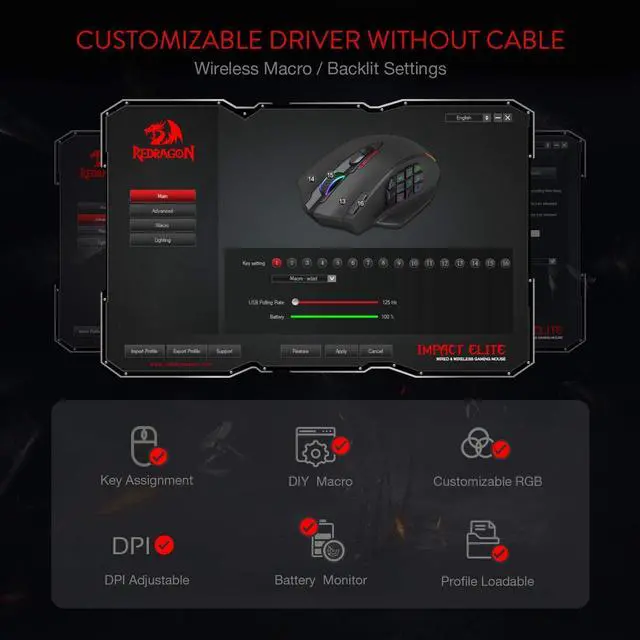
A: The software is currently only compatible with Windows 2000, ME, XP, 03, Vista, 7, 8, and 10. If the software is not recognized, try running it as administrator. Please note that the software needs to be used with a wired connection.
Q Is there an issue with the wireless connection?
A: If the mouse cannot connect to the USB receiver or experiences delays or stuttering while using wireless, try the following steps: Press and hold the left, right, and middle buttons (scroll wheel) for three seconds until the wheel flashes a yellow light, then plug the USB receiver into your computer and move the mouse closer to the receiver until the yellow light turns off to pair the devices, and finally restore the M913 mouse to its default settings in the software.
Q Troubleshooting for Left/Right Mouse Buttons
A: If the left or right mouse button is unresponsive or does not make a click sound, gently open the plastic cover, check if the internal pad is misaligned, adjust it to its correct position, close the cover, and test again.
 M913 |  M811 |  M686 |  M612 |  M810 PRO |  M991 | |
|---|---|---|---|---|---|---|
| Customer Reviews | — | — | — | — | — | — |
| Price | — | — | — | — | — | — |
| Wired/Wireless | Wireless/Wired | Wired | Wireless/Wired | Wired | Wireless/Wired | BT/2.4G/Wired |
| Sensor | Optical Pixart 3335 | Optical Pixart 3327 | Optical Pixart 3335 | Optical Pixart 3104 | Optical Pixart 3325 | Optical Pixart 3395 |
| DPI | 100-16,000 | 100-12,400 | 100-16,000 | 500-8,000 | 100-10,000 | 50-26,000 |
| ACC | 40G | 30G | 40G | 15G | 20G | 50G |
| Programmable Buttons | 16 | 15 | 8 | 11 | 8 | 9 |
| Backlit | RGB | RGB | RGB | RGB | RGB | RGB |
| Switch Type | HUANO | HUANO | HUANO | HUANO | HUANO | HUANO |
| Software | ? | ? | ? | ? | ? | ? |
12 Side Buttons Mouse In Wireless
Redragon M913 is the first Redragon wireless MMO gaming mouse with 12 programmable side buttons. The most tactical combo with wireless function plus side shortcuts aim for higher user experience.
Dual Mode, Limit-Breaker
Easy to switch through wireless and wired mode and get fully charged with USB-C cable for only 4 hours. 1000 Hz Polling Rate with 40G acceleration can be activated in any mode.
Low Consumption & Eco Mode
Geared with low consumption Pixart 3335 sensor, long-hours of use about 80 hours is available in ECO mode. The mouse will automatically turn into sleep mode after 9 minutes with no movements.
Q Mouse is wired to the computer but not responding?
A: If the computer does not recognize the mouse, try using a different USB port or test it on another computer.
Q Troubleshooting for software issue
A: The software is currently only compatible with Windows 2000, ME, XP, 03, Vista, 7, 8, and 10. If the software is not recognized, try running it as administrator. Please note that the software needs to be used with a wired connection.
Q Is there an issue with the wireless connection?
A: If the mouse cannot connect to the USB receiver or experiences delays or stuttering while using wireless, try the following steps: Press and hold the left, right, and middle buttons (scroll wheel) for three seconds until the wheel flashes a yellow light, then plug the USB receiver into your computer and move the mouse closer to the receiver until the yellow light turns off to pair the devices, and finally restore the M913 mouse to its default settings in the software.
Q Troubleshooting for Left/Right Mouse Buttons
A: If the left or right mouse button is unresponsive or does not make a click sound, gently open the plastic cover, check if the internal pad is misaligned, adjust it to its correct position, close the cover, and test again.
M913 | M811 | M686 | M612 | M810 PRO | M991 | |
|---|---|---|---|---|---|---|
| Customer Reviews | — | — | — | — | — | — |
| Price | — | — | — | — | — | — |
| Wired/Wireless | Wireless/Wired | Wired | Wireless/Wired | Wired | Wireless/Wired | BT/2.4G/Wired |
| Sensor | Optical Pixart 3335 | Optical Pixart 3327 | Optical Pixart 3335 | Optical Pixart 3104 | Optical Pixart 3325 | Optical Pixart 3395 |
| DPI | 100-16,000 | 100-12,400 | 100-16,000 | 500-8,000 | 100-10,000 | 50-26,000 |
| ACC | 40G | 30G | 40G | 15G | 20G | 50G |
| Programmable Buttons | 16 | 15 | 8 | 11 | 8 | 9 |
| Backlit | RGB | RGB | RGB | RGB | RGB | RGB |
| Switch Type | HUANO | HUANO | HUANO | HUANO | HUANO | HUANO |
| Software | ? | ? | ? | ? | ? | ? |