


- Free 15-day Returns
$146.97
Ships from China.

Meet Your Seller

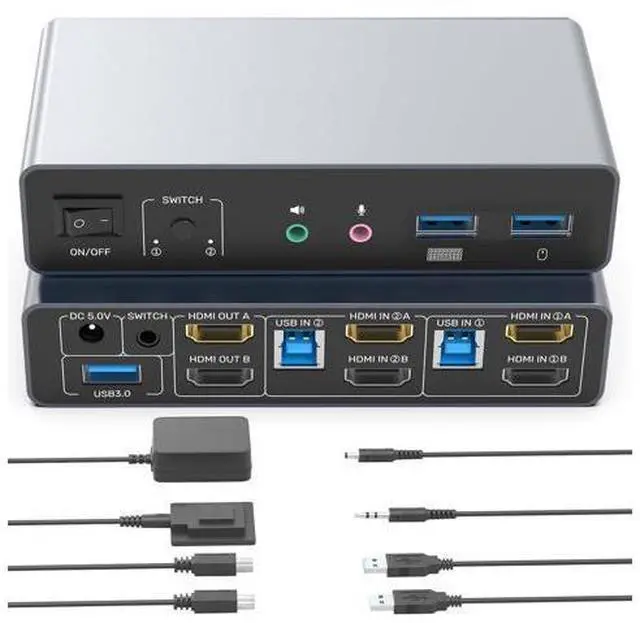


DIXSG HDMI KVM Switch 2 Monitors 2 Computers, Dual Monitor KVM USB Switcher 4K@60Hz, HDMI Extended/Mirror Display for 2 PC Share 2 Monitors, with 3 USB 3.0 Port, Desktop Controller and 2 USB Cables
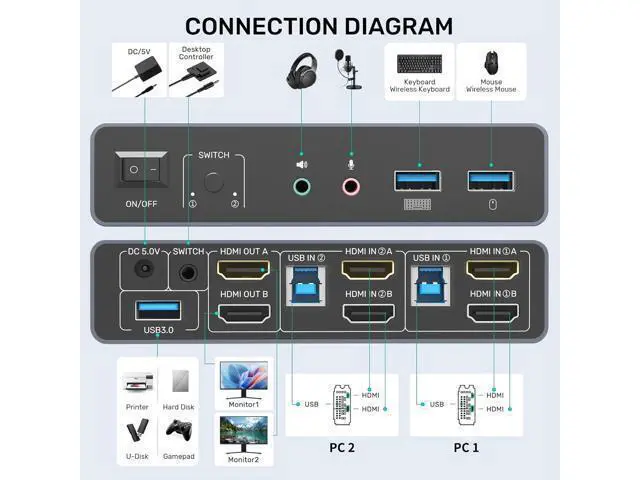
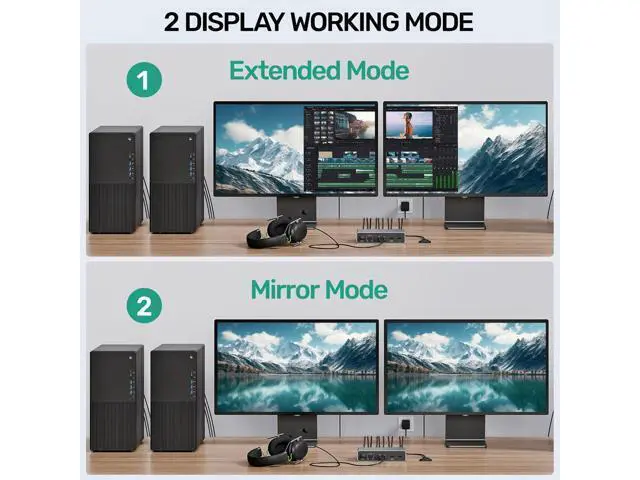
- KVM Switches 2 Monitors 2 Computers: This KVM Switch allows the connection of 2 computers and 2 monitors. 2 computer input ports support 2 HDMI ports. The 2 monitor outputs support 2 HDMI monitors. Supports extended and mirrored modes.(NOTE:1. Cannot be used when connecting a laptop while outputting two monitors at the same time.2.Note: EDID is not supported. )
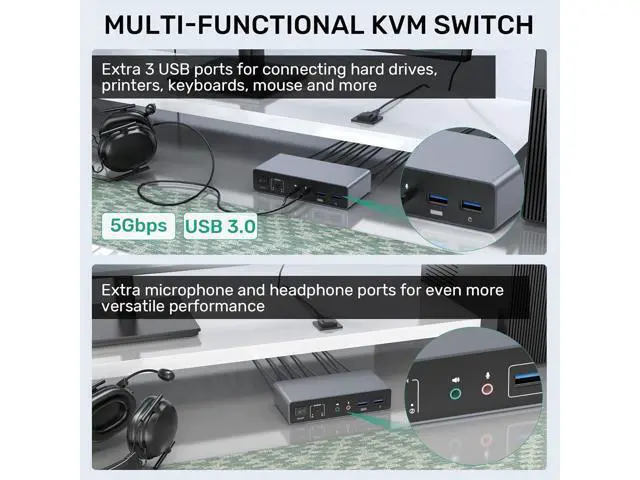
- Audio and Microphone Interface & USB A Port: This KVM switch has audio and microphone ports and has 3 extra USB A ports. It also supports the connection of USB A devices such as mouse, keyboard, printer and more. USB 3.0 transfer speed is up to 5Gbps.
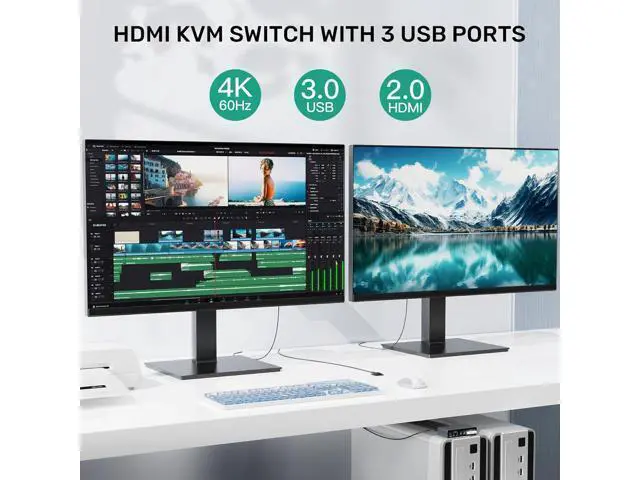
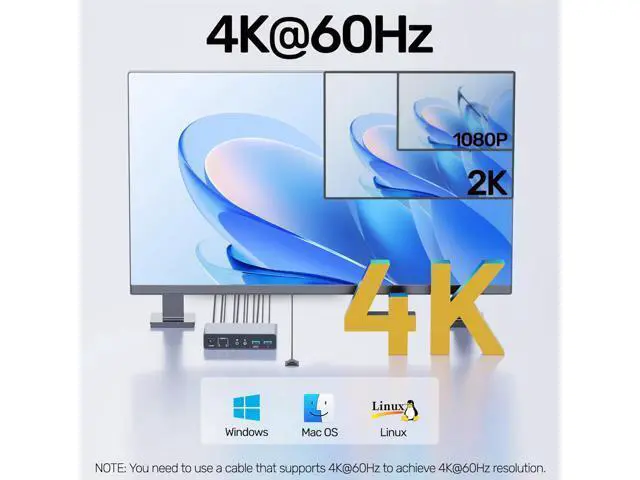
- 4K@60Hz High Definition: Supports up to 4K@60Hz screen display. Backward compatible with 4K@30Hz,1080P.
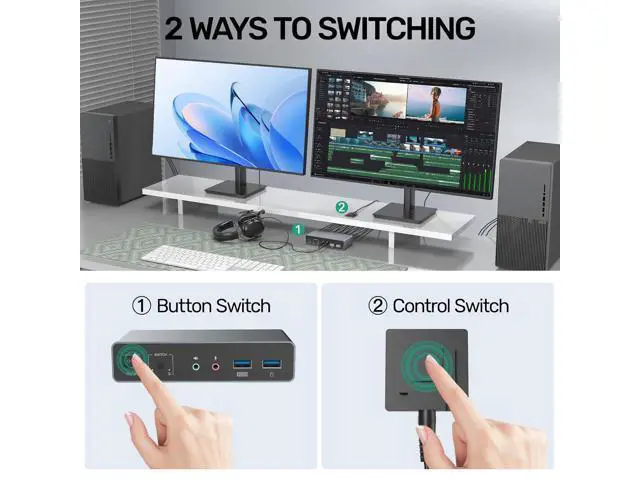
- 2 Ways to Switch: Supports Mirror Mode and Extended Mode. When you connect two monitors, please select the corresponding mode in "System - Screen Settings". And it has 2 ways of switching, button switching and desktop controller switching. Make your desktop more tidy.
+
+
Overview
Specs
Reviews
This HDMI KVM Switch allows the connection of 2 computers and 2 monitors. 2 computer input ports support 2 HDMI ports. The 2 monitor outputs support 2 HDMI monitors. And supports extended and mirrored modes.
(NOTE: 1. Cannot be used when connecting a laptop while outputting two monitors at the same time. 2.
Note: EDID is not supported. ) This HDMI monitor switch for 2 computers has audio and microphone ports and has 3 extra USB A ports. It also supports the connection of USB A devices such as mouse, keyboard, printer, hard disk, and more. You only need to use one set of mouse and keyboard to control 2 computers. USB 3.0 transfer speed is up to 5Gbps. The HDMI KVM switches 2 monitors 2 computers supports up to 4K@60Hz screen display. Backward compatible with 4K@30Hz, 1080P.
Note: To achieve 4K output, you need to connect the cable supporting up to 4K output. And make sure the resolution of the input and output are the same. This HDMI KVM switch dual monitor supports Mirror Mode and Extended Mode. When you connect two monitors, please select the corresponding mode in "System - Screen Settings". And it has 2 ways of switching, button switching and desktop controller switching. Make your desktop more tidy. And make you more convenient in the process of using.
NOTE: The network interface is not included.
(NOTE: 1. Cannot be used when connecting a laptop while outputting two monitors at the same time. 2.
Note: EDID is not supported. ) This HDMI monitor switch for 2 computers has audio and microphone ports and has 3 extra USB A ports. It also supports the connection of USB A devices such as mouse, keyboard, printer, hard disk, and more. You only need to use one set of mouse and keyboard to control 2 computers. USB 3.0 transfer speed is up to 5Gbps. The HDMI KVM switches 2 monitors 2 computers supports up to 4K@60Hz screen display. Backward compatible with 4K@30Hz, 1080P.
Note: To achieve 4K output, you need to connect the cable supporting up to 4K output. And make sure the resolution of the input and output are the same. This HDMI KVM switch dual monitor supports Mirror Mode and Extended Mode. When you connect two monitors, please select the corresponding mode in "System - Screen Settings". And it has 2 ways of switching, button switching and desktop controller switching. Make your desktop more tidy. And make you more convenient in the process of using.
NOTE: The network interface is not included.
Warranty & Returns
Warranty, Returns, And Additional Information
Warranty
- Please contact the Seller directly for warranty information. Warranty information may also be found on the Manufacturer's website.
- CONTACT
Return Policies
- Return for refund within: 15 days
- Return for replacement within: 30 days
- This item is covered by TechMax Depot Return Policy
Manufacturer Contact Info
- For a directory of all our manufacturers, please click below.
- Manufacturers Directory
LOADING...