• $55.57
  • Free 30-day Returns
Ships from China.
Price alert
Shop it at NeweggBusiness.

Meet Your Seller

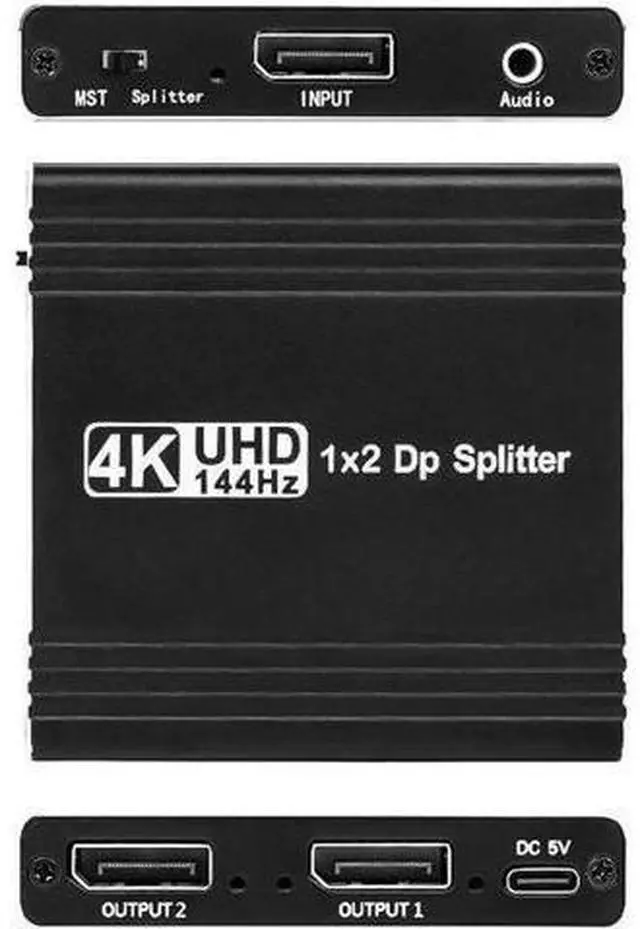
4K 144Hz DisplayPort to Dual DisplayPort Splitter Adapter for Dual Monitor Display.SST/MST Specification Display Port Extend 1 in 2 Out, DP Splitter Hub for Desktop PC Laptop

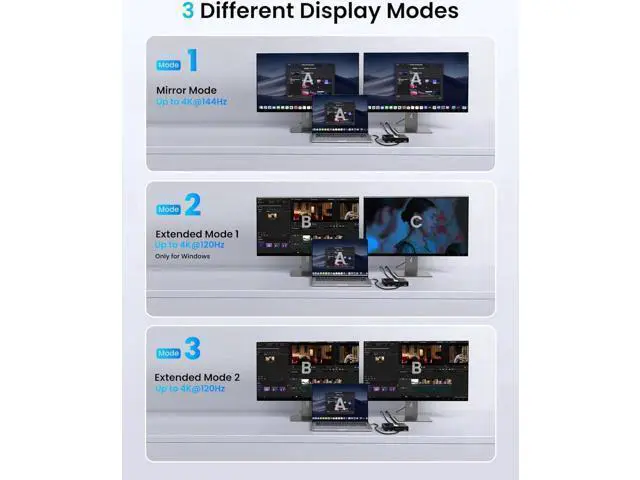
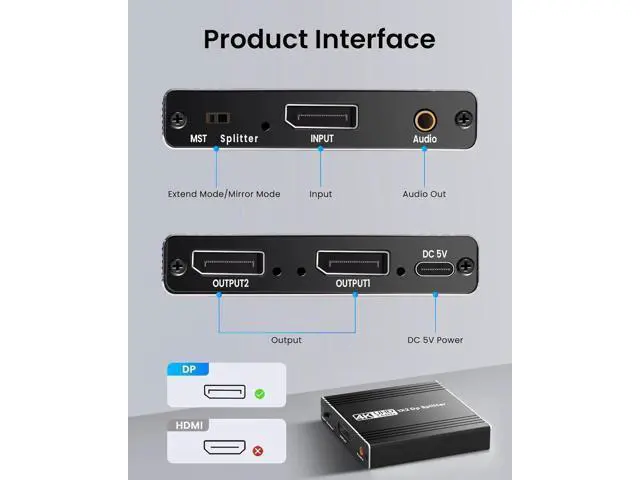
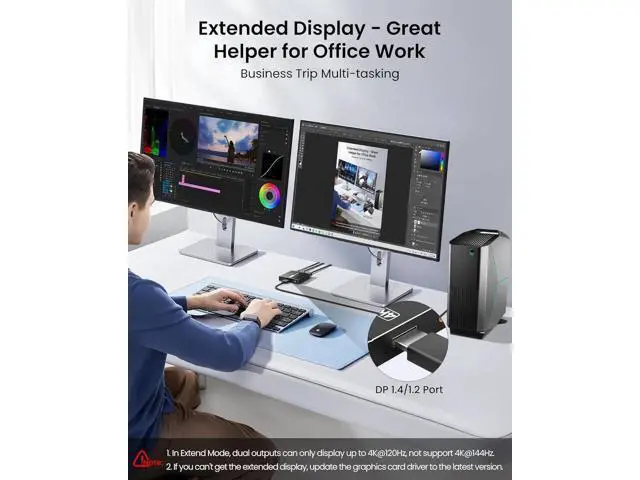
  • DisplayPort to 2 DisplayPort Adapter: DisplayPort to Dual DisplayPort Splitter can output one DP signal to 2 DP displays at the same time, which can support the use of Expanded Mode and Mirroring Mode(AAA/ABB/ABC) to fulfill your need for more screen displays (can only unidirectionally transmit from one DP signal source to two DP displays). Mac OS only supports SST mode (AAA/ABB), it is not recommended to connect any docking station or hub (most docking stations and hubs do not support MST function)
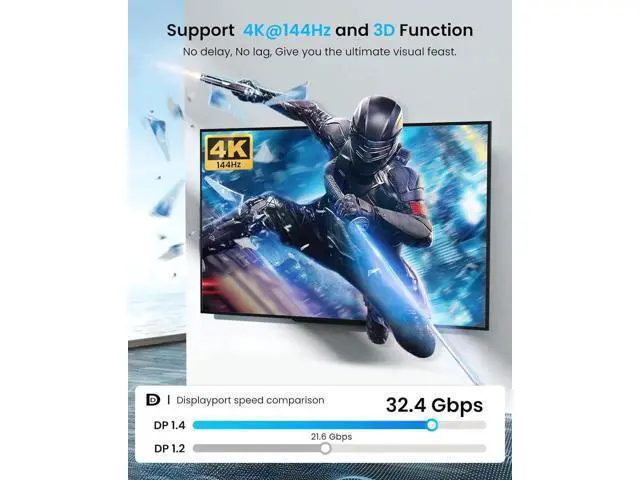
  • 4K144Hz Ultra HD Visual Feast: The DisplayPort to Splitter 1 in 2 out extended display complies with the DP 1.4 standard, and both DisplayPort displays are capable of resolutions up to 4K@120Hz, for vivid images with even more amazing picture color and contrast. To transmit 4K144Hz video signals, please make sure all your devices and cables support 4K144Hz. Note: Some computers need to manually set the display settings interface to 4K144Hz resolution and set it to extended or mirrored mode

+
+
Overview
Specs
Reviews
DisplayPort to 2
DisplayPort Adapter: DisplayPort to Dual DisplayPort Splitter can output one DP signal to 2 DP displays at the same time, which can support the use of Expanded Mode and Mirroring Mode(AAA/ABB/ABC) to fulfill your need for more screen displays (can only unidirectionally transmit from one DP signal source to two DP displays). Mac OS only supports SST mode (AAA/ABB), it is not recommended to connect any docking station or hub (most docking stations and hubs do not support MST function). 4K144Hz
Ultra HD Visual Feast: The DisplayPort to Splitter 1 in 2 out extended display complies with the DP 1.4 standard, and both DisplayPort displays are capable of resolutions up to 4K@120Hz, for vivid images with even more amazing picture color and contrast. To transmit 4K144Hz video signals, please make sure all your devices and cables support 4K144Hz.
Note: Some computers need to manually set the display settings interface to 4K144Hz resolution and set it to extended or mirrored mode

Warranty & Returns

Warranty, Returns, And Additional Information

Warranty

  • Please contact the Seller directly for warranty information. Warranty information may also be found on the Manufacturer's website.
  • CONTACT

Return Policies

  • Return for refund within: 30 days
  • Return for replacement within: 90 days
  • This item is covered by MUSE TECH Return Policy

Manufacturer Contact Info

LOADING...