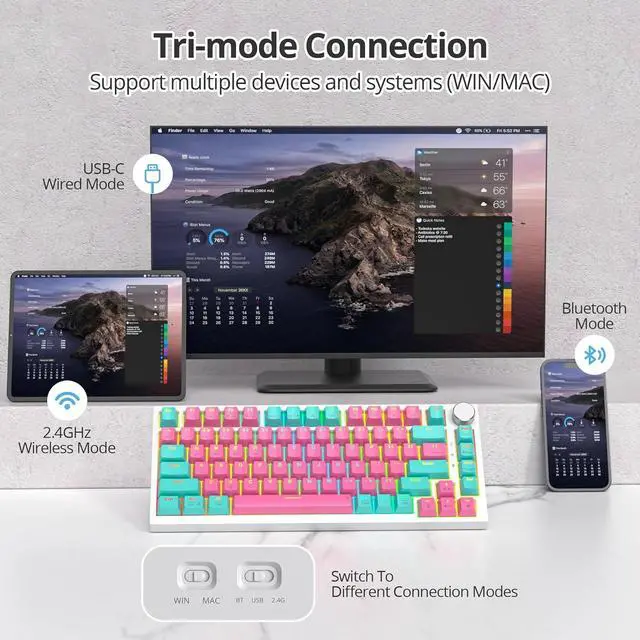
1Tri-mode Connection2Keyboard Size3Pre-lubed Gray Switches475% Layout with Knob 1. Turn the switch on the back of the keyboard to the position marked with BT, then press and hold the combination key FN+Q/W/E (one of them) for 3 seconds to enter the pairing mode. The white light of Q/W/E is always on for 3 seconds and then off. which means the connection is successful.
2. Turn on the computer/mobile phone Bluetooth, search for and connect to the device. The name displayed in the search should be: V400-BT1-5.0 (connect to Windows 8 and above, mobile devices etc,).
3. In the Bluetooth dialog box, select V400-BT1-5.0; V400-BT2-5.0; V400-BT3-5.0, Device name for pairing and connection.
4. The keyboard can connect up to 3 Bluetooth devices at the same time.
Gorgeous RGB Backlighting
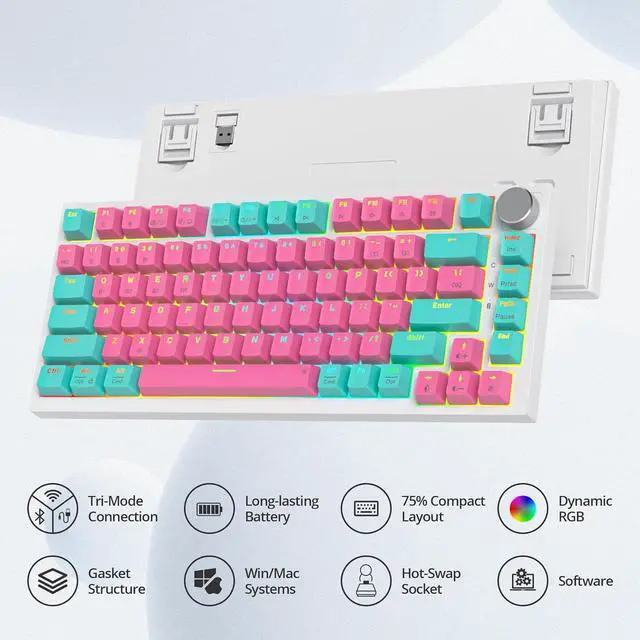
This RGB Backlit Keyboard featuring different 18 RGB lighting effects, great for gamers, RGB enthusiast or mechanical keyboard lovers.
82 Keys Triple Mode Mechanical Gaming Keyboard
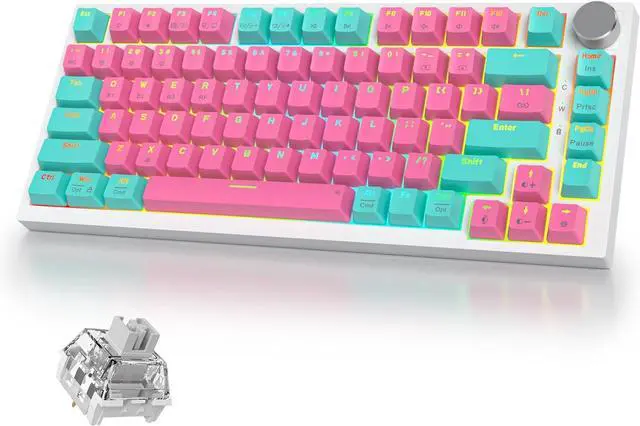
This 75% Percent Gaming Keyboard features a compact design with 82 keys, and the Triple Mode 2.4GHz/USB-C/Bluetooth connection making it easy to carry and use anywhere.
Multi-function Control Knob
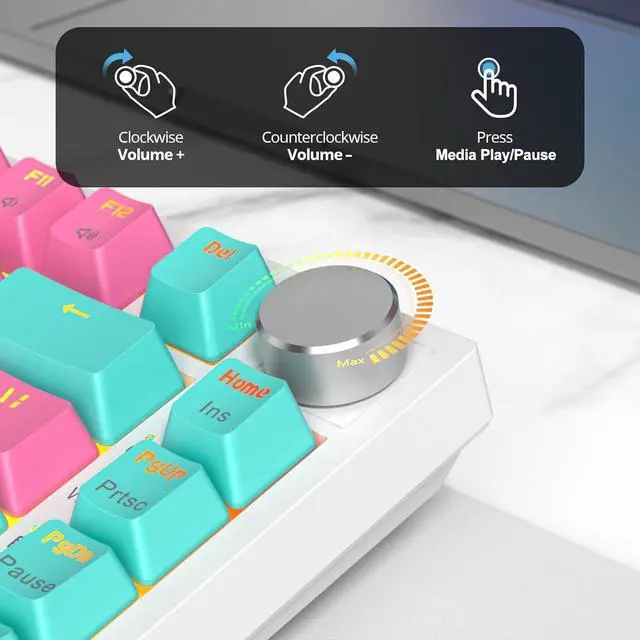
You can adjust the volume of the device by rotating the knob, and press the knob to turn on/off the media videos. Quick access to volume control, media playback, allowing you to multitask effortlessly while gaming.
Gasket Mounted & Hot-Swappable Switches
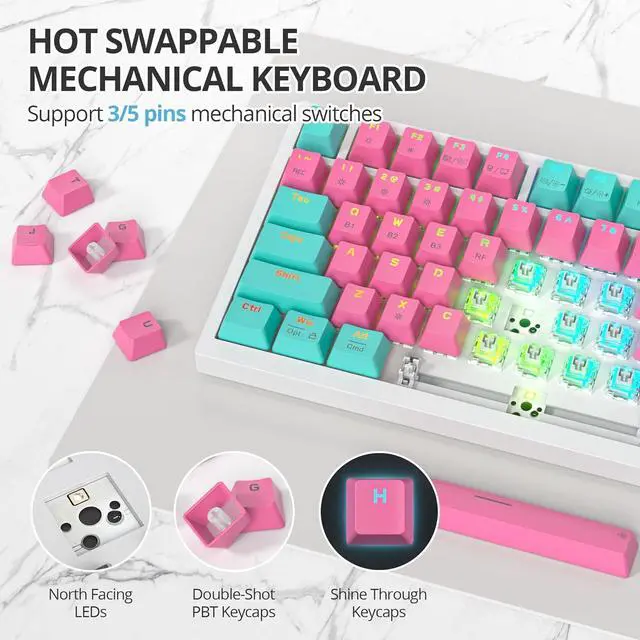
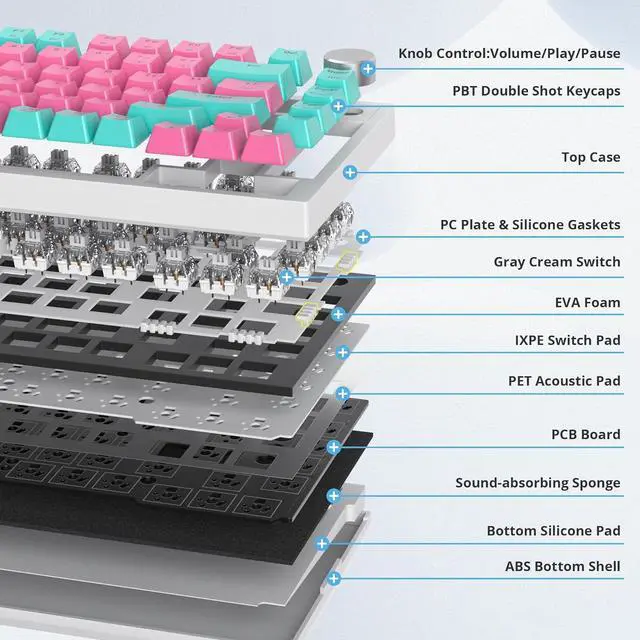
With its gasket mount construction, it provides exceptional stability and reduces noise during typing sessions, enhances the overall typing feel. The Hot Swappable Function make you easily remove and replace switches all to your liking.
Software Supports & Excellent Typing Sound
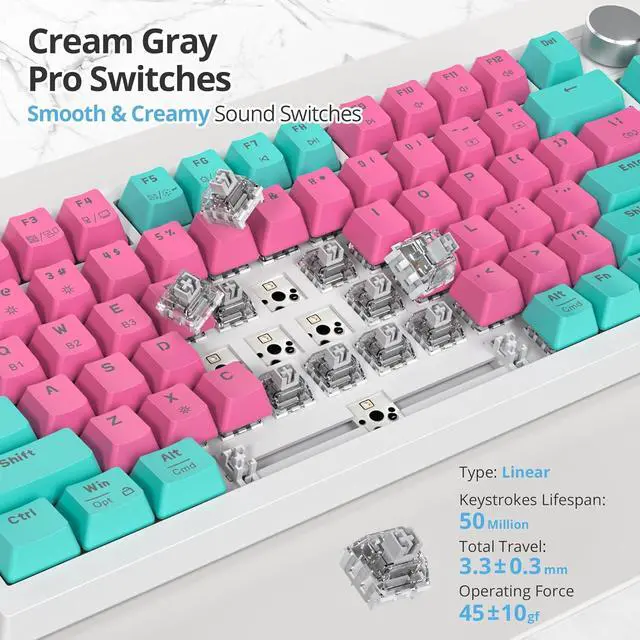
This 75% percent wireless mechanical keyboard offers compatibility with both Mac and Windows operating systems. Software Customization is supported by this keyboard (Software Driver - bit.ly/3Hl9nWg). The driver software requires the keyboard to be in wired mode and Windows system. With Pre-lubed Linear Gray Switches, this Pink Wireless Keyboard sounds creamy and thocky, gives you an incredible typing experience.
Take your typing to the next level, advanced gasket structure and five-layer fill silencers for unmatched pleasure.
Supercharge your typing experience with pre-lubed linear gray switches, enjoy effortless keystrokes and improved accuracy, perfect for work, gaming.
Ergonomic layout with two-level adjustable feet, easily adapt the keyboard to your preferred height.
Our wireless keyboard is equipped with a long-lasting 4000mAh battery, allowing you to work or play uninterrupted for hours on end.
How to Use 2.4g Wireless Mode?
To use 2.4G connection, please turn the switch on the back of the keyboard to the positon marked as 2.4G, and then click the combination of FN+R to enter the 2,4G mode, the connection will be successful.
How to reset this Wireless Keyboard ?
Press FN+Spacebar(3-5 seconds) to restore the default settings.
How Many Light Modes?
a: 18 RGB light modes in cycle. Press FN+\| to Switch the light.
b: There are 9 Single light modes in total. Press FN+ to Switch the light.
c: The Backlight can be turned on / off by Press FN+X.
How to Get the Software?
Software Driver - bit.ly/3Hl9nWg. The driver software requires the keyboard to be in wired mode and Windows system.
How to Use Bluetooth Connection? Software Macro Hot Swappable 400 Pro Series iRoboosta 400 Pro Series Wireless 75% Thocky Keyboard for Gaming/Office Gasket Mounted Keyboard Pre-lubed Linear Gray Switches Two-level Adjustable Feet Long-lasting 4000mAh Battery How to Use 2.4g Wireless Mode?
How to reset this Wireless Keyboard ?
How Many Light Modes?
How to Get the Software?


 We‘re shipping as usual! The Canada Post strike only affects certain remote deliveries and PO Boxes. Details
 Holiday Shipping Details & Extended Holiday Returns


