shippingWe‘re shipping as usual! The Canada Post strike only affects certain remote deliveries and PO Boxes. Details
shipping Holiday Shipping Details & Extended Holiday Returns
  • $278.99
  • Free 15-day Returns
  • Ships from China.
    Price alert
    Sold by POLING

    Shipped by POLING

    Shop it at NeweggBusiness.

    Meet Your Seller

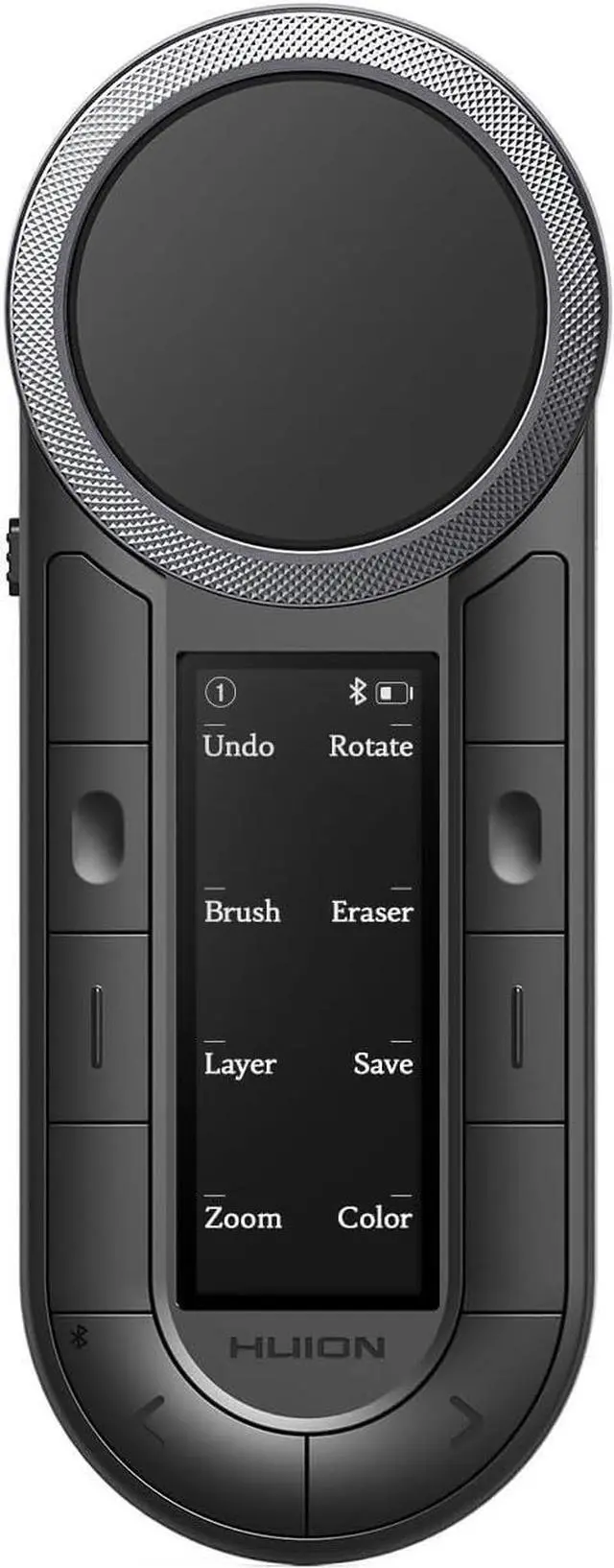
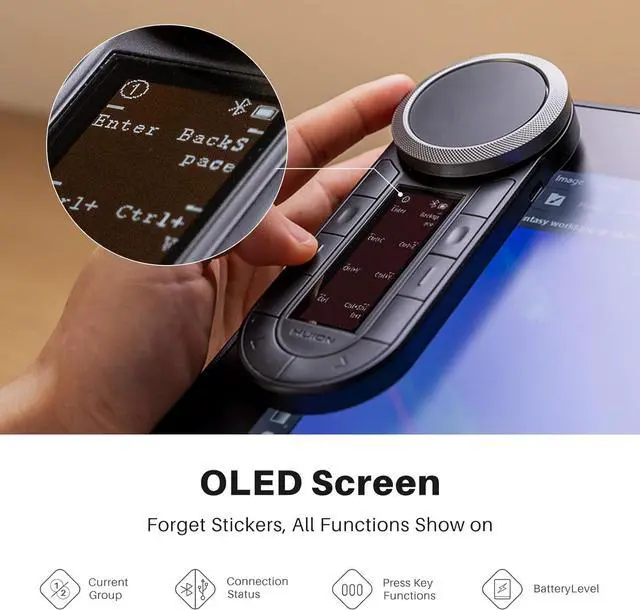
    HUION Keydial Remote Bluetooth Programmable Keypad with Dual Dials 60 Customized Keys, OLED Display Macro Keypad Work with PC, Mac, Mobile, One-Hand Shortcut Keyboard for Drawing Tablet, Laptops

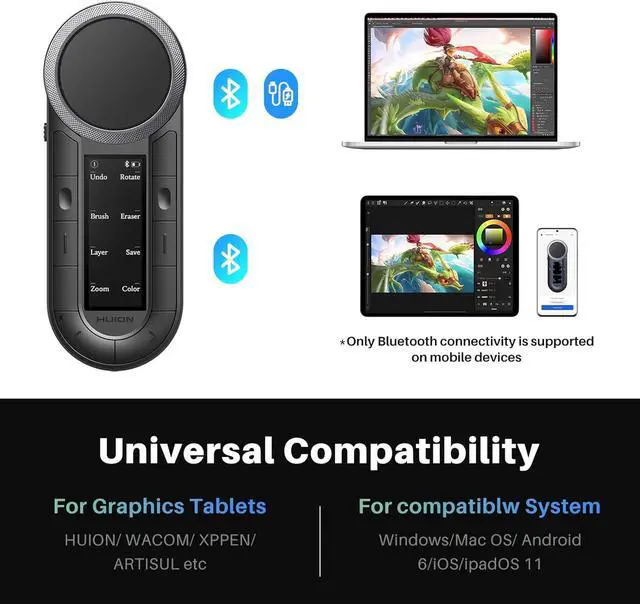
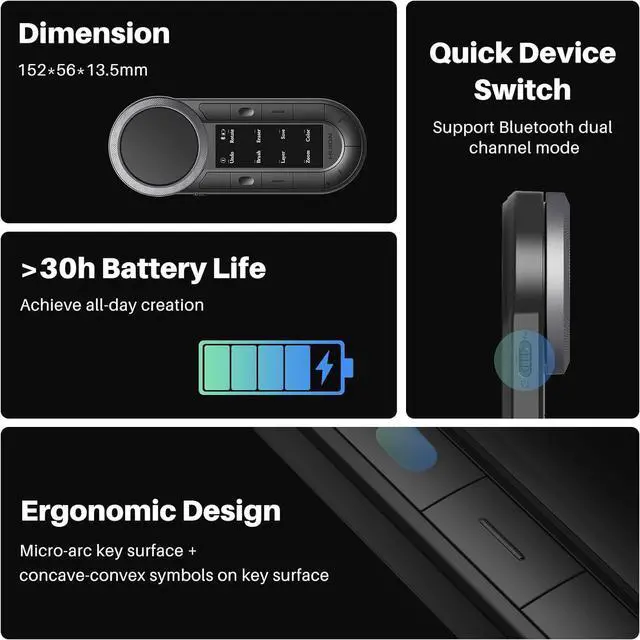
    • Dual Channel Bluetooth 5.0: The macropad supports dual-device Bluetooth connection, allowing seamless switching between two devices via side keys while retaining key configurations intact. It also features wired mode, which is compatible only with a PC.
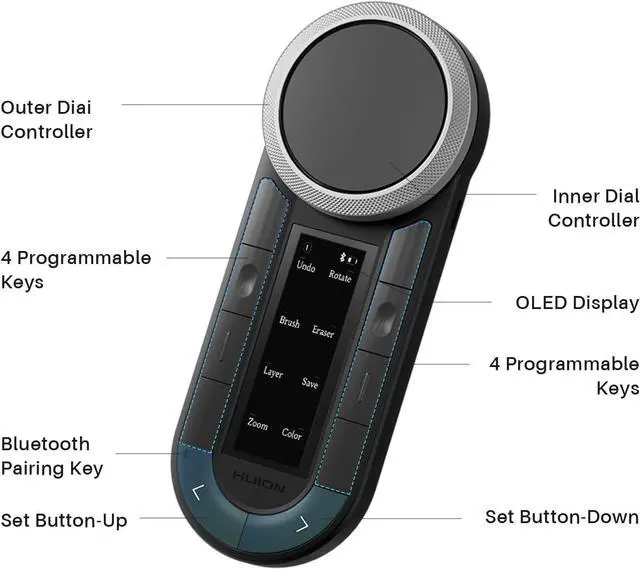
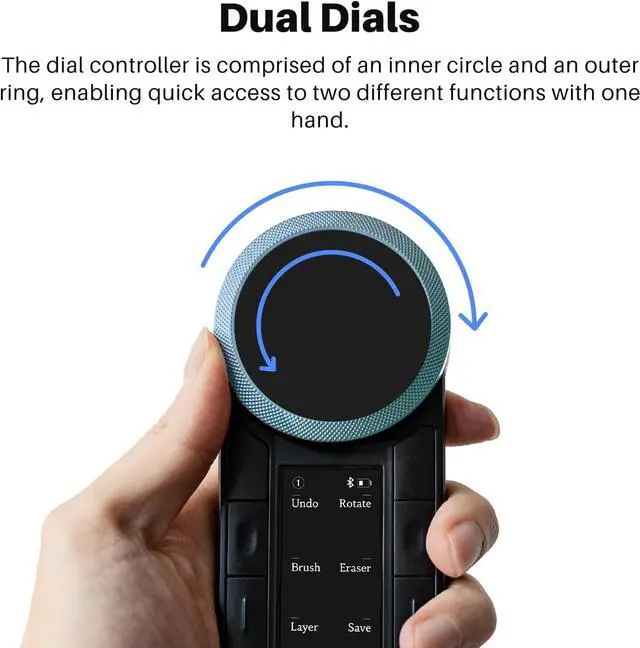
    • Dual-Dial Controllers: The one-handed keyboard features an innovative dual-dial design, allowing one-handed control over two distinct functions. The outer ring adorned with a Clous de Paris pattern ensures precise adjustment for brushes, canvas control, or parameter sliding. Meanwhile, the inner circle delivers smooth zooming, scrolling, and volume adjustments for seamless workflow efficiency.
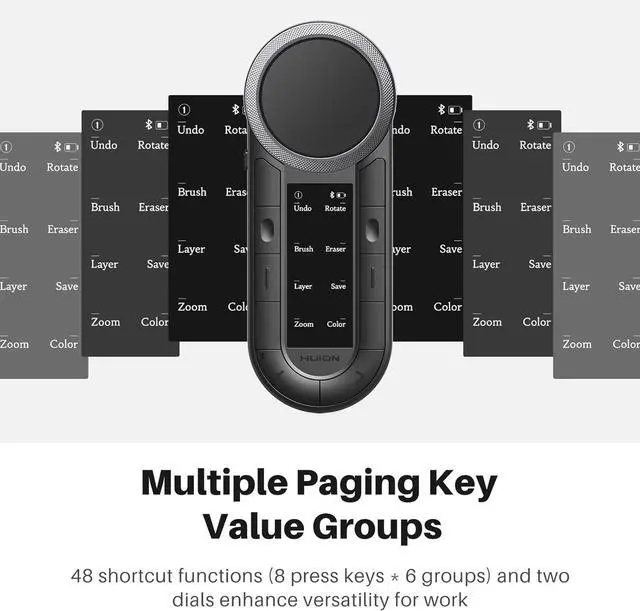
    • 6-Set 8 Customized Keys & 2 Dials: The wireless keypad features 8 ergonomic micro-arc keys, supports 6 customizable groups that provide 48 key functions and 12 dial functions. Easily rename each group to fit your workflow and switch between presets using two dedicated group keys, ensuring smooth, efficient creative control.
    • Anti-Ghosting Perfo
    +
    +
    Overview
    Specs
    Reviews
    How can I customize the Keys and dials?
    For PC, please download the new version of the Huion driver V20, which supports setting group names, key values, and usage angles. For custom shortcut keys on mobile phones and tablets, please download the Huion Keydial app.
    How many Bluetooth devices can the macropad connect to at the same time? Does it support Bluetooth forced pairing?
    K40 features dual Bluetooth channels, allowing simultaneous connections to two wireless devices. Switch between devices with a simple click of the side key. Press the U-shaped "up" button for 3seconds to achieve the Bluetooth forced pairing function.
    Can the macro pad be used at multiple angles?
    Yes, you can adjust the four usage angles (0°, 90°, 180°, 270°) via the driver. This feature is very friendly to left and right hands.
    Does this programmable keyboard support using multiple keys inputs?
    Yes, the Huion Keydial remote is upgraded to support anti-ghosting.
    remote keydial K40Multi-Device, Multi OS Compatible with Most Comfortable Grip Long-lasting battery life Digital Drawing What's the system requirement?
    How can I customize the Keys and dials?
    How many Bluetooth devices can the macropad connect to at the same time? Does it support Bluetooth forced pairing?
    Can the macro pad be used at multiple angles?
    Does this programmable keyboard support using multiple keys inputs?

    Warranty & Returns

    Warranty, Returns, And Additional Information

    Warranty

    • Please contact the Seller directly for warranty information. Warranty information may also be found on the Manufacturer's website.
    • CONTACT

    Return Policies

    • Return for refund within: 15 days
    • Return for replacement within: 30 days
    • This item is covered by POLING Return Policy

    Manufacturer Contact Info

    LOADING...