




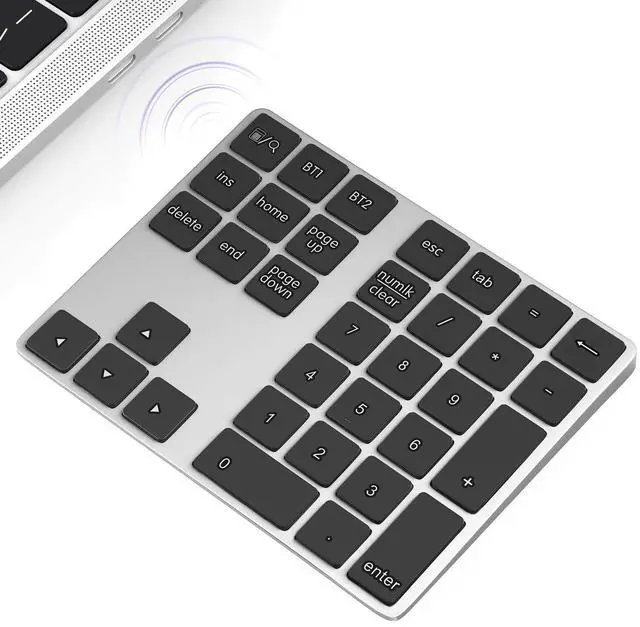


Rechargable 34 Keys Bluetooth Number Pad for Laptop (Windows , Mac OS)

Bluetooth Number Pad for Laptop
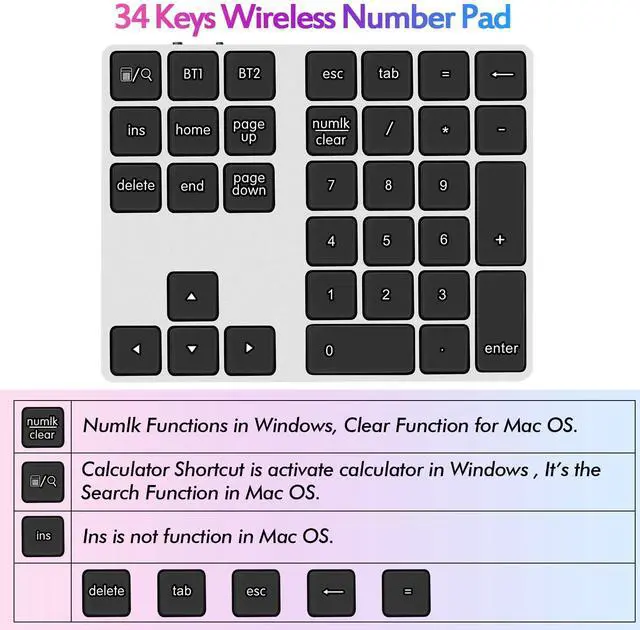
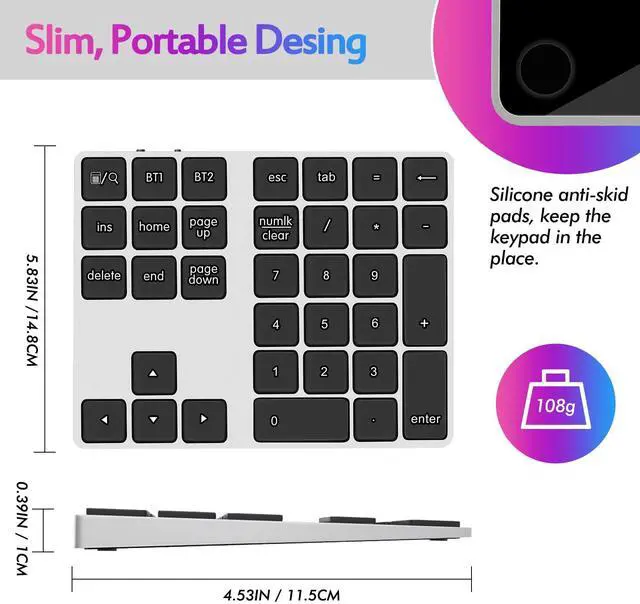
Important Tips for Hotkeys:
1. The Calculator Shortcut is to activate the calculator in Windows. It's Search Function in Mac OS.
2. The Numelk/clear is Numlock Function in Windows, Clear Function for Mac OS.
3. For Mac OS, "Ins" is not function.
Switching Between Devices
Multi-Pairing Bluetooth Keypad can pair up to 2 different Bluetooth devices, you can switch between your paired devices by selecting appropriate assigned the key "BT1" or "BT2".
It will take 2-4 seconds.
Please Turn "Numlock" on again if the number keys can not work after switching.
Bluetooth Number Keypad for Laptop

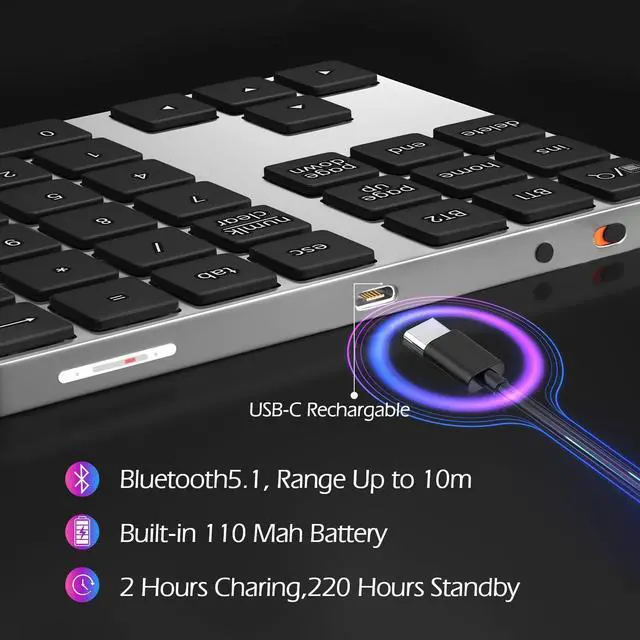
Rechargeable Number Pad
The Number Pad built-in 110m ah Lithium Battery.
Type-C rechargeable is also friendly for the environment.

Bluetooth 5.1 Connection, Up to 10m
Wireless 10 Keys Digit Keypad supports Bluetooth 5.1, dual-device connection, no Delays and Dropouts, Fast Data Transmission, Range up to 10 Meters.

Ergonomic design
The Ergonomic design help avoid wrist discomfort.
The Rubber pad at the bottom is anti-slip to offer a stable input experience.
Extensions Keyboard Laptop Accessories

Lightweith and Portable
Ten Key Marcopad only 108 g/0.24 lb, 6.1*4.92*1.18 inches; Easily put this Travel Attachment Num Pad into your Laptop Bag, Backpack, Suitcase, or even Pockets without Taking Space.

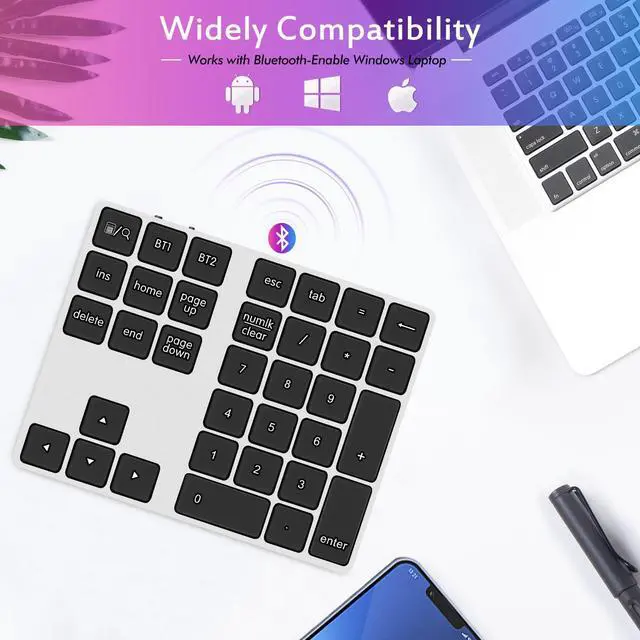
Wide adaptability
The Bluetooth number keypad can work with Windows, Mac OS(Partial functional limitations), and Android.

Mute
Quiet keys provide a comfortable working atmosphere.
Wireless Bluetooth Numeric Keypad for Laptop

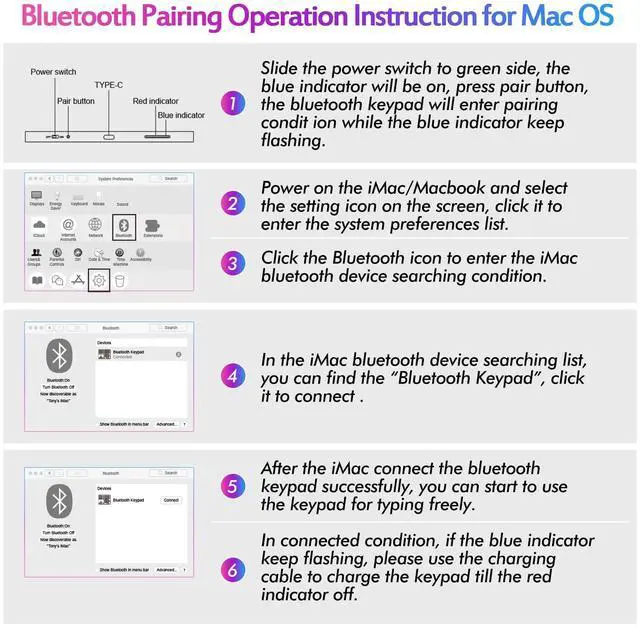
Bluetooth Pairing Operation Instruction for Mac OS
Bluetooth Numpad for Laptop

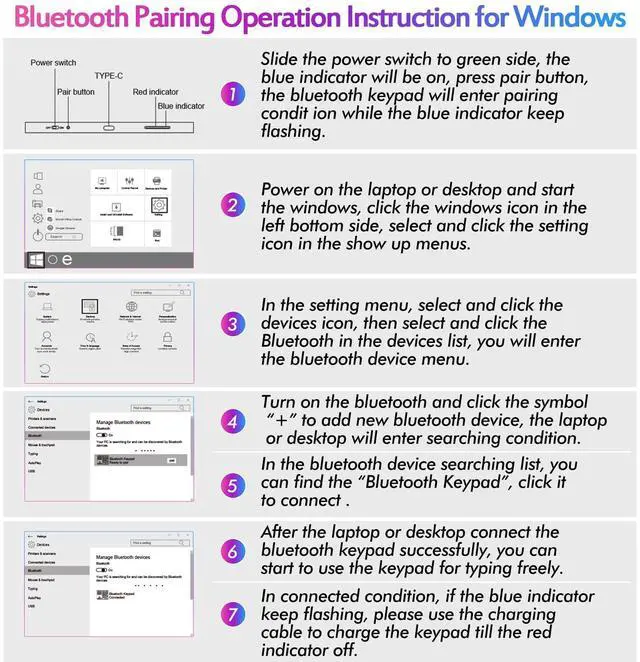
Bluetooth Pairing Operation Instruction for Windows
Rechargable 34 Keys Bluetooth Number Pad for Laptop (Windows , Mac OS)
Bluetooth Number Pad for Laptop
Important Tips for Hotkeys:
1. The Calculator Shortcut is to activate the calculator in Windows. It's Search Function in Mac OS.
2. The Numelk/clear is Numlock Function in Windows, Clear Function for Mac OS.
3. For Mac OS, "Ins" is not function.
Switching Between Devices
Multi-Pairing Bluetooth Keypad can pair up to 2 different Bluetooth devices, you can switch between your paired devices by selecting appropriate assigned the key "BT1" or "BT2".
It will take 2-4 seconds.
Please Turn "Numlock" on again if the number keys can not work after switching.
Bluetooth Number Keypad for Laptop
Rechargeable Number Pad
The Number Pad built-in 110m ah Lithium Battery.
Type-C rechargeable is also friendly for the environment.
Bluetooth 5.1 Connection, Up to 10m
Wireless 10 Keys Digit Keypad supports Bluetooth 5.1, dual-device connection, no Delays and Dropouts, Fast Data Transmission, Range up to 10 Meters.
Ergonomic design
The Ergonomic design help avoid wrist discomfort.
The Rubber pad at the bottom is anti-slip to offer a stable input experience.
Extensions Keyboard Laptop Accessories
Lightweith and Portable
Ten Key Marcopad only 108 g/0.24 lb, 6.1*4.92*1.18 inches; Easily put this Travel Attachment Num Pad into your Laptop Bag, Backpack, Suitcase, or even Pockets without Taking Space.
Wide adaptability
The Bluetooth number keypad can work with Windows, Mac OS(Partial functional limitations), and Android.
Mute
Quiet keys provide a comfortable working atmosphere.
Wireless Bluetooth Numeric Keypad for Laptop
Bluetooth Pairing Operation Instruction for Mac OS
Bluetooth Numpad for Laptop