




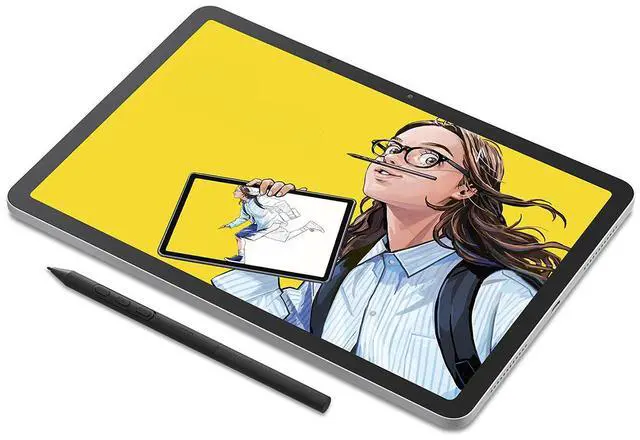


Wacom MovinkPad 11 Tablet - 11.5" Touchscreen Display - 8GB Ram - Pen Light Gray (DTHA116CL0Z)
- VIVID DISPLAY - Experience stunning visuals on the 11.45" screen with a 2200 x 1440 resolution, offering crisp details and vibrant colors for your creative projects, enhanced by IPS technology.
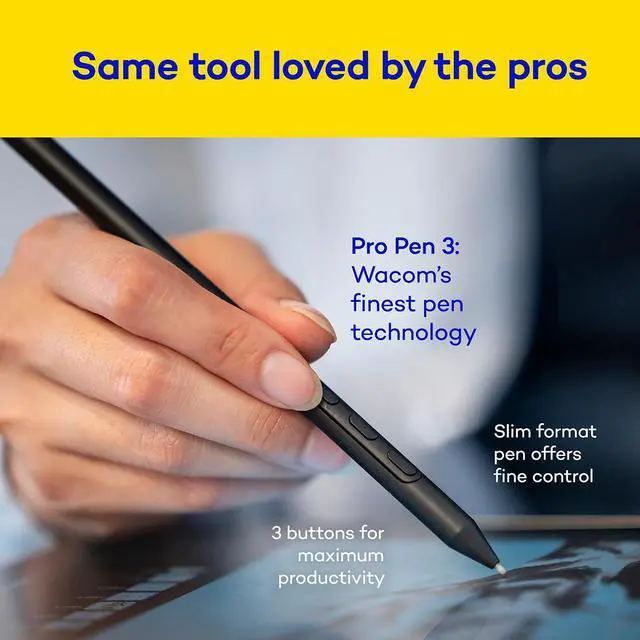
- ULTIMATE PRECISION - Create with accuracy using the Pro Pen 3 (Slim), featuring 8192 pressure levels and 5080 lpi resolution, ensuring every stroke is captured with incredible sensitivity and detail.
- PORTABLE POWERHOUSE - Enjoy creating on the go with a lightweight design (1.3 lbs) and up to 9 hours of battery life, powered by a 7,700 mAh battery, perfect for artists and designers on the move.
- SMOOTH PERFORMANCE - Benefit from the Mediatek G99 processor paired with 8GB of memory, providing seamless multitasking and responsive performance for demanding creative applications and workflows.
+
+
Overview
Specs
Reviews
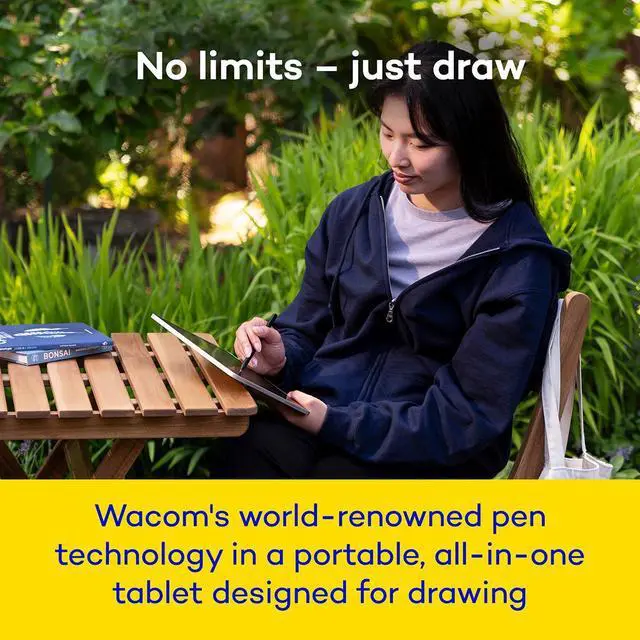
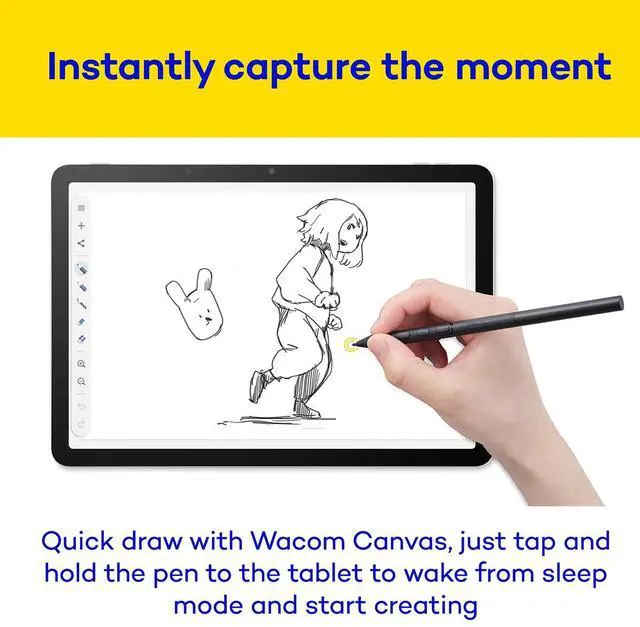
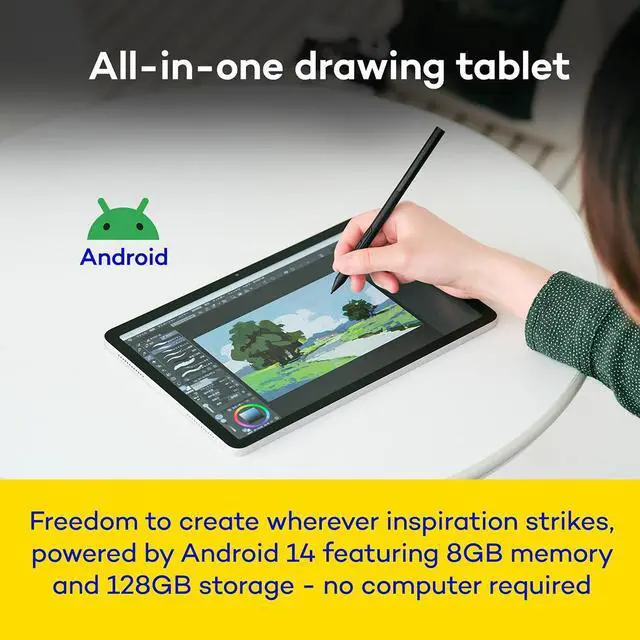
No Limits. Just Draw. Draw when you want, as much as you want, wherever you want. You don't need experience or skills. You don't need a reason or a goal. The "Wacom MovinkPad 11" removes all barriers to your creativity. Just exist in the moment and let the lines flow as you start sketching your world. The "Wacom MovinkPad 11" is there whenever - and wherever - inspiration strikes. Draw your world anytime, anywhere Everything you need, all in one place Made for those who just want to draw All the must-have tools for sketching - right here in one device Start creating the moment you power it onInstantly capture the moment.
Quick drawing is ready when you are. Launch the sketching app "Wacom Canvas" by tapping and holding the pen on the screen during sleep mode. Start drawing as soon as inspiration strikes, just like opening a sketchbook.
Note: When using the Quick Drawing function to launch Wacom Canvas, a new canvas will open to protect your work. Each software's functions and UI are subject to change due to updates. Smooth flow from rough sketch to final artwork. Comes with Wacom Canvas, for sketching ideas and rough drafts, and CLIP STUDIO PAINT DEBUT, for illustrations and manga. With Wacom Canvas you can open rough drafts directly in CLIP STUDIO PAINT, so you can quickly and easily immerse yourself in the creative workflow.
Note: Includes Wacom Canvas app, 2 years license for CLIP STUDIO PAINT DEBUT & trials of Ibis Paint, Magma blaze & Artwod training. To use this software, you need to register with CELSYS. Everything you need, right where you need it. That's the power of Wacom Shelf. Scroll through your growing collection of sketches, artwork and reference images - all in one place. Wacom Shelf lets you view every image on your device, no matter the file type. Even if you've forgotten where you saved it, find everything you need at a glance. Supports bmp, clip, heic, jpeg, png, tiff and webp formats. No charging, no interruptions. The battery-free Wacom Pro Pen 3 lets you stay in the flow. The included Wacom Pro Pen 3 doesn't require batteries or charging - so your creative flow is never interrupted. Lightweight and built for long drawing sessions, it's a high performance tool trusted by creative professionals. You can even customize it with your preferred nibs and grips for the perfect feel (customizable accessories are sold separately).
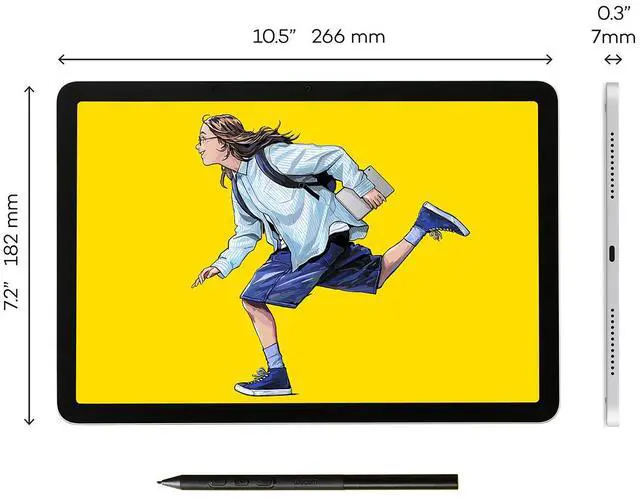
Less glare, more immersion. See your work without distractions. A display crafted for a perfect drawing experience. The pen glides smoothly, but with just enough "grip. " And a special surface treatment reduces glare and fingerprints, so your artwork shines clearly. Lightweight & all-in-one. Perfect to take with you every day. Weighing just 1.3 lbs, this 11.45 -inch device is so light and thin it can go anywhere a sketchbook can. Everything you need is built-in - no PC required. Turn your favorite cafe or park into your own creative studio.
Note: Wacom MovinkPad 11 utilizes Android 14.
Warranty & Returns
Warranty, Returns, And Additional Information
Return Policies
- Return for refund until: January 31, 2027
- Return for replacement until: January 31, 2027
- This item is covered by Newegg.ca's Extended Holiday Return Policy.
- Read full return policy for details.
We want to ensure your holiday shopping this year is hassle-free. That’s why we’re automatically extending our return policies on almost every product! For purchases placed between November 1st, 2026 and December 31, 2026 you will have until January 31, 2027 to return your product.
Manufacturer Contact Info
- Manufacturer Website
- Support Phone: 1-800-922-6613
- Support Website
- View other products from Wacom
LOADING...
The Wacom MovinkPad 11 is a portable Android drawing tablet for artists and illustrators who want to create without a separate computer, pairing an 11.45-inch 2200 × 1440 IPS display with an included Pro Pen 3 Slim.
Recommended For
- Artists who want a portable sketchbook for drawing away from a desk, with a built-in screen and no computer needed for standalone use.
- Beginning artists and students who want to practice digital illustration on a self-contained tablet using Android drawing apps rather than desktop software.
- Illustrators who prioritize responsive pen input, tilt and palm rejection for sketching or line work, and are comfortable choosing compatible Android art apps.
- Artists and note-takers who want one compact device for quick sketches, handwritten notes and light creative work while traveling or moving between locations.
Spec Summary
| Attribute | Value |
|---|---|
| Best For | Students and teachers creating drawings, animations, and written work |
| Display And Touch | 11.5-inch touchscreen with multi-touch control and anti-glare glass |
| Memory And Operating System | 8GB memory running Android |
| Pen And Input | Wacom Pro Pen 3 with 8,192-level pressure sensitivity |
| Battery And Power | 7,700mAh lithium-ion battery (28.95Wh); 10W wattage |
| Connectivity And Compatibility | Bluetooth connectivity; compatible with smartphones, desktops, and laptops |
| Cameras | Front-facing and rear-facing cameras |
| Portability | Weighs 588g (1.3lb); item dimensions are 10.5 × 7.2 inches |
| Package Contents | MovinkPad 11, USB-C-to-USB-C cable, Pro Pen 3 with nib holder, three felt replacement nibs, and documentation |
| Color | Light Gray |
| Model Identifiers | Wacom MovinkPad 11; model and part number DTHA116CL0Z |