

• $62.69
  • Free 15-day Returns
Ships from Hong Kong.
Price alert
Shop it at NeweggBusiness.

Jansicotek 7 Ports (2X USB C - 5X USB A) USB PCI Express Card PCIe, 5Gbps High Speed USB3.0 PCI-EX1 X4 X8 X16 Adapter Converter for Desktop PC, for for XP, for WIN7, for WIN8, for WIN8.1, WIN10

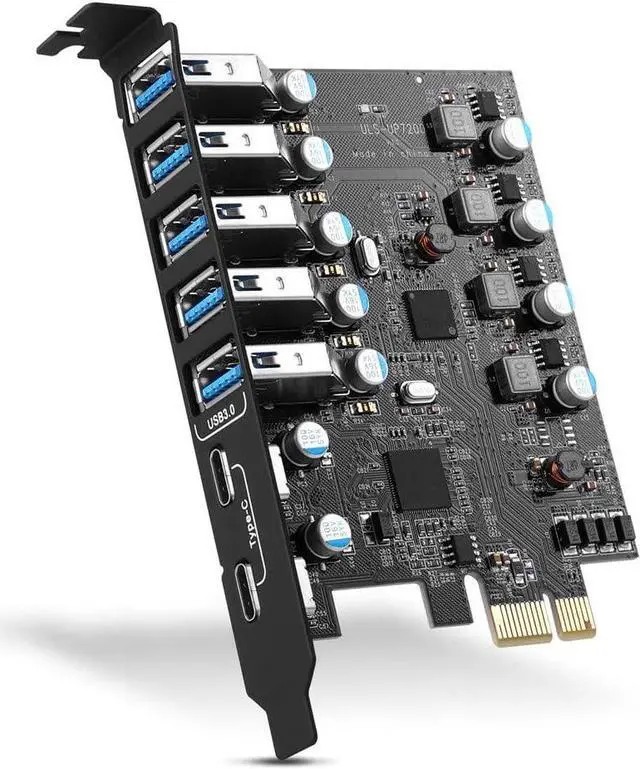
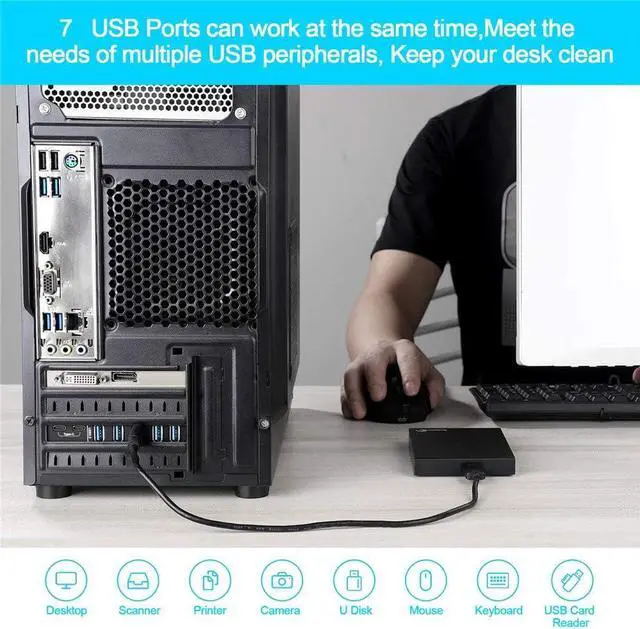
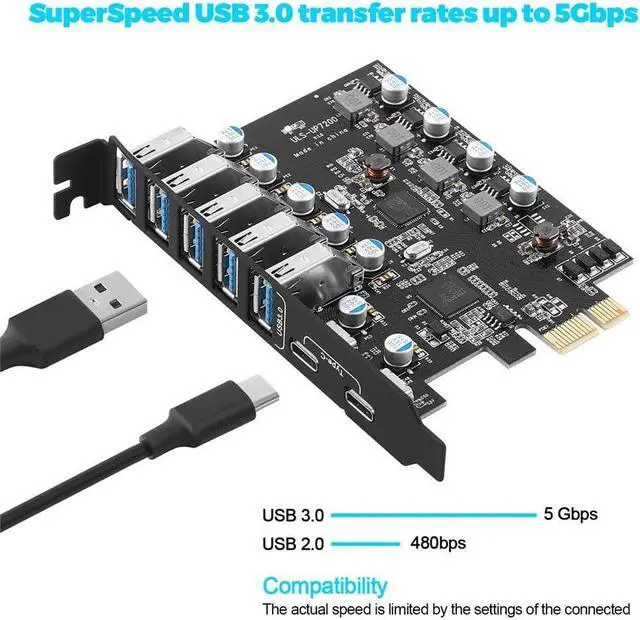
  • Maximum extension,Most USB interfaces: Update your Computer to 7 ports USB3.0--2 Port Type C and 5 ports Type A, You can connect keyboard, mouse, external hard drives, CD/DVD drives, webcams,usb printers, scanners, game controllers,USB VR, digital cameras, etc
  • Increasing Efficiency: Supports transfer rates of up to 5Gbps copying HD videos, music, photos,data files between USB devices and the computer at blazing fast speeds.Note:The actual transmission speed is limited by the setting of the device connected
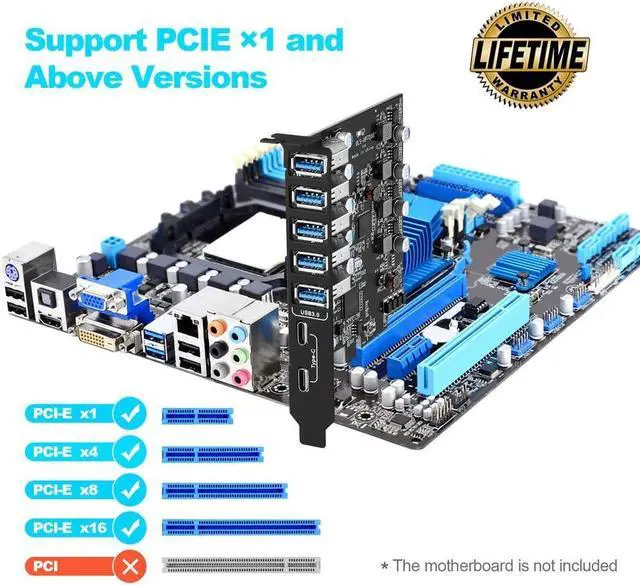
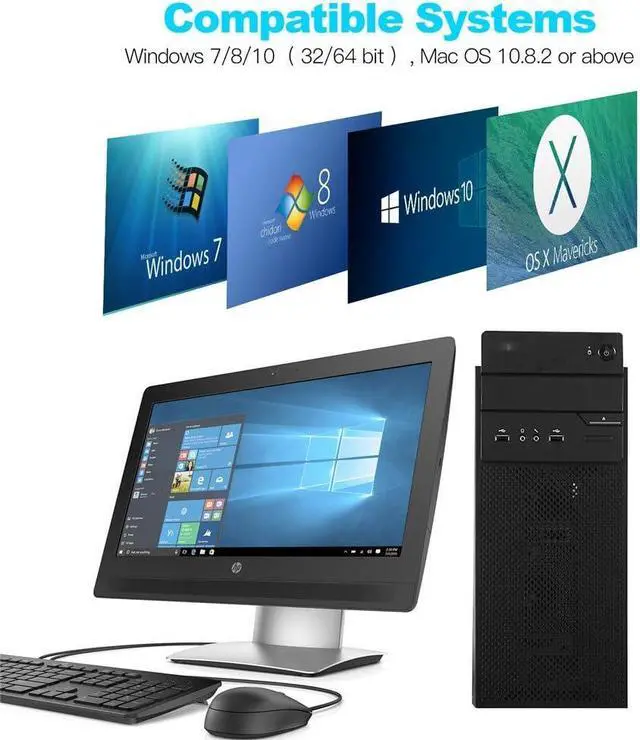
  • Widely compatibility: USB 3.0 Backwards compatible with USB 2.0 and 1.1 devices; Comply with PCI-e 3.0 PCIe 2.0 motherboards, Fits PCI Express x1, x4, x8 or x16 socket .Operating System Supports Windows XP/Vista/2008 Server/7/8/10,and Mac 0s (10.8.2 above) . Note: Windows XP,/Vista/7, Server,requires driver installation, Windows 10 and Mac OS 10.8.2 above don't need drivers
+
+
Overview
Specs
Reviews
7 Port Pcie Expansion Card
PCIe to USB 7-Ports (2X USB C - 5 USB A) Expansion Card
  • Big Expansion: Use usb expansion card to upgrade your computer to 7 USB ports (2X USB C and 5X USB A) in one step to solve the problem of fewer host USB port and allow more USB device to the computer system,Such as keyboard,mice,printer,smart phones,game controller,digital cameras, etc
  • Super Speed USB Ports: The card has a transmission speed of up to 5Gbps bandwidth,20X faster than the old version of USB 2.0. Amazing transfer speed,most of the high-definition photos, videos and any files can be finish transferred in a few seconds
  • Extensive Compatibility: USB Ports Compliant USB 3.0,USB 2.0 and USB 1.0 devices downwards.Supports PCIe 3.0 and PCI-e 2.0 motherboards,suitable for PCI Express X4 to X16 slots. The operating system is compatible with Windows 7/8/10 (32/64 bit),Mac OS 10.8.2 and above. (Windows XP/7 System needs to install the program from the CD.)
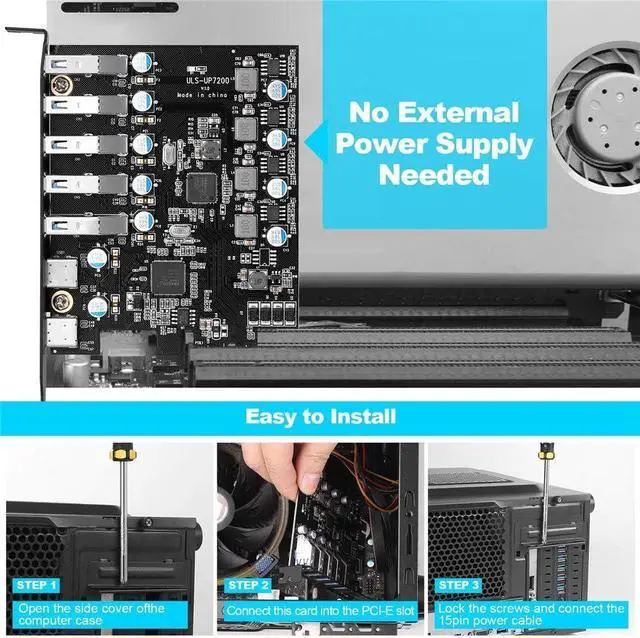
  • Easy Installation: Power can be supplied through the PCI Express slot,PCIe card don't require additional power cables.,and the installation is very convenient.In addition,each port has an insurance safety element with overcurrent and static protection functions,so you can use it safely
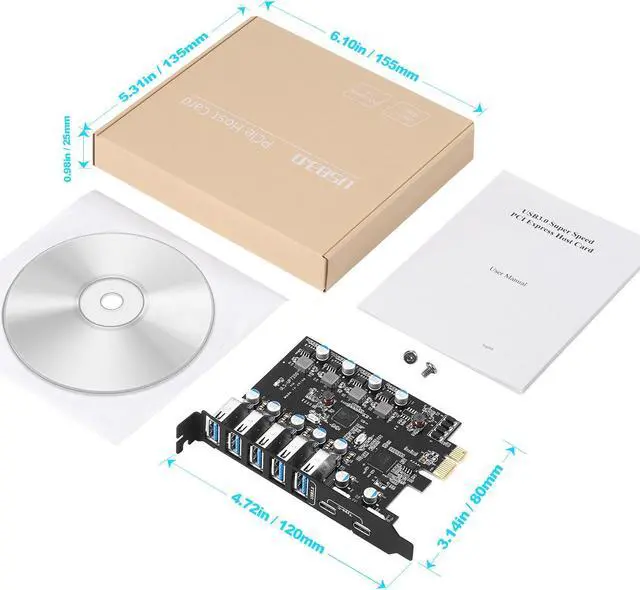
  • You Will Get:1x pci usb card,1x CD,2x screws and 180 day warranty.(The USB A port is vertical.The vertical height is 0.72 inches.Be sure to check the height of the expansion slot on the back of the computer host before choosing.)
7 Port Pcie Expansion Card
Step 1
Step 1

Turn off the computer power, then unplug the power plug from the power outlet and remove the cover from the computer case.

Step 2
Step 2

Find the corresponding PCIE card slot.

Step 3
Step 3

Insert the card into a free PCI Express slot.

Step 4
Step 4

First insert the U disk into the usb slot for positioning.Then, use a screwdriver to firmly tighten the screws on the side of the bracket, put the computer cover back on the computer, and insert the plug into the socket.

Maximum extension, Most
USB interfaces: Update your Computer to 7 ports USB 3.0 --2 Port Type C and 5 ports Type A, You can connect keyboard, mouse, external hard drives, CD/DVD drives, webcams, usb printers, scanners, game controllers, USB VR, digital cameras, etc
Increasing Efficiency: Supports transfer rates of up to 5Gbps copying HD videos, music, photos, data files between USB devices and the computer at blazing fast speeds.
Note: The actual transmission speed is limited by the setting of the device connected
Widely compatibility: USB 3.0 Backwards compatible with USB 2.0 and 1.1 devices; Comply with PCI-e 3.0 PCIe 2.0 motherboards, Fits PCI Express x1, x4, x8 or x16 socket. Operating System Supports Windows XP/Vista/2008 Server/7/8/10, and Mac 0s ( 10.8. 2 above).
Note: Windows XP, /Vista/7, Server, requires driver installation, Windows 10 and Mac OS 10.8. 2 above don't need drivers

Warranty & Returns

Warranty, Returns, And Additional Information

Warranty

  • Please contact the Seller directly for warranty information. Warranty information may also be found on the Manufacturer's website.
  • CONTACT

Return Policies

Manufacturer Contact Info

LOADING...