
 We‘re shipping as usual! The Canada Post strike only affects certain remote deliveries and PO Boxes.
  Holiday Shipping Details & Extended Holiday Returns

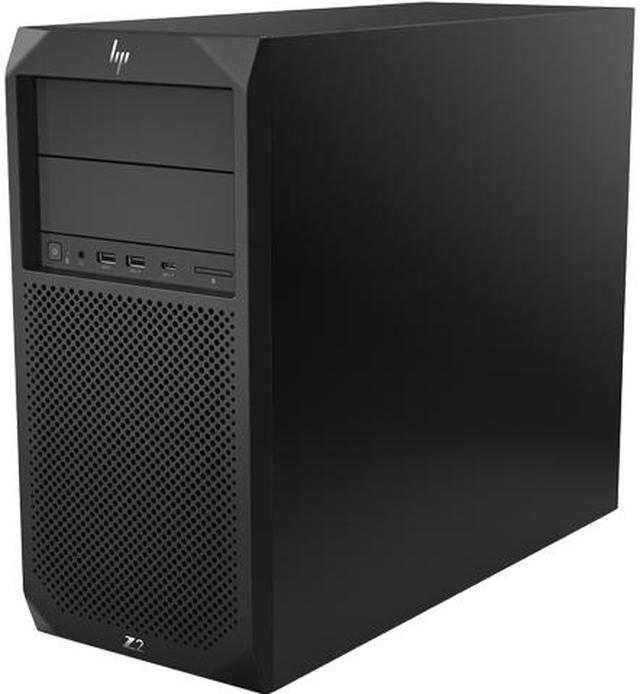
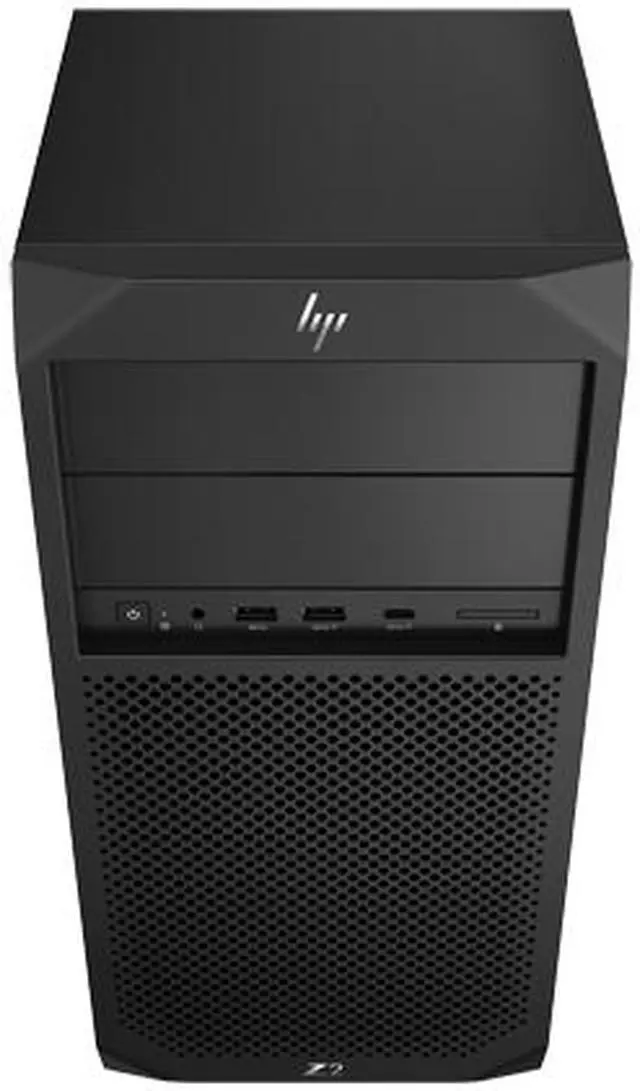

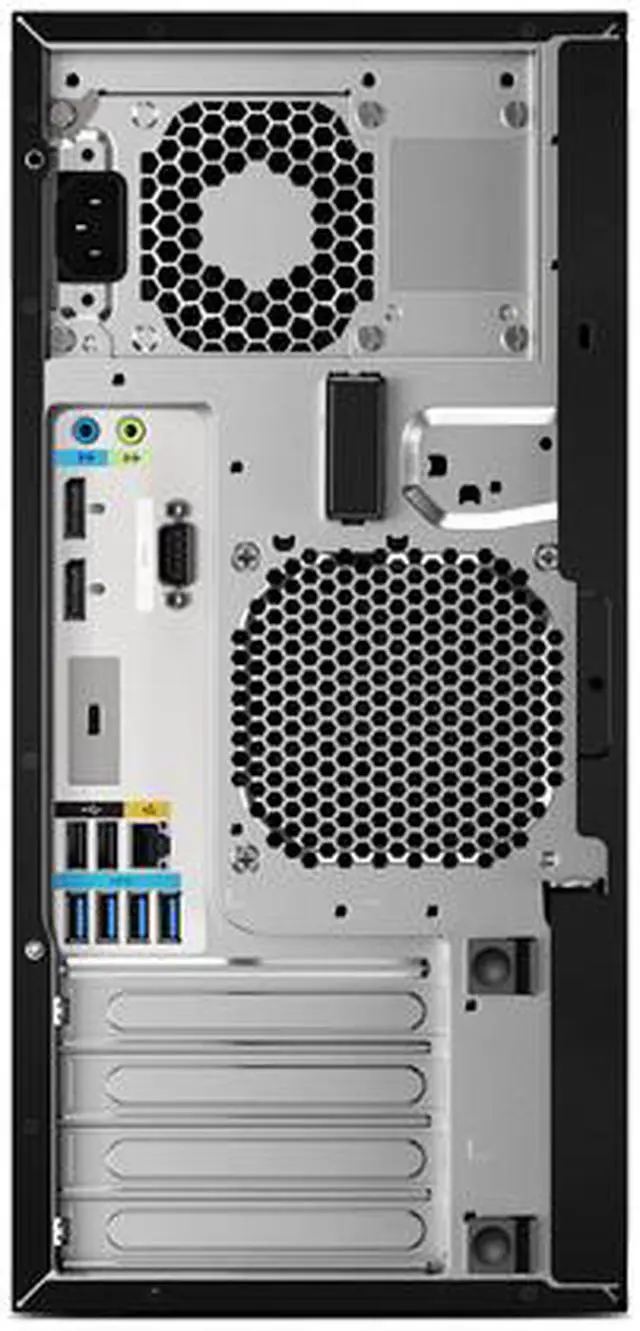


HP Z2 Tower G4
World’s Most Powerful Entry Workstation1
An entry-level workstation ideal for architects, production developers and higher education, the Z2 Tower G4 packs robust performance, rich features and great expandability into a sleek package that's 14% smaller than its previous generation. It's available with Intel Core/Xeon processor options and a slew of graphics options to tackle complex workloads like BIM and rendering, and allows you to add more memory, storage, and add-on cards to meet your evolving needs. Plus, the convenient new design features front and rear ledges, so you can easily move your system from location to location.
This model (5DV13UT#ABC) comes equipped with Intel Xeon E-2144G (4 cores, 8 threads), Intel C246 chipset, discrete NVIDIA Quadro P2000 (5 GB GDDR5 dedicated), 16 GB DDR4 RAM, and a 512 GB SSD.
ADVANCED PERFORMANCE
With 60% more graphics power and 13% smaller than last generation, the Z2 Tower is equipped to handle heavy workloads.


Intel Xeon or Core Processors
Achieve full, unthrottled performance with complex 3D CAD rendering and BIM workloads.

Ultra 3D Professional Graphics
Amp up rendering and visualization software with up to NVIDIA Quadro P5000 graphics.

Software Certified
Certified for professional applications like Autodesk, SolidWorks and Adobe, you’ll get optimal performance from your most critical software.
BUILT TO EXPAND
The world’s most expandable entry workstation2 is designed to grow with you to meet your ever-changing workload requirements.


Flexible I/O Modules
Future proof with the flexibility to add modules as your connectivity needs change.

Four PCIe Slots
Work with large models and render complex 3D models in real time with up to NVIDIA Quadro P5000 graphics options.

64 GB Dual-Channel Memory
Experience fast performance when working on complex design tasks.

Ample Storage
Quickly access and store massive amounts of data and files with four storage bays (two 3.5” bays + two 5.25” bays) and dual dedicated M.2 slots.
WORLD’S MOST SECURE AND MANAGEABLE WORKSTATIONS3
Get powerful protection from evolving malware threats with HP’s self-healing, hardware enforced security solutions. Plus, easily manage multiple devices with the HP Manageability Integration Kit.4


HP Sure Start Gen45
Hardware-enforced, self-healing protection that automatically recovers the BIOS and other critical firmware.

HP Sure Run
Your critical applications and processes keep running with self-healing protection—even if malware tries to shut them down.6

HP Sure Recover
Quickly and securely restores your workstation to the latest image using a network connection.7

HP Manageability Integration Kit4
Speeds up image creation and management of hardware, BIOS, and security through Microsoft SCCM.
1. Based on HP's internal analysis of ISV-certified small form factor workstations as of July 2018, and power based on maximum processor, graphics, memory.
2. Based on HP's internal analysis of ISV Certified entry Tower Workstations with C236 and C246 chipsets. Most expandable based on number of bays, PCIe slots, total ports, supported power supply, and supported 3D graphics cards as of July 2018.
3. Based on HP’s unique and comprehensive security capabilities at no additional cost and HP’s Manageability Integration Kit’s management of every aspect of a PC including hardware, BIOS and software management using Microsoft System Center Configuration Manager among desktop workstation vendors as of July 2018 on HP Desktop Workstations with 8th Gen and higher Intel Processors.
4. HP Manageability Integration Kit can be downloaded from //www.hp.com/go/clientmanagement
5. HP Sure Start Gen4 is available on HP Elite and HP Workstation products equipped with 8th generation Intel or AMD processors.
6. HP Sure Run is available on HP Elite and HP Workstation products equipped with 8th generation Intel or AMD processors.
7. HP Sure Recover is available on HP Elite and HP Workstation with 8th generation Intel or AMD processors and requires an open, wired network connection. You must back up important files, data, photos, videos, etc. before using HP Sure Recover to avoid loss of data.