


Lowest price in 30 days


LOWEST PRICE
In AMD Motherboards
Shop Department
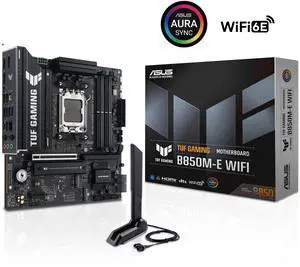
ASUS TUF GAMING B850M-E WIFI AMD B850 mATX motherboard, 8+2+1 80A DrMOS power stages, DDR5, PCIe 5.0, 3 M.2 slots, WiFi 6E, 2.5Gb Ethernet, DisplayPort, HDMI, rear USB-C 10Gbps and front USB-C 5Gbps
- Brand: ASUS
- CPU Socket Type: AM5
- Chipset: AMD B850
- Serial ATA (SATA): 4 x SATA 6Gb/s
- Model #: TUF GAMING B850M-E WIFI
- Item #: N82E16813119758
- Return Policy: Standard Return Policy
$209.99
$309.99
Free Shipping
Beautiful TUF design looks great even sitting on an open test bench without a case The Q-LED indicators are a lifesaver for troubleshooting. Pinpointed a GPU issue in seconds just by watching which LED stayed lit RAM ran at its full rated EXPO speed (DDR5-5600) automatically, no manual tuning needed EZ Mode BIOS is clean and easy to navigate, even as a first-time AM5 builder WiFi 6E built in, one less thing to buy separately Temps and voltages looked great out of the box with a Ryzen 5 9600X
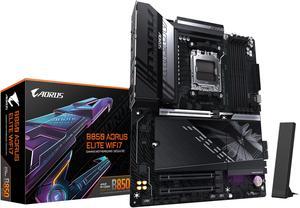
GIGABYTE B850 AORUS ELITE WIFI7 AMD AM5 LGA 1718 Motherboard, ATX, DDR5, 3x M.2, PCIe 5.0, USB-C, WIFI7, 2.5GbE LAN, EZ-Latch 5-Year Warranty
- Brand: GIGABYTE
- CPU Socket Type: AM5
- Chipset: AMD B850
- Form Factor: ATX
- Model #: B850 AORUS ELITE WF7
- Item #: N82E16813145545
- Return Policy: Standard Return Policy
$279.00
$339.00
Free Shipping
Durable, modern, looks nice, plenty of ports, very useful Debug LEDs to tell you if something happens during post (Labeled DRAM, CPU, etc) and the wifi antenna works well!
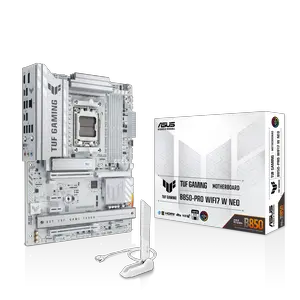
ASUS TUF GAMING B850-PRO WIFI7 W NEO AMD ATX motherboard, 14+2+1 power stages, DDR5 with AEMP, three M.2 slots, PCIe 5.0 for next-gen GPUs, 2.5Gb Ethernet, 64MB BIOS and AI Cooling II.
- Brand: ASUS
- CPU Socket Type: AM5
- Chipset: AMD B850
- Serial ATA (SATA): 4 x SATA 6Gb/s
- Model #: TUF GAMING B850-PRO WIFI7 W NEO
- Item #: N82E16813119774
- Return Policy: Standard Return Policy
$299.99
Free Shipping
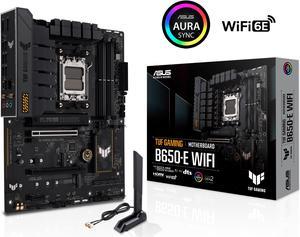
ASUS TUF GAMING B650-E WIFI AMD B650 AM5 ATX motherboard, DDR5, 8+2 teamed power stages, PCIe 5.0, a PCIe 5.0 M.2 slot, Realtek 2.5 Gb Ethernet, Wi-Fi 6E, HDMI, DisplayPort, front USB 20Gbps Type-C
- Brand: ASUS
- CPU Socket Type: AM5
- Chipset: AMD B650
- Serial ATA (SATA): 4 x SATA 6Gb/s
- Model #: TUF GAMING B650-E WIFI
- Item #: N82E16813119671
- Return Policy: Standard Return Policy
$199.99
$269.99
Free Shipping
Had absolutely no issues setting up with a 7700 and Corsair Vengeance 2x16GB 6000C30 ram, first thing to do is update the BIOS from the start, then set PBO, Curve Optimizer to Negative 30, ram to 6200 and infinity fabric to 2066, memory context restore to enabled after a few successful boots, and it rocks. Very happy with it.
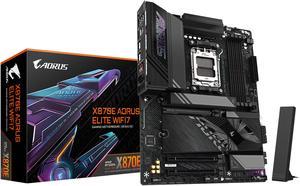
GIGABYTE X870E AORUS ELITE WIFI7 AM5 LGA 1718, ATX, DDR5, 4x M.2, PCIe 5.0, USB4, Wi-Fi 7, 2.5GbE LAN, EZ-Latch, 5-Year Warranty
- Brand: GIGABYTE
- CPU Socket Type: AM5
- Chipset: AMD X870E
- Serial ATA (SATA): 4 x SATA 6Gb/s
- Model #: X870E AORUS ELITE WIFI7
- Item #: N82E16813145517
- Return Policy: Standard Return Policy
$339.99
$439.99
Free Shipping
This motherboard is affordable and works very well for the price. The performance is stable, and its easy to get a basic setup running without issues.
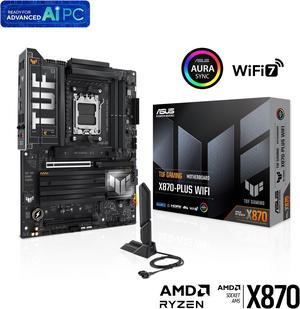
ASUS TUF GAMING X870-PLUS WIFI AMD AM5 X870 ATX motherboard, 16+2+1, 80A SPS power stages, DDR5, PCIe 5.0 Ready, four M.2 slots, Wi-Fi 7, 2.5Gb LAN, HDMI, USB4 40Gbps, SATA 6 Gbps, USB 20Gbps Type-C
- Brand: ASUS
- CPU Socket Type: AM5
- Chipset: AMD X870
- Serial ATA (SATA): 2 x SATA 6Gb/s
- Model #: TUF GAMING X870-PLUS WIFI
- Item #: N82E16813119686
- Return Policy: Standard Return Policy
$329.99
$349.99
Free Shipping
- Worked perfectly. - Looks rugged and tough... TUF* - Easy release PCIe 5 port lever. Really awesome, never had that before. You do not need a microscope attached to your phone to release the GPU.
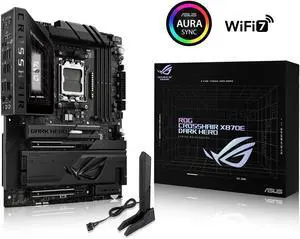
ASUS ROG Crosshair X870E Dark Hero ATX motherboard, 20+2+2 power stages, DDR5 slots, PCIe 5.0, five M.2 slots, 3D VC M.2 heatsink, USB4, AI Cache Boost, PCIe Slot Q-Release, AIO Q-Connector
- Brand: ASUS
- CPU Socket Type: AM5
- Chipset: AMD X870E
- Serial ATA (SATA): 4 x SATA 6Gb/s
- Model #: ROG CROSSHAIR X870E DARK HERO
- Item #: N82E16813119770
- Return Policy: Standard Return Policy
$949.99
Free Shipping
The ASUS ROG Crosshair X870E Dark Hero is phenomenal. I want to start by mentioning the attention to detail and the build qualityit's on another level. The board feels very solid, strong, and heavy. The main reason I decided to go with this board is that it allows me to run two Gen 5 SSDs at full speed without losing GPU performance, keeping the graphics card running at x16. I do lose the use of the 40Gb USB-C ports, but honestly I dont use them anyway. Working on the board was super easy thanks to all the EZ-Latch mechanisms, which made installing components quick and hassle-free.
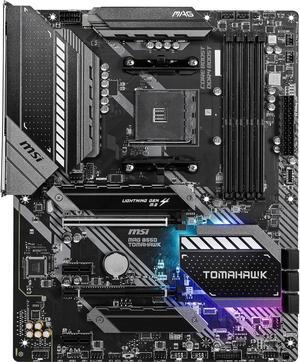
MSI MAG B550 TOMAHAWK AM4 ATX AMD Motherboard
- Brand: MSI
- CPU Socket Type: AM4
- Chipset: AMD B550
- Serial ATA (SATA): 6 x SATA 6Gb/s
- Model #: MAG B550 TOMAHAWK
- Item #: 9SIA7BBBMZ2408
- Return Policy: View Return Policy
$276.16
$306.84
$17.96 Shipping
I love this board! It has many features and it’s very straight forward.