
Your Browsing History
BEST SELLERS


BEST SELLERS
In Business Laptop
Our most popular products, based on sales and updated frequently.Shop Department
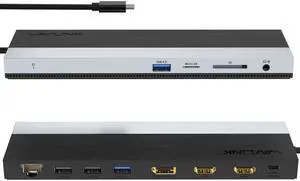
Wavlink USB-C Docking Station Triple Display Max 4K@60Hz with DisplayPort, 2xHDMI, PD, 85W Charging for PC, 2xUSB 3.0, 2x2.0, Gigabit Ethernet, SD/TF Slot, Audio Jack For Windows&Mac etc
- Part Number: 1x USB-C to Host with integrated cable 50cm length 2 x HDMI 2.0 1 x DisplayPort 1.4 1x USB-C supports PD 100W IN 2x USB-A 5Gbps 2x USB-A 480Mbps 1x Gigabit Ethernet 1x SD/Micro SD 3.0 1x Combo Audio 1x LED light Indicator
- Compatibility: Suitable for your thunderbolt 3/4 laptops or devices with full-featured type-c port(support charging and video output). Works with MacBook Pro/Air 2021/2020/2019/2018/2017/2016, iMac/ iMac Pro, Google Chromebook Pixel, Huawei MateBook Pro, Dell, Surface Book 2, HP, Lenovo, etc.
- Ports Spec: PD3.0 supports up to 85W Pass Through Charging, 2 x USB3.0 A port speed up to 5Gbps, 2 x USB2.0 A port speed up to 480Mbps, 2 x HDMI (2.0), 1 x DisplayPort (1.4), Integrated TRRS 4-pole phone jack, SD/Micro SD V3.0 Card Reader slot, 1x RJ45 10/100/1000Mbps Ethernet, 1x LED Power Indicator
- Parts: 1 Year...
- Model #: WL-UMD08
- Item #: 9SIC7HJM0A8391
- Return Policy: View Return Policy
$75.99
Free Shipping
Easy to use, works perfect so far. Very helpful to someone who needs multiple ports.
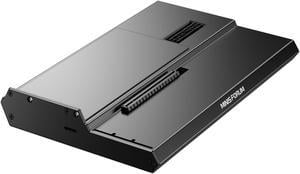
MINISFORUM DEG1 External GPU Docking Station, Mini eGPU Enclosure for RTX 4090, AMD RX 7900 XTX, Support ATX/SFX Standard Power Supplies, PCIe4.0x4 Expansion Interface Oculink Graphics Docking Station
- Model #: DEG1
- Item #: 9SIBZWDKEU5709
- Return Policy: View Return Policy
$155.00
Free Shipping
- It's worked flawlessly for the 2 months I've had it so far. Used with an RTX 5080 and RTX 5090 for long running workloads.
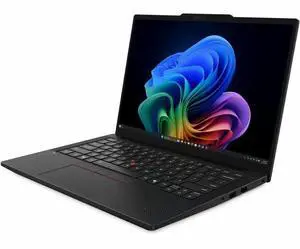
Lenovo ThinkPad T14 Gen 7, AMD Ryzen 5 PRO 230 (Up to 4.9GHz), 32GB DDR5 RAM, 512GB PCIe SSD, Radeon 760M 4GB GPU, 14" 500-Nit 100% sRGB IPS Touchscreen, Wi-Fi 7, Windows 11 Pro
- Processor Name: AMD Ryzen 5 Pro 230
- GPU/VPU: AMD Radeon 760M
- Memory: 32GB DDR5
- SSD: 512GB PCIe
- Model #: 22AMS01200
- Item #: 9SIAP83M332977
- Return Policy: View Return Policy
$1,999.00
Free Shipping
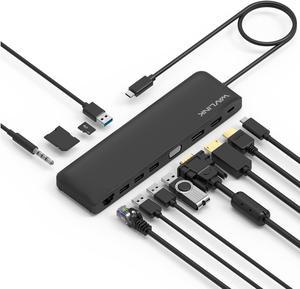
Wavlink USB C Triple Display 4K 12 in 1 MST USB C Docking Station, Type C Systems (DP & HDMI &VGA, USB 3.0&2.0 Ports, SD TF Card Reader, Gigabit Ethernet, Audio For for MacBook Pro & Windows
- Compatibility: This slim compact dock is compatible with USB-C Computers that have USB3.1 full function with data transfer, USB-C Power Delivery & Video Alternate Mode. Support Windows 7 / 8 / 10; Max OSX 10; Linux or the latest version. We provide 12 months warranty for this product.
- Ports Spec: One USB-C port supports PD 3.0 upstream power charging to PC computer with up to 100W Both DisplayPort v1.2a and HDMI v1.4b support 4K/30Hz single display One VGA port supports up to 2K (2048x1152) @60Hz single display Dual displays up to 2048x1152 @60Hz; Triple displays up to 1920x1080 @60Hz Two USB 3.0 ports and two USB 2.0 ports provide data transfer rates up to 5Gbps & 480Mbps separately One RJ45 Gigabit Ethernet port enables stable wired connection One built-in SD/TF card reader supports SD v2.0, SDHC up to 32GB, and SDXC up to 2TB One audio combo jack for stereo a...
- Model #: WS-UMD04-A
- Item #: 9SIACU9FE90633
- Return Policy: View Return Policy
$39.99
Free Shipping
I don't like the thought of proprietary connectors and traditional docks. This suits my purposes very well and was easy to setup and use.
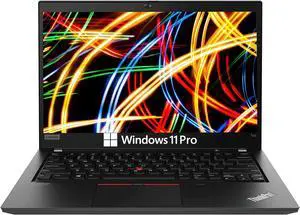
Lenovo Thinkpad T14 Business Laptop Computer, 14in FHD Display, AMD Ryzen 5 Pro 4650U, 16GB DDR4 RAM, 512GB SSD, Webcam, HDMI, Windows 11 Pro
- Processor Name: Ryzen 5 Pro 4650U
- Memory: 16GB
- SSD: 512GB
- Operating System: Windows 11 Pro
- Model #: SA-00012
- Item #: 9SIAJXVM4W4192
- Return Policy: View Return Policy
$449.22
Free Shipping
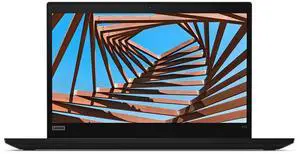
Lenovo ThinkPad X13 Gen 1, Intel Core i7-10610U, 16GB RAM, 256GB SSD, 13.3" FHD, Windows 11 Pro Refurbished
- Processor Name: Intel Core i7-10610U
- GPU/VPU: Intel UHD Graphics
- Memory: 16GB
- SSD: 256GB
- Model #: CT-999004580208
- Item #: 9SIAPRBKTT4378
- Return Policy: View Return Policy
$384.00
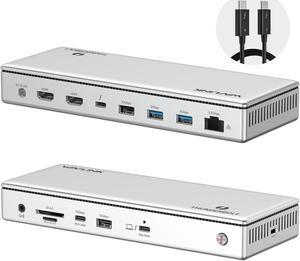
WAVLINK Thunderbolt 4 Docking Station, Single 8K, Triple 4K Display, 13 In 1 Laptop Dock for TBT 4/3 Mac & TBT 4 Windows PC, 40 Gbps with Max 96W Charging for Laptop with 2.5G RJ45
- Part Number: Front Panel: 1x 4-Pole Phone Jack; SD/TF Card Slots(312MB/s), 1x USB-C(10Gbps, PD 30W), 1x USB-A 10Gbps, 1x Thunderbolt 4 Host(40Gbps, 96W); Rear Panel: 1x DC IN (20V/8A, 160W); 2x 8K HDMI; 1x Thunderbolt 4 Downstream(8K, 40Gbps, 15W); 1x USB-A 10Gbps; 2x USB-A 5Gbps; 1x RJ45(2500Mbps)
- Compatibility: Compatible Systems -Thunderbolt 4 PC running Windows 10/11. -Thunderbolt 3/4 Mac running Mac OS 11 or later. -Compatible with Other USB4 and MFDP Hosts (Full-functional USB-C, supports DisplayPort+USB3.1+Power Delivery)
- Thunderbolt 3: Thunderbolt 4...
- Model #: WL-UTD45
- Item #: 9SIC7HJM0C0939
- Return Policy: View Return Policy
$249.99
Free Shipping
Use this as a dock for my 2017 Macbook Pro 13". Faster and cleaner to disconnect the single cable that now handles my dual 4k monitors, external kb and mouse, ethernet, audio, etc. They can't call me Dongle Boy any more!
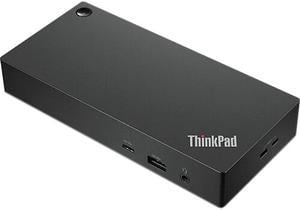
Lenovo ThinkPad Universal USB-C Dock
- Part Number: 40AY0090US
- Weight: 0.74 lbs
- Function: Internet Tablet
- Model #: 40AY0090US
- Item #: 9SIC1TEKJ89669
- Return Policy: View Return Policy
$229.00
$13.99 Shipping
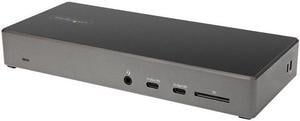
StarTech.com USB C Dock - Triple 4K Monitor USB Type-C Docking Station - 100W Power Delivery - DP 1.4 Alt Mode & DSC, 2 x DisplayPort 1.4/HDMI 2.0 - 6 x USB (2 x 10Gbps), SD - DK31C2DHSPD
- Compatibility: Windows 10 / Windows 8.1 / Chrome OS 78.x
- Thunderbolt 3: Yes
- Ports Spec: 1 x USB Type-C 3.0 (Fast-Charge, 24 pin) 2 x USB Type-A 3.1 (9 pin, Gen 1, 5 Gbps) 2 x USB Type C 3.1 (10 pin, Gen 2, 10 Gbps) 2 x USB Type-A 2.0 (4 pin) 2 x DisplayPort 1.4 1 x HDMI 2.0 1 x SD / MMC Slot 1 x RJ-45 1 x 3.5 mm Stereo Audio
- Dimension: 1.20" x 8.30" x 3.50"
- Model #: DK31C2DHSPD
- Item #: N82E16834977808
- Return Policy: Standard Return Policy
$250.99
$1.99 Shipping
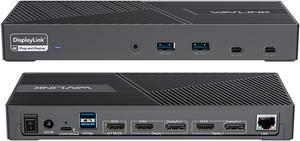
Wavlink DisplayLink Laptop Docking Station Triple Monitor 4K@60Hz, 100W Charging For Thunderbolt 3/4, New MacBook Neo, M1 M2 M3 Mac/Windows/Chrome, 3 HDMI, 2 DP, 6 USB Ports, 160W Power, LAN,Audio
- Compatibility: Perfect for laptops with USB 3.1 full-function type c port or thunderbolt 3/4 port. Support Windows 11/10/8.1/8/7; Mac OS 10.14-13.x and latest, Chrome OS, Ubuntu 20.04, 22.04, Android and Harmony OS. Unsupported with Unix systems, Linux and iPad OS. (Follow the instructions to download the latest DisplayLink drivers before use.)
- Ports Spec: 3 x HDMI (HDMI2.0) + 2 x DP (DP1.2), supports up to triple 4K@60Hz resolution display Supports USB Power delivery(PD3.0) up to 100W upstream Charging to a connected laptop Four USB3.1 Type-A (10G) and Two USB-C Gen2 (10G) ports to extend more connectivity to USB devices LAN port supports up to 1Gbps (10/100/1000Mbps),providing
- Dimension: Unit Size: 22.3x9.1x2.9cm/8.7x3.6x1.1in( L x W x H ) USB-C to C Cable Length: 100cm/39.4in...
- Model #: WL-UG69PD25 Pro
- Item #: 9SIC7HJM0A8392
- Return Policy: View Return Policy
$249.99
$269.99
Free Shipping
I am a Windows user but recently had to take up support for Apple MacBook's. I use three monitors to do my work\support and my new MacBook would not let me use the three monitors, just the MacBook screen and one external monitor. I tried just about everything and nothing worked. Someone told me about this Wavlink docking station, so I tried it and WOW, I was able to use all three monitors with little effort to get the dock to work with my MacBook and it also works with my Window's laptop, so now all I do is unplug one machine and plug in the other and I just get to work!! What a great dock, highly recommend!!
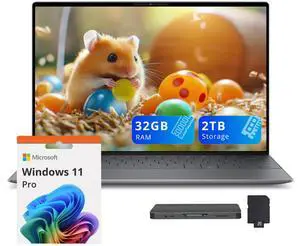
Dell XPS 13 9345 13.4" FHD+ Laptop, Snapdragon X Elite X1E-80-100, 32GB DDR5, 2TB Storage(1TB SSD+1TB Docking Station Set), Qualcomm Adreno, Copilot+PC, Win 11 Pro, Graphite
- Processor Name: Qualcomm Snapdragon X Elite X1E-80-100
- GPU/VPU: Qualcomm Adreno
- Memory: 32GB DDR5
- SSD: 1TB
- Model #: 884116479475_32_1_NEx_p_L1
- Item #: 9SIBTEUKTW7285
- Return Policy: View Return Policy
$2,529.00
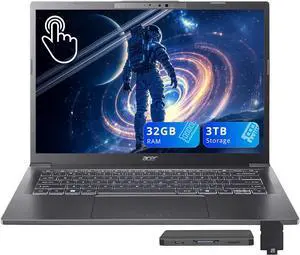
Acer Aspire 14 AI 14" WUXGA Touchscreen Laptop, Intel Core Ultra 9 288V, 32GB LPDDR5X, 3TB Storage(2TB SSD+1TB Docking Station Set), Intel Arc 140V, Backlit Keyboard, Win 11, Steel Gray
- GPU/VPU: Intel Arc Graphics 140V
- Memory: 32GB
- SSD: 2TB
- Operating System: Windows 11 Home
- Model #: 195133311366_32_2_NE_x
- Item #: 9SIBTEUKSW5824
- Return Policy: View Return Policy
$2,099.00
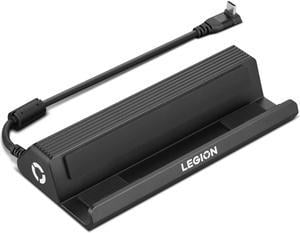
Lenovo Legion Go USB-C Dock, For Gaming
- Brand: Lenovo
- Model: GX91P83696
- Part Number: GX91P83696
- Color: Black
- Model #: GX91P83696
- Item #: 9SIAXCYKBV0678
- Return Policy: View Return Policy
$92.99
Free Shipping
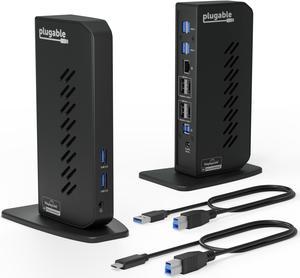
Plugable USB 3.0 and USB-C Dual 4K Display Docking Station with DisplayPort and HDMI for Windows and Mac (Dual 4K DisplayPort & HDMI, Gigabit Ethernet, Audio, 6 USB Ports) Vertical
- Compatibility: Windows 11, 10, 8.x, and 7 macOS 10.14+ ChromeOS 100+
- Ports Spec: HDMI 2.0 or DisplayPort, wired Gigabit Ethernet, 3.5mm combination audio jack, 6 x USB 3.0
- Parts: 2 Year Limited
- Labor: 2 Year Limited
- Model #: UD-6950Z
- Item #: 9SIADGEM1X4378
- Return Policy: View Return Policy
$213.22
$10.99 Shipping
- Multiple USB 3 Ports - Multiple Video Ports
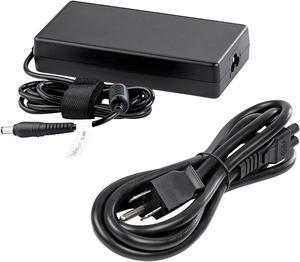
StarTech.com Replacement Universal AC/DC Power Adapter with NA Power Cord for Docking Stations DK30C2DPEP, DK30C2DPPD and DK31C3HDPD - 150W (19.5V/7.7A) 158-DOCKPOWERADAPTER
- Part Number: 158-DOCKPOWERADAPTER
- Compatibility: DK30C2DPEP, DK30C2DPPD, and DK31C3HDPD
- Model #: 158-DOCKPOWERADAPTER
- Item #: 9SIA7BBK358537
- Return Policy: View Return Policy
$82.54
Free Shipping
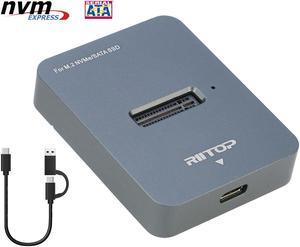
M.2 NVMe to USB C Docking Station, RIITOP External M.2 SSD to USB-C Reader Adapter for Both PCIe NVMe SSD M Key and B+M Key SATA-Based SSD
- Thunderbolt 3: Yes
- Model #: M2BM2DT
- Item #: 9SIAFMXHPJ6583
- Return Policy: View Return Policy
$35.99
Free Shipping
It just works!
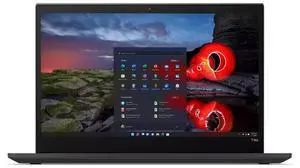
Lenovo ThinkPad T14s Gen 2 Business Latop, Intel Core i7-1185G7, 16GB RAM, 512GB SSD, 14" FHD, Windows 11 Pro (Black)
- Processor Name: Intel Core i7-1185G7
- GPU/VPU: Integrated Graphics
- Memory: 16GB
- SSD: 512GB
- Model #: CT-601570654022
- Item #: 9SIAPRBKN92255
- Return Policy: View Return Policy
$549.00
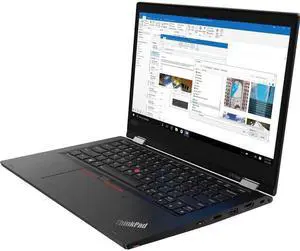
Lenovo ThinkPad L13 Yoga (Core i5-10210U) 2-in-1 Business Convertible 13.3-inch with 8GB Ram/256 SSD(M2) Win 11 Home
- Operating System: Windows 11 Home
- Screen Size: 13.3"
- Model #: L13
- Item #: 9SIB50EKT66742
- Return Policy: View Return Policy
$299.99
$32.00 Shipping
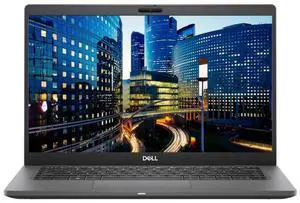
Dell Latitude 7410 CI7-10610U 16GB 512GB 14in FHD W11P Black
- Processor Name: Intel Core i7-10610U
- GPU/VPU: Intel UHD Graphics
- Memory: 16GB
- SSD: 512GB
- Model #: CT-999004466489
- Item #: 9SIAPRBM140841
- Return Policy: View Return Policy
$449.00
$468.00
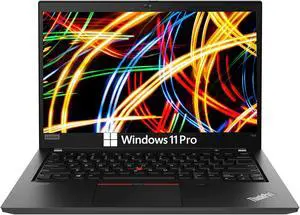
Lenovo Thinkpad T14 Business Laptop Computer, 14in FHD Display, AMD Ryzen 5 Pro 4650U 16GB DDR4 RAM, 256GB SSD, Webcam, HDMI, Windows 11 Pro
- Processor Name: Ryzen 5 Pro 4650U
- Memory: 16GB
- SSD: 256GB
- Screen Size: 14.0"
- Model #: SA-0013
- Item #: 9SIAJXVM4W4467
- Return Policy: View Return Policy
$419.22
Free Shipping